
1. Introduction
The TYPONOS D820 Thermal Printer Paper is specifically designed for use with thermal printers, offering an inkless and eco-friendly printing solution. This US Letter size paper (8.5 x 11 inches or 216 x 279 mm) is provided in a continuous folding format, ensuring smooth feeding and preventing paper jams during printing. Each pack contains 200 sheets, engineered for superior print quality with smudge-proof clarity.

Image: TYPONOS Folding Continuous Thermal Paper with dimensions 8.5 x 11 inches (216 x 279mm).
This thermal paper is ideal for various applications, including business documents like invoices, contracts, and reports, as well as for homework, receipts, artistic endeavors, and photo printing. It is important to note that TYPONOS thermal printer paper is not compatible with laser or inkjet printers.
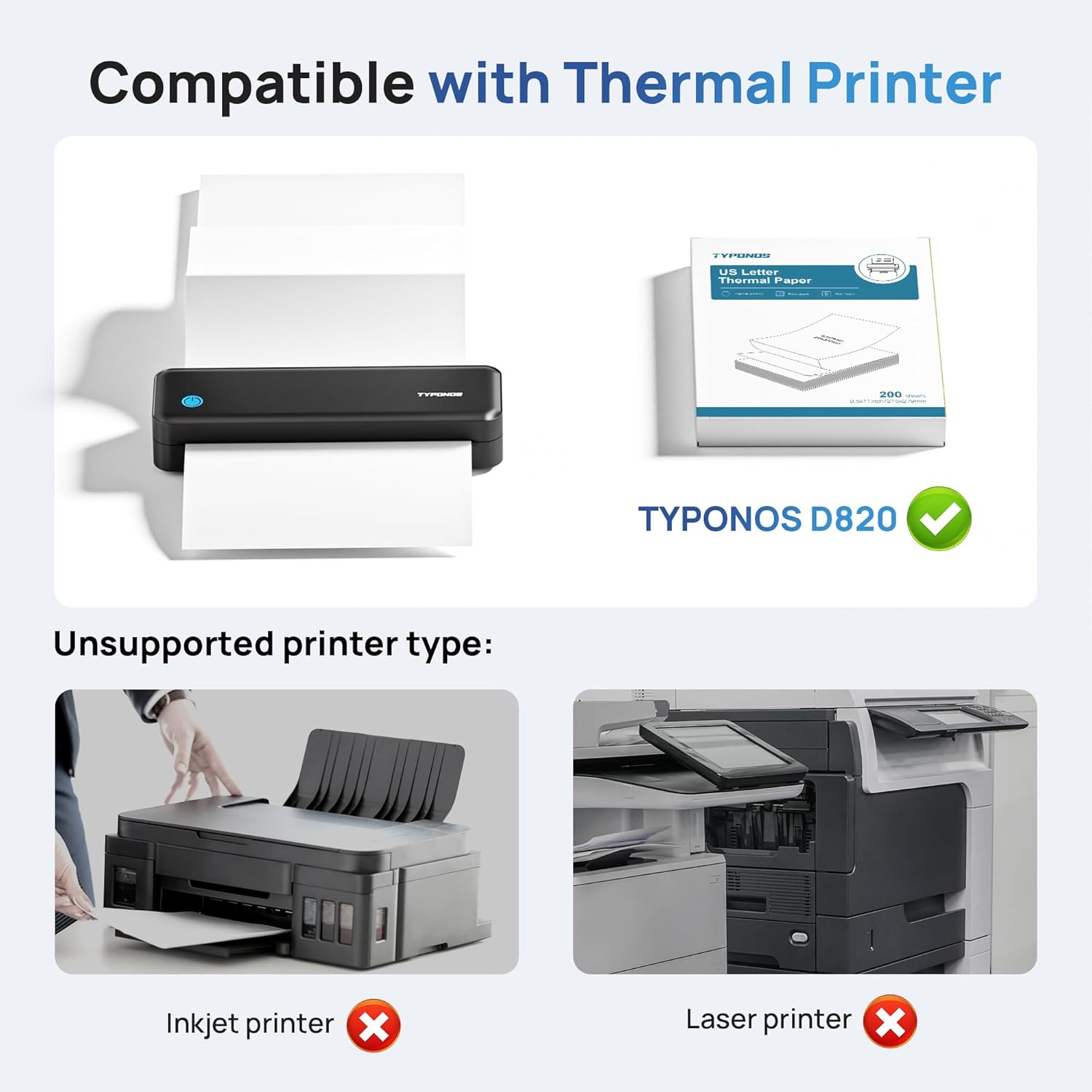
Image: TYPONOS D820 Thermal Paper shown as compatible with the D820 portable thermal printer, and incompatible with inkjet and laser printers.
2. Setup and Loading Instructions
Proper loading of the thermal paper is crucial for optimal printing performance. Follow these steps to install the folding thermal paper into your compatible thermal printer:
- Step 1: Identify Printing Side. Take out the thermal paper and confirm the printing side. The non-printing side often has a subtle marking or is indicated by the packaging. The side with the black bars or text saying "This side is not printing side" is the non-printing side.
- Step 2: Open Printer Cover and Load Paper. Open the printer cover (usually by pressing dual-release buttons). Empty any existing paper. Load the new thermal paper roll with the printing side facing up.
- Step 3: Adjust and Close. Adjust the paper to ensure it is properly aligned and covers the printer's paper edge sensor. Press and close the top cover firmly. Once connected to your device, the printer is ready to print.

Image: Step-by-step diagram illustrating how to identify the printing side, load the paper into the printer, and close the cover.
3. Operating Instructions
Once the TYPONOS D820 Thermal Printer Paper is correctly loaded into your compatible thermal printer, you can begin printing. This paper utilizes heat-sensitive technology, eliminating the need for ink cartridges.
- Initiate Printing: Send your document or image from your connected device (e.g., smartphone, computer) to the thermal printer.
- Continuous Feed: The continuous folding design allows for uninterrupted printing, reducing the need for frequent reloads.
- High-Quality Output: Expect sharp text and clear images due to the advanced thermal paper technology. The ultra-smooth surface helps prevent jams and ensures crisp results.
- Quick-Dry: Printed documents are quick-dry, preventing smudges and allowing for immediate handling.

Image: A portable thermal printer demonstrating continuous printing on TYPONOS thermal paper.

Image: A hand writing on an invoice printed on TYPONOS thermal paper, highlighting its quick-dry feature.
4. Maintenance and Storage
To maintain the quality and longevity of your TYPONOS D820 Thermal Printer Paper, follow these guidelines:
- Storage: Store the paper in a cool, dry place away from direct sunlight, high temperatures, and humidity. Excessive heat or light can cause the paper to darken prematurely.
- Handling: Avoid touching the thermal surface with bare hands excessively, as oils and moisture can affect print quality over time.
- Chemical Exposure: Keep the paper away from chemicals, especially those containing plasticizers (e.g., PVC folders, adhesive tapes), as they can react with the thermal coating and cause fading or discoloration.
- Printer Cleanliness: Regularly clean your thermal printer's print head according to the printer's instruction manual to ensure optimal performance and prevent debris from affecting the paper.

Image: TYPONOS thermal paper highlighted as BPA-free and harmless, emphasizing its eco-safe nature.
5. Troubleshooting
If you encounter issues while using your TYPONOS D820 Thermal Printer Paper, consider the following:
- Faint or Blank Prints: Ensure the thermal paper is loaded with the correct printing side facing the print head. Verify that your thermal printer is functioning correctly and its print head is clean.
- Paper Jams: Check that the paper is loaded straight and not skewed. The continuous folding design is engineered to prevent jams, but improper loading can still cause issues. Ensure no foreign objects are obstructing the paper path.
- Incompatible Printer: Confirm that you are using a thermal printer. This paper is specifically designed for thermal printing technology and will not work with inkjet or laser printers.
- Storage Conditions: If the paper has been exposed to extreme heat, direct sunlight, or humidity, its thermal properties may be compromised, leading to poor print quality.
6. Specifications
| Feature | Detail |
|---|---|
| Brand | TYPONOS |
| Item Model Number | D820 |
| Manufacturer Part Number | TPD820 |
| Sheet Size | US Letter (8.5 x 11 inches / 216 x 279 mm) |
| Sheet Count | 200 Sheets/Pack |
| Paper Finish | Ultra Smooth |
| Color | White |
| Paper Type | Thermal Paper (Inkless) |
| Special Feature | BPA-Free, Continuous Folding |
7. Warranty and Support
For any questions, concerns, or support regarding your TYPONOS D820 Thermal Printer Paper, please contact TYPONOS customer service. While specific warranty details for the paper are not provided, TYPONOS is committed to product quality. Please refer to the official TYPONOS website or your purchase documentation for the most current support information.
You can visit the TYPONOS Store on Amazon for additional products and support resources.