
Introduction
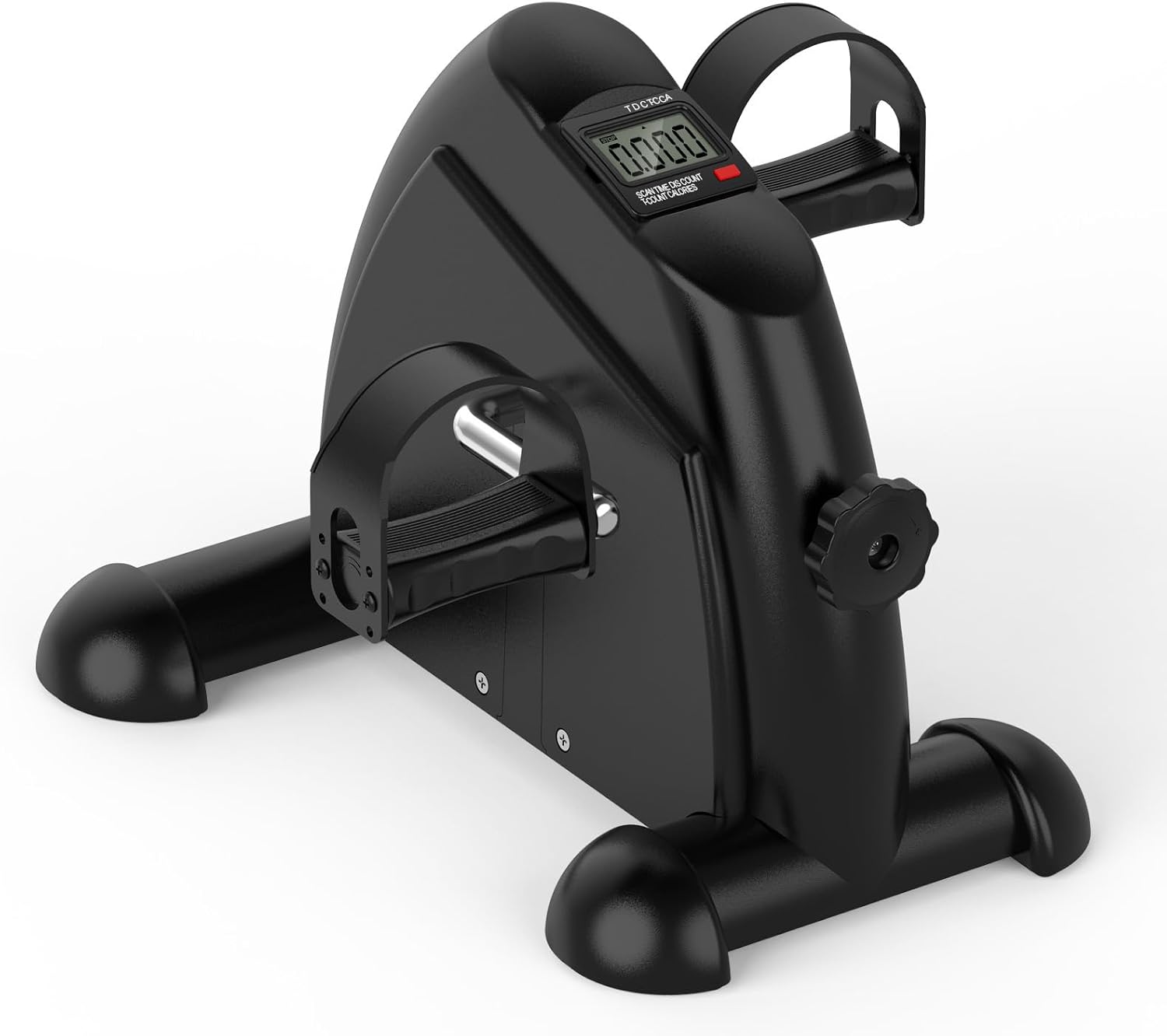
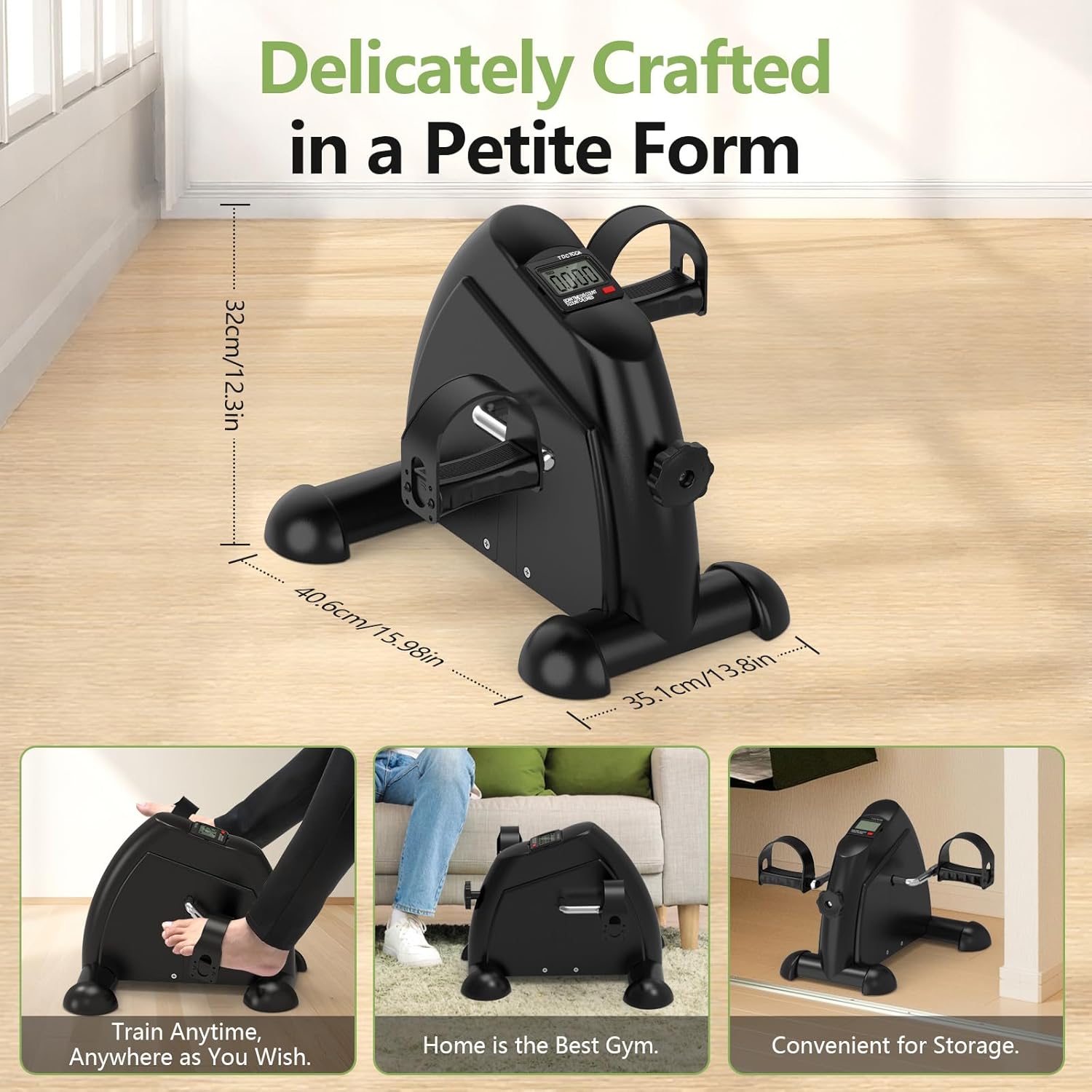
The FITKS360 Under Desk Elliptical & Mini Exercise Bike (Model mk-01) is designed to provide a low-impact exercise solution for both arms and legs. This compact and portable device is suitable for various users, including office workers, seniors, and individuals undergoing injury recovery or physical therapy. It features adjustable resistance, a multi-function LCD display, and quiet operation for convenient use in diverse settings.
Key features include:
- Full-Body Workout: Offers exercise for both arms and legs.
- Stable and Secure Design: Lightweight yet stable with non-slip features.
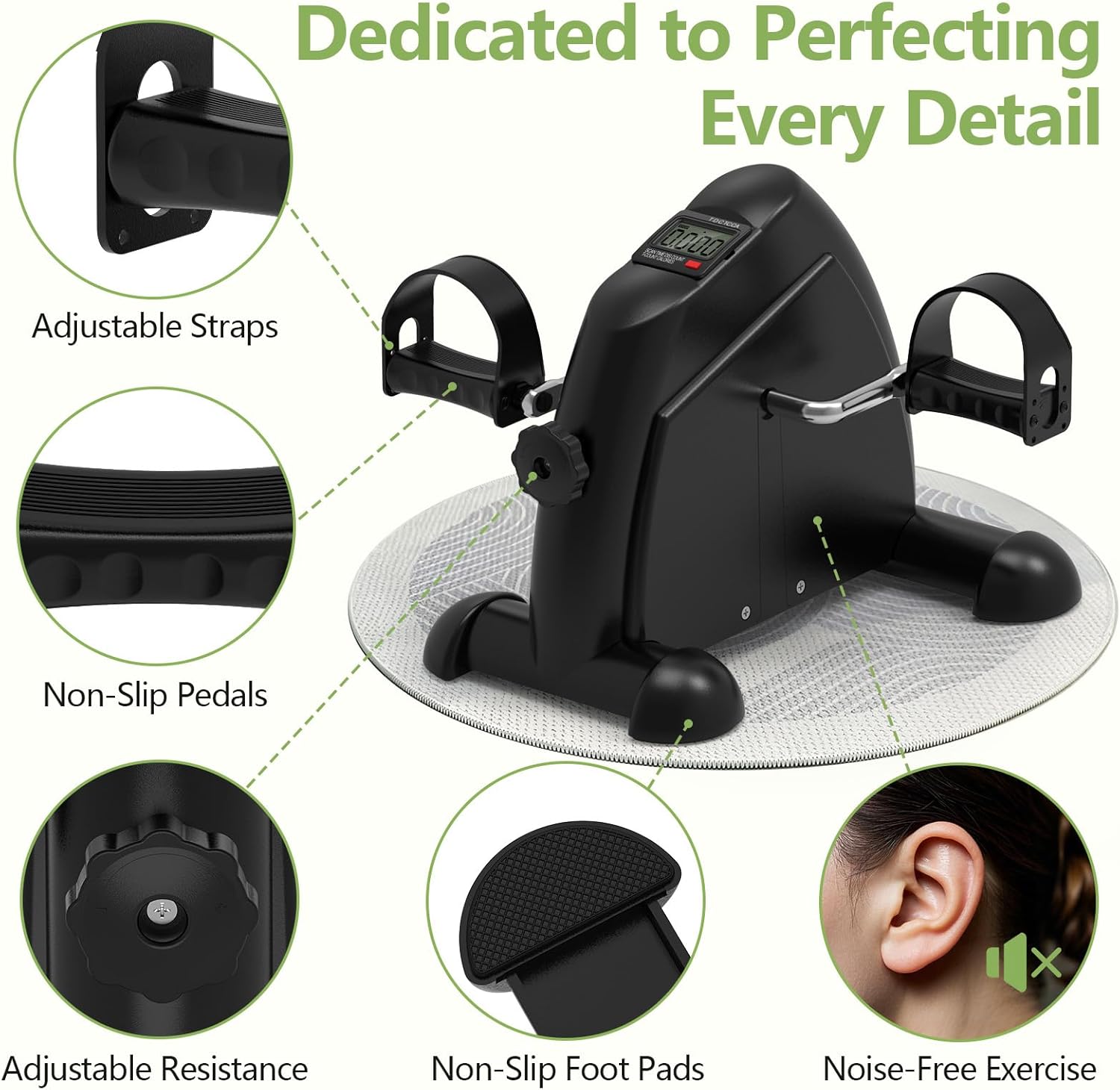
- Customizable Resistance: Adjustable tension knob for personalized intensity.
- Smart LCD Display: Tracks time, distance, count, and calories.
- Compact & Portable: Space-saving design with an integrated handle for easy transport and storage.
Setup
The FITKS360 Mini Exercise Bike comes pre-assembled for immediate use. No complex assembly steps are required.
- Unpacking: Carefully remove the unit from its packaging.
- Placement: Ensure the unit is placed on a stable, flat surface before use.
- Stability (Optional): If using on a smooth floor, consider placing a non-slip mat (e.g., a yoga mat or rug) underneath the unit to provide better grip and prevent movement during vigorous pedaling.
Operating Instructions
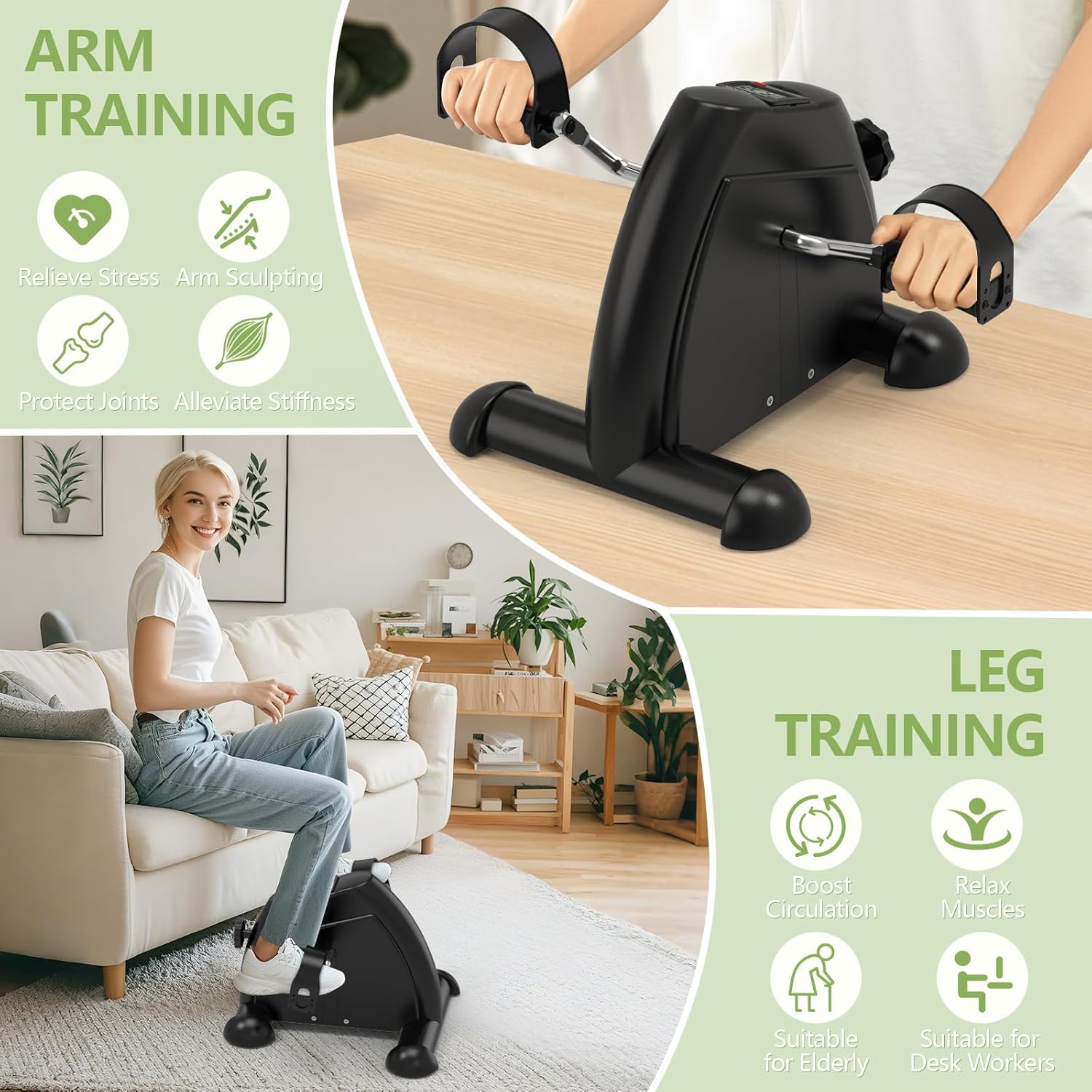
1. Arm Workout
To engage your upper body muscles:
- Place the unit on a sturdy table or desk.
- Grip the pedals with your hands, ensuring they are secured by the adjustable straps.
- Rotate your arms in a smooth cycling motion to engage arm, wrist, and shoulder muscles.
2. Leg Workout
To exercise your lower body:
- Place the unit on the floor in front of your chair or couch.
- Position your feet on the pedals, securing them with the adjustable straps.
- Begin pedaling in a smooth, controlled motion to exercise your legs, knees, and ankles.
3. Adjusting Resistance
The unit features an adjustable tension knob to customize your workout intensity:
- Locate the tension knob on the side of the unit.
- Turn the knob clockwise to increase resistance for a more challenging workout.
- Turn it counter-clockwise to decrease resistance for easier pedaling.
- Adjust the resistance to match your current fitness level and rehabilitation needs.

4. Using the LCD Display
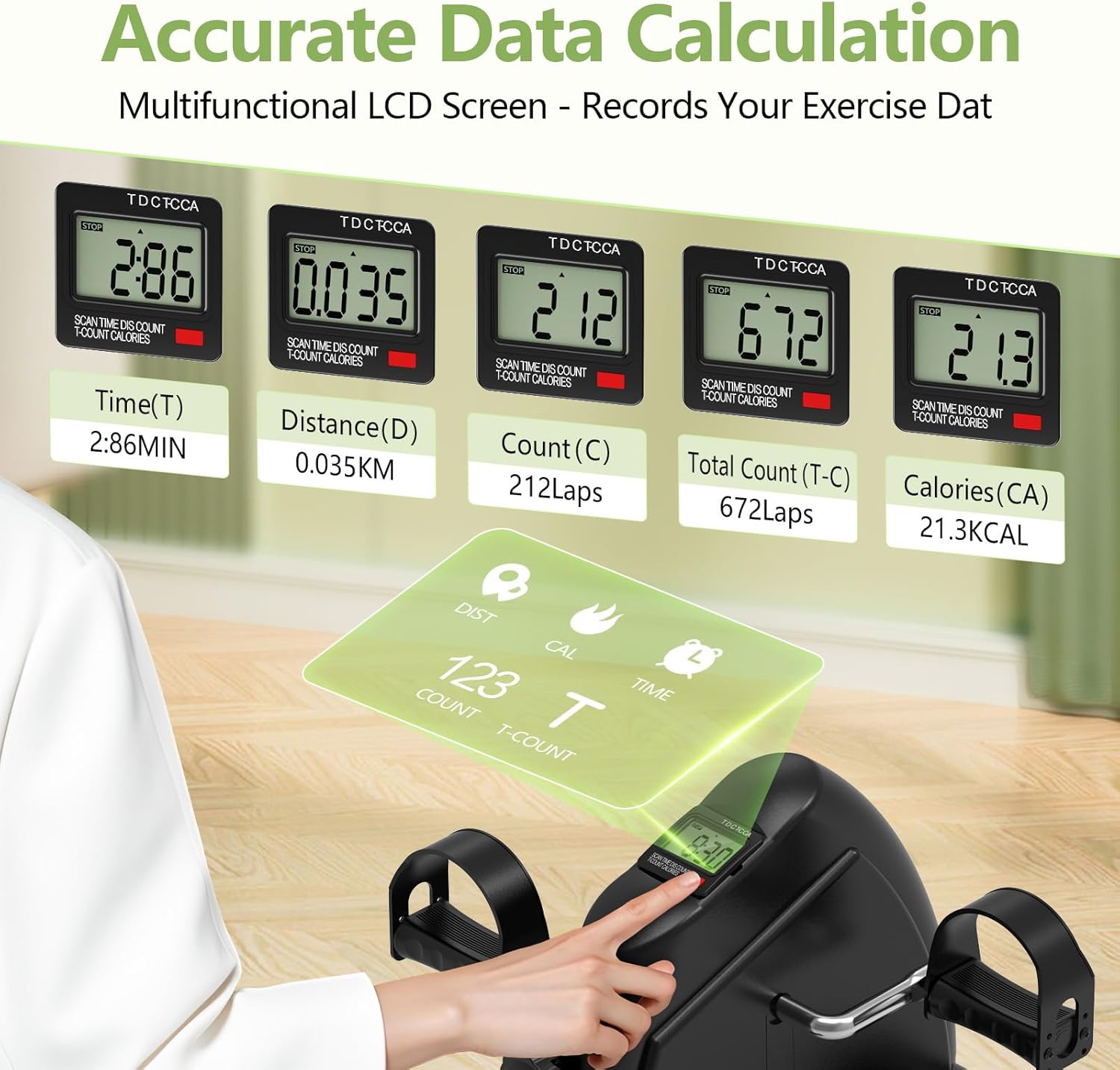
The built-in multi-function LCD monitor tracks your workout data:
- The display typically shows Time (T), Distance (D), Count (C) (laps), Total Count (T-C), and Calories (CA) burned.
- Press the button on the display to cycle through different metrics or to reset the values.
- The large, easy-to-read screen helps you monitor your progress and stay motivated during your workouts.
Maintenance
Proper maintenance ensures the longevity and optimal performance of your exercise bike:
- Cleaning: Regularly clean the unit with a soft, damp cloth. Avoid using abrasive cleaners, solvents, or harsh chemicals, as these can damage the finish or internal components.
- Inspection: Periodically check all moving parts, screws, and connections to ensure they are secure. Tighten any loose parts as necessary.
- Lubrication: No specific lubrication is typically required for this type of mini exercise bike.
- Storage: Store the unit in a dry, cool place away from direct sunlight and extreme temperatures when not in use. The compact design allows for easy storage under a desk or in a cabinet.
Troubleshooting
Here are solutions to common issues you might encounter:
- Unit slides during use:
If the exercise bike slides on smooth surfaces (e.g., hardwood, tile), place a non-slip mat (such as a yoga mat or a small rug) underneath the unit. This will provide better grip and stability, preventing unwanted movement during your workout. - Pedals are stiff or difficult to turn:
First, check the resistance knob. Ensure it is not set to maximum resistance if you desire easier pedaling. Turn the knob counter-clockwise to decrease resistance. If the issue persists, inspect the pedal mechanism for any visible obstructions or debris that might be impeding movement. - LCD display is not working or showing incorrect readings:
Check if the batteries (1 AAA battery, included) need replacement. Open the battery compartment, replace with fresh batteries, and ensure the compartment is securely closed. If the display still malfunctions, contact customer support. - Tension knob does not seem to change resistance:
Ensure the knob is fully engaged and turning correctly. If you turn the knob and feel no change in resistance, or if the knob spins freely without affecting the pedal tension, the internal resistance mechanism might be faulty. In this case, contact customer support for assistance.
Specifications
| Feature | Detail |
|---|---|
| Brand Name | FITKS360 |
| Model Name | mk-01 |
| UPC | 607601764685 |
| Color | Black |
| Material | Alloy Steel |
| Size | Mini |
| Style | All-season |
| Operation Mode | Automatic |
| Number of Resistance Levels | 5 |
| Controls Type | Push Button |
| Item Package Dimensions (L x W x H) | 16.3 x 13.46 x 7.64 inches |
| Package Weight | 3.77 Kilograms |
| Number of Batteries | 1 AAA batteries required (included) |
| Included Components | Cushioning Foam, User Manual |
| Suggested Users | unisex-adult |
Warranty Information
Based on the product specifications, there is no explicit warranty description provided for the FITKS360 Under Desk Elliptical & Mini Exercise Bike (Model mk-01).
Please refer to your purchase documentation or contact the retailer where the product was purchased for any specific return, exchange, or limited warranty policies that may apply.
Customer Support
For further assistance, technical support, or inquiries regarding your FITKS360 Under Desk Elliptical & Mini Exercise Bike, please contact the retailer or platform where the product was purchased.
For general information about FITKS360 products, you may visit their official website or customer service channels if available.