1. Introduction
This manual provides essential information for setting up, operating, and maintaining your NEWISION M10 Android 10-inch Tablet. Please read it thoroughly to ensure optimal performance and longevity of your device.
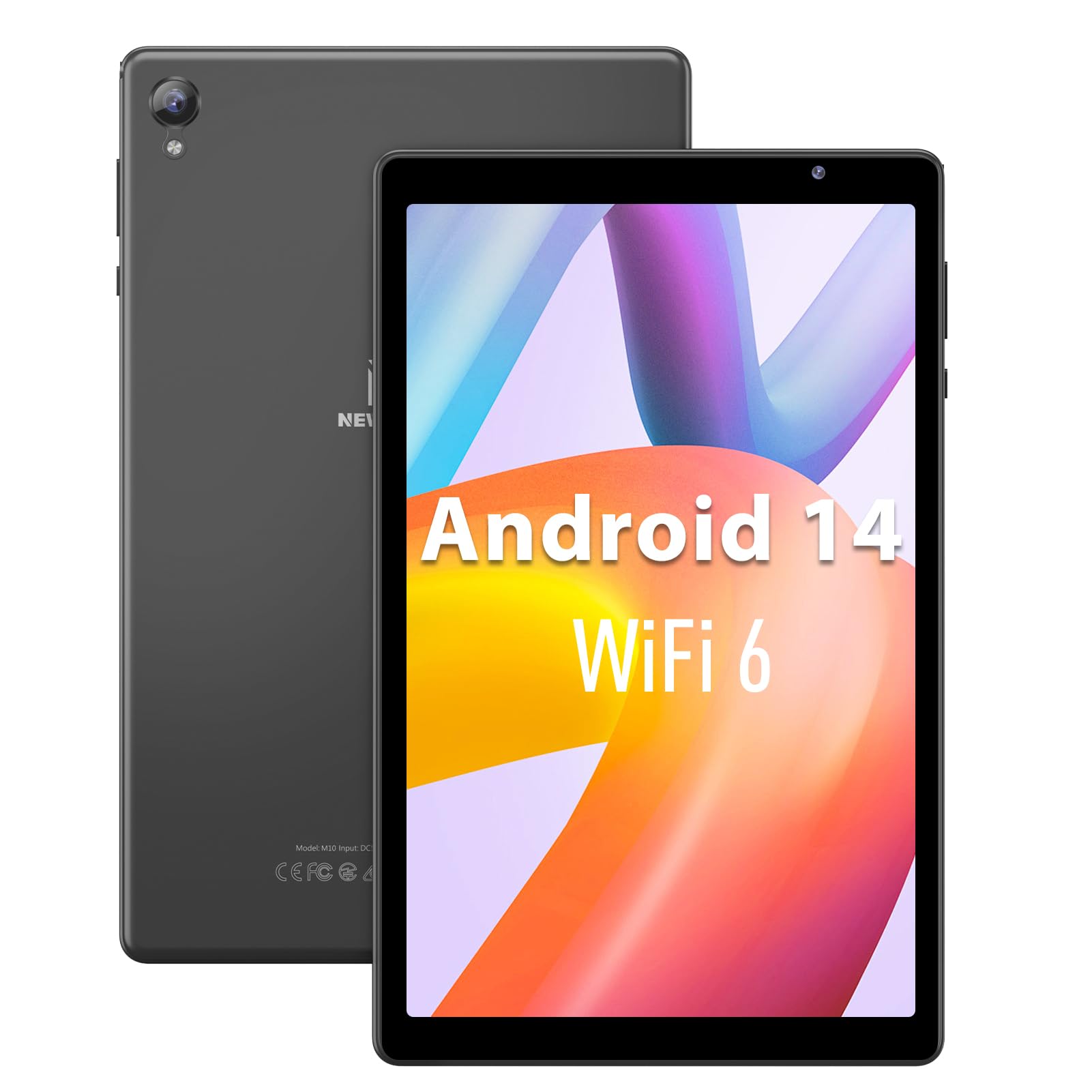
Image 1.1: The NEWISION M10 Android 10-inch Tablet, showcasing its display and sleek design.
Video 1.1: An overview of the 10.1 inch Android 14 Tablet, highlighting its features and design.
2. What's in the Box
Verify that all items are present in the package:
- 1 x 10.1 Inch Android 14 Tablet
- 1 x USB-C Cable
- 1 x Adapter
- 1 x User Manual
3. Device Layout
Familiarize yourself with the physical components of your tablet.
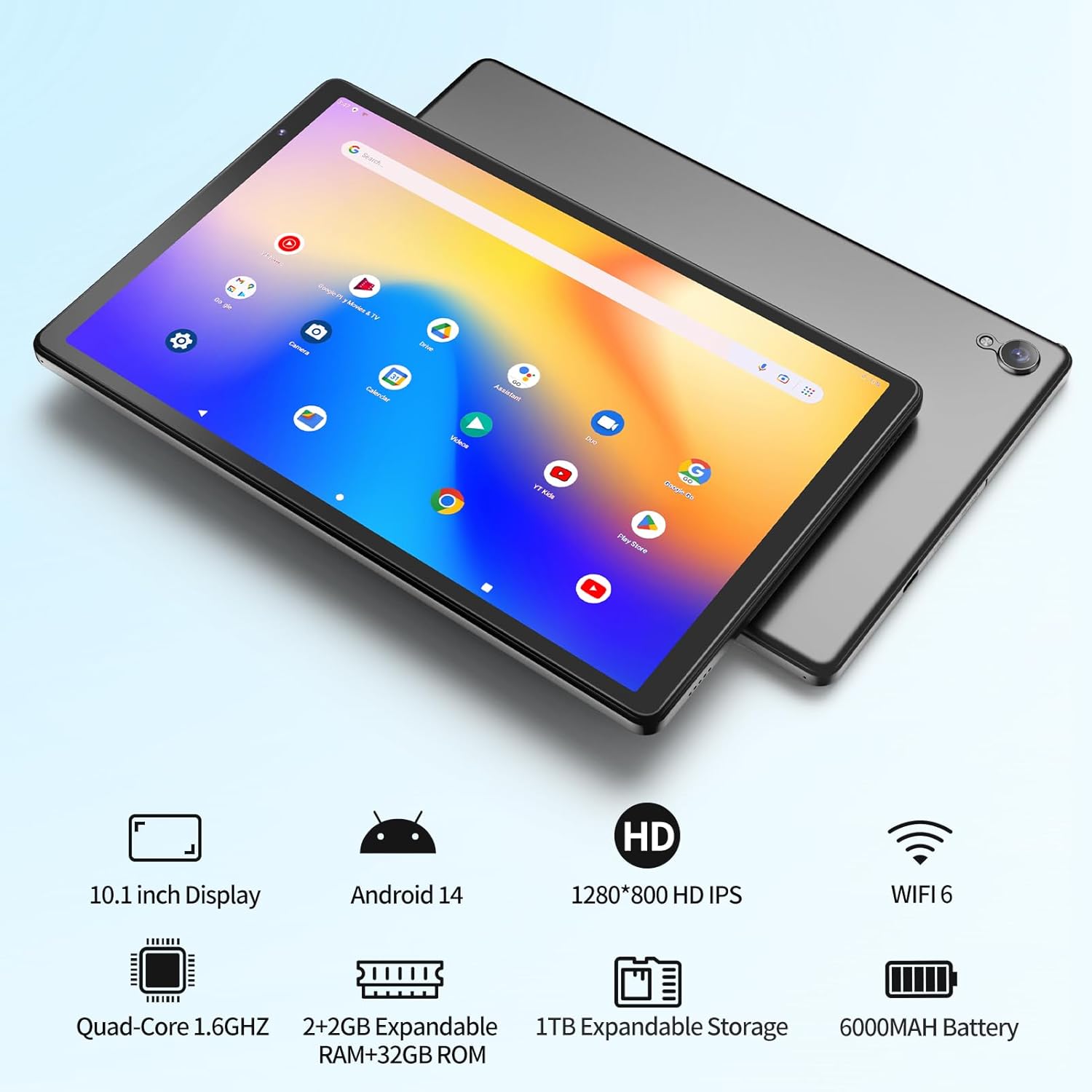
Image 3.1: Front and rear views of the NEWISION M10 tablet, showing camera placement and overall design.
- Front Camera: Located at the top center when held vertically.
- Rear Camera: Located on the back panel, typically in a corner.
- Power Button: Usually on the side edge. Press and hold to power on/off or restart.
- Volume Buttons: Adjacent to the power button, for adjusting audio levels.
- USB-C Port: For charging and data transfer.
- 3.5mm Headphone Jack: For connecting wired headphones.
- MicroSD Card Slot: For expanding storage.
- Speakers: Dual speakers for audio output.
4. Setup
4.1 Initial Charging
Before first use, fully charge the tablet. Connect the provided USB-C cable to the tablet's USB-C port and the adapter to a power outlet. The battery indicator on the screen will show charging status.
4.2 Power On/Off
- To Power On: Press and hold the Power button until the screen lights up.
- To Power Off: Press and hold the Power button until the power options appear, then select 'Power off'.
- To Restart: Press and hold the Power button until the power options appear, then select 'Restart'.
4.3 Initial Setup Wizard
Upon first power-on, the tablet will guide you through the initial setup process. This includes selecting your language, connecting to a Wi-Fi network, and signing in with your Google account. A Google account is required to download apps from the Google Play Store.
4.4 Wi-Fi Connection
To connect to a Wi-Fi network:
- Go to Settings > Network & internet > Wi-Fi.
- Toggle Wi-Fi On.
- Select your desired network from the list.
- Enter the password if prompted, then tap Connect.
5. Operating Your Tablet
5.1 Touchscreen Navigation
The tablet features a responsive touchscreen. Use the following gestures:
- Tap: To select an item or open an app.
- Touch & Hold: To access contextual menus or move items.
- Swipe: To scroll through pages or lists.
- Pinch: To zoom in or out on images and web pages.
5.2 App Management
Your tablet runs on Android 14 and is GMS certified, providing full access to the Google Play Store.

Image 5.1: Visual representation of the tablet's stable processor (A133 Quad Core 1.6GHz), 2GB RAM + 32GB ROM, expandable storage up to 1TB, and Bluetooth/2.4G WiFi capabilities.
- Installing Apps: Open the Play Store app, search for your desired app, and tap Install.
- Uninstalling Apps: Touch and hold the app icon on the home screen or app drawer, then drag it to 'Uninstall' or select 'App info' and choose 'Uninstall'.
5.3 Storage Expansion
The tablet comes with 32GB of internal storage, which can be expanded up to 1TB using a MicroSD card (not included).

Image 5.2: Diagram illustrating the tablet's 32GB ROM, 2+2GB expandable RAM, and Micro SD expansion capability up to 1TB.
- Locate the MicroSD card slot on the side of the tablet.
- Gently insert the MicroSD card into the slot until it clicks into place.
- Follow any on-screen prompts to format the card if necessary.
5.4 Display Features
The 10.1-inch HD IPS screen offers a 1280x800 resolution and 178° wide viewing angles. It includes vision protection features and reading modes for extended use.

Image 5.3: Highlights of the 10.1-inch large screen, featuring HD 1280*800 resolution, IPS 178-degree viewing angle, and reading mode with eye protection.
5.5 Audio Features
The tablet is equipped with dual speakers for balanced sound. A 3.5mm headphone jack is available for private listening.
5.6 Parental Controls
Monitor usage and manage content with built-in parental control features. Set time limits and content filters to ensure a safe digital environment.
6. Maintenance
6.1 Cleaning Your Tablet
- Use a soft, lint-free cloth to clean the screen and body.
- Avoid using harsh chemicals or abrasive materials.
- For stubborn smudges, lightly dampen the cloth with water or a screen-specific cleaner.
6.2 Battery Care
The 6000mAh battery provides approximately 6 hours of average use. To prolong battery life:

Image 6.1: Key features of the NEWISION M10 tablet, including its 10.1-inch display, Android 14 OS, HD IPS screen, WiFi 6, Quad-Core processor, expandable RAM/ROM, 1TB expandable storage, and 6000mAh battery.
- Avoid extreme temperatures.
- Do not let the battery fully discharge frequently.
- Use the original charger and cable.
- Adjust screen brightness to a comfortable level.
- Close unused apps running in the background.

Image 6.2: The tablet connected to a charger via its Type-C port, indicating fast charging capability.
6.3 Software Updates
Regularly check for and install software updates to ensure your tablet has the latest features and security enhancements.
- Go to Settings > System > System update.
- Tap Check for update and follow the on-screen instructions.
7. Troubleshooting
If you encounter issues with your tablet, refer to the following common solutions:
- Tablet not turning on: Ensure the battery is charged. Connect the charger and try again. If unresponsive, press and hold the power button for 10-15 seconds to force a restart.
- Wi-Fi connectivity issues: Check if Wi-Fi is enabled in settings. Restart your router and the tablet. Ensure you are within range of the Wi-Fi signal.
- Slow performance: Close unused apps. Clear cache for frequently used apps (Settings > Apps > [App Name] > Storage > Clear cache). Consider uninstalling unnecessary apps or moving large files to a MicroSD card.
- Apps crashing: Ensure the app is updated to the latest version. Clear the app's cache and data (Settings > Apps > [App Name] > Storage > Clear data). If the problem persists, uninstall and reinstall the app.
- Screen unresponsive: Restart the tablet. If the issue continues, contact support.
8. Specifications
| Model | M10 |
| Operating System | Android 14 |
| Screen Size | 10.1 Inches |
| Screen Resolution | 1280x800 Pixels (HD IPS) |
| Processor | Quad-Core 1.6 GHz (Allwinner) |
| RAM | 2 GB |
| Internal Storage | 32 GB |
| Expandable Storage | Up to 1 TB via MicroSD card |
| Battery Capacity | 6000mAh |
| Average Battery Life | 6 Hours |
| Wireless Connectivity | WiFi 6 (802.11b), Bluetooth |
| Ports | USB-C, 3.5mm Headphone Jack |
| Item Weight | 1.06 pounds |
| Product Dimensions | 9 x 6.8 x 0.3 inches |
9. Warranty and Support
9.1 Warranty Information
Your NEWISION M10 tablet is backed by an included warranty. Please refer to the warranty card or packaging for specific terms and conditions regarding coverage and duration.
9.2 Customer Support
For further assistance, technical support, or warranty claims, please contact NEWISION customer service through the retailer where the product was purchased or visit the official NEWISION website for contact information.


