
1. Introduction
This manual provides essential information for the safe and efficient operation of your JIGUUN 2000W 24V Pure Sine Wave Inverter. Please read these instructions carefully before installation and use. The JIGUUN 2000W Pure Sine Wave Inverter converts 24V DC power to 220V/230V AC pure sine wave power, similar to household electricity. It delivers a continuous output of 2000W and a peak power of 4000W, making it suitable for sensitive electronic devices such as computers, mobile phones, televisions, and coffee makers.

Image: The JIGUUN 2000W Pure Sine Wave Inverter providing power to various household appliances.
2. Safety Instructions
Always prioritize safety when installing and operating the inverter. Failure to follow these instructions may result in electric shock, fire, or serious injury.
- Ensure the inverter is installed in a well-ventilated area, away from flammable materials and moisture.
- Do not open the inverter casing. There are no user-serviceable parts inside. Refer all servicing to qualified personnel.
- Connect the inverter only to a 24V DC power source. Connecting to a different voltage may damage the unit.
- Ensure proper grounding of the inverter.
- Do not exceed the continuous power rating of 2000W. The inverter features multiple protections including overload, overvoltage, undervoltage, short circuit, and overheat protection.
- The cooling fan automatically activates when the internal temperature exceeds 45°C to prevent overheating. Ensure fan vents are not obstructed.
- Keep children away from the inverter during operation.
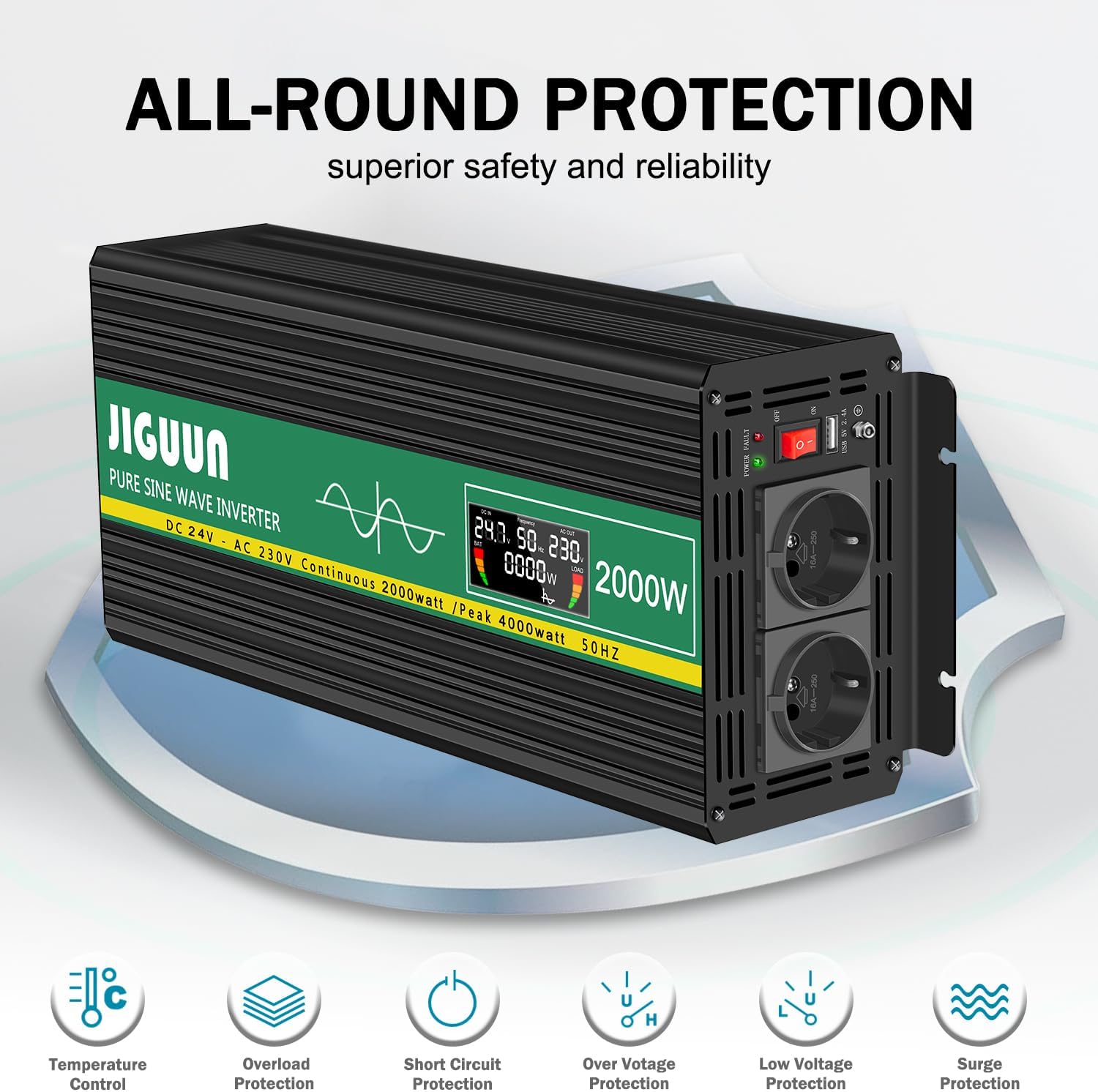
Image: The inverter's comprehensive protection system ensures safe operation.
3. Package Contents
Verify that all items are present in the package:
- 1 x JIGUUN 2000W 24V Pure Sine Wave Inverter
- 1 x User Manual
- 1 x Set of Battery Cables (1 Red, 1 Black)
- 1 x Wireless Remote Control
- Additional Fuses

Image: All components included in the JIGUUN 2000W inverter package.
4. Product Features
- Pure Sine Wave Output: Provides stable and clean power, ideal for sensitive electronics.
- High Power Output: 2000W continuous, 4000W peak power.
- Intelligent LCD Display: Shows input/output voltage, frequency, battery level, load level, and output power.
- Wireless Remote Control: Allows convenient operation and monitoring from a distance.
- Comprehensive Protection: Includes soft start technology, overload, overvoltage, undervoltage, short circuit, and overheat protection.
- Efficient Cooling: Equipped with a high-speed silent fan that activates automatically above 45°C.
- Durable Construction: Made from high-quality aluminum alloy, resistant to bending, heat, and corrosion, suitable for outdoor conditions.
- Versatile Applications: Ideal for RVs, camping, boats, solar systems, and emergency power needs.
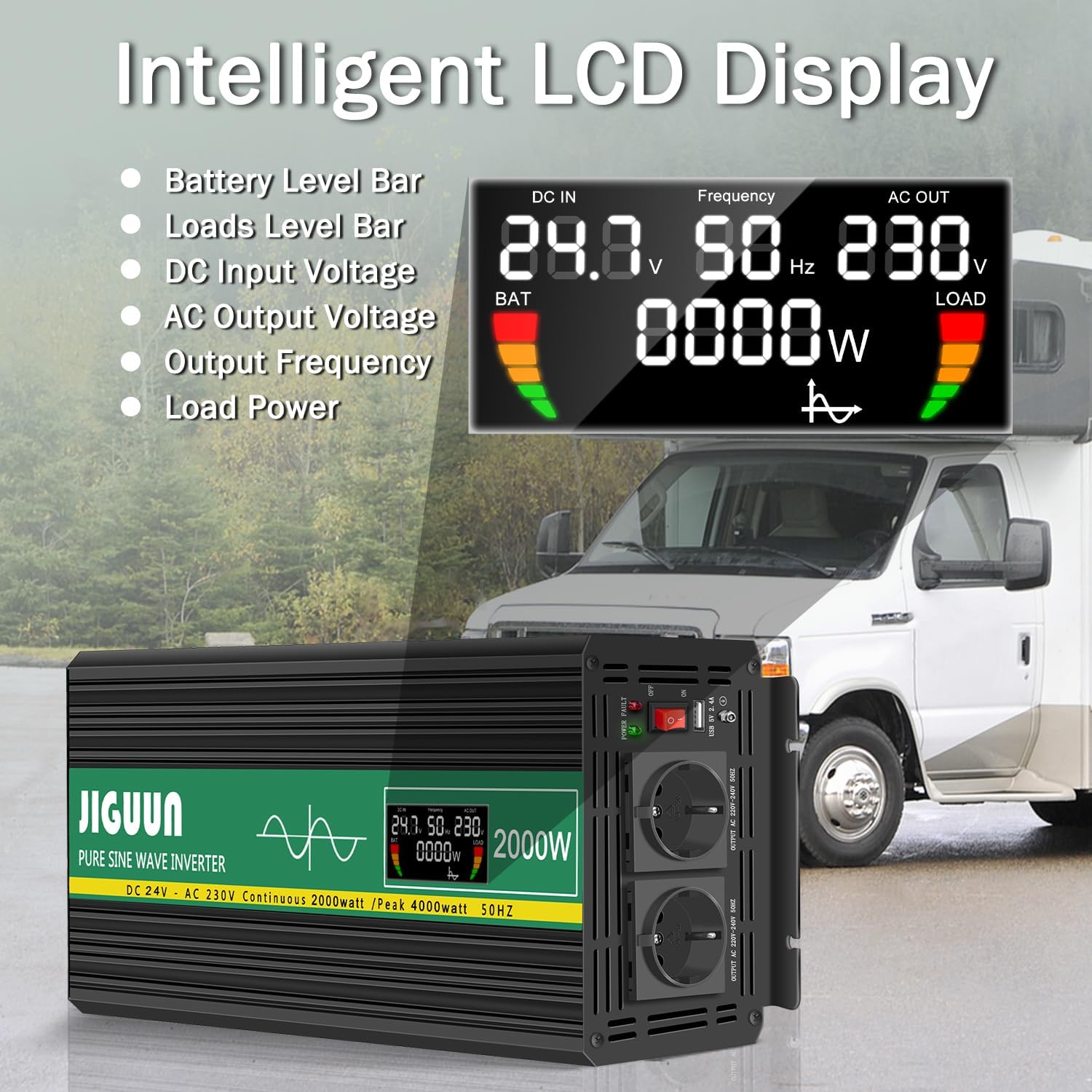
Image: The inverter's intelligent LCD display provides real-time operational data.

Image: The wireless remote control enhances convenience for inverter operation.
5. Setup Instructions
Follow these steps for proper installation of your JIGUUN inverter:
- Choose a Location: Select a dry, cool, and well-ventilated area. Avoid direct sunlight, heat sources, and moisture. Ensure sufficient space around the inverter for airflow, especially around the cooling fan vents.
- Mounting: Securely mount the inverter using appropriate fasteners. The inverter can be mounted horizontally or vertically.
- DC Input Connection:
- Ensure the inverter's power switch is in the "OFF" position.
- Connect the red battery cable to the positive (+) terminal of the 24V battery and the positive (+) DC input terminal on the inverter.
- Connect the black battery cable to the negative (-) terminal of the 24V battery and the negative (-) DC input terminal on the inverter.
- Ensure all connections are tight and secure to prevent loose connections and sparking.
- Grounding: Connect the AC ground terminal on the inverter to a reliable ground point (e.g., vehicle chassis, earth ground).
- AC Output Connection: Once the DC input is secure, you can plug your AC appliances into the inverter's AC sockets.

Image: Labeled diagram of the inverter's components for easy identification during setup.

Image: Example wiring diagram for connecting the inverter in a solar power system.
6. Operating Instructions
Once the inverter is properly installed and connected:
- Power On: Flip the ON/OFF switch on the inverter to the "ON" position. The power indicator light will illuminate, and the LCD screen will display operational data.
- Monitor LCD Display: The intelligent LCD display provides real-time information:
- DC IN: Input voltage from the battery.
- Frequency: Output AC frequency (50 Hz).
- AC OUT: Output AC voltage (220V/230V).
- BAT: Battery level bar.
- LOAD: Load level bar and current output power in Watts.
- Connect Appliances: Plug your AC appliances into the inverter's AC sockets. For USB charging, use the integrated USB 2.4A port.
- Wireless Remote Control: Use the wireless remote to turn the inverter ON/OFF or monitor its status, especially when the inverter is in an inconvenient location.
- Power Off: Before disconnecting any appliances or the inverter from the battery, switch the inverter to the "OFF" position.
7. Maintenance
Regular maintenance ensures the longevity and optimal performance of your inverter.
- Cleaning: Keep the inverter clean and free from dust and debris. Use a dry, soft cloth for cleaning. Do not use liquid cleaners.
- Ventilation: Ensure the cooling fan vents are clear and unobstructed at all times. Periodically check for dust buildup in the vents and gently clean if necessary.
- Connections: Periodically check all DC and AC connections to ensure they are tight and free from corrosion.
- Fuse Replacement: The inverter has an integrated replaceable fuse. If the inverter stops working and troubleshooting does not resolve the issue, the fuse may need replacement. Refer to a qualified technician for fuse replacement.
- Storage: If storing the inverter for an extended period, ensure it is clean, dry, and stored in a cool, well-ventilated area. Disconnect it completely from the battery.
8. Troubleshooting
If you encounter issues with your JIGUUN inverter, refer to the table below for common problems and solutions.
| Problem | Possible Cause | Solution |
|---|---|---|
| No power output / Inverter not turning on |
|
|
| Overload protection activated |
|
|
| Overheat protection activated |
|
|
| Low voltage alarm/shutdown |
|
|
If the problem persists after trying these solutions, please contact JIGUUN customer support.
9. Specifications
| Feature | Specification |
|---|---|
| Model Number | 2000W24V |
| Input Voltage | 24 Volts DC |
| Output Voltage | 220 Volts AC (220V/230V) |
| Continuous Output Power | 2000 Watts |
| Peak Output Power | 4000 Watts |
| Output Waveform | Pure Sine Wave |
| Output Frequency | 50 Hz |
| Efficiency | ≥ 90% |
| Display Type | LCD |
| Battery Capacity (Recommended) | 120 Ampere-hours |
| Item Weight | 3 Kilograms |
| Country of Origin | China |
| UPC | 784847722720 |
| ASIN | B0DXJTKYDL |

Image: Pure sine wave output ensures compatibility with sensitive electronics.

Image: The inverter supports multiple battery types for flexible use.
10. Warranty and Support
The JIGUUN 2000W 24V Pure Sine Wave Inverter comes with a one-year free replacement warranty.
For any questions regarding the product, technical assistance, or warranty claims, please do not hesitate to contact JIGUUN customer service. Our team is dedicated to resolving any issues you may encounter.
Contact information: Refer to the contact details provided in your package or visit the official JIGUUN store on Amazon.

Image: Product certifications ensure quality and safety standards.
