1. Introduction
This manual provides instructions for the safe and effective use of your BestCH AC/DC Replacement Charger. This charger is designed to provide power for devices requiring a 100-240VAC input and is specifically compatible with FERREX YB01-EK-4.4V 14.4V 1.3Ah 18.72Wh LI-ION batteries. Please read this manual thoroughly before use and retain it for future reference.
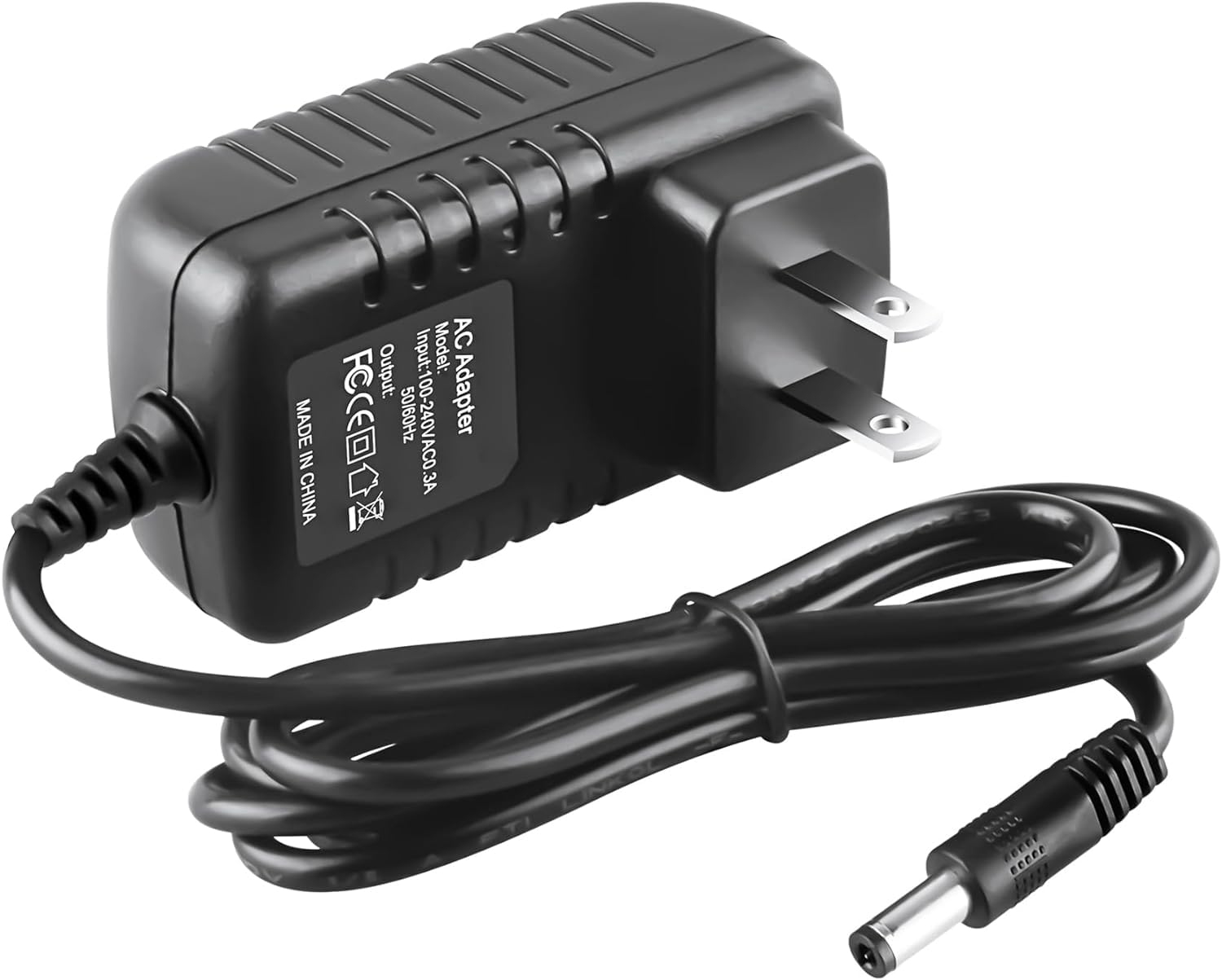
Figure 1: BestCH AC/DC Replacement Charger. This image shows the compact black charger with its attached power cord and DC output plug.
2. Important Safety Information
Failure to follow these safety instructions may result in fire, electric shock, or other injury or damage.
- This item is a replacement power adapter and is not an original/genuine product.
- Do not open or modify the power supply, power cord, or power cable.
- Keep children away from high voltage power sources.
- Use this product only under the guidance of a professional electrician if you are unsure about its application.
- Any abuse or improper use will void the product warranty.
- Ensure the total wattage of the device being powered does not exceed the maximum wattage shown on the adapter's label.
- It is recommended to de-rate the usage by 10%-20% to prevent overheating during continuous operation.

Figure 2: Multiple Safety Protections. This graphic illustrates the charger's built-in protections against over voltage, over current, short circuit, and over temperature.
3. Package Contents
Upon unpacking, please verify that the following item is included:
- 1 x BestCH AC to DC Replacement Adapter
4. Product Features
The BestCH AC/DC Replacement Charger is designed with the following key features:
- World Wide Input: Supports a wide voltage range of 100-240VAC at 50/60Hz, making it suitable for international use with appropriate plug adapters (not included).
- Safety Protection: Equipped with multiple safety mechanisms including overload cut-off, over voltage cut-off, automatic thermal cut-off, and short circuit protection to safeguard your devices.
- Voltage Consistency: Provides stable voltage output to protect your electronic products from damage due to inconsistent power.
- Durable Construction: Features a solid PC & ABS shell, a safe and strong one-piece cast hardware plug, and a reliable oxygen-free copper power cord with a reinforced stress point for enhanced durability and safety.

Figure 3: Charger Construction Details. This image highlights the charger's robust features including a solid PC & ABS shell, a safe and strong plug, a reliable power cord made of oxygen-free copper, and a reinforced stress point to prevent wear and tear.
5. Setup and Connection
Before connecting the charger, ensure that the device you intend to power or charge is compatible with the charger's output specifications (voltage, current, and connector type).
- Verify Compatibility: Confirm that the brand and model of your battery (e.g., FERREX YB01-EK-4.4V) are consistent with the charger's intended use.
- Connect to Device: Insert the DC output plug of the charger firmly into the charging port of your device or battery.
- Connect to Power Outlet: Plug the AC input plug of the charger into a standard 100-240VAC wall outlet.
- Power On: The charger will automatically begin providing power or charging the connected device.

Figure 4: Universal DC Output Tip and Dimensions. This image displays the dimensions of the charger and its universal DC output tip, indicating its physical size and connector type.
6. Operating Instructions
Once connected, the charger operates automatically. There are no user-adjustable settings.
- Ensure the charger is placed in a well-ventilated area during operation to prevent heat buildup.
- Monitor the charging process, especially during the first few uses, to ensure proper function.
- Disconnect the charger from the power outlet and the device when not in use or when charging is complete.
7. Maintenance
Proper maintenance ensures the longevity and safe operation of your charger.
- Cleaning: Disconnect the charger from all power sources before cleaning. Use a soft, dry cloth to wipe the exterior. Do not use liquid cleaners or solvents.
- Storage: Store the charger in a cool, dry place away from direct sunlight and extreme temperatures. Avoid wrapping the cable too tightly around the adapter.
- Inspection: Periodically inspect the power cord and adapter for any signs of damage, such as cuts, fraying, or bent pins. Do not use if damaged.
8. Troubleshooting
If you encounter issues with your charger, consider the following common solutions:
- No Power Output:
- Check if the charger is securely plugged into a working wall outlet.
- Ensure the DC output plug is fully inserted into your device.
- Test the wall outlet with another device to confirm it has power.
- Overheating:
- Ensure the total wattage of the connected device does not exceed the charger's maximum capacity.
- Provide adequate ventilation around the charger.
- If overheating persists, discontinue use and contact support.
- Device Not Charging:
- Verify that your device's charging port is clean and free of debris.
- Confirm that your device is compatible with the charger's voltage and current output.
- The charger is specifically for FERREX YB01-EK-4.4V 14.4V 1.3Ah 18.72Wh LI-ION batteries. Ensure your battery matches this specification.
If these steps do not resolve the issue, please contact customer support.
9. Specifications
| Feature | Specification |
|---|---|
| Input Voltage | 100-240VAC, 50/60Hz |
| Output Wattage | 6.67 watts (Max) |
| Connector Type | Plug (DC Output Tip) |
| Compatible Devices | FERREX YB01-EK-4.4V 14.4V 1.3Ah 18.72Wh LI-ION Battery, Tablets (as per general compatibility) |
| Material | Composite, Metal, Plastic (PC & ABS Shell) |
| Color | Black |
| Special Feature | Travel-friendly design |

Figure 5: Charger Label with Specifications. This image provides a close-up view of the charger's label, detailing its model, input (100-240V AC, 50/60Hz), and output specifications.
10. Warranty and Support
This product is covered by a return policy that allows for a refund or replacement within 30 days of purchase. For warranty claims or technical support, please contact your retailer or the manufacturer directly.
For further assistance, please refer to the contact information provided by your point of purchase.


