
Introduction
This manual provides detailed instructions for the setup, operation, and maintenance of your Garmin Tactix 8, 51mm Solar, Elite Tactical GPS Smartwatch. Designed for adventurers and tactical professionals, this premium smartwatch offers robust features for navigation, fitness tracking, and tactical operations. This bundle also includes a Wearable4U PowerBank for extended power on the go.
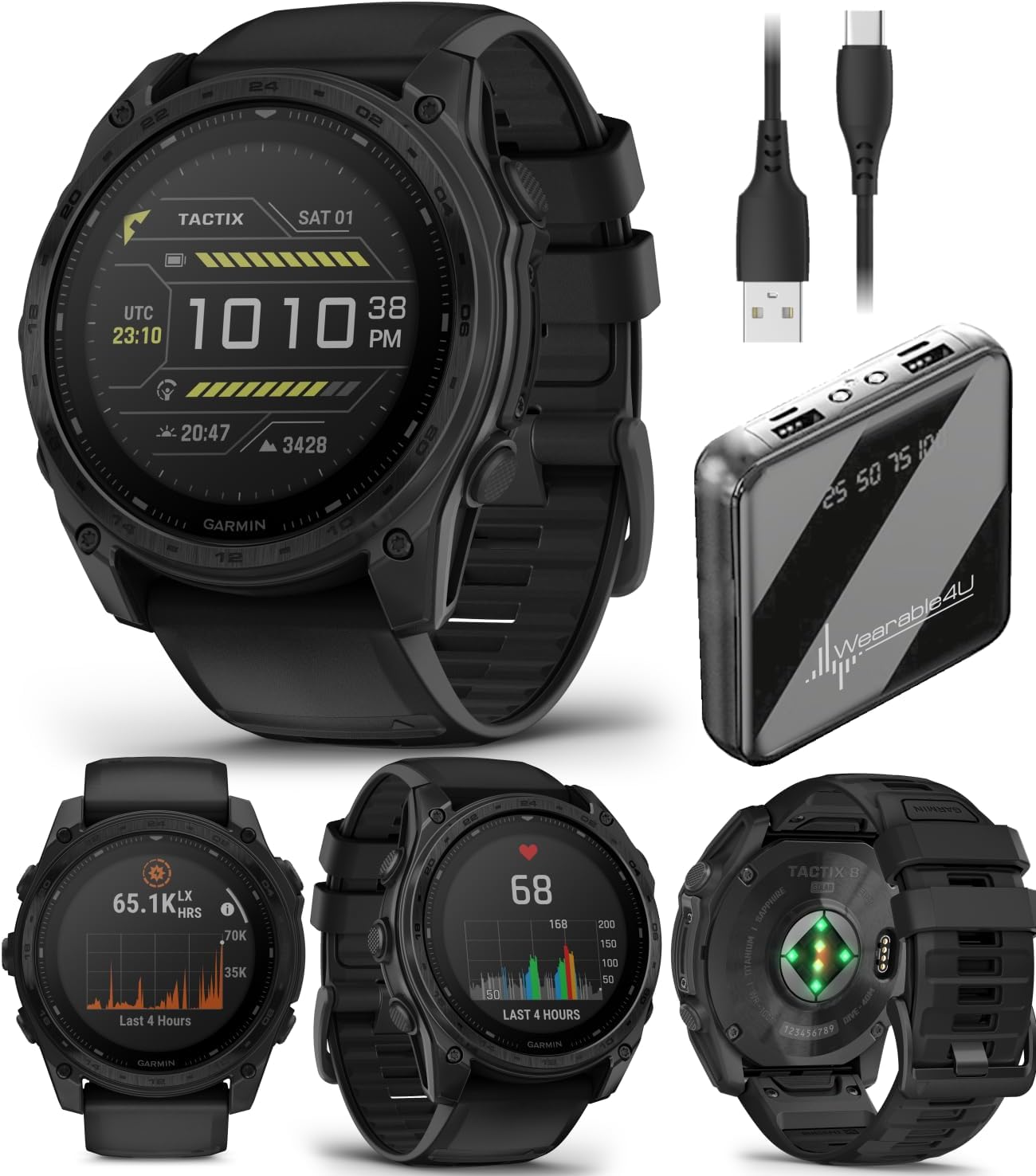
Image: The Garmin Tactix 8 Smartwatch shown alongside the Wearable4U PowerBank and charging cables, illustrating the complete bundle contents.
Setup
1. Initial Charging
Before first use, ensure your Tactix 8 smartwatch is fully charged. Connect the included charging/data cable to the watch and a USB power source. The watch features a solar-charged display, which can extend battery life when exposed to sunlight. The Wearable4U PowerBank can be used to charge your watch or other devices while away from a wall outlet.
2. Pairing with Garmin Connect App
- Download the Garmin Connect mobile app on your compatible smartphone.
- Open the app and follow the on-screen instructions to create an account or log in.
- Select 'Add Device' and choose your Tactix 8 from the list.
- Follow the pairing prompts on both your watch and smartphone to complete the connection.
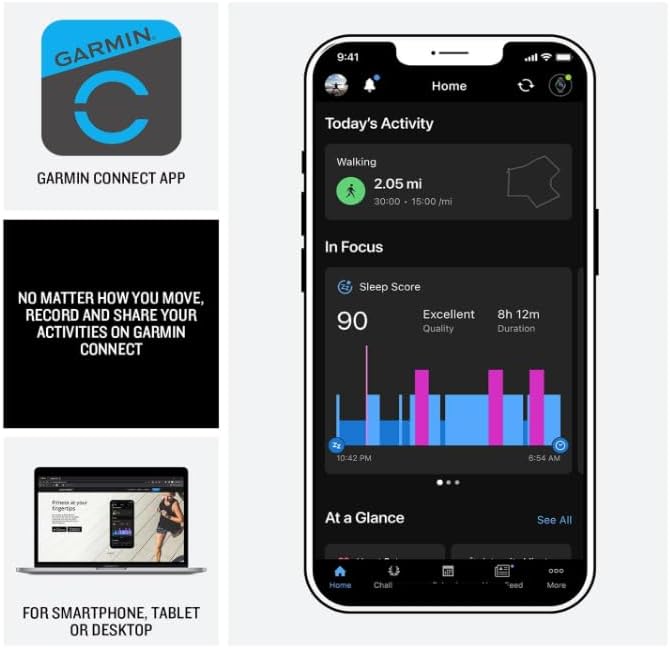
Image: A smartphone screen displaying the Garmin Connect app interface, showing activity tracking and sleep score data. The app is essential for managing watch settings and reviewing performance metrics.
Operating Your Tactix 8 Smartwatch
Navigation and GPS
The Tactix 8 provides superior positioning accuracy with multi-band GPS and SatIQ technology. It includes built-in sensors for a 3-axis compass, gyroscope, and barometric altimeter for comprehensive outdoor navigation.
- Preloaded Maps: Explore with preloaded TopoActive maps featuring relief shading. Access free additional downloadable maps globally.
- Golf & Ski Maps: Built-in maps for thousands of golf courses and ski resorts worldwide.
- Garmin Share: Share saved locations, courses, and workouts with compatible Garmin devices.

Image: A man in outdoor gear navigating through a forest, checking his Garmin Tactix 8 smartwatch. This illustrates the watch's utility for outdoor navigation with its advanced GPS and sensor capabilities.
Tactical Features
Dedicated tactical functionalities enhance operational readiness:
- Jumpmaster Activity: Specialized mode for airborne operations.
- Waypoint Projection: Project waypoints for navigation.
- Dual-Position GPS Format: Display two sets of coordinate systems on one screen.
- Stealth Mode: Disables GPS and wireless connectivity, and stops saving and sharing your GPS position.
- Kill Switch: Wipes all user data from the device.
- Night Vision Compatibility: Allows for operation with night vision goggles.
- Rucking Activity: A dedicated profile to input and track your pack weight during rucks.
- Applied Ballistics Elite Solver: An advanced, unlocked solver for aiming solutions in long-range shooting. Download the AB Quantum mobile app for profile and target management.

Image: Four different views of the Garmin Tactix 8 watch face, showcasing its tactical features including Applied Ballistics, Stealth Mode, a side profile, and a dive mode display. These illustrate the specialized functions available.
Health and Fitness Monitoring
The Tactix 8 offers comprehensive health and wellness tracking:
- Wrist-Based Heart Rate: Constantly samples your heart rate to gauge workout intensity.
- Advanced Sleep Monitoring: Tracks sleep stages and provides insights for improved sleep quality. Includes a sleep coach.
- Respiration Tracking & Pulse Ox: Monitors breathing and blood oxygen saturation (Pulse Ox not available in all countries).
- ECG App: Records heart rhythm and checks for signs of atrial fibrillation (not available in all regions; for people 22 years or older).
- Morning Report: Customizable overview of sleep, training outlook, HRV status, and weather upon waking.
- Sport-Specific Workouts: Targeted strength training plans, real-time stamina tracking, and a full range of built-in sports apps.
- Endurance Score: Uses VO2 max, training loads, and other factors to gauge ability to sustain prolonged effort.

Image: Four different views of the Garmin Tactix 8 watch face, displaying health and fitness metrics such as endurance score, smart notifications, a side profile, and a workout tracking screen. These highlight the watch's comprehensive monitoring capabilities.
Additional Features
- 40-Meter Dive Rating: Supports scuba and apnea dive activities.
- Built-in LED Flashlight: Multicolor LED flashlight for low-light conditions (green or white light). Features NVG mode for dimmable green light.
- Aviation Navigation System: Includes worldwide dynamic moving map, GPS navigation, NEXRAD, weather display, and airport information.
- Smart Notifications: Receive emails, texts, and alerts when paired with your smartphone.
- Built-in Speaker and Microphone: Make and take phone calls from your watch when paired to your smartphone. Control watch functions with off-grid voice commands.
- Garmin Pay: Contactless payment solution.

Image: A man in low-light conditions using the built-in LED flashlight on his Garmin Tactix 8 smartwatch, which emits a green light. This demonstrates the practical utility of the integrated flashlight feature.
Maintenance
Cleaning Your Device
Regularly clean your Tactix 8 smartwatch to ensure optimal performance and hygiene. Use a soft, lint-free cloth to wipe the display and watch body. For stubborn dirt, a slightly damp cloth can be used. Avoid harsh chemicals or abrasive materials.
Battery Care
The Tactix 8 features a solar charging lens. For maximum battery life, expose the watch to direct sunlight for at least 3 hours per day. When not in use for extended periods, store the watch in a cool, dry place. Recharge the Wearable4U PowerBank as needed using its designated charging cable.
Water Resistance
The Tactix 8 has a 40-meter dive rating. Rinse the watch with fresh water after exposure to salt water or chlorinated water to prevent corrosion.
Troubleshooting
Common Issues and Solutions
- Watch not turning on: Ensure the watch is fully charged. Connect it to the charging cable and a power source.
- GPS not acquiring signal: Move to an open area with a clear view of the sky. Ensure GPS is enabled in settings.
- Bluetooth pairing issues: Ensure Bluetooth is enabled on both the watch and your smartphone. Try restarting both devices and re-attempting the pairing process through the Garmin Connect app.
- Inaccurate heart rate readings: Ensure the watch is worn snugly on your wrist, above the wrist bone. Clean the optical sensor on the back of the watch.
- Short battery life: Reduce backlight brightness, disable unnecessary features (e.g., Wi-Fi, continuous Pulse Ox), and ensure regular solar charging.
Specifications
| Feature | Detail |
|---|---|
| Model | Garmin Tactix 8, 51mm Solar, Elite |
| Display Size | 1.4 inches |
| Display Type | Solar charged |
| Lens Material | Sapphire |
| Bezel Material | Titanium |
| Item Weight | 3.35 ounces (95 Grams) |
| Memory Storage Capacity | 32 GB |
| RAM Memory Installed Size | 16 GB |
| Operating System | Garmin OS |
| Battery Type | Lithium Ion (included) |
| Water Rating | 40 meters |
| Connectivity | Bluetooth |
| Special Features | Solar charged display, titanium bezel, power sapphire lens, GPS navigation, Bluetooth, Smart connectivity, built-in LED flashlight, advanced tactical features, fitness & health tracking, multisport, Applied Ballistics Ultralight Elite solver |
Warranty and Support
For detailed warranty information and support, please refer to the official Garmin documentation included with your product or visit the Garmin support website. For specific inquiries regarding the Wearable4U PowerBank bundle, please contact Wearable4U customer service.
An official user manual in PDF format is available for download: Garmin Tactix 8 User Manual (PDF)


