
1. Introduction
Thank you for choosing the LOFOV 360° 4-Channel Dash Camera. This device is designed to provide comprehensive video surveillance for your vehicle, capturing footage from the front, rear, left, and right sides simultaneously. Equipped with advanced features such as G-Sensor, Night Vision, and 24-hour Parking Mode, it offers enhanced safety and security for your driving and parked vehicle. Please read this manual carefully to ensure proper installation and operation.
2. Package Contents
Verify that all items listed below are included in your package. If any items are missing or damaged, please contact customer support.
- 1 x LOFOV 4-Channel Dash Camera
- 1 x Rear Camera
- 1 x 11.48ft Car Charger
- 1 x Adjustable Suction Mount
- 1 x 3M Adhesive Mount
- 1 x Car Charger with Type-C USB Cable
- 1 x User Manual
- 1 x Electrostatic Film for 3M Mount
- 1 x 64GB SD Memory Card (pre-inserted)
- 1 x 19.6ft Rear Camera Cable

Image: Contents of the LOFOV 4-Channel Dash Camera package, including the main unit, rear camera, cables, mounts, and memory card.
3. Product Overview
The LOFOV 360° 4-Channel Dash Camera features four independent lenses to provide comprehensive coverage around your vehicle. The main unit integrates a front-facing camera, two adjustable side cameras (left and right), and connects to an external rear camera. The 3.0-inch IPS screen allows for real-time video feedback.
Key Features:
- 360° All-Around Coverage: Four 1080P cameras record front, rear, left, and right views simultaneously.
- Adjustable Lenses: The front three lenses can be adjusted for optimal shooting angles.
- High-Definition Display: 3.0-inch IPS screen for live video feedback.
- Super Night Vision: Equipped with 8 LED infrared lights and Wide Dynamic Range (WDR) for clear recording in low-light conditions.
- G-Sensor: Automatically detects sudden shakes or collisions and locks footage to prevent overwriting.
- Loop Recording: Continuously records, overwriting the oldest files when the memory card is full.
- 24-Hour Parking Mode: Provides surveillance when the vehicle is parked (requires hardwire kit or external battery).
- Memory Card Support: Includes a 64GB Class 10 U3 speed micro-SD card, supports up to 256GB.

Image: Main unit of the LOFOV 4-Channel Dash Camera, showing its multiple lenses and the included 64GB memory card.

Image: Visual representation of the 360-degree coverage provided by the four cameras, including front, left, right, rear, and cabin views.
4. Setup and Installation
Follow these steps for proper installation of your dash camera system.
4.1 Mounting the Main Unit
- Clean the windshield area where you intend to mount the dash camera. Ensure it is free of dust and grease.
- Attach the electrostatic film to the chosen area on the windshield. This helps protect your windshield and makes removal easier.
- Attach either the adjustable suction mount or the 3M adhesive mount to the dash camera.
- Secure the dash camera to the electrostatic film on the windshield. Position it to ensure a clear view for the front camera and easy access to controls.
4.2 Installing the Rear Camera
- Determine the optimal location for the rear camera, typically on the rear windshield or near the license plate.
- Route the 19.6ft rear camera cable from the main dash camera unit to the rear camera's location. Ensure the cable is tucked away neatly and does not obstruct your view or vehicle operations.
- Connect the rear camera cable to both the main unit and the rear camera.
4.3 Power Connection
- Insert the car charger into your vehicle's cigarette lighter socket.
- Connect the Type-C USB cable from the car charger to the main dash camera unit.
- For 24-hour parking mode functionality, a separate hardwire kit (not included) or an external battery is required. Connect this according to the hardwire kit's instructions.

Image: Step-by-step diagram illustrating the connection points for the main dash cam, rear camera, and power supply.
5. Operating Instructions
This section details the primary functions and settings of your LOFOV dash camera.
5.1 Initial Setup and Memory Card
- The 64GB SD memory card is pre-inserted. Ensure it is properly seated.
- Upon first use, or if using a new memory card, it is recommended to format the card within the dash camera's settings menu. This ensures compatibility and optimal performance.
- Important: If formatting the TF card with a computer, use a tool to format it to FAT32. The exFAT format, which is default on Windows, will not work with this car recorder.
5.2 Basic Recording
- Once powered on, the dash camera will automatically begin recording.
- The 4 channels will display simultaneously on the 3.0-inch IPS screen.
- Loop Recording: The camera records in 3-minute segments. When the memory card is full, the oldest unlocked videos will be overwritten by new recordings.
5.3 G-Sensor and Emergency Lock
- The built-in G-Sensor automatically detects sudden impacts or rapid deceleration/acceleration.
- When triggered, the current video segment is automatically locked and saved to the "Event" folder, preventing it from being overwritten by loop recording.
- Adjust the G-Sensor sensitivity in the settings menu if needed.
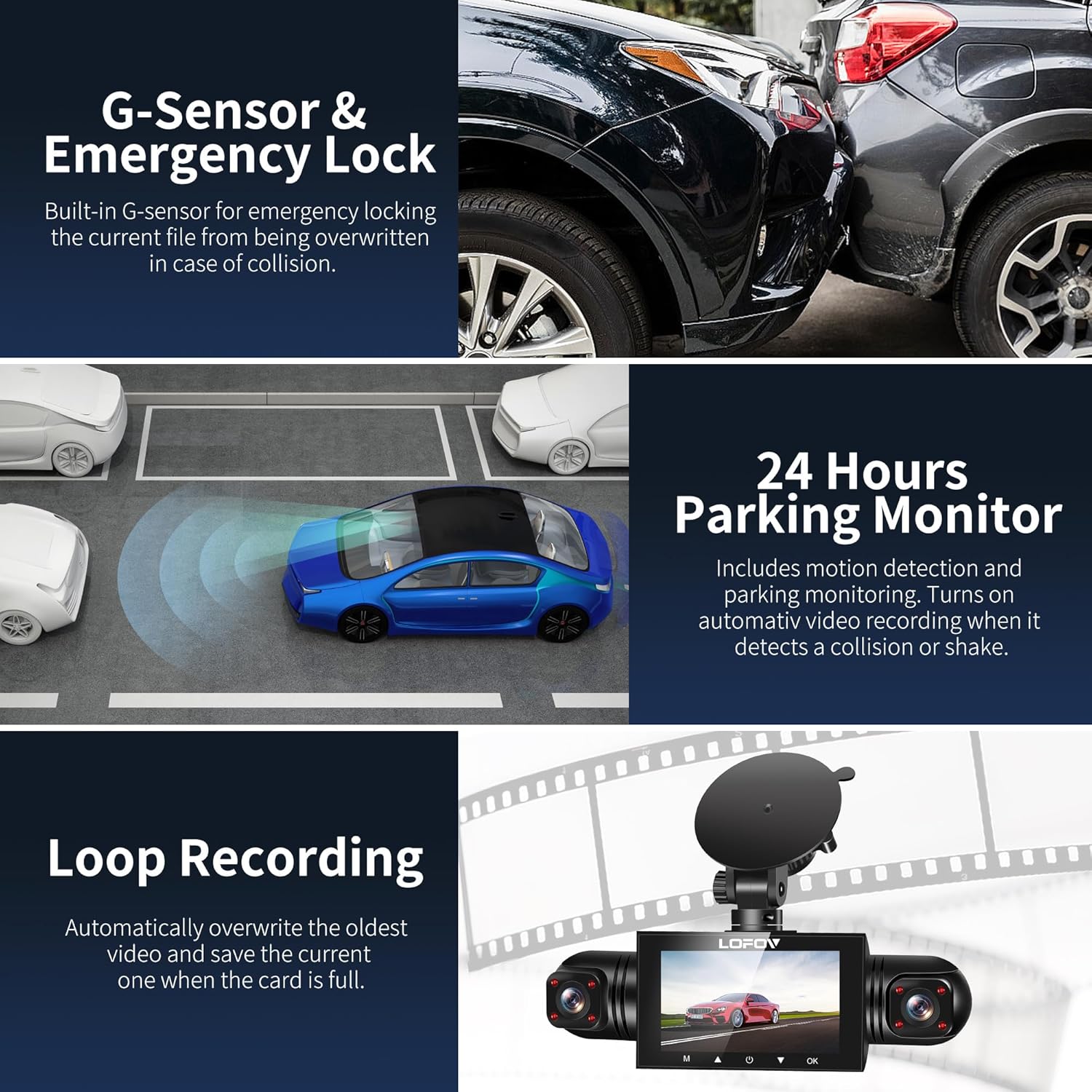
Image: Visual explanation of G-Sensor, 24-hour Parking Monitor, and Loop Recording functionalities.
5.4 24-Hour Parking Mode
- When your vehicle is parked and the ignition is off, the dash camera will automatically switch to parking mode.
- This mode enables continuous surveillance. If motion is detected within 3-4 meters of the front of the car, or if a collision is detected, the camera will automatically record a 1-minute video.
- Note: For continuous 24-hour parking mode, the dash camera must be connected to a hardwire kit or an external battery.
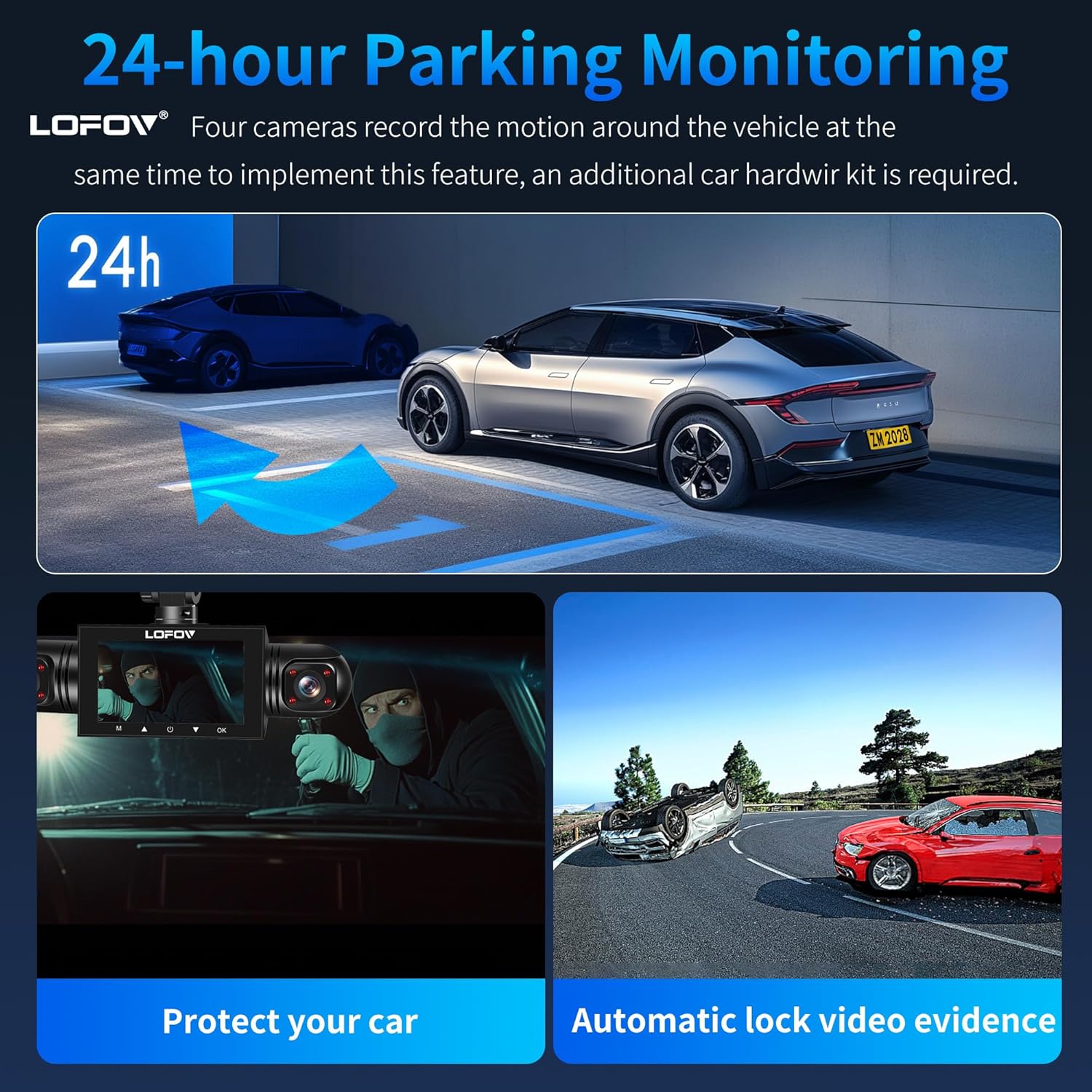
Image: Demonstration of 24-hour parking monitoring, showing how the camera protects the car and locks video evidence.
5.5 Super Night Vision
- The dash camera utilizes 8 LED infrared lights and Wide Dynamic Range (WDR) technology.
- This technology prevents overexposure from headlights and automatically adjusts brightness in low-light conditions, ensuring clear recordings at night.
- The front, inside, and rear cameras with infrared lights record crisp images even in unlit environments.

Image: Examples of Super Night Vision performance, showing clear recordings in dark environments and the effect of WDR.
6. Maintenance
Proper maintenance ensures the longevity and optimal performance of your dash camera.
- Cleaning: Use a soft, dry cloth to clean the camera lenses and screen. Avoid abrasive cleaners or solvents.
- Temperature: The camera is designed to withstand temperatures from -4°F to 140°F (-20°C to 60°C). Avoid prolonged exposure to extreme heat or cold outside this range, as it can affect performance and lifespan.
- Memory Card: Periodically format the memory card (e.g., once a month) to maintain optimal recording performance and prevent data corruption. Back up any important files before formatting.
- Firmware Updates: Check the manufacturer's website for any available firmware updates to ensure your device has the latest features and bug fixes.

Image: Illustration of the dash camera's excellent temperature resistance, functioning in both cold and hot environments.
7. Troubleshooting
If you encounter issues with your LOFOV dash camera, refer to the following common problems and solutions.
| Problem | Possible Cause / Solution |
|---|---|
| Camera freezes or stops working. |
|
| Camera does not automatically record. |
|
| Rear camera not working / black screen. |
|
| Video quality is too dark/bright on one channel. |
|
| Memory card error. |
|
8. Specifications
| Feature | Detail |
|---|---|
| Model Name | 360° 4 Channel Dash Cam |
| Product Dimensions | 3 x 2 x 1 inches |
| Item Weight | 11.3 ounces |
| Video Capture Resolution | 1296*1080p (FHD 1080P per channel) |
| Field Of View | 360 Degrees (Front, Left, Right, Rear) |
| Connectivity Technology | Powerline, USB |
| Special Features | 360 Degree, G-Sensor, Loop Recording, Motion Sensing, Mute Function, Night Vision, Parking Monitor, Reverse Assist, Built-In Microphone, Built-In Speaker, Compact Design |
| Mounting Type | Windshield Mount (Suction Mount, 3M Adhesive Mount) |
| Batteries | 1 Lithium Ion battery (included) |
| Color | Black |
| Memory Card Support | Micro-SD, Class 10 U3 speed, up to 256GB max (64GB included) |
| Operating Temperature | -4°F to 140°F (-20°C to 60°C) |
9. Warranty and Support
LOFOV products are designed for reliability and performance. For warranty information, technical support, or any questions regarding your dash camera, please refer to the contact information provided on the product packaging or the official LOFOV website.
Please retain your proof of purchase for warranty claims.

