
Introduction
Welcome to your new NBCP Wireless Controller. This manual provides detailed instructions for setup, operation, and maintenance to ensure optimal performance across compatible platforms.
Package Contents:
- 1 x NBCP Wireless Controller
- 1 x USB-C Charging Cable
- 1 x User Manual

Image: The NBCP Wireless Controller in Grey, showcasing its design and button layout.
Product Features
Multi-Platform Compatibility
The NBCP wireless controller is designed for broad compatibility, supporting PS4, PS3, PC (Windows 10/11), iOS, and Android devices. This allows for flexible control across various gaming platforms.
Dual Hall Effect Triggers
Experience precise and stable control with linear and Hall Effect triggers. This technology minimizes drift and provides millimeter-level accuracy for an enhanced gaming experience.

Image: A diagram illustrating the Hall Effect Linear Trigger mechanism, highlighting its precision and stability.
Six-Axis Gyroscope
The integrated six-axis gyroscope enables precise motion sensing, facilitating smoother aiming, steering, and complex in-game maneuvers for a more immersive experience.

Image: An illustration depicting the 6-Axis Gyro Sensor within the controller, demonstrating its motion-sensing capabilities for enhanced gameplay.
Turbo Function and Dual Vibration
The built-in Turbo function allows for rapid, continuous input, providing an advantage in fast-paced games. Dual vibration motors deliver haptic feedback, enhancing immersion.

Image: A visual representation of the Turbo Function, showing how pressing a button can activate high-frequency combos.
1200mAh Battery and 3.5mm Headphone Jack
A 1200mAh rechargeable battery provides approximately 8 hours of continuous gameplay. The 3.5mm headphone jack allows direct connection of headphones for clear audio and in-game communication.

Image: An infographic detailing the 1200mAh battery capacity, charging time (3-6 hours), and continuous use duration (approximately 8 hours).
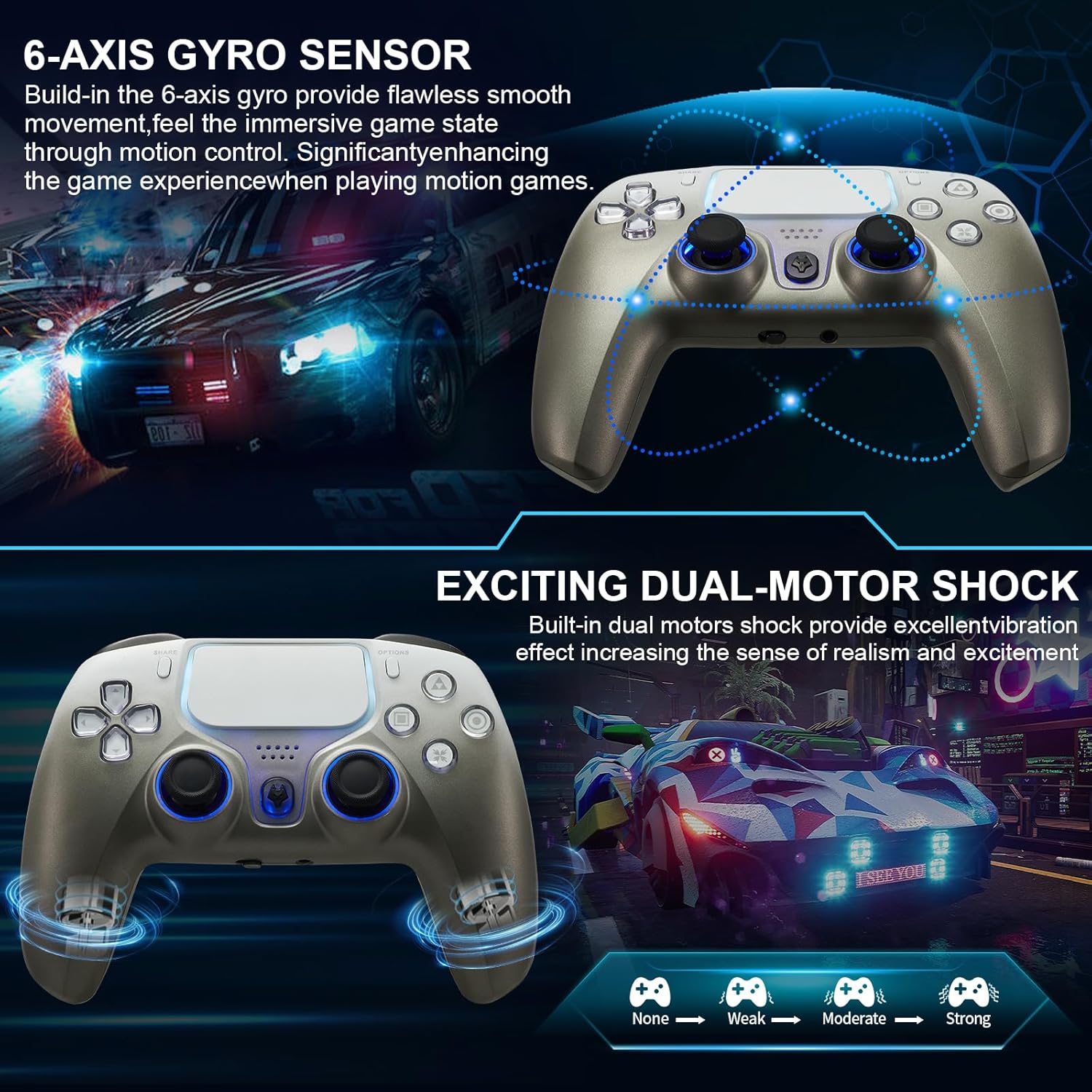
Image: A diagram illustrating the 360-degree rotatable joystick, emphasizing high precision and no deadzone.
Setup Guide
Initial Charging
Before first use, fully charge the controller using the provided USB-C cable. Connect the USB-C end to the controller and the USB-A end to a compatible power source (e.g., console, PC, USB wall adapter).
Pairing Instructions
PS4/PS3 Connection:
- Ensure the console is powered on.
- Connect the controller to the console using the USB-C cable.
- Press the "PS" button on the controller. The controller will pair automatically.
- Once paired, you can disconnect the USB-C cable for wireless play.
PC (Windows 10/11) Connection:
- Wired Connection: Connect the controller to your PC using the USB-C cable. The PC should automatically detect and install necessary drivers.
- Bluetooth Connection:
a. Ensure your PC has Bluetooth enabled.
b. Press and hold the "SHARE" button and the "PS" button simultaneously on the controller until the light bar flashes rapidly.
c. On your PC, go to Bluetooth settings and search for new devices. Select the controller when it appears.
d. Follow any on-screen prompts to complete pairing.
iOS/Android Connection:
- Ensure Bluetooth is enabled on your mobile device.
- Press and hold the "SHARE" button and the "PS" button simultaneously on the controller until the light bar flashes rapidly.
- On your mobile device, go to Bluetooth settings and search for new devices. Select the controller when it appears.
- Follow any on-screen prompts to complete pairing.
Operating Instructions
Basic Controls
Familiarize yourself with the standard button layout, including analog sticks, D-pad, action buttons (X, O, Square, Triangle), shoulder buttons (L1, R1), and triggers (L2, R2).
Using the Touchpad
The integrated touchpad supports multi-touch input and click functionality, similar to the original PS4 controller. Its specific functions will vary by game.
Turbo Function Activation
To activate the Turbo function for a specific button, press and hold the desired button, then press the "Turbo" button. The button will now send continuous input when held down. Repeat the process to deactivate.
Adjusting Vibration Intensity
The controller features dual vibration motors. Vibration intensity may be adjustable through game settings or specific controller button combinations (refer to in-game options or advanced controller settings on your platform).
Maintenance
Battery Care
- To prolong battery life, avoid fully discharging the controller frequently.
- Charge the controller regularly, especially if it will not be used for an extended period.
- Store the controller in a cool, dry place.
Cleaning
- Use a soft, dry cloth to clean the controller's surface.
- For stubborn dirt, slightly dampen the cloth with water. Avoid using harsh chemicals or abrasive materials.
- Do not allow liquids to enter the controller's openings.
Troubleshooting
Controller Not Connecting/Pairing:
- Ensure the controller is charged.
- Verify Bluetooth is enabled on your device/PC.
- Try connecting via USB-C cable first to establish a connection.
- Restart your console/PC/mobile device and try pairing again.
- Reset the controller: Locate the small reset button on the back of the controller (often near the L2 button). Use a thin object (like a paperclip) to press and hold it for 3-5 seconds. Then attempt to re-pair.
Joystick Drift or Inaccurate Input:
- Ensure the controller firmware is up to date (if applicable, check manufacturer's website).
- Perform a controller calibration if your system supports it (e.g., PC game controller settings).
- Reset the controller as described above.
- Avoid exposing the controller to extreme temperatures or dust.
Vibration Not Working:
- Check in-game settings to ensure vibration is enabled.
- Verify that the game supports vibration feedback.
- Ensure the controller is fully charged.
Specifications
| Feature | Detail |
|---|---|
| Model Number | 736C |
| Compatibility | PS4, PS3, PC (Windows 10/11), iOS, Android |
| Connectivity | Wireless (Bluetooth), Wired (USB-C) |
| Battery Capacity | 1200mAh |
| Battery Life | Approximately 8 hours (continuous use) |
| Charging Time | 3-6 hours |
| Special Features | Six-Axis Gyroscope, Dual Hall Effect Triggers, Dual Vibration, Touchpad, Turbo Function, 3.5mm Headphone Jack |
| Dimensions | 6.81 x 4.57 x 3.19 inches |
| Weight | 13.4 ounces |
Warranty and Support
For product support, warranty information, or any questions regarding your NBCP Wireless Controller, please refer to the contact information provided with your purchase or visit the official NBCP website.
The package includes a user manual. If you have any questions, please feel free to contact us and we will respond to you within 24 hours.