
Product Overview
The Apowking HP500S Pro is a high-capacity portable power station designed to provide reliable power for various devices, whether you are outdoors, traveling, or need a home power backup. Equipped with an 88.8Wh 24000mAh rechargeable battery and a 110V/65W AC outlet, it ensures your essential electronics remain powered.
Key Features
- High Capacity: 88.8Wh (24000mAh) battery for extended use.
- Versatile Outputs: Includes 1x USB-A (5V/3A, 9V/2A), 1x USB-C (5V/3A, 9V/2.7A, 12V/1.5A), 1x DC port (9V~12.6V/10A Max), and 1x AC outlet (110V/65W).
- Multiple Recharging Modes: Can be recharged via AC adapter, car charger, or a 13-16 volt solar panel (not included).
- Portable Design: Compact (6.8 x 3.8 x 1.8 inches) and lightweight (1.7 pounds) for easy transport.
- Integrated LED Flashlight: Features a 3-level brightness LED flashlight with steady, flashing, and SOS modes for emergencies.
- Safety Protections: Built-in safeguards against over-voltage, over-current, over-charge, over-discharge, high-temperature, and short-circuit.

Image: The Apowking HP500S Pro Portable Power Station, showcasing its compact design and digital display.
Package Contents
Upon opening your Apowking HP500S Pro package, you should find the following items:
- 1x Apowking 88.8Wh Portable Power Bank
- 1x DC15V/2A (30W) Wall Charger
- 1x Cigarette Lighter Adapter
- 1x Car Charge Cable
- 1x User Manual

Image: All items included in the Apowking HP500S Pro package, neatly arranged.
Video: An official Apowking Store video demonstrating the unboxing and key features of the power bank.
Product Diagram and Ports
Familiarize yourself with the layout and functionality of the power station's ports and controls.
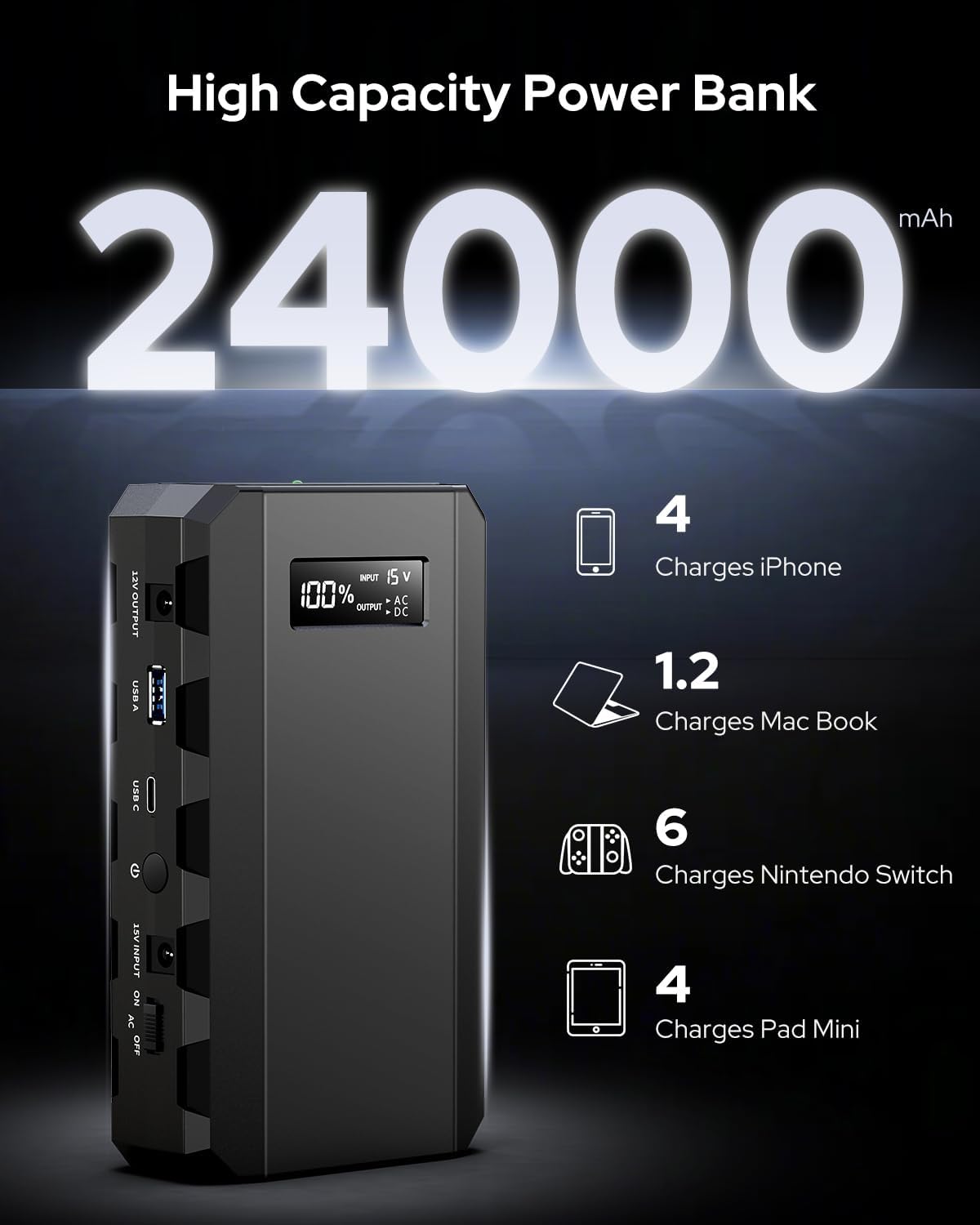
Image: Close-up view of the Apowking HP500S Pro's front panel, highlighting the USB-A, USB-C, DC, and AC output ports.

Image: Top view of the Apowking HP500S Pro, showing the digital display and power button.
Charging the Power Station
Before initial use, fully charge your Apowking HP500S Pro. It offers flexible recharging options:
Recharging Methods
- AC Adapter: Connect the provided DC15V/2A (30W) wall charger to a standard wall outlet.
- Car Charger: Use the included car charge cable and cigarette lighter adapter to charge from your vehicle's 12V outlet.
- Solar Panel: For off-grid charging, connect a compatible 13-16 volt solar panel (not included) to the DC input port.

Image: Visual representation of the three charging methods: wall outlet, solar panel, and car charger.
Operating the Power Station
Turning On/Off
Press and hold the main power button for a few seconds to turn the unit on or off. The digital display will illuminate, showing the remaining battery percentage.
Using AC Output
To use the 110V AC outlet, ensure the AC switch is in the 'ON' position. Plug your device's power cord into the AC outlet. The green indicator light next to the AC outlet will confirm it is active.
Using USB and DC Outputs
Simply plug your USB-A, USB-C, or DC-compatible devices into the corresponding ports. These ports are generally active when the power station is on.
LED Flashlight Functions
Press the LED flashlight switch to cycle through its three modes: steady light, flashing light, and SOS mode. This feature is useful for illumination in dark environments or signaling during emergencies.
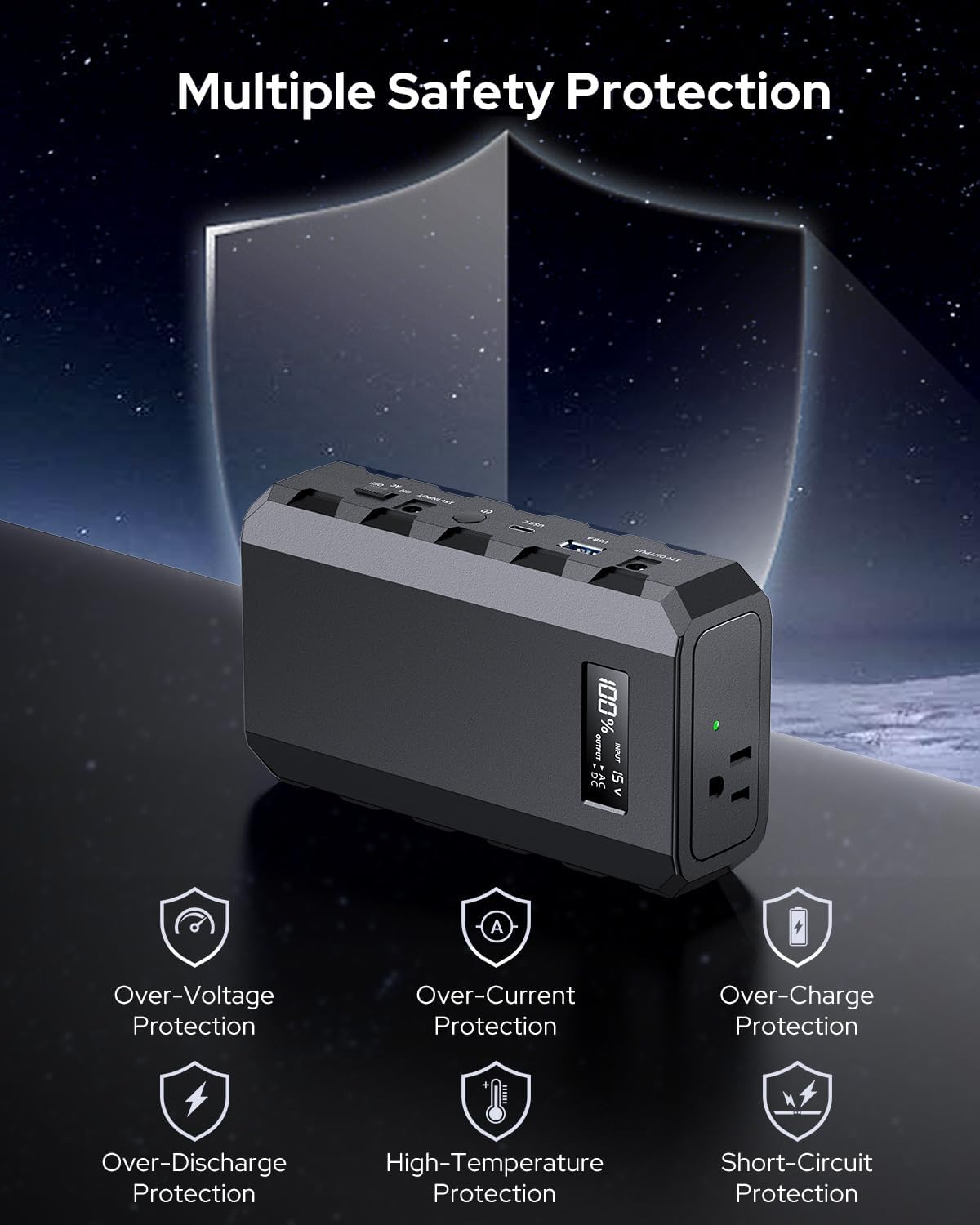
Image: The integrated LED flashlight on the Apowking HP500S Pro, demonstrating its bright illumination.
Video: A seller-provided video demonstrating the fast charging capabilities of the 65W portable laptop battery bank.
Safety Features
The Apowking HP500S Pro is built with multiple safety protections to ensure safe and reliable operation:
- Over-Voltage Protection
- Over-Current Protection
- Over-Charge Protection
- Over-Discharge Protection
- High-Temperature Protection
- Short-Circuit Protection

Image: Icons illustrating the various safety protections integrated into the power station.
Technical Specifications
| Feature | Specification |
|---|---|
| Model Number | HP500S Pro |
| Battery Capacity | 88.8Wh / 24000mAh |
| AC Output | 110V / 65W (Max) |
| USB-A Output | 5V/3A, 9V/2A |
| USB-C Output | 5V/3A, 9V/2.7A, 12V/1.5A |
| DC Output | 12V/10A (Max) |
| DC Input | 15V/2A |
| Dimensions (L x W x H) | 6.8 x 3.8 x 1.8 inches |
| Weight | 1.7 pounds |
| Battery Cell Type | Lithium Ion |
Troubleshooting Common Issues
- Device not charging: Ensure the power station is turned on and has sufficient charge. Verify that the correct output port is selected (e.g., AC switch is on for AC devices). Check the charging cable and device for damage.
- AC output not working: Confirm the AC switch is in the 'ON' position. Ensure the connected device's power consumption does not exceed 65W.
- Power station not recharging: Check if the input charger (AC adapter, car charger, or solar panel) is properly connected and functioning. Ensure the input voltage matches the specified 15V.
- LED flashlight not working: Press the LED flashlight button to activate and cycle through modes. Ensure the power station is on.
Care and Maintenance
- Store the power station in a cool, dry place away from direct sunlight and extreme temperatures.
- Avoid dropping or subjecting the unit to strong impacts.
- Recharge the unit at least once every 3-6 months to maintain battery health, even if not in use.
- Clean the exterior with a soft, dry cloth. Do not use harsh chemicals or abrasive materials.
- Do not disassemble or attempt to repair the unit yourself. Contact customer support for assistance.
Warranty and Support
The Apowking HP500S Pro Portable Power Station comes with a 1-Year Warranty from the date of purchase. For any product inquiries, technical support, or warranty claims, please contact the Apowking customer support team. Refer to the contact information provided in your user manual or visit the official Apowking website.

Image: Information regarding Apowking's 1-year warranty and customer support.