
1. Introduction
Thank you for choosing the BAOFENG UV-10R PRO Ham Radio. This manual provides essential information for the safe and efficient operation of your device. Please read it thoroughly before use and retain it for future reference.

Image 1.1: The BAOFENG UV-10R PRO Ham Radio package contents, including two radios, antennas, USB-C cables, and charging bases. The radios feature a 999-channel VHF/UHF dual-band capability.
2. What's in the Box
Verify that all items are present in your package:
- 2 x BAOFENG UV-10R PRO Radios
- 2 x 771 High Gain Antennas
- 2 x Original Antennas
- 2 x Rechargeable Batteries
- 2 x USB-C Cables
- 2 x Desktop Chargers (Base Chargers)
- 2 x Headsets
- 2 x Belt Clips
3. Setup Guide
3.1 Battery Installation and Charging
- Align the battery with the grooves on the back of the radio and slide it upwards until it clicks into place.
- To charge, connect the USB-C cable to the radio's USB-C port or place the radio in the desktop charger.
- Connect the other end of the USB-C cable to a compatible USB power source (e.g., USB wall adapter, vehicle charger, PC, power bank).
- The charging indicator light on the radio or desktop charger will show charging status. Charge fully before first use.

Image 3.1: The BAOFENG UV-10R PRO supports various charging methods via its USB-C port, offering flexibility for different environments.
3.2 Antenna Attachment
Screw the desired antenna (either the original or the 771 high gain antenna) clockwise onto the antenna connector on top of the radio until it is finger-tight. Do not overtighten.

Image 3.2: The included high gain 771 antenna can improve signal reception and transmission distance, suitable for various outdoor activities.
4. Operating Instructions
4.1 Basic Controls and Display

Image 4.1: Key components of the BAOFENG UV-10R PRO, including the PTT (Push-to-Talk) button, side keys, external speaker/mic jack, and battery compartment.
- Power On/Off: Rotate the power/volume knob clockwise to turn on and counter-clockwise to turn off.
- Volume Adjustment: Rotate the power/volume knob to adjust the audio level.
- PTT (Push-to-Talk) Button: Press and hold to transmit, release to receive.
- Function Keys: The keypad allows for direct frequency input, channel selection, and menu navigation.
- Display: The 1.44-inch color screen shows current frequency, channel number, battery status, and other indicators.

Image 4.2: The UV-10R PRO features a clear display and icons indicating its various functions, including dual-band operation, frequency copy, and NOAA weather reception.
4.2 Channel and Frequency Selection
- Direct Frequency Input: In VFO (Frequency) mode, use the numeric keypad to enter the desired frequency.
- Channel Mode: Switch to Channel mode to select from pre-programmed channels using the up/down arrow keys or numeric keypad.
- Dual Standby: The radio can monitor two different frequencies (A/B) simultaneously.
4.3 One Key Frequency Copy
This feature allows for quick copying of frequencies from another radio.
- Step 1: Power on your walkie-talkie and press the "*" key. The display will show "SEEK".
- Step 2: Press and hold the PTT button on the other walkie-talkie to transmit its frequency. When your UV-10R PRO searches and finds the frequency, press the "MENU" key to confirm.
- Step 3: Switch to channel mode. The display will show the other person's frequency, and you can now communicate.

Image 4.3: Detailed steps for utilizing the One Key Frequency Copy function, simplifying the process of matching frequencies with other radios.
4.4 NOAA Weather Receiver
The UV-10R PRO supports NOAA weather alerts, providing timely information on severe weather conditions.
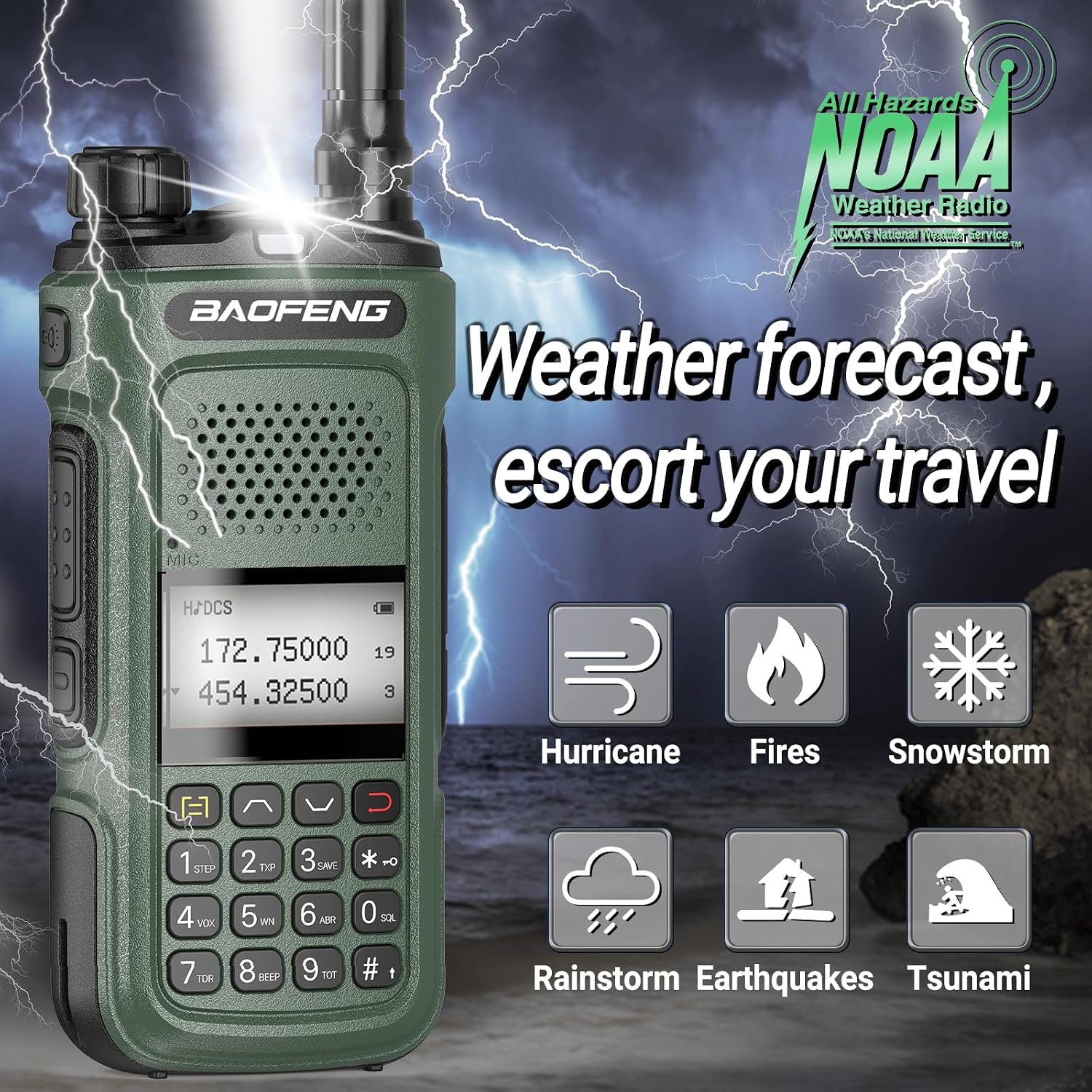
Image 4.4: The NOAA Weather Radio feature provides critical weather forecasts and alerts, enhancing safety during outdoor activities or emergencies.
4.5 Other Functions
- VOX Function: Voice-operated transmission, allowing hands-free operation.
- FM Radio: Listen to standard FM broadcast stations.
- LED Flashlight: Integrated flashlight for illumination.
- Emergency Alarm: Activates an audible alarm for emergency situations.
- CTCSS & DCS: Sub-audible tones for selective calling and interference reduction.
- DTMF: Dual-tone multi-frequency signaling.
5. Maintenance
- Cleaning: Use a soft, damp cloth to clean the radio's surface. Do not use harsh chemicals or abrasive cleaners.
- Battery Care: To prolong battery life, avoid overcharging or completely draining the battery. Store the radio and battery in a cool, dry place when not in use for extended periods.
- Antenna Care: Ensure the antenna is securely attached but do not bend it excessively.
- Storage: Store the radio in a dust-free environment away from direct sunlight and extreme temperatures.
6. Troubleshooting
If you encounter issues with your BAOFENG UV-10R PRO, refer to the following common problems and solutions:
- Radio does not power on: Check if the battery is properly installed and charged. Ensure the power/volume knob is turned clockwise.
- No sound or low volume: Adjust the volume knob. Check if the squelch level is set too high. Ensure the headset is properly connected if in use.
- Cannot transmit or receive: Verify that the frequency/channel is correct and within the radio's operating range. Check antenna connection. Ensure the battery has sufficient charge.
- Poor signal quality: Ensure the antenna is securely attached. Try using the high gain 771 antenna. Move to an open area away from obstructions.
- Display is blank or flickering: Recharge the battery. If the issue persists, contact support.
7. Specifications
| Feature | Specification |
|---|---|
| Model Number | UV-10R PRO |
| Frequency Range | VHF UHF (Dual Band) |
| Number of Channels | 999 |
| Display | 1.44 inch Large Color Screen |
| Charging Method | USB-C, Desktop Charger |
| Special Features | Integrated Flashlight, Keypad Lock, Long Range, Rechargeable, Weather Alert (NOAA), One Key Frequency Copy, VOX, FM Radio, DTMF, Dual Standby, CTCSS & DCS |
| Water Resistance Level | Not Water Resistant |
| Battery Type | Nonstandard Battery (included) |
| Item Weight | 2.55 pounds (for 2 radios) |
| Color | Green |
8. Application Scenarios
The BAOFENG UV-10R PRO is suitable for a variety of uses:

Image 8.1: The BAOFENG UV-10R PRO is designed for versatile use in environments such as camping, hunting, mountaineering, and construction sites, providing reliable communication.
9. Warranty and Support
For warranty information or technical support, please refer to the documentation provided with your purchase or contact the manufacturer directly. Keep your proof of purchase for warranty claims.