
1. Introduction
This manual provides essential instructions for setting up, operating, and maintaining your PEJE Smartwatch. Please read this manual thoroughly before using the device to ensure proper function and longevity.
2. What's in the Box
Upon unboxing your PEJE Smartwatch, verify that all components are present:
- 1x PEJE Smartwatch
- 1x Magnetic Charging Cable
- 1x User Manual (this document)

Image: Contents of the PEJE Smartwatch packaging.
3. Product Overview and Dimensions
The PEJE Smartwatch features a 1.45-inch HD TFT display. Understanding its dimensions can help with comfortable wear and accessory selection.

Image: PEJE Smartwatch dimensions.
4. Setup
4.1 Charging the Smartwatch
Before initial use, fully charge your smartwatch. Connect the magnetic charging cable to the charging points on the back of the watch and plug the USB end into a power source.
- A full charge typically takes 2-2.5 hours.
- The 180mAh polymer battery provides approximately 4-6 days of normal use and 8-12 days on standby.

Image: Smartwatch charging and battery life indication.
4.2 Pairing with Your Smartphone
To unlock the full functionality of your PEJE Smartwatch, pair it with your smartphone via the dedicated app.
- Download the App: Search for the official PEJE Smartwatch app on your smartphone's app store (compatible with Android 5.0+ and iOS 9.0+).
- Enable Bluetooth: Ensure Bluetooth is enabled on your smartphone.
- Open the App: Launch the PEJE Smartwatch app and follow the on-screen instructions to add a new device.
- Select Your Device: The app will scan for available devices. Select your PEJE Smartwatch from the list.
- Confirm Pairing: Confirm the pairing request on both your smartphone and the smartwatch.
5. Operating Instructions
5.1 Basic Navigation
The smartwatch features a 1.45-inch HD TFT full touchscreen display. Swipe left, right, up, or down to navigate through menus and functions. Tap to select items.
5.2 Bluetooth Calling and Notifications
With Bluetooth 5.2, your smartwatch allows you to manage calls and receive notifications directly on your wrist.
- Make/Receive Calls: Use the built-in microphone and speaker to answer or make calls. Access call lists and sync over 100 contacts via the app.
- Message Notifications: Receive real-time notifications for SMS, WhatsApp, and other applications.
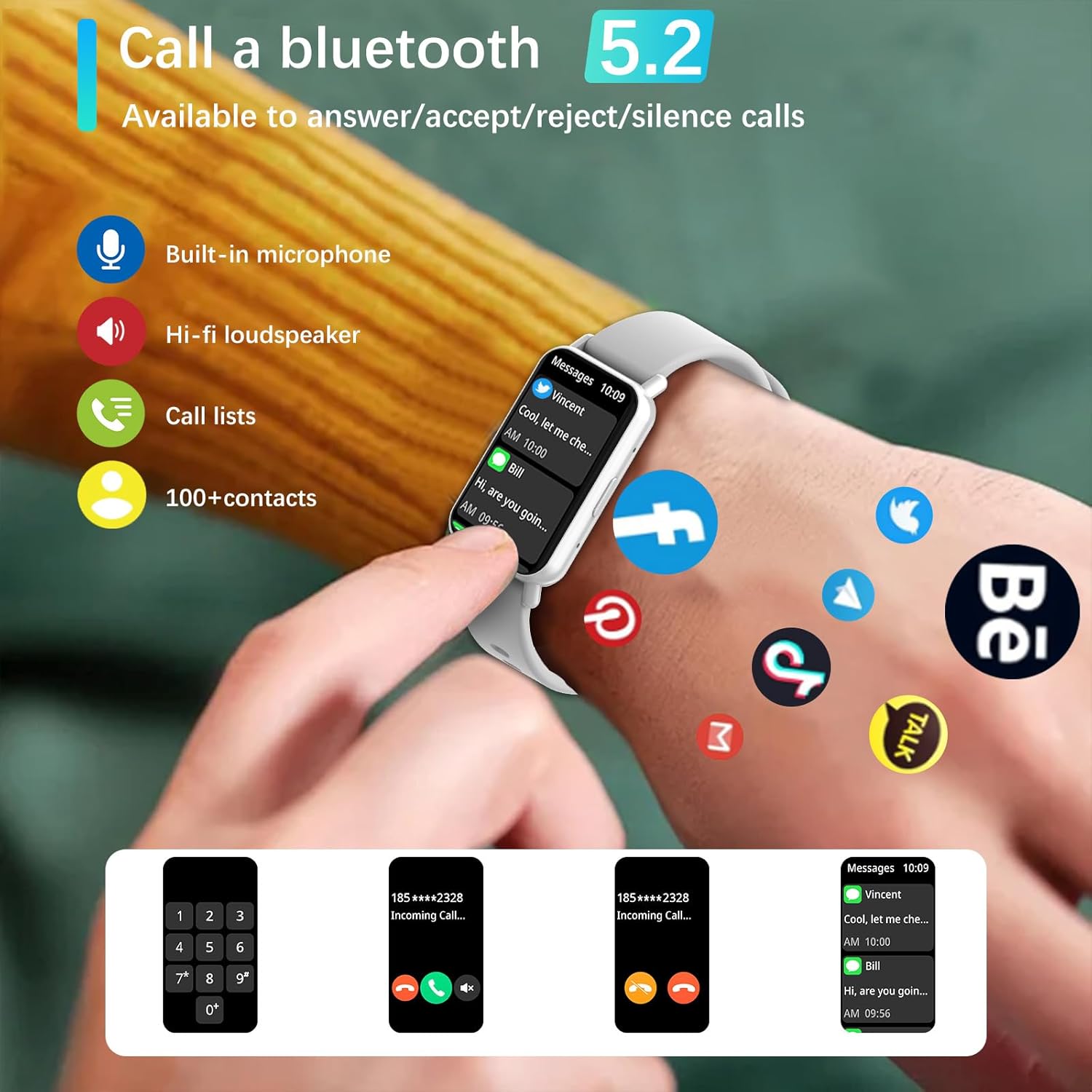
Image: Bluetooth 5.2 calling and message notifications.
5.3 Health Monitoring
The smartwatch is equipped with advanced sensors for comprehensive health tracking:
- Heart Rate Monitoring: Continuous 24/7 heart rate tracking.
- Blood Pressure & Blood Oxygen (SpO2) Monitoring: Measure your blood pressure and blood oxygen levels.
- Sleep Tracking: Monitors sleep patterns from 10 PM to 8 AM.
- Breathing Training: Guided breathing exercises for relaxation.
- Sedentary Reminders: Alerts to encourage movement after periods of inactivity.
5.4 Sports Modes and Fitness Tracking
Engage in various physical activities with 123 built-in sports modes, including walking, running, cycling, and swimming. The watch tracks essential data:
- Steps taken
- Distance covered
- Calories burned
- Heart rate during exercise
- GPS routes (via smartphone)
Receive goal achievement notifications and reminders to drink water.
5.5 Custom Watch Faces
Personalize your smartwatch display:
- Choose from 5 default watch face designs.
- Create custom watch faces using your favorite photos via the app.
- Download additional watch faces from the watch face market within the PEJE app.
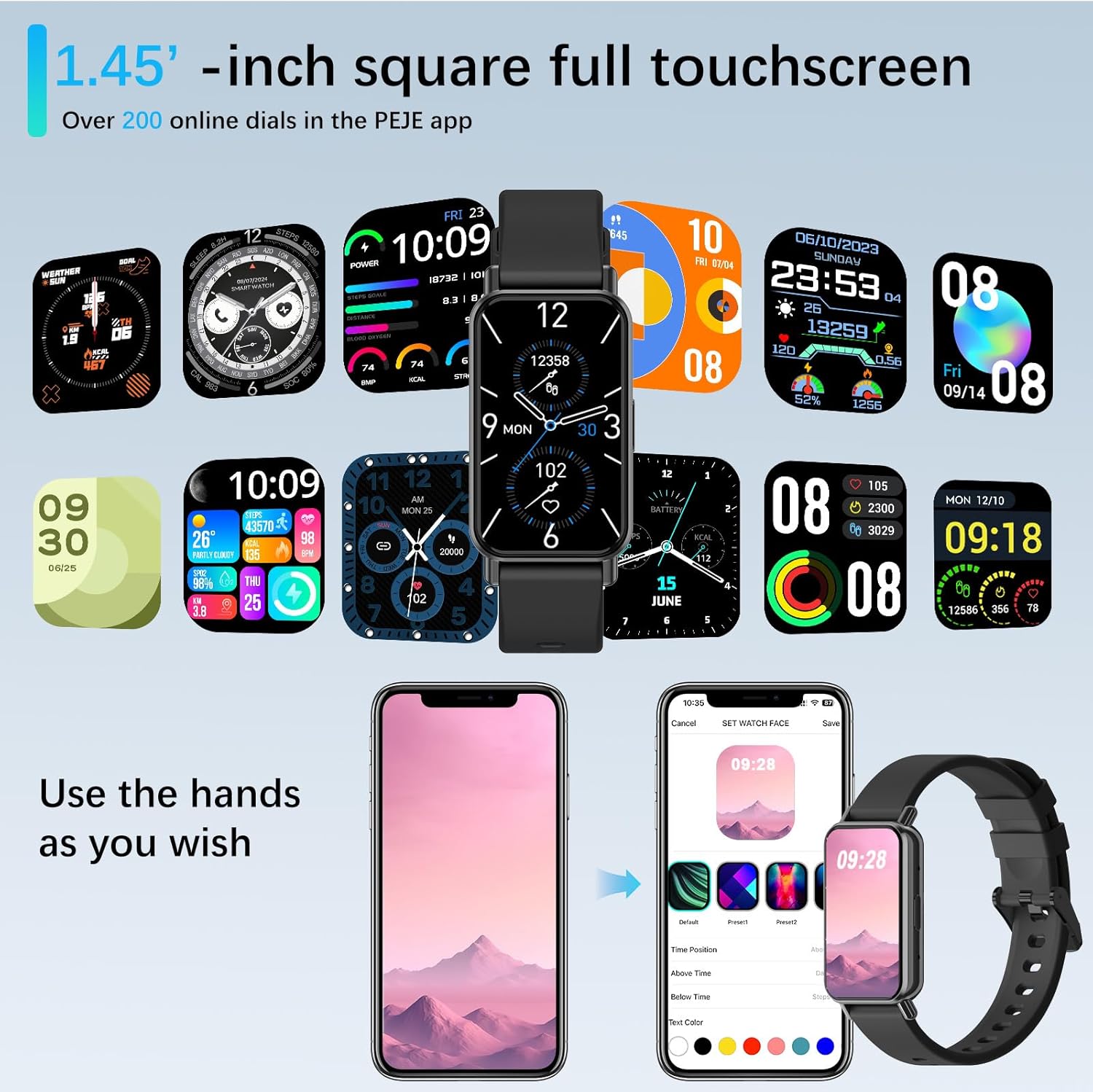
Image: Customizing watch faces through the PEJE app.
5.6 Additional Features
- Remote Camera Control: Shake your wrist or tap the watch to remotely trigger your smartphone's camera.
- Music Control: Manage music playback (play, pause, skip) directly from your wrist.
- Weather Updates: View current weather conditions and 5-day forecasts.
- Find My Phone & Watch: Locate your paired smartphone or smartwatch using the app.
- Tools: Access a stopwatch, calculator, and 4 built-in games.
- Do-Not-Disturb Mode: Silence notifications during specific times.
- Quick-View: Raise your wrist to automatically wake the screen.
- Muslim Prayer Reminders: Receive timely reminders for prayer.
- Tasbih Reminder: Set reminders for Tasbih practice.
- Qibla Direction: Displays Qibla angle and device's angle to Qibla.

Image: Qibla Direction and Tasbih Reminder features.
6. Maintenance
6.1 Water Resistance
The PEJE Smartwatch has an IP68 waterproof rating, making it resistant to splashes, rain, and sweat. It is suitable for daily use and light water exposure.
Note: The device is not suitable for prolonged immersion in water, hot water, or diving. Avoid exposure to high-pressure water streams.
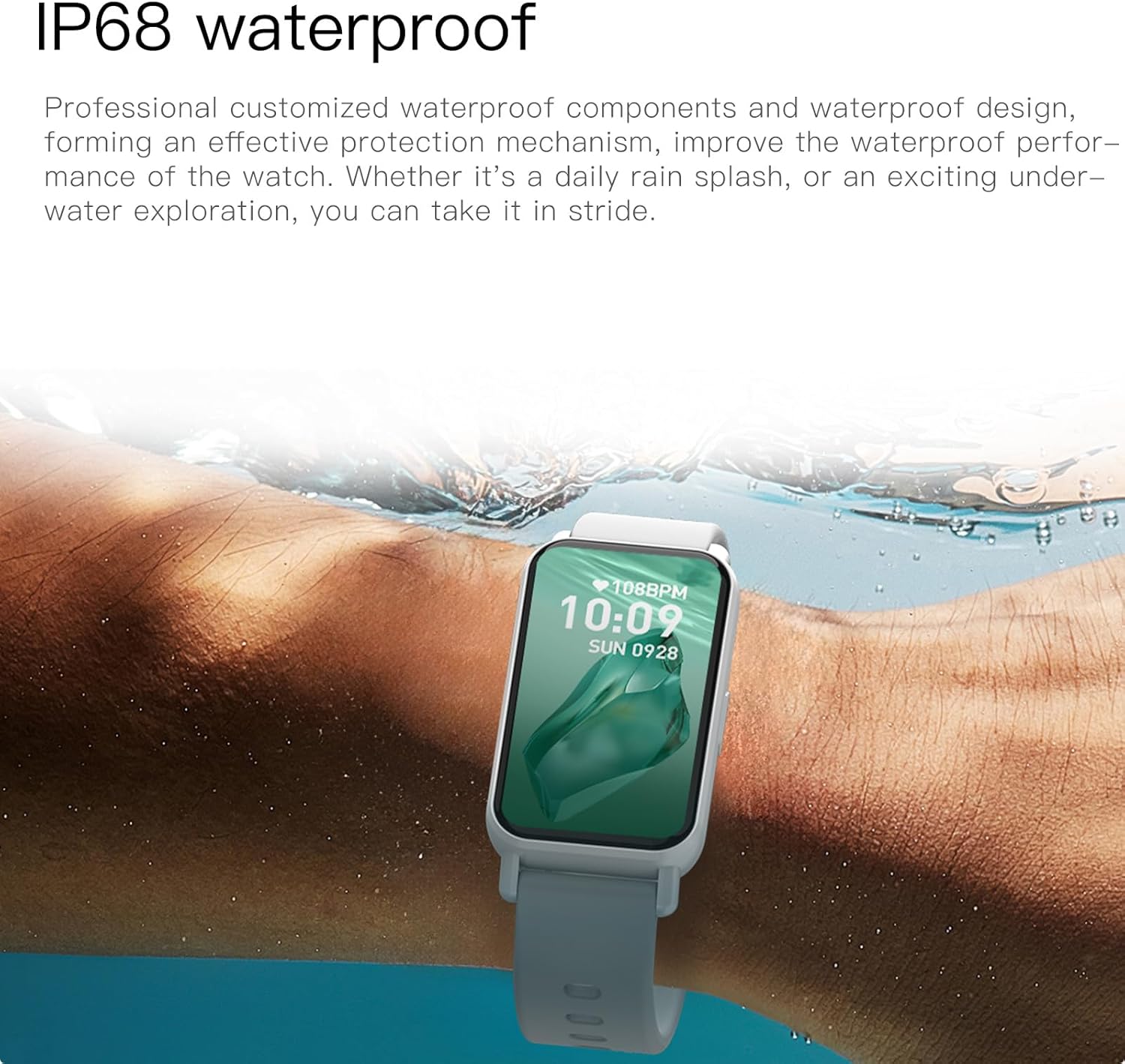
Image: PEJE Smartwatch demonstrating IP68 water resistance.
6.2 Cleaning and Care
- Wipe the watch and strap regularly with a soft, dry cloth.
- Avoid using harsh chemicals or abrasive materials.
- Ensure the charging contacts are clean and dry before charging.
7. Troubleshooting
If you encounter issues with your PEJE Smartwatch, try the following steps:
- Device Not Turning On: Ensure the watch is fully charged. Connect it to the charger for at least 30 minutes.
- Cannot Pair with Phone:
- Ensure Bluetooth is enabled on your phone and the watch.
- Make sure the watch is within range of your phone.
- Restart both your phone and the smartwatch.
- Clear the app's cache or reinstall the app.
- Notifications Not Appearing:
- Check app notification permissions on your phone.
- Ensure Do-Not-Disturb mode is not active on the watch.
- Verify the watch is properly connected to the app.
- Inaccurate Health Data: Ensure the watch is worn snugly on your wrist, not too tight or too loose. Clean the sensor area regularly.
8. Specifications
| Feature | Specification |
|---|---|
| Brand | PEJE |
| Model | PEJE Smartwatch |
| Screen Size | 1.45 Inches |
| Display Type | HD TFT |
| Connectivity Technology | Bluetooth 5.2 |
| Wireless Communication Standard | Bluetooth |
| Battery Capacity | 180 Milliamp Hours |
| Battery Cell Composition | Lithium Polymer |
| Water Resistance | IP68 |
| GPS | GPS Via Smartphone |
| Compatibility | Android 5.0+ / iOS 9.0+ |
| Special Features | Notifications, Health Monitoring, 123 Sport Modes, Bluetooth Calling |
| Package Dimensions | 16.2 x 10.4 x 3.4 cm |
| Item Weight | 110 g |
| Country of Origin | China |
9. Warranty and Support
9.1 Warranty Information
Warranty details for your PEJE Smartwatch are typically provided with your purchase documentation or can be found on the official PEJE website. Please retain your proof of purchase for warranty claims.
9.2 Customer Support
For further assistance, technical support, or inquiries not covered in this manual, please visit the official PEJE Store or contact PEJE customer service through their website. You can find the PEJE Store at https://www.amazon.sa/-/en/stores/StaySmartStayStylish/page/70BC458D-9595-4688-8DEF-D60BE431932F.