1. Introduction
Thank you for choosing the HopePow M16 USB Type C Wired Headphones. These headphones are designed to provide a high-fidelity audio experience with convenient in-line controls and broad compatibility. This manual will guide you through the setup, operation, and maintenance of your new headphones.
The M16 headphones feature a built-in digital DAC chip for reduced sound loss, ensuring pure sound quality and balanced bass. The ergonomic in-ear design offers a comfortable and secure fit, while the integrated microphone allows for clear communication.

Image: HopePow M16 USB Type C Wired Headphones highlighting excellent sound quality and universal compatibility.
2. Key Features
- HiFi Stereo Sound: Equipped with a digital DAC chip to minimize sound loss and deliver pure, balanced audio with strong bass.
- HD Microphone & In-Line Control: Features a high-quality microphone for clear calls and an in-line remote for volume adjustment, track control, and call management.
- Ergonomic In-Ear Design: Designed for comfort and a secure fit, reducing fatigue during extended wear and effectively blocking ambient noise. The anti-knot design prevents tangles.
- Wide Compatibility: Compatible with a broad range of USB Type C devices, including various models of iPhone, Samsung Galaxy, Google Pixel, Moto, iPad Pro/Air/Mini, and MacBook.

Image: Detailed view of the earbud's internal components, illustrating the high-fidelity stereo sound driver.
3. Package Contents
The HopePow M16 USB Type C Wired Headphones package includes:
- 1 x USB C Wired Headphones
4. Setup and Connection
Connecting your HopePow M16 headphones is straightforward:
- Locate the USB Type C port on your device (smartphone, tablet, laptop, etc.).
- Insert the USB Type C connector of the headphones firmly into your device's USB Type C port.
- The headphones are plug-and-play; no additional drivers or software are typically required. Your device should automatically recognize the headphones.
Compatibility Note: These headphones are designed for devices with a USB Type C audio output. Ensure your device supports audio output via its USB Type C port. Some devices may require specific settings to enable USB audio.

Image: Visual guide to the wide compatibility of the USB Type C headphones with various mobile devices.
5. Operating Instructions
The in-line remote control provides easy access to various functions:
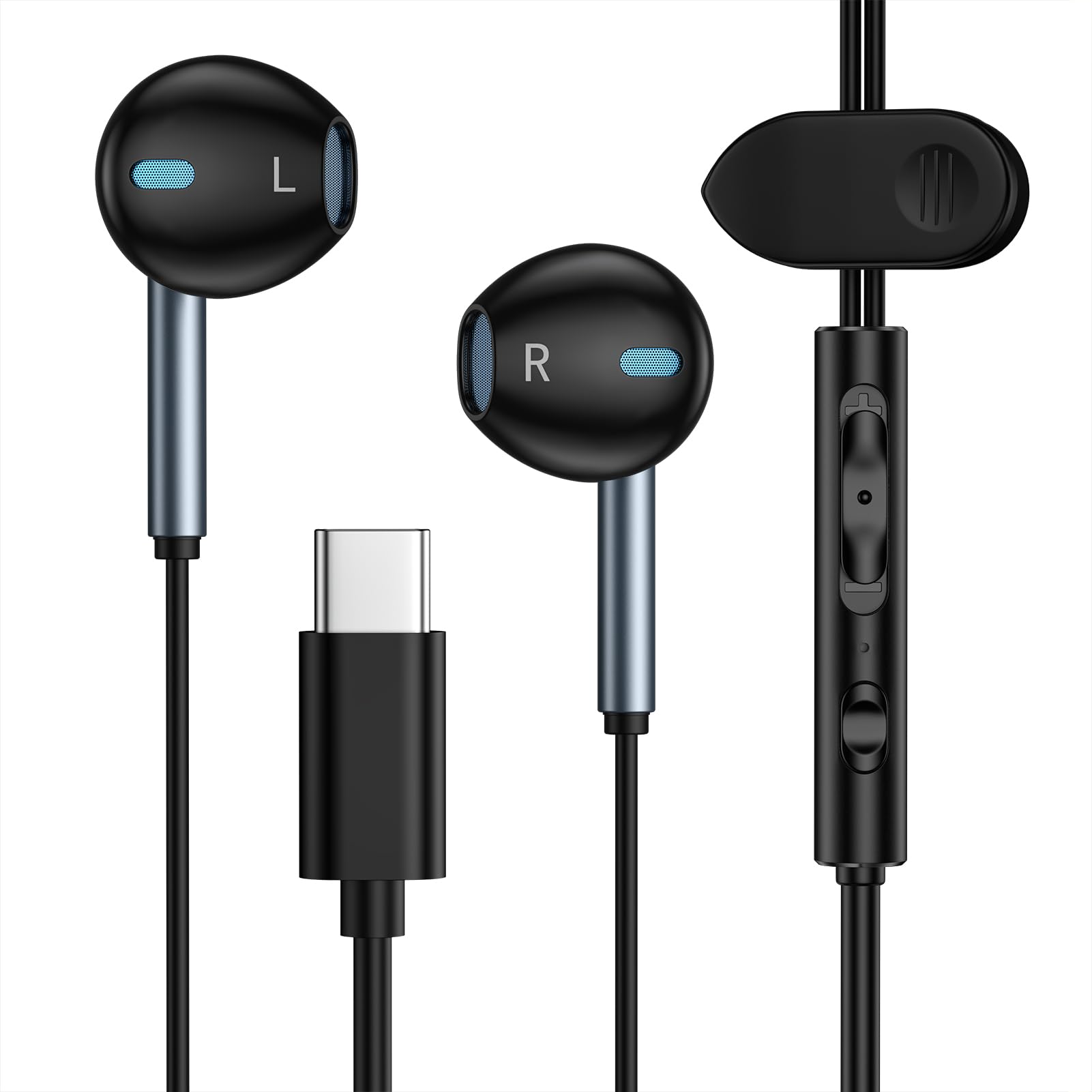
Image: Detailed illustration of the in-line remote control functions.
- Volume Up (+): Press the '+' button to increase volume.
- Volume Down (-): Press the '-' button to decrease volume.
- Play/Pause: Single click the center button to play or pause music.
- Answer/End Call: Single click the center button to answer an incoming call or end an ongoing call.
- Reject Call: Long press the center button to reject an incoming call.
- Next Track: Double click the center button to skip to the next song.
- Previous Track: Triple click the center button to go back to the previous song.
6. Wearing Instructions
For optimal sound quality and comfort, ensure the earbuds are properly seated in your ears. The ergonomic design helps them stay secure during various activities.

Image: Demonstrates the comfortable and secure fit of the earbuds in the ear.
For a visual guide on how to wear your earbuds securely, please watch the video below:
Video: A guide demonstrating the correct way to wear the earbuds for a stable and secure fit, especially for different ear sizes.
7. Care and Maintenance
- Cleaning: Gently wipe the earbuds and cable with a soft, dry cloth. Avoid using harsh chemicals or abrasive materials.
- Storage: When not in use, store the headphones in a clean, dry place, preferably in a protective pouch, to prevent tangling and damage.
- Avoid Moisture: While the product description mentions "Water Resistant," avoid prolonged exposure to water or high humidity to prevent internal damage.
- Handle with Care: Do not pull on the cable excessively or bend the connectors sharply, as this can damage the internal wiring.
8. Troubleshooting
If you encounter any issues with your HopePow M16 headphones, please refer to the following common solutions:
- No Sound or Low Volume:
- Ensure the USB Type C connector is fully inserted into your device.
- Check your device's volume settings and ensure it is not muted.
- Test the headphones with another compatible device to rule out a device-specific issue.
- Clean any debris from the earbud grilles that might be obstructing sound.
- Microphone Not Working:
- Ensure the microphone is not covered or obstructed.
- Check your device's audio input settings to confirm the external microphone is selected.
- Test the microphone with another application or device.
- In-Line Controls Not Responding:
- Ensure the headphones are securely connected.
- Some older devices or specific applications may not fully support all in-line control functions.
- Restart your device and try again.
- Uncomfortable Fit:
- Adjust the position of the earbuds in your ear. Refer to the "Wearing Instructions" section for guidance.
9. Specifications
| Feature | Detail |
|---|---|
| Brand | HopePow |
| Model Name | M16 |
| Connectivity Technology | Wired (USB Type C) |
| Ear Placement | In Ear |
| Form Factor | In Ear |
| Color | Black |
| Item Weight | 0.16 ounces (approx. 4.54 g) |
| Product Dimensions | 0.01 x 0.01 x 0.01 inches (Note: These dimensions appear to be placeholder values and may not reflect actual product size.) |
| Water Resistance Level | Water Resistant |
| Manufacturer | Dongguan Langpai Electronics Co., LTD |
10. Warranty and Support
HopePow products are manufactured with quality and reliability in mind. For any questions or concerns regarding your M16 USB Type C Wired Headphones, please contact our customer support team. We aim to respond to all inquiries within 24 hours.
Please refer to your purchase documentation for specific warranty details and return policies. Standard return policies typically allow for returns or replacements within 30 days of purchase.
For further assistance, please visit the HopePow Store on Amazon.


