
1. Introduction
This manual provides detailed instructions for the installation, setup, and operation of your ASURE 9-inch HD Touchscreen Car Radio. This unit is designed to enhance your driving experience with advanced features such as Wireless CarPlay, Android Auto, GPS navigation, and multimedia capabilities. Please read this manual thoroughly before use to ensure proper functionality and safety.
2. Safety Information
- Professional Installation Recommended: Due to the complexity of car electronics, professional installation is highly recommended to prevent damage to the unit or your vehicle.
- Power Supply: Ensure the unit is connected to a 12V DC power supply with negative grounding.
- Avoid Water and Moisture: Do not expose the unit to water or excessive moisture to prevent electric shock or fire.
- Temperature: Operate the unit within the specified temperature range. Extreme temperatures can affect performance.
- Driving Safety: Do not operate the unit in a way that distracts you from driving. Always prioritize road safety.
3. Package Contents
Verify that all items listed below are included in your package:
- 1x Car stereo radio
- 1x Mounting bezel
- 1x Wiring adapter
- GPS Cable
- USB Cable(s)
- Microphone
- Reversing Camera (if included in package)
- Radio Cable(s)
- Can bus (if applicable)

Image: All accessories included with the ASURE Car Radio, such as wiring harnesses, GPS antenna, USB cables, and optional backup camera.
4. Product Overview
The ASURE Car Radio is a 9-inch capacitive touchscreen head unit running Android 15, designed for Mercedes-Benz C209 A209 CLK Class vehicles from 2003-2009. It offers seamless integration with your vehicle's dashboard and provides a range of modern features.

Image: The ASURE 9-inch HD Touchscreen Car Radio seamlessly integrated into a Mercedes-Benz C209 dashboard, displaying navigation and media playback.

Image: The ASURE Car Radio unit shown with its custom-fit mounting bezel, ready for installation in compatible Mercedes-Benz models.
5. Installation
The ASURE Car Radio is designed for a perfect fit in Mercedes-Benz C209 A209 CLK Class (2003-2009) vehicles. It comes with a plug-and-play wired harness for simplified installation. For detailed vehicle-specific removal and installation steps, it is recommended to search for video tutorials on platforms like YouTube.

Image: A visual comparison showing the vehicle's dashboard before and after the ASURE Car Radio installation, highlighting the integrated appearance.
5.1 Wiring Connections
Connect the provided wiring harness to the corresponding ports on the car radio and your vehicle's existing wiring. Ensure all connections are secure.

Image: Detailed diagram of the rear ports and wiring connections for the ASURE Car Radio, including GPS antenna, USB, audio/video inputs/outputs, and power.
Important Note: The white plug for the WiFi/Bluetooth antenna must be connected to the main device for proper Bluetooth and WiFi signal reception.
5.2 Steering Wheel Control (SWC) Setup
The unit supports original car steering wheel control buttons. In some cases, SWC cables may require manual wiring. If SWC does not work after installation, contact customer support.
To program and customize SWC buttons:
- Go to "Settings" in the main menu.
- Navigate to "Factory" and input password 3368.
- Click "Car Model" and select "LZ(HZ)->Benz->B200/VIANO->HZ.XP".
Video: Demonstrates various settings and features of the ASURE car stereo, including CAN-BUS setup for steering wheel controls.
6. Operating Instructions
6.1 Bluetooth 5.4 Connectivity
Connect your smartphone via Bluetooth 5.4 for hands-free calls, music streaming, and other functions. The advanced Bluetooth ensures stable and fast connections.

Image: The ASURE Car Radio's interface showing options for FM/RDS Radio and Bluetooth connectivity, including phone call functions.
6.2 Wireless CarPlay & Android Auto
Enjoy seamless integration with your smartphone using wireless CarPlay and Android Auto. Access navigation, music, calls, and voice control without messy cables.

Image: Demonstrates the wireless CarPlay and Android Auto interfaces on the ASURE Car Radio, showing navigation and voice command integration.
Video: A guide on how to connect and use Wireless CarPlay and Android Auto with the ASURE car stereo.
6.3 GPS Navigation & WiFi 6
The unit supports GPS navigation with pre-installed maps and allows for online or offline navigation. With built-in WiFi 6, you can download apps, stream content, and stay connected.
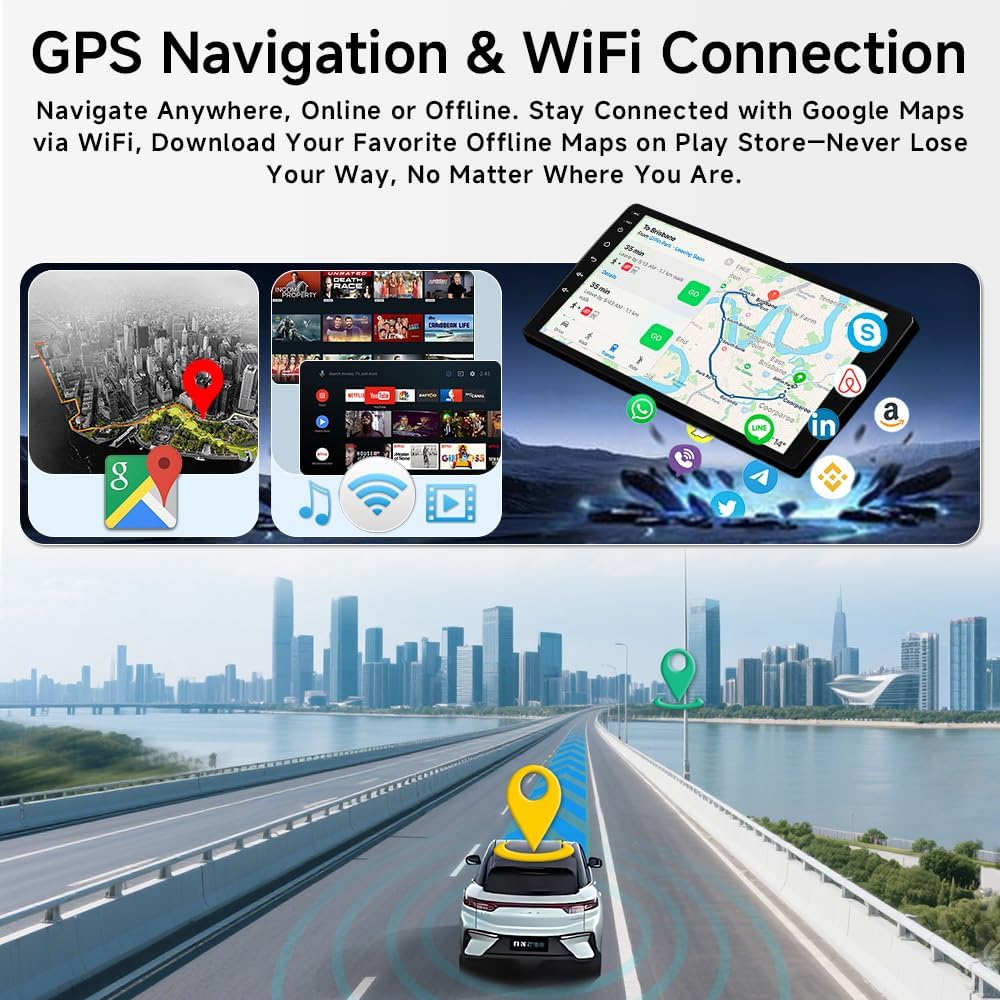
Image: The ASURE Car Radio displaying GPS navigation with real-time traffic information and highlighting WiFi connectivity for online services.
6.4 FM/RDS Radio
Tune into your favorite radio stations with the integrated FM/RDS radio tuner. The interface allows for easy station selection and customization.
6.5 Backup Camera Support
The unit supports AHD HD backup cameras with ultra-clear night vision, providing enhanced safety and visibility when reversing, day or night.

Image: The ASURE Car Radio screen displaying the view from an AHD reversing camera, showing parking guidelines and night vision capability.
6.6 DSP Audio Enhancement
Utilize the Digital Sound Processor (DSP) to customize your audio experience. Adjust equalizer settings, sound stage, and output frequencies for optimal sound quality.
6.7 UI Theme Customization
Personalize the user interface with various themes and layouts to match your preference.
Video: Demonstrates how to change UI themes on the car in-dash navigation GPS unit, offering various customization options.
7. Specifications
| Feature | Specification |
|---|---|
| Display Size | 9 Inches |
| Product Dimensions | 8.9 x 5.1 x 1.6 inches |
| Item Weight | 3 pounds |
| Operating System | Android 15 |
| RAM | 4GB |
| ROM | 64GB |
| Bluetooth Version | 5.4 |
| WiFi Standard | 6 |
| Connectivity Technology | Bluetooth, USB, Wi-Fi |
| Special Features | Wireless CarPlay, Android Auto, Touchscreen, DSP, GPS Navigation, Backup Camera Support |
| Vehicle Service Type | Car |
8. Warranty & Support
The ASURE Car Radio comes with a 30-day free return and replacement policy, and a 1-year repair warranty. For any technical assistance or warranty claims, please contact ASURE customer support through your purchase platform.

