
1. Introduction and Overview
Welcome to the isinwheel GT1 Electric Scooter User Manual. The isinwheel GT1 is a high-performance electric scooter designed for adults, offering a blend of speed, range, and durability for both urban commuting and light off-road adventures. With its robust motor, advanced suspension, and comprehensive safety features, the GT1 provides a reliable and enjoyable riding experience.
This manual provides essential information on the assembly, operation, maintenance, and troubleshooting of your new scooter. Please read it thoroughly before your first ride to ensure safe and optimal performance.

Figure 1.1: isinwheel GT1 Electric Scooter and accessories.
2. Safety Guidelines
Your safety is paramount. Always adhere to the following guidelines:
- Wear Protective Gear: Always wear a helmet, knee pads, elbow pads, and appropriate footwear when riding.
- Check Local Regulations: Familiarize yourself with local laws and regulations regarding electric scooter usage.
- Pre-Ride Inspection: Before each ride, check the brakes, tire pressure, and ensure all components are securely fastened.
- Weight Limit: Do not exceed the maximum load capacity of 330 lbs (150 kg).
- Road Conditions: Ride on smooth, dry surfaces. Exercise caution on uneven terrain, wet surfaces, or loose gravel.
- Visibility: Utilize the scooter's lighting system, especially during low-light conditions. Consider wearing reflective clothing.
- Avoid Distractions: Do not use mobile phones or wear headphones while riding.
- UL 2272 Certified: The isinwheel GT1 is UL 2272 certified, ensuring electrical safety standards are met.
3. Package Contents
Upon opening the package, verify that all the following items are included:
- isinwheel GT1 Electric Scooter
- Charger
- Tool Set
- Scooter Bag
- User Manual (this document)
4. Assembly
The isinwheel GT1 Electric Scooter comes partially assembled. Follow these general steps to complete the assembly:
- Carefully remove the scooter and all components from the packaging.
- Unfold the stem and secure it in the upright position using the locking mechanism. Ensure it clicks into place firmly.
- Attach the handlebars to the stem. Align the handlebar with the stem and tighten any screws using the provided tool set. Ensure all cables are clear and not pinched.
- Check the tire pressure. The 10-inch off-road pneumatic tires should be inflated to the recommended PSI (check tire sidewall for exact value).
- Verify that the brakes are functioning correctly.
Video 4.1: Official product video demonstrating assembly and key features of the GT1 electric scooter.
5. Setup
5.1 Charging the Battery
Before your first ride, fully charge the scooter's battery. The charging time is approximately 5 hours.
- Locate the charging port on the scooter.
- Connect the charger to the charging port, then plug the charger into a power outlet.
- The indicator light on the charger will change (e.g., from red to green) when charging is complete.
- Important: Please remove the charger plug from the e-scooter when charging is finished. DO NOT LEAVE THE PLUG ON THE SCOOTER.

Figure 5.1: The 48V 10Ah battery provides a maximum range of 28 miles.
5.2 isinwheel APP Connectivity
Enhance your riding experience by connecting your GT1 scooter to the isinwheel mobile application. The app allows you to customize riding modes, monitor battery life, track speed in real-time, and access smart anti-theft features.
- Download the "isinwheel" app from your smartphone's app store.
- Turn on your scooter and enable Bluetooth on your phone.
- Open the isinwheel app and follow the on-screen instructions to pair your scooter.

Figure 5.2: Monitor and customize your ride using the isinwheel app.
6. Operating Instructions
6.1 Power On/Off
- To power on, press and hold the power button on the display panel until the screen illuminates.
- To power off, press and hold the power button again until the screen turns off.
6.2 Riding Modes and Speed Control
The GT1 offers four distinct speed modes to suit various riding conditions:
- Mode 1: Up to 9 MPH
- Mode 2: Up to 15 MPH
- Mode 3: Up to 21 MPH
- Mode 4: Up to 28 MPH (Top Speed)
Switch between modes using the designated button on the handlebar or via the isinwheel app.

Figure 6.1: The GT1 offers four distinct speed modes for varied riding experiences.
6.3 Lighting System
The GT1 is equipped with a comprehensive lighting system for enhanced visibility and safety:
- Bright Headlight: Illuminates the path ahead.
- Visible Taillight: Increases rear visibility.
- Turn Signal Lights: Indicate your turning intentions.
- Ambient Lights and Spotlights: Provide additional visibility and style.
Operate the lights using the controls on the handlebar or through the isinwheel app.

Figure 6.2: The GT1's comprehensive lighting system ensures safety and visibility.
6.4 Braking System
The GT1 features a dual braking system for reliable stopping power:
- Disc Brakes: Provide strong mechanical stopping force.
- Electronic Cut-off Brake System: Enhances braking efficiency and safety.
Apply both brakes smoothly and gradually for optimal control, especially at higher speeds.
6.5 Folding Design
The GT1 features a convenient 3-step folding design for easy storage and portability.
- Follow the instructions in the quick start guide or product video to safely fold and unfold the scooter.
- Ensure all locking mechanisms are securely engaged before riding.

Figure 6.3: The 3-step folding design makes the GT1 easy to carry.
7. Maintenance
Regular maintenance ensures the longevity and safe operation of your isinwheel GT1 scooter.
- Tire Care: Regularly check the pressure of the 10-inch pneumatic tires. Maintain recommended PSI to prevent punctures and ensure optimal ride quality.
- Brake Inspection: Periodically inspect brake pads and cables for wear and proper adjustment. Ensure responsive braking.
- Cleaning: Clean the scooter with a damp cloth. Avoid using high-pressure water jets or harsh chemicals, which can damage electronic components.
- Battery Care:
- Charge the battery regularly, even if not in frequent use, to maintain battery health.
- Store the scooter in a cool, dry place away from direct sunlight and extreme temperatures.
- Always disconnect the charger once the battery is fully charged.
- General Check: Tighten any loose screws or bolts. Inspect the dual shock absorption system for any signs of damage.

Figure 7.1: The dual shock absorption system provides a comfortable ride and requires periodic inspection.
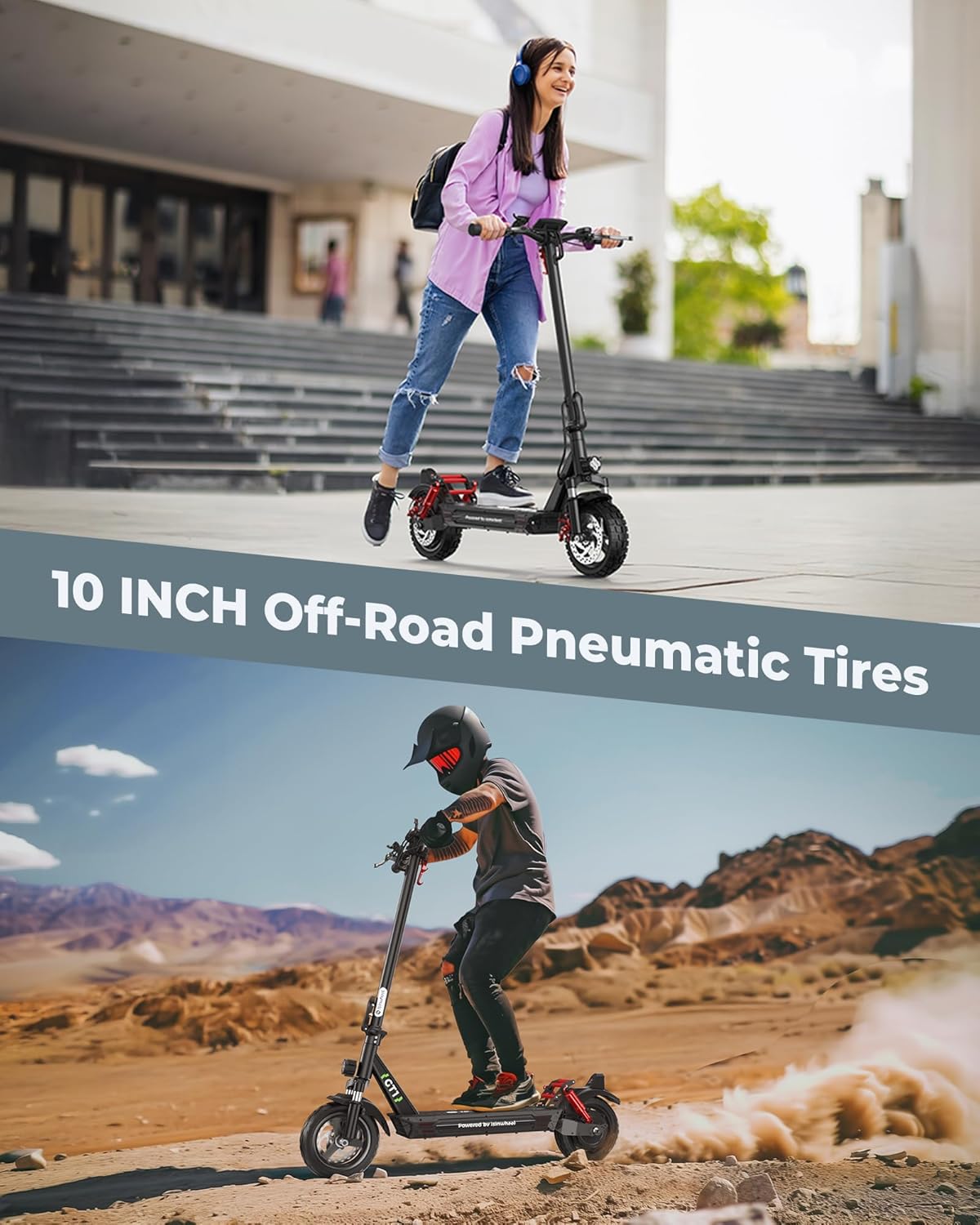
Figure 7.2: The 10-inch off-road pneumatic tires offer superior grip and stability.
8. Troubleshooting
This section addresses common issues you might encounter with your isinwheel GT1 scooter. For more complex problems, please contact customer support.
| Problem | Possible Cause | Solution |
|---|---|---|
| Scooter does not power on. | Low battery; loose connections; power button malfunction. | Charge the battery fully. Check all visible cable connections. Ensure power button is pressed correctly. |
| Reduced range or speed. | Under-inflated tires; heavy load; riding uphill frequently; cold weather; aging battery. | Check tire pressure. Reduce load. Ride on flatter terrain. Battery performance may decrease in cold. |
| Brakes feel weak or too tight. | Brake cable adjustment needed; worn brake pads. | Adjust brake cable tension. Inspect and replace worn brake pads if necessary. |
| App connectivity issues. | Bluetooth off; app not updated; scooter not in pairing mode. | Ensure Bluetooth is on. Update app to latest version. Restart scooter and app. |
9. Specifications
Key technical specifications for the isinwheel GT1 Electric Scooter:
| Feature | Detail |
|---|---|
| Brand | isinwheel |
| Model Name | GT1 |
| Motor Power | 800W Brushless Motor |
| Max Speed | 28 MPH |
| Max Range | 28 Miles (GT1) |
| Tire Type | 10-inch Off-Road Pneumatic Tires |
| Weight Limit | 330 Pounds (150 kg) |
| Product Dimensions (LxWxH) | 45"L x 25"W x 45"H |
| Item Weight | 52 Pounds (23.6 kg) |
| Charging Time | 5 Hours |
| Suspension Type | Dual Suspension (Front & Rear) |
| Brake Style | Dual Braking System (Disc Brakes, Electronic Cut-off Brake) |
| Material | Aluminum |
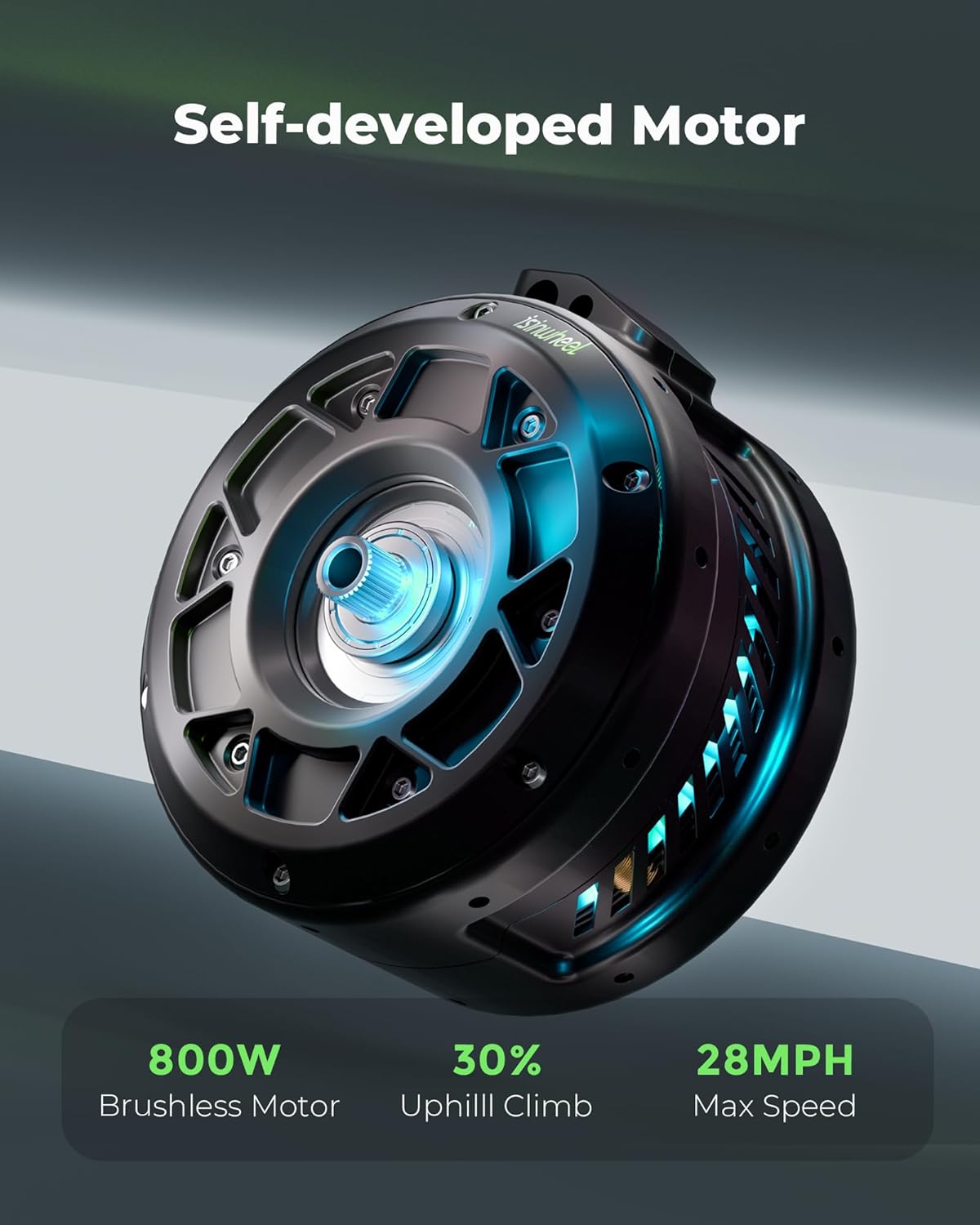
Figure 9.1: The 800W brushless motor provides strong performance.
10. Warranty and Support
isinwheel is committed to providing quality items and service. Your isinwheel electric scooter comes with a warranty to ensure your peace of mind.
- Warranty Coverage: isinwheel electric scooters come with a 365-day or 180-day support on different parts (like the motor and battery) that is non-transferable after the product’s initial sale.
- Return Policy: isinwheel electric scooter offers a 7-day no-reason return on the original condition that there is no human damage and no stains.
- Shipping Damage: If shipping damage occurs, please contact us at support@isinwheel.com and provide photo or video proof.
- Customer Support: For any product issues or inquiries, please reach out to the isinwheel after-sales team.