
1. Introduction
Thank you for choosing the ZAFRO Portable Air Conditioner, Model A9047L-6K. This unit is designed to provide efficient cooling, dehumidification, and fan functions for your indoor spaces. Featuring smart controls via an app, remote, or LED display, along with a quiet sleep mode and easy portability, this appliance offers versatile climate control. Please read this manual thoroughly before operation to ensure proper use, maintenance, and safety.
2. Safety Information
Always follow basic safety precautions when using electrical appliances to reduce the risk of fire, electric shock, and injury.
- Read all instructions before using the appliance.
- This product contains a built-in compressor. After unpacking, place the unit upright on a flat surface for at least 6 hours before powering it on. This allows the refrigerant to settle.
- Do not operate the unit with a damaged cord or plug.
- Ensure the unit is placed on a stable, level surface to prevent tipping.
- Keep the air intake and exhaust vents clear of obstructions.
- Do not insert objects into the air vents.
- Unplug the unit before cleaning or performing any maintenance.
- This appliance is for indoor residential use only.
3. Package Contents
Verify that all items are present in the package:
- ZAFRO Portable Air Conditioner Unit
- Remote Control
- Exhaust Hose
- Window Venting Kit (adjustable panel, hose adapter)
- User Manual

Image: The ZAFRO Portable Air Conditioner unit shown with its exhaust hose and window venting kit components.
4. Setup
Follow these steps to set up your portable air conditioner:
- Unpacking: Carefully remove the unit and all accessories from the packaging.
- Positioning: Place the air conditioner upright on a flat, stable surface. Allow it to stand for at least 6 hours before plugging it in to ensure the compressor's refrigerant settles properly.
- Window Kit Installation:
- Open your window (suitable for double/single-hung or sliding windows).
- Attach the foam seal to the window frame for better insulation.
- Insert the adjustable window panel into the window opening and extend it to fit snugly. Secure it if necessary.
- Attach the exhaust hose adapter to the window panel.
- Exhaust Hose Connection:
- Connect one end of the exhaust hose to the unit's exhaust port.
- Connect the other end of the exhaust hose to the adapter on the window panel. Ensure all connections are secure to prevent air leakage.
- Power Connection: Plug the power cord into a grounded electrical outlet.

Image: Visual guide for installing the window venting kit in various window types, including product dimensions.
Video: A demonstration of the ZAFRO Portable Air Conditioner setup, including unboxing and window kit installation.
5. Operating Instructions
Your ZAFRO Portable Air Conditioner offers multiple operating modes and control options for personalized comfort.
5.1 Control Methods
- LED Display Panel: Use the touch controls on the unit's top panel to adjust settings.
- Remote Control: The included remote allows convenient control from a distance.
- Smartphone App (WiFi): Download the dedicated app to control the unit from your smartphone, enabling smart climate control from anywhere in your home.

Image: The ZAFRO Portable Air Conditioner's LED display and remote control for easy operation.
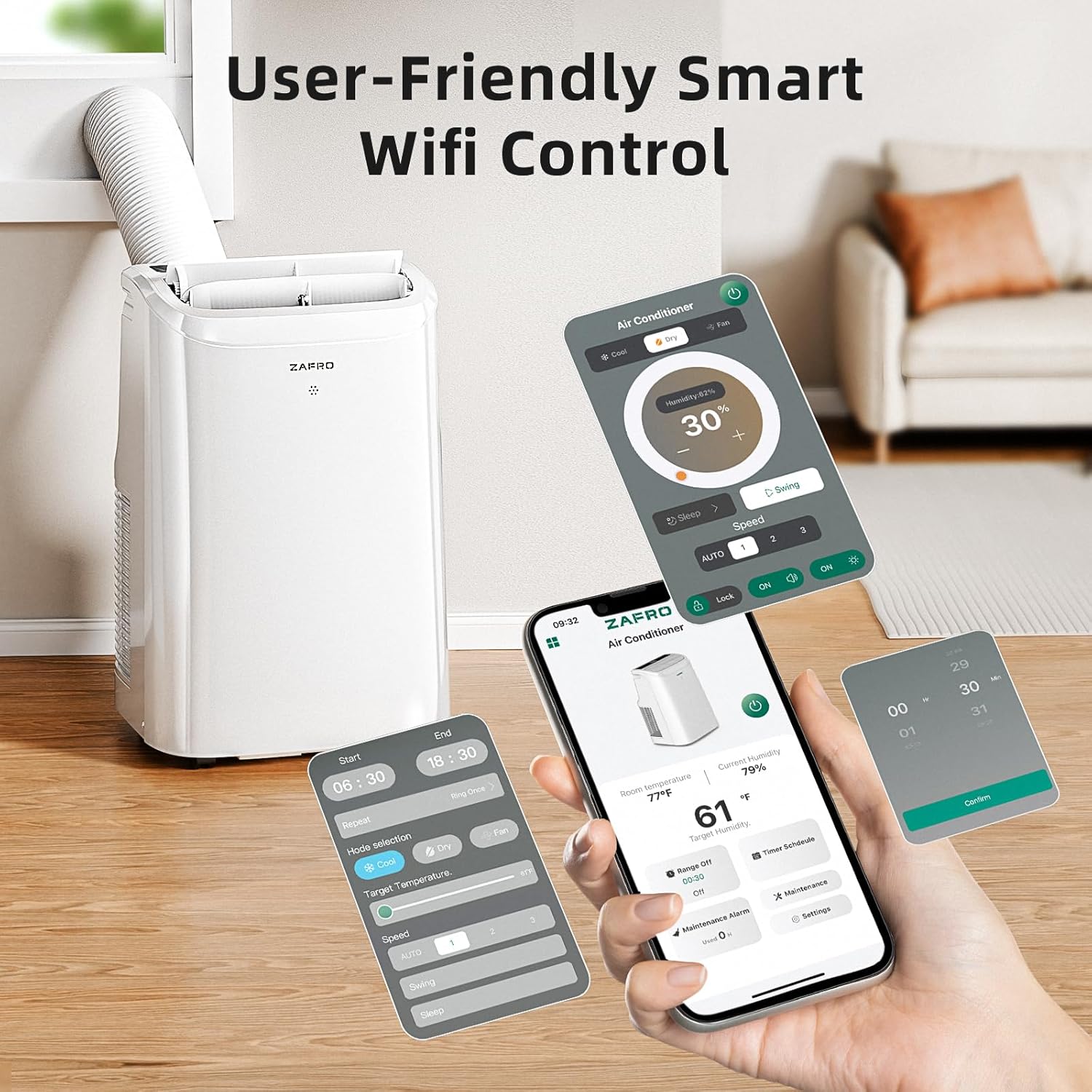
Image: A smartphone screen showing the ZAFRO app interface for smart WiFi control of the air conditioner.
5.2 Operating Modes
The unit features three primary operating modes:
- Cooling Mode: Provides powerful cooling across a temperature range of 61-86°F (16-30°C). Ideal for rapidly cooling rooms up to 350 sq ft.
- Dehumidifier Mode: Effectively removes excess moisture from the air, with an adjustable humidity range of 30-70%.
- Fan Mode: Circulates air without cooling, offering 4-speed settings: Low, Mid, High, and Auto.

Image: Overview of the four operational modes and four fan speeds available on the ZAFRO Portable Air Conditioner.
5.3 Special Features
- Sleep Mode: Reduces operational noise to a quiet 45 dB for undisturbed rest.
- 24-Hour Timer: Program the unit to turn on or off automatically within a 24-hour period.
- 4-Way Swing: Adjust the louvers for optimal air distribution.
- °F/°C Switching: Easily switch between Fahrenheit and Celsius temperature displays.
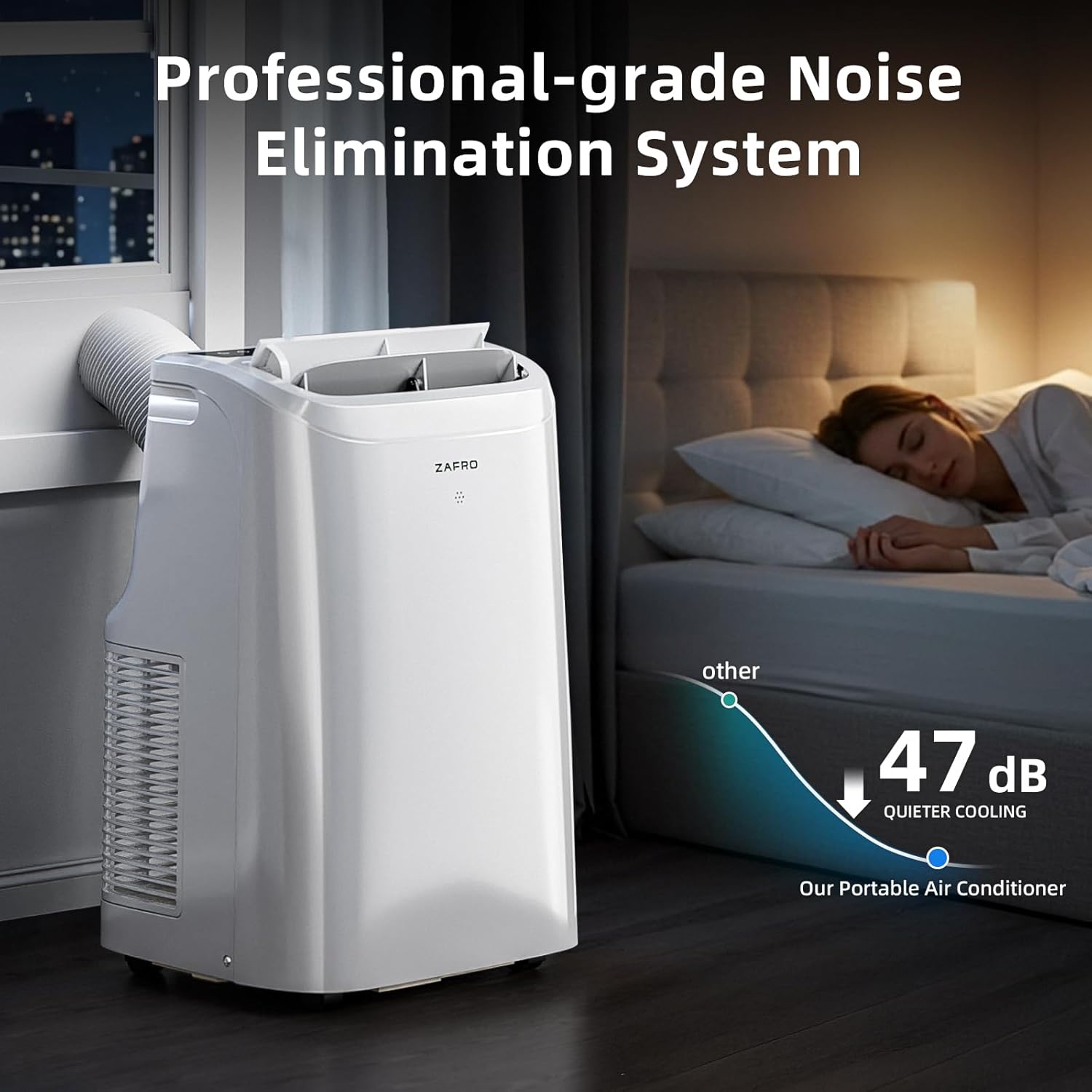
Image: The portable air conditioner operating in a bedroom, highlighting its low noise level of 47 dB for quiet cooling.
6. Maintenance
Regular maintenance ensures optimal performance and longevity of your air conditioner.
- Filter Cleaning: The unit features a washable filter. Regularly remove and clean the filter under running water to maintain air quality and cooling efficiency. Allow it to dry completely before reinserting.
- Drainage: The unit has dual holes for sustainable drainage. Monitor the water level and drain as needed, especially during high humidity operation.
- Exterior Cleaning: Wipe the exterior of the unit with a soft, damp cloth. Do not use harsh chemicals or abrasive cleaners.

Image: The washable air filter being removed and cleaned, demonstrating easy maintenance.
7. Troubleshooting
If you encounter issues with your ZAFRO Portable Air Conditioner, refer to the following common problems and solutions:
- Unit does not turn on: Check if the power cord is securely plugged in and if there is power to the outlet. Ensure the unit has been upright for at least 6 hours after transport.
- Insufficient cooling: Verify that the exhaust hose is properly installed and sealed, and that the air filter is clean. Ensure no obstructions are blocking the air intake or exhaust vents. Check if the room size exceeds the unit's cooling capacity.
- Unusual noise: Ensure the unit is on a flat, stable surface. Check for any foreign objects in the air vents.
- Water leakage: Check the drainage system and ensure it is not clogged. Drain any accumulated water if necessary.
For further assistance, please contact ZAFRO customer support.
8. Specifications
| Feature | Detail |
|---|---|
| Brand | ZAFRO |
| Model Name | A9047L-6K |
| Cooling Power | 10000 British Thermal Units (6000 BTU SACC) |
| Product Dimensions | 14.25"D x 15.75"W x 24.53"H |
| Item Weight | 51.92 Pounds |
| Voltage | 115 Volts |
| Wattage | 1000 watts |
| Noise Level | 47 Decibels |
| Control Method | App, Remote, LED Display |
| Special Features | 4 Way Swing, Dehumidifier, Fast Cooling, Remote Controlled, Sleep Mode |
| Installation Type | Window (with included kit) |
9. Warranty and Support
The ZAFRO Portable Air Conditioner Model A9047L-6K comes with a 1-Year Manufacturer's Limited Warranty. This warranty covers defects in materials and workmanship under normal use.
For warranty claims, technical support, or any questions regarding your product, please contact ZAFRO customer service. Keep your purchase receipt as proof of purchase.
Manufacturer: ZAFRO


