
1. Introduction
Thank you for choosing the Lefant LS100 Cordless Wet Dry Vacuum Mop. This manual provides essential information for the safe operation, maintenance, and troubleshooting of your new appliance. Please read it thoroughly before first use and keep it for future reference.
Video 1: User Manual - Lefant LS100 Cordless Wet Dry Vacuum Mop. This video provides a comprehensive overview of the product's features and basic operation.
2. What's in the Box
- Lefant LS100 Wet Dry Vacuum Mop (Main Unit)
- Charging Dock
- 2 x Brush Rollers
- 1 x Cleaning Brush
- 1 x Small Cleaning Brush
- 1 x Bottle of Cleaning Solution

Image 1: All included components of the Lefant LS100 Wet Dry Vacuum Mop, including the main unit, charging dock, brush rollers, cleaning tools, and cleaning solution.
3. Setup
3.1 Assembly
- Insert the handle into the main body of the vacuum mop until it clicks into place.
- Ensure all components are securely attached before use.
3.2 Charging
- Connect the power adapter to the charging dock.
- Place the vacuum mop vertically onto the charging dock.
- The indicator light on the unit will flash blue during charging. A solid blue light indicates a full charge.
- For first use, fully charge the unit for approximately 4 hours.
- If unused for long periods, charge monthly to maintain battery health.
Video 2: Charging Base Connection. This segment demonstrates how to connect the charging base and place the unit for charging.
3.3 Filling the Water Tank
- Press the release button on the clean water tank and pull it out.
- Open the rubber stopper on the tank.
- Add 1/2 cap (approx. 2.5ml) of the provided cleaning solution.
- Fill the tank with clean water up to the MAX line.
- Close the stopper securely and reinsert the tank into the main unit until it clicks.
4. Operating Instructions
4.1 Power On/Off
- Press the Power button (ON/OFF) to turn the unit on or off.
- The unit will automatically stop when placed in an upright position. Tilt it down to resume operation.
4.2 Cleaning Modes
The LS100 offers two adjustable cleaning modes:
- Slightly Wet Mode: Ideal for light cleaning and daily maintenance.
- Fully Wet Mode: For tackling stubborn stains and heavier messes.
Press the Mode button (MIN/MAX) to switch between modes during operation.

Image 2: Illustration of the two cleaning modes available on the Lefant LS100, allowing users to select between 'Slightly Wet' for light cleaning and 'Fully Wet' for heavier tasks.
4.3 Usage Tips
- Self-Propelled Design: The unit features a self-propelled design, making it easy to maneuver across floors with minimal effort.
- 180° Lay-Flat Design: The ultra-slim design allows the vacuum mop to lay flat, reaching under furniture and into tight spaces (up to 3.15 inches deep) for comprehensive cleaning.
- Edge Cleaning: Designed for superior edge cleaning, it effectively cleans along baseboards and into corners, leaving no gaps.
- Cordless Freedom: Enjoy up to 60 minutes of runtime on a single charge, allowing you to clean large areas without interruption.
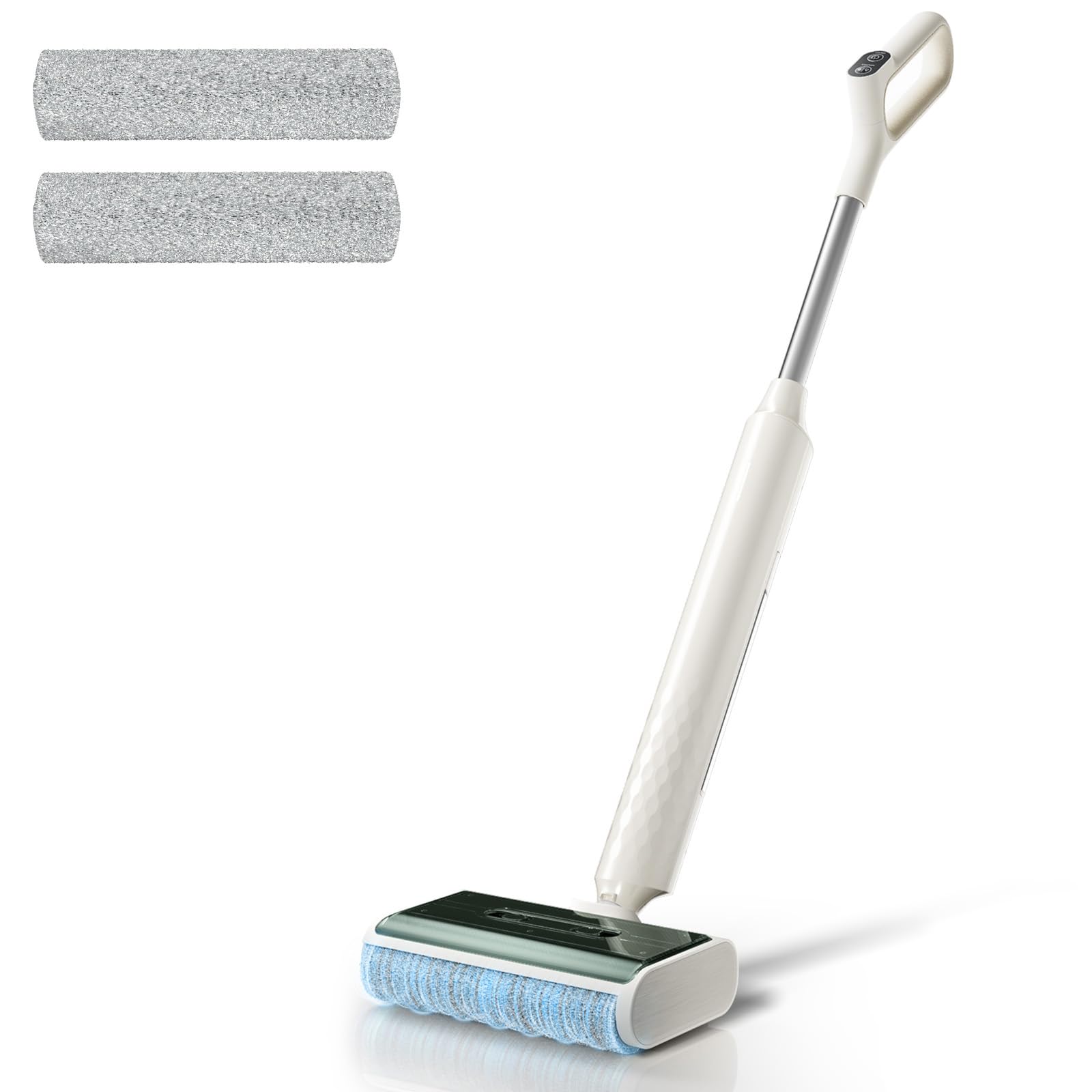
Image 3: The Lefant LS100 demonstrating its ultra-compact design, allowing it to reach hidden areas under furniture for thorough cleaning.

Image 4: The Lefant LS100 showcasing its superior edge cleaning capabilities, effectively cleaning along baseboards and into tight corners.
5. Maintenance
5.1 Automatic Self-Cleaning
- After each use, place the vacuum mop on the charging dock.
- Press the Self-Cleaning button (usually the same as the Mode button, or a dedicated button if available) to activate the self-cleaning cycle.
- The brush roll will be automatically cleaned with water and spin-dried, ensuring it's fresh for the next use.
Video 3: Self-Cleaning and Before Mopping. This video demonstrates the self-cleaning function of the roller brush before and after use.
5.2 Manual Cleaning of Components
For thorough cleaning or tough stains, follow these steps:
- Remove Brush Cover: Press the release buttons on the brush cover and lift it off. Rinse it under running water.
- Empty & Rinse Dirty Water Tank: Remove the dirty water tank. Open the lid and empty the contents. Use the small cleaning brush to scrub the interior. Rinse thoroughly.
- Clear Trash Bin: Pull out the trash bin. Clear any debris and rinse it under running water.
- Clean Roller Brush: Remove the roller brush. Use the provided tool blade to cut and remove any tangled hair or debris. Rinse the brush head lightly (do not soak) and air-dry completely to prevent odors.
- Clean Charging Tray: Unplug the charging tray. Rinse it with water and use the cleaning brush to clean any residue. Ensure charging contacts are dry before plugging back in.
- Air-dry all cleaned parts separately before reassembling to prevent odors and bacterial growth.
Video 5: Product Cleaning and Maintenance - Wet Dry Vacuum Mop. This video demonstrates the detailed steps for cleaning various components of the vacuum mop.
6. Troubleshooting
| Problem | Indicator Light | Solution |
|---|---|---|
| Unit not turning on / Low power | Battery indicator blinking | Recharge the unit immediately. Ensure it is properly seated on the charging dock. |
| No water dispensing / Dirty water tank full | Double lights fast blink | Empty the dirty water tank. Ensure the clean water tank is properly installed and filled. |
| Roller brush stuck / Not spinning | Alternating blinking lights | Remove the roller brush and check for any debris or tangles. Clean thoroughly and reinstall. |
Video 6: Common Issues. This video provides visual guidance on identifying and resolving common operational issues with the vacuum mop.
7. Specifications
- Brand: Lefant
- Model Name: LS100
- Special Feature: Cordless, Lightweight, Self-Cleaning, Self-Propulsion, Wet/Dry
- Filter Type: HEPA Filter
- Is Cordless?: Yes
- Capacity: 12.85 ounces (Water Tank)
- Recommended Uses: Carpet, Hard Floor
- Form Factor: Stick
- Color: Ivory White
- Product Dimensions: 41.93"L x 10.63"W x 8.15"H
- Battery Life: 60 minutes
- Item Weight: 2.05 ounces
- Power Source: Battery Powered
8. Warranty and Support
For warranty information, technical support, or any questions regarding your Lefant LS100 Cordless Wet Dry Vacuum Mop, please refer to the warranty card included in your packaging or visit the official Lefant website. You may also contact customer service through your retailer.


