
HuBDIC TJ-QQZC-7YY0
HubiCare Air Compression Leg Massager User Manual
Model: TJ-QQZC-7YY0
Product Overview
The HubiCare Air Compression Leg Massager is designed to provide relief and improve circulation in the feet, calves, and thighs. This wireless and rechargeable device utilizes sequential inflation of multi-control airbags to simulate deep tissue compression, promoting blood flow and alleviating pain. It features multiple modes, intensity levels, heat functions, and vibration options to cater to various user needs.

Image: The HubiCare Air Compression Leg Massager, showing the main unit, packaging, and USB-C charging cables.
Key Features:
- Multipurpose Design: Suitable for feet, calves, and thighs, with adjustable Velcro and a unique zipper design for easy application.
- Completely Wireless: Offers unrestricted mobility and convenience with no tangled wires.
- Multiple Massage Options: Features 4 airbag modes, 3 intensity settings, 2 heat levels, and 4 vibration modes for customizable relief.
- Digital Display & Smart Touch Control: Intuitive interface for easy adjustment of settings.
- Memory Function: Saves your preferred settings for future use.
- 30-Minute Auto-off: Ensures safety and conserves battery life.
- USB Type-C Charging: Convenient and universal charging.
Safety Information
Please read all safety instructions carefully before using the HubiCare Air Compression Leg Massager to ensure safe and effective operation.
- Intensity Caution: Massaging with excessive intensity may cause muscle strain. It is recommended to begin with the lowest intensity setting and gradually increase it as comfort allows.
- Usage Duration: The recommended maximum usage time for the massager is 20 minutes per session. The device features a 30-minute automatic shutdown mode to prevent overuse and protect battery life.
- Medical Conditions: Consult a healthcare professional before use if you have any pre-existing medical conditions, especially those related to circulation, blood clots, heart conditions, or skin sensitivities.
- Not a Medical Device: This product is intended for personal comfort and relaxation. It is not intended to diagnose, treat, cure, or prevent any disease or health condition.
- Children and Pets: Keep the device out of reach of children and pets.
- Storage: Store the massager in a cool, dry place away from direct sunlight and extreme temperatures.
Product Components
The HubiCare Air Compression Leg Massager package includes the following items:
- HubiCare Calf and Thigh Massager Units (Pair)
- Extension Pads (x2)
- USB Type-C Charging Cable
- User Manual
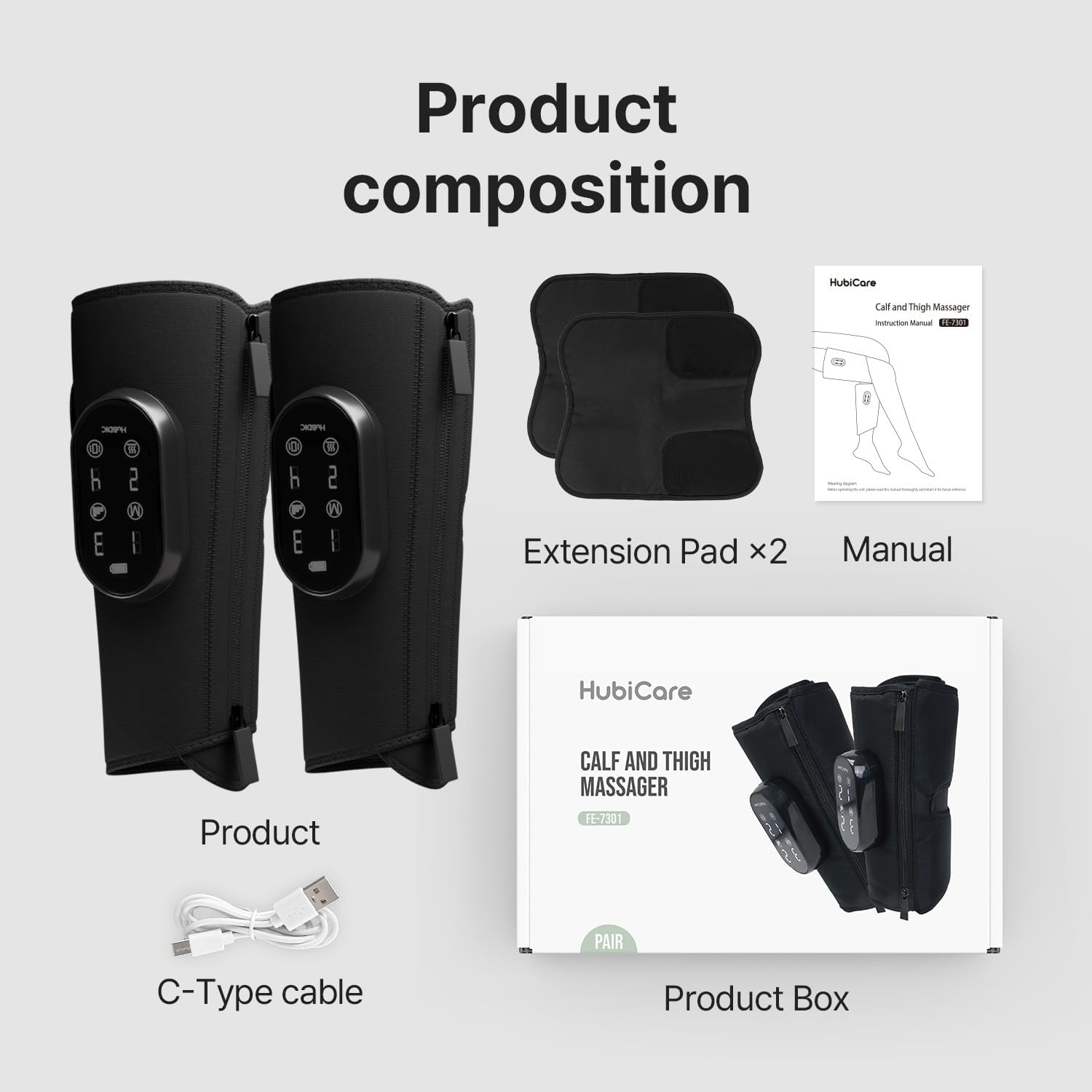
Image: Contents of the HubiCare Leg Massager package, including the main units, extension pads, charging cable, and manual.
Setup and Application
Follow these steps to properly set up and apply your HubiCare Leg Massager:
- Charge the Device: Before first use, fully charge both massager units using the provided USB Type-C cable. Connect the cable to the USB-C port on the control panel of each unit and plug the other end into a compatible USB power adapter (not included). The battery indicator on the display will show charging status.
- Prepare the Massager: Unzip the massager units. The unique zipper design allows for easy opening and closing around your leg.
- Apply to Leg/Calf/Thigh:
- Place the massager around your desired area (calf, thigh, or even arm).
- Secure the massager using the zipper. Ensure it is snug but not overly tight to allow for air compression.
- If needed, use the included Extension Pads. These pads can be easily attached to the Velcro part of the main device to fit larger leg sizes. The massager can extend from a maximum circumference of 27 inches (leg) / 23 inches (calf) to 34 inches (leg) / 30 inches (calf) with the extension pads.
- Comfort Check: Ensure the massager is comfortably positioned and does not restrict circulation before turning it on.
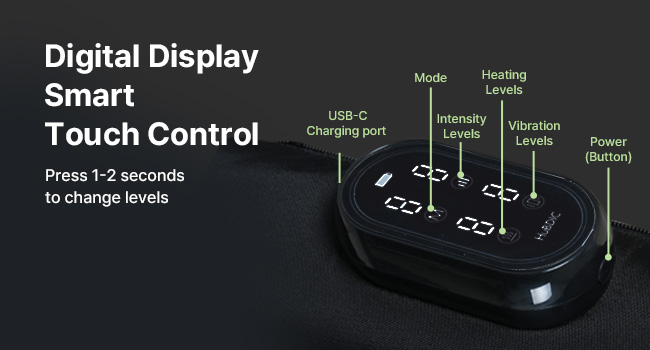
Image: Visual guide to the massager's sizing and the use of extension pads for a comfortable fit on various leg sizes.

Image: Demonstrates how the massager can be applied to the leg and calf, highlighting the convenient zipper design for easy wear.
Operating Instructions
The HubiCare Leg Massager features a digital display with smart touch controls for easy operation.

Image: Detailed view of the control panel, indicating buttons for Mode, Intensity, Heating Levels, Vibration Levels, and Power.
- Power On/Off: Press and hold the Power button (usually indicated by a power symbol) for 1-2 seconds to turn the device on or off.
- Select Mode: Press the "Mode" button to cycle through the 4 available airbag modes. Each mode offers a different compression pattern.
- Adjust Intensity: Press the "Intensity Levels" button to choose from 3 intensity settings. Start with the lowest setting and increase as desired.
- Set Heat Level: Press the "Heating Levels" button to select between 2 heat levels (low and high) or turn heating off. You can adjust the temperature at any time during the massage.
- Choose Vibration: Press the "Vibration Levels" button to select from 4 vibration modes.
- Memory Function: The device will save your last used settings, allowing for quick recall in subsequent sessions.
- Automatic Shut-off: The massager will automatically turn off after 30 minutes of continuous operation to ensure safety and battery longevity.
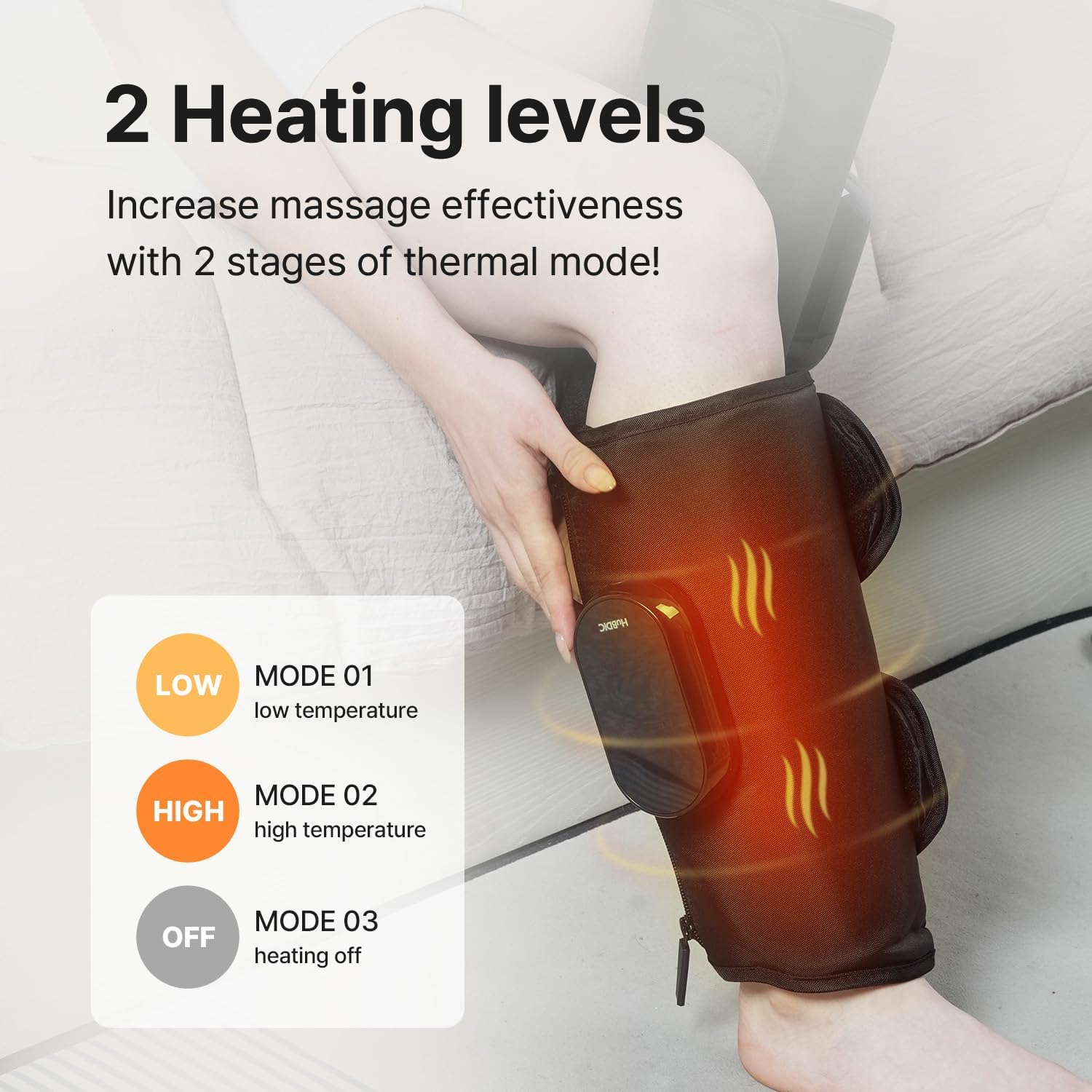
Image: Visual representation of the heating level options: Low temperature (Mode 01), High temperature (Mode 02), and Heating off (Mode 03).
Charging and Battery Life
The HubiCare Leg Massager is designed for convenience with its wireless operation and long-lasting battery.
- Battery Capacity: Each massager unit is equipped with a 2000 mAh battery.
- Usage Time: A full charge provides approximately 2 hours of usage time, depending on the selected massage intensity and heat levels.
- Charging Port: The device uses a universal USB Type-C port for charging.
- Charging Indicator: The digital display will show the battery status and charging progress.
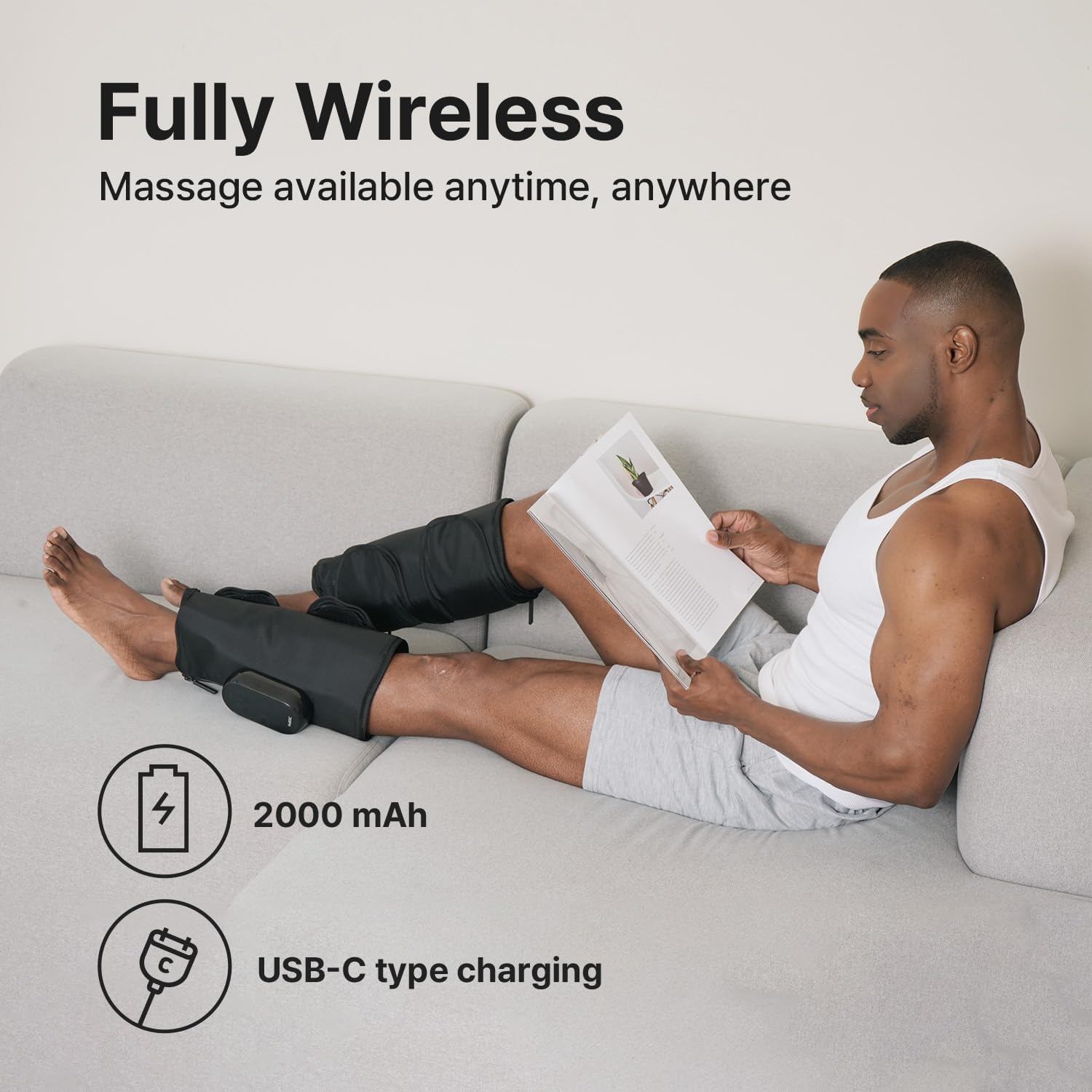
Image: The massager unit connected for USB-C charging, emphasizing its fully wireless design and battery capacity.
Maintenance and Care
Proper maintenance will ensure the longevity and optimal performance of your massager.
- Cleaning:
- Before cleaning, ensure the device is powered off and unplugged from any charging source.
- Wipe the surface of the massager with a soft, slightly damp cloth. Do not use abrasive cleaners or immerse the device in water.
- Allow the device to air dry completely before storing or next use.
- Storage: Store the massager in a clean, dry place away from direct sunlight, high temperatures, and humidity.
- Avoid Punctures: Do not use sharp objects near the massager, especially the airbag components, to prevent damage.
- Battery Care: To prolong battery life, avoid fully discharging the battery frequently. Charge the device regularly, even if not in use for extended periods.
Troubleshooting
If you encounter any issues with your HubiCare Leg Massager, please refer to the following common troubleshooting steps:
| Problem | Possible Cause | Solution |
|---|---|---|
| Device does not turn on. | Low battery or not charged. | Ensure the device is fully charged using the USB Type-C cable. Press and hold the power button for 1-2 seconds. |
| Weak compression or no inflation. | Incorrect application or air leakage. | Ensure the massager is securely zipped and fitted snugly. Check for any visible damage or punctures to the airbags. Increase intensity setting. |
| Heat function not working. | Heat setting is off or too low. | Press the "Heating Levels" button to select a higher heat setting (Mode 01 or Mode 02). |
| Device turns off unexpectedly. | Automatic shut-off activated or low battery. | The device has a 30-minute auto-off feature. If it turns off before 30 minutes, recharge the battery. |
| Discomfort during use. | Intensity setting is too high or improper fit. | Reduce the intensity level. Adjust the massager's position and ensure it is not too tight. Consult the safety information. |
If the problem persists after trying these solutions, please contact customer support.
Specifications
| Attribute | Detail |
|---|---|
| Brand | HuBDIC |
| Model Number | TJ-QQZC-7YY0 |
| Product Dimensions | 4.33 x 12.59 x 8.66 inches |
| Item Weight | 2.65 Pounds (1.2 Kilograms) |
| Material | Polyester |
| Power Source | Battery Powered |
| Use For | Legs (Calf, Thigh, Foot), Arms |
| Battery Capacity | 2000 mAh (per unit) |
| Auto-off Timer | 30 minutes |
| Manufacturer | Xiamen Healthpal Electronic Co,.Ltd |
| Date First Available | February 14, 2025 |
Warranty and Support
For information regarding product warranty, returns, or technical support, please refer to the documentation included with your product or visit the official HuBDIC website. Contact details for customer service are typically provided on the manufacturer's website or within the product packaging.
You can visit the HuBDIC Store for more information: HuBDIC Official Store
Ask a question about this manual
Ask about setup, troubleshooting, compatibility, parts, safety, or missing instructions. Manuals+ will review the question and use this page’s manual context to help answer it.