
Introduction
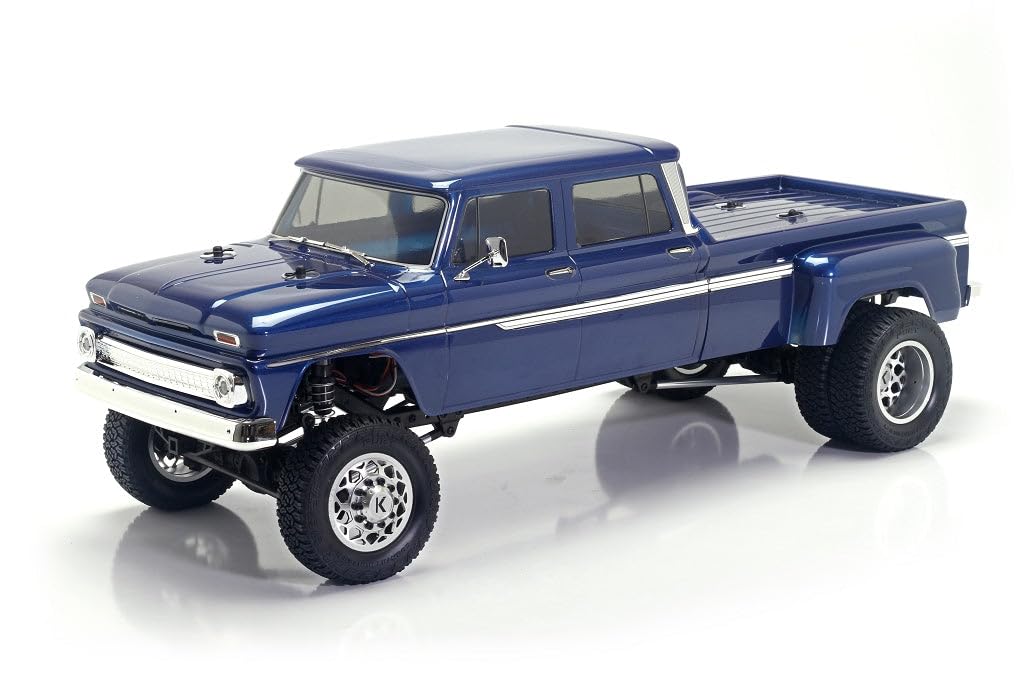
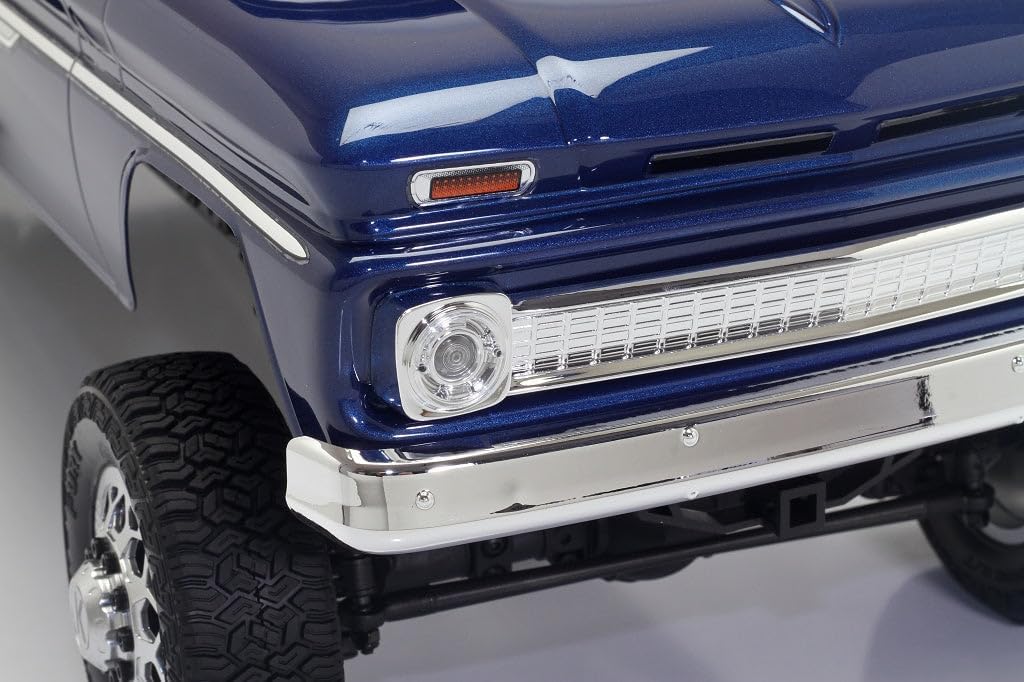
This manual provides essential information for the proper setup, operation, and maintenance of your Helidirect CEN Racing Sicario 1/10 RTR 4WD Custom Dually RC Truck DL-Series. Please read this manual thoroughly before operating the vehicle to ensure safe and optimal performance.
Safety Information
The product is intended for use by individuals aged 15 years or older. Adult supervision is recommended during operation, especially for younger users. Always operate the RC truck in a safe environment, away from people, pets, and obstacles. Do not operate near public roads or in crowded areas. Ensure all components are securely fastened before use. Disconnect the battery when not in use and during maintenance.
What's in the Box
- Helidirect CEN Racing Sicario 1/10 RTR 4WD Custom Dually RC Truck DL-Series
- Remote Control
Note: Battery and charger are not included and must be purchased separately.
Setup
Follow these steps to prepare your RC truck for operation:
- Battery Installation: The RC truck requires a Lithium-Ion Polymer battery (not included). Carefully remove the truck body to access the battery compartment. Connect the battery to the electronic speed controller (ESC) using the appropriate connectors. Ensure a secure connection.
- Remote Control Batteries: Install the required batteries into the remote control unit. Refer to the remote control's specific manual for battery type and installation instructions.
- Binding (if necessary): If your remote control and truck are not pre-bound, follow the binding procedure outlined in the remote control's manual. This typically involves powering on the receiver while holding a bind button, then powering on the transmitter.
- Pre-Run Check: Before operating, ensure all screws are tight, wheels are securely attached, and the steering mechanism moves freely.
This video demonstrates the removal of an RC truck body and access to internal components, which can be helpful for battery installation and general maintenance. (Video: Hobby Plus RC Crawler 6x6 New Version)
This video provides an overview of an RC truck, including a demonstration of battery connection, which is relevant for initial setup. (Video: Worth It? Overview + Thoughts on the Axial SCX10)
Operating Instructions
The Helidirect CEN Racing Sicario is designed for outdoor use and features waterproof and all-terrain capabilities. Follow these guidelines for operation:
- Power On: Turn on the remote control first, then connect the battery to the RC truck.
- Control: Use the remote control's throttle trigger for forward and reverse movement, and the steering wheel for left and right turns. Familiarize yourself with the controls in an open area before attempting complex maneuvers.
- Terrain: The truck's all-terrain tires provide excellent grip on various surfaces. Its waterproof design allows for operation in wet conditions, but avoid full submersion. After operating in wet conditions, ensure the truck is thoroughly dried to prevent corrosion.
- Driving Tips: Start with slow speeds to get a feel for the truck's handling. Avoid sudden stops or turns at high speeds to prevent rollovers. Be mindful of battery life and return the truck before the battery is fully depleted.
- Power Off: Disconnect the battery from the RC truck first, then turn off the remote control.
This video showcases the CEN Racing Sicario 1/10 scale 4WD RTR truck in action, demonstrating its movement and capabilities. (Video: CEN RACING "SICARIO" 1/10 scale 4WD RTR)
This video features the CEN Racing Ford F450, providing a general idea of the brand's RC truck performance and design. (Video: CEN RACING Ford F450)
This video displays the Cen Racing F250 KG1 Edition Lifted Truck, offering further insight into the brand's RC vehicle capabilities. (Video: Cen Racing F250 KG1 Edition Lifted Truck)
This video from HeliDirect features the Hobbyplus Evo RockVan Convoy, demonstrating general RC vehicle operation in various settings. (Video: Hobbyplus Evo RockVan Convoy)
This video from FCX Model shop (a HeliDirect vendor) shows the Fms 1/18 K10 RC Crawler RTR, illustrating general RC crawling and driving. (Video: Fms 1/18 K10 RC Crawler RTR)
Maintenance
Regular maintenance ensures the longevity and performance of your RC truck:
- Cleaning: After each use, especially in dirty or wet conditions, clean the truck to remove dirt, mud, and debris. Use a soft brush or compressed air for hard-to-reach areas.
- Inspection: Periodically inspect all moving parts, including wheels, suspension components, and steering linkages, for wear or damage. Tighten any loose screws.
- Lubrication: Apply appropriate RC-specific lubricants to moving metal parts as needed to reduce friction and wear.
- Storage: Store the RC truck in a cool, dry place away from direct sunlight. Remove batteries from both the truck and the remote control during extended storage.
Troubleshooting
If you encounter issues with your RC truck, refer to the following common problems and solutions:
- Truck Not Responding:
- Ensure both the truck's battery and remote control batteries are fully charged and correctly installed.
- Verify that the remote control is powered on before the truck.
- Check if the remote control and truck are properly bound. Refer to the binding procedure in your remote control manual.
- Inspect all wiring connections for looseness or damage.
- No Forward/Reverse Movement:
- Check the battery charge level.
- Ensure the motor and ESC connections are secure.
- If the issue persists, the ESC or motor may require inspection by a qualified technician.
- Erratic Steering:
- Check the steering servo connections and ensure the servo arm is securely attached.
- Inspect steering linkages for any obstructions or damage.
- Adjust the steering trim on your remote control.
Specifications
| Feature | Detail |
|---|---|
| Brand Name | Helidirect |
| Model Name | Remote Control RTR Kits |
| Model Number | 8996 |
| Scale | 1:10 Scale |
| Dimensions (L x W x H) | 26.70 x 11.41 x 10 inches (678.18mm x 290mm x 254mm) |
| Wheelbase | 17.60 inch (447mm) |
| Ground Clearance | 2.52 inch (64mm) |
| Weight | 2.51 lb (2.5kg) |
| Tire Size | 54 x 102 x 34.5mm |
| Material Type | Metal, Plastic, Rubber |
| Power Source | Battery Powered (Battery not included) |
| Included Components | Remote |
| Operation Mode | Remote Control |
| Indoor/Outdoor Usage | Outdoor |
| Age Range Description | Adult (15 years or older recommended) |
Product Images




Warranty and Support
Specific warranty information for the Helidirect CEN Racing Sicario 1/10 RTR 4WD Custom Dually RC Truck DL-Series is not provided in the available product details. For warranty claims, technical support, or replacement parts, please contact Helidirect customer service directly or refer to the documentation included with your purchase.