
1. Introduction
Thank you for choosing the FlexSolar 100W Portable Solar Panel Charger. This high-efficiency, foldable solar panel is designed to provide reliable power for your devices during outdoor adventures, emergencies, or off-grid living. Its robust construction and versatile charging options make it an essential tool for staying powered wherever you go.
Key Features:
- Ultra-Lightweight & Portable Design: Weighing only 4.1 lbs (1.85 kg) with a compact folded size of 12.99 x 10.43 x 2.17 inches, it's easy to transport and store.
- Versatile Charging Solutions: Equipped with 18W USB-A, PD3.0 45W USB-C, and 100W DC outputs, along with a 4-in-1 charging cable for various devices.
- High-Efficiency Solar Conversion: Crafted with premium monocrystalline silicon and ETFE lamination, achieving over 23% energy conversion efficiency.
- IP67 Waterproof & Dustproof Protection: Built to withstand harsh outdoor conditions, ensuring durability and uninterrupted power generation.
- Ideal for Outdoor Adventures: Perfect for camping, hiking, RV trips, fishing, and emergency backup power.

This manual will guide you through the proper setup, operation, maintenance, and troubleshooting of your FlexSolar 100W Portable Solar Panel Charger to ensure optimal performance and longevity.
2. What's in the Box
Before you begin, please ensure all components are present and in good condition.

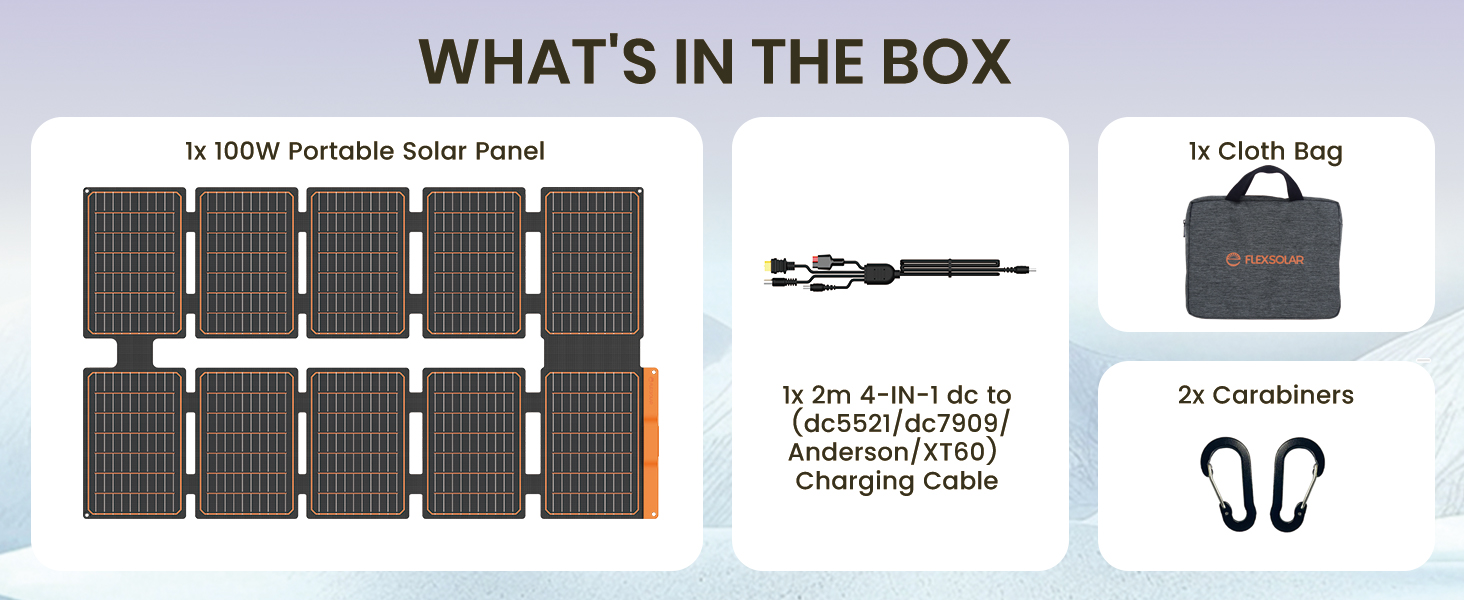
- 1x FlexSolar 100W Portable Solar Panel
- 1x Cloth Bag
- 2x Carabiners
- 1x 2m 4-in-1 DC to (DC5521/DC7909/Anderson/XT60) Charging Cable
3. Setup Guide
Follow these steps to set up your solar panel for optimal charging.
3.1 Unfolding the Solar Panel
Carefully unfold the solar panel completely. Ensure all segments are flat and exposed to direct sunlight. The panel's design allows for easy deployment and compact storage.

3.2 Positioning for Maximum Sunlight
Position the solar panel directly facing the sun. For best results, adjust the angle periodically throughout the day as the sun moves. Avoid shaded areas, as even partial shading can significantly reduce efficiency.
3.3 Connecting Your Devices
The FlexSolar 100W panel features multiple output ports and comes with a versatile charging cable to connect to various devices.
- Locate DC Ports: Find the DC output ports on the back of your solar panel.
- Connect Extension Cable: Use the provided 4-in-1 charging cable to connect to the DC ports. This cable includes DC5521, DC7909, Anderson, and XT60 connectors.
- Connect to Device: Connect the appropriate output connector from the 4-in-1 cable to the input port of your power station, power bank, or other compatible device. The type of connector used depends on your device's input port.
4. Operating Instructions
The FlexSolar 100W panel offers multiple charging options for various electronic devices.
4.1 Output Ports Overview

- USB-A QC 3.0 Output: 5V-3A / 9V-2A / 12V-1.5A (18W Max) - For quick charging compatible smartphones, tablets, and other USB-A devices.
- USB-C PD 3.0 Output: 5V-3A / 9V-3A / 12V-3A / 20V-2.25A (45W Max) - For fast charging laptops, larger tablets, and power banks with USB-C Power Delivery.
- DC Output: 20-27V / 100W (Max) - For charging power stations, portable generators, and other DC-compatible devices using the provided 4-in-1 cable.
4.2 Compatible Devices
The FlexSolar 100W panel is designed to charge a wide range of devices, making it highly versatile for various outdoor and emergency scenarios.
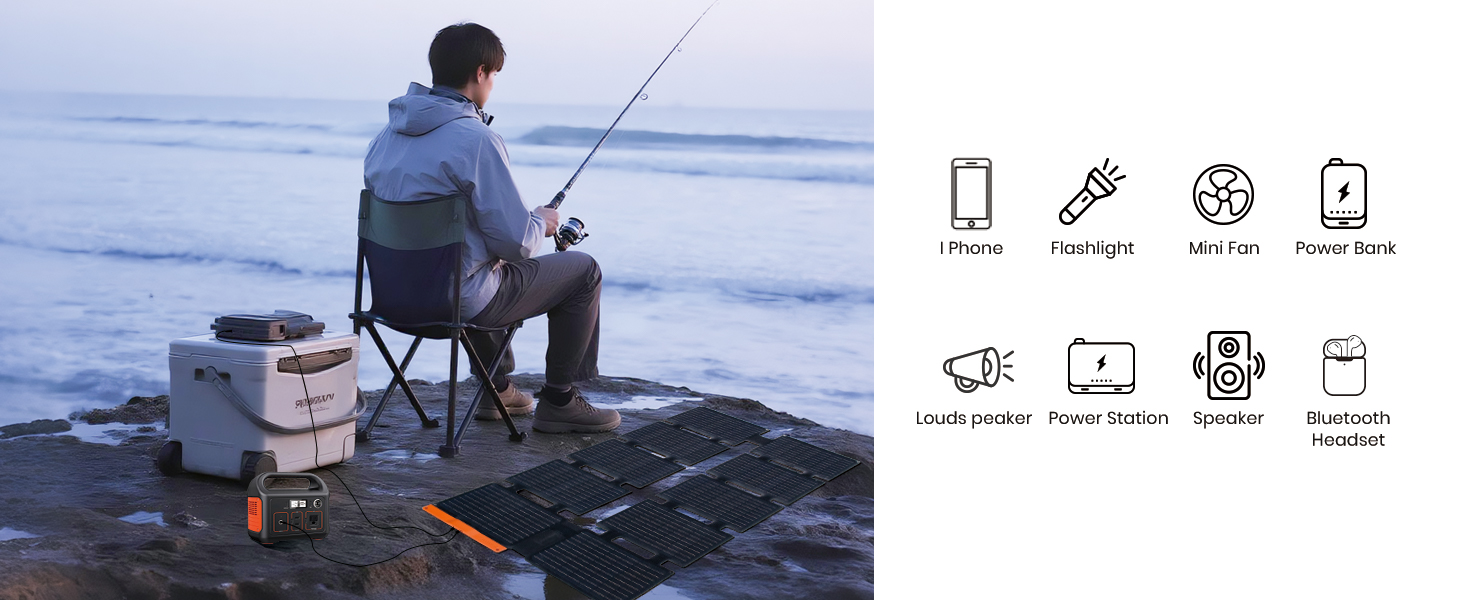
- Smartphones (iPhone, Android)
- Tablets
- Laptops (USB-C PD compatible)
- Power Banks
- Portable Power Stations / Generators
- Mini Fans
- Flashlights
- Bluetooth Headsets and Speakers
Simply connect your device to the appropriate output port. The panel will automatically begin charging when sufficient sunlight is available.
5. Care and Maintenance
Proper care and maintenance will extend the lifespan and ensure the efficiency of your FlexSolar 100W Portable Solar Panel Charger.
5.1 Cleaning the Solar Panel
Regularly clean the surface of the solar panels to remove dust, dirt, leaves, or other debris that may accumulate and reduce efficiency. Use a soft, damp cloth and mild soap if necessary. Avoid abrasive materials or harsh chemicals that could scratch or damage the panel surface.
5.2 Storage
When not in use, fold the solar panel compactly and store it in the provided cloth bag. Store in a cool, dry place away from direct sunlight and extreme temperatures. Avoid placing heavy objects on the folded panel.

5.3 Environmental Protection
The panel is IP67 rated for water and dust resistance, meaning it can withstand splashes, rain, and dust. However, avoid submerging the panel in water or exposing the control box to prolonged heavy rain to prevent damage.
6. Troubleshooting
If you encounter issues with your FlexSolar 100W Portable Solar Panel Charger, refer to the table below for common problems and solutions.
| Problem | Possible Cause | Solution |
|---|---|---|
| No power output | Insufficient sunlight | Ensure the panel is in direct sunlight and not shaded. Adjust angle towards the sun. |
| Slow charging speed | Partial shading, cloudy weather, incorrect angle, dirty panel surface | Relocate to full sun, clean panel surface, adjust angle, check cable connections. |
| Device not recognized | Incorrect cable, faulty cable, device not compatible | Ensure correct cable is used and securely connected. Try a different cable. Verify device compatibility. |
| Panel overheating | Poor ventilation, extreme ambient temperature | Ensure adequate airflow around the panel. Move to a cooler location if possible. |
If the problem persists after trying these solutions, please contact FlexSolar customer support for further assistance.
7. Technical Specifications
Detailed specifications for the FlexSolar 100W Portable Solar Panel Charger.
| Specification | Value |
|---|---|
| Brand | FlexSolar |
| Model Number | YL-S100-CA / YL-S100-US |
| Maximum Power | 100 Watts |
| Material | Monocrystalline Silicon, Aluminum, ETFE |
| Efficiency | High Efficiency (>23%) |
| Folded Dimensions (L x W x H) | 12.99" x 10.43" x 2.17" (330mm x 265mm x 55mm) |
| Unfolded Dimensions (L x W x H) | 45.47" x 26.18" x 0.59" (1155mm x 665mm x 15mm) |
| Item Weight | 4.07 lbs (1.85 kg) |
| USB-A QC 3.0 Output | 5V-3A / 9V-2A / 12V-1.5A (18W Max) |
| USB-C PD 3.0 Output | 5V-3A / 9V-3A / 12V-3A / 20V-2.25A (45W Max) |
| DC Output | 20-27V / 100W (Max) |
| Waterproof Rating | IP67 |
| Included Components | Solar Charger, Adaptor Cable, Cloth Bag, Carabiners |
| Country of Origin | China |
8. Warranty and Support
For information regarding warranty coverage, returns, or technical support, please refer to the official FlexSolar website or contact their customer service directly. Keep your purchase receipt as proof of purchase for any warranty claims.
FlexSolar Official Website: Visit the FlexSolar Store on Amazon


