
1. Introduction
The BAKON BK602S is a versatile 2-in-1 rework station designed for various electronic repair and soldering tasks. It integrates a high-power soldering iron and a hot air gun into a single compact unit, offering precise temperature control, adjustable airflow, and intelligent features like auto-sleep for enhanced efficiency and component longevity. This manual provides essential information for safe and effective operation of your BK602S station.
2. Safety Information
- Always operate the unit in a well-ventilated area to avoid inhaling fumes from solder and flux.
- Wear appropriate personal protective equipment, including safety glasses and heat-resistant gloves.
- The soldering iron tip and hot air gun nozzle reach very high temperatures. Avoid direct contact with skin or flammable materials.
- Ensure the unit is placed on a stable, heat-resistant surface.
- Disconnect the power supply before performing any maintenance or changing accessories.
- Do not use the unit near water or in damp conditions.
- Keep out of reach of children.
3. Package Contents
The BAKON BK602S Soldering Station & Desoldering Kit includes the following items:
- BK602S 2-in-1 Rework Station Main Unit
- Soldering Iron with Heat-Resistant Anti-Slip Handle
- Hot Air Gun with Wind Gun Mouth
- Soldering Iron Holder (integrated)
- Tin Wire Rack (integrated)
- Cleaning Ball and Sponge
- Solder Sucker
- Anti-Static Tweezers
- 30G Solder Wire
- Flux
- 5 Soldering Iron Tips (various types)
- 2 Hot Air Nozzles (various sizes)
- Brass Cleaner
- Solder Sucking Tape
- Power Cord
4. Product Overview
The BK602S combines a soldering station and a hot air rework station in a single compact body. It features separate LED displays, power switches, temperature control buttons, and airflow adjustment for independent operation of both tools.
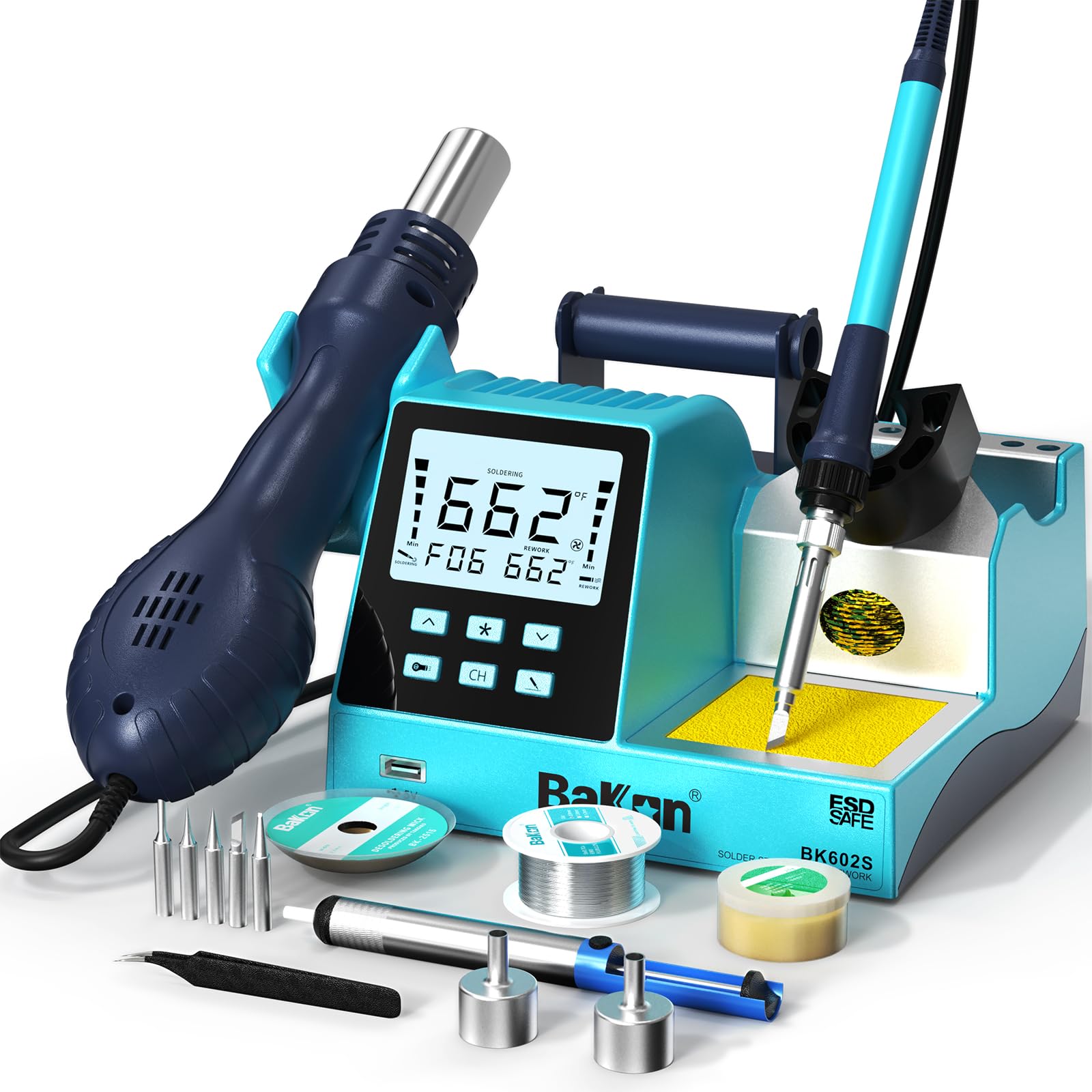
Figure 1: BAKON BK602S Product Details with labeled components including wind gun mouth, heat gun handle, air gun bracket, set key, plus key, heat gun switch, USB charging port, shortcut key, minus key, soldering iron switch, tin wire rack, heat-resistant anti-slip handle, soldering iron tip placement slot, cleaning ball, and sponge.

Figure 2: BAKON BK602S Compact Design highlighting the large display control panel, 5V USB charging port, soldering wire holder, soldering iron holder, integrated iron stand, and cleaning sponge and wire.
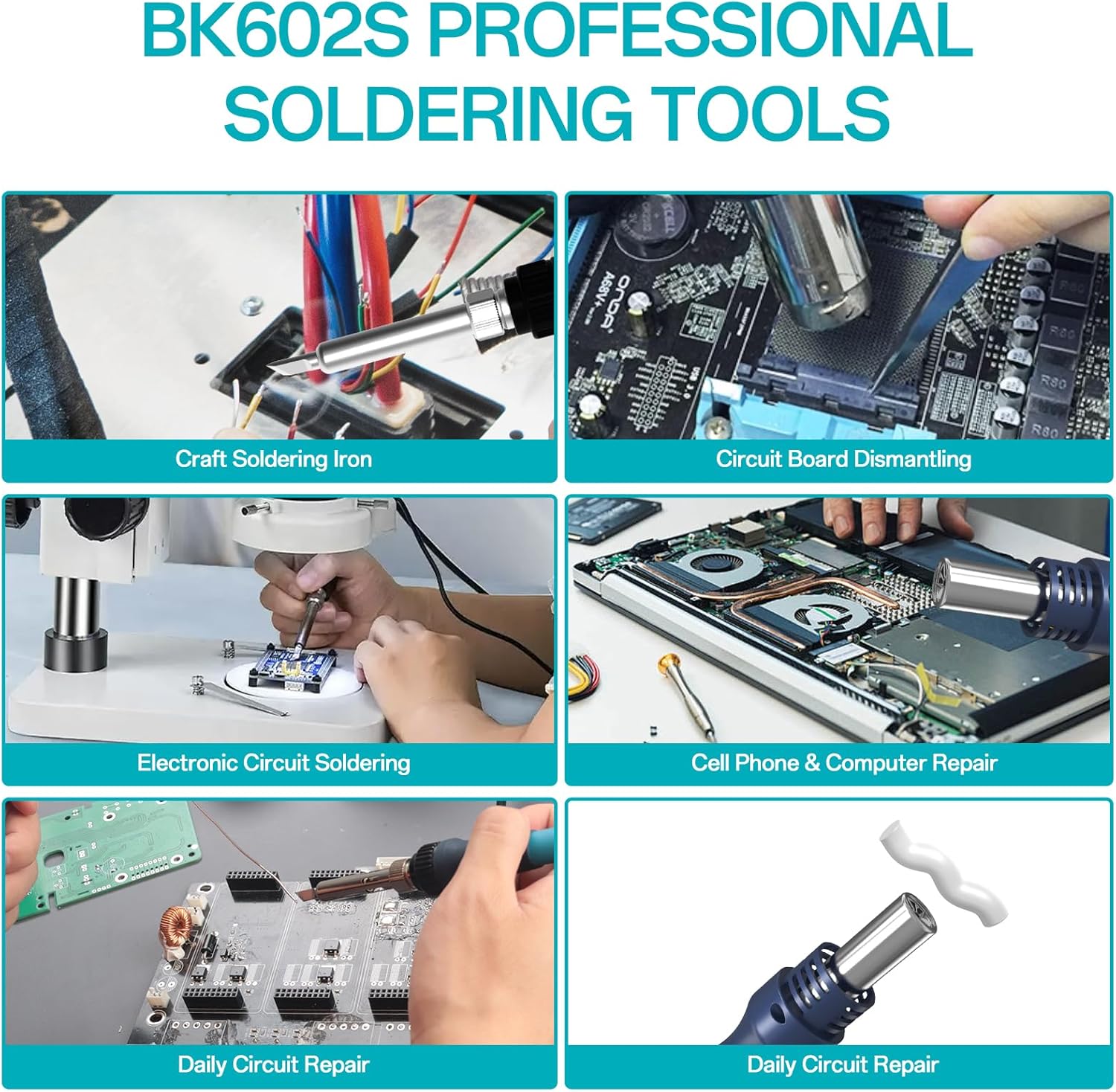
Figure 3: BAKON BK602S Professional Soldering Tools demonstrating various applications such as craft soldering, circuit board dismantling, electronic circuit soldering, cell phone & computer repair, and daily circuit repair.
5. Setup
Follow these steps to set up your BAKON BK602S rework station:
- Unpacking: Carefully remove all components from the packaging. Inspect for any damage.
- Placement: Place the main unit on a stable, heat-resistant workbench. Ensure adequate ventilation around the unit.
- Connect Components: Connect the soldering iron and hot air gun to their respective ports on the main unit. Ensure connections are secure.
- Install Accessories: Place the soldering iron in its integrated holder. Ensure the cleaning ball and sponge are correctly positioned.
- Power Connection: Connect the power cord to the unit and then to a grounded electrical outlet.
- Initial Safety Check: Before first use, ensure the bottom screws used for pump transport protection are removed. Refer to the video below for guidance.
Video 1: Demonstration of the BAKON BK701D Hot Air Soldering Station, including the important step of removing the bottom screws before operation. This step is crucial for the BK602S as well to ensure proper pump function and prevent damage.
6. Operating Instructions
The BK602S features independent controls for the soldering iron and hot air gun, allowing for flexible operation.
6.1. Soldering Iron Operation
- Power On: Flip the 'Soldering Iron Switch' to the ON position. The LED display will show the current temperature.
- Temperature Adjustment: Use the 'Up' and 'Down' buttons for the soldering iron to set the desired temperature. The soldering iron has a temperature range of 356-896 °F (180-480 °C).
- Temperature Compensation: The built-in PID program provides stable and precise temperature control with a compensation function.
- Auto Sleep: The soldering iron can be set to automatically enter sleep mode (setting range of 60-600 seconds) when idle, extending its service life.
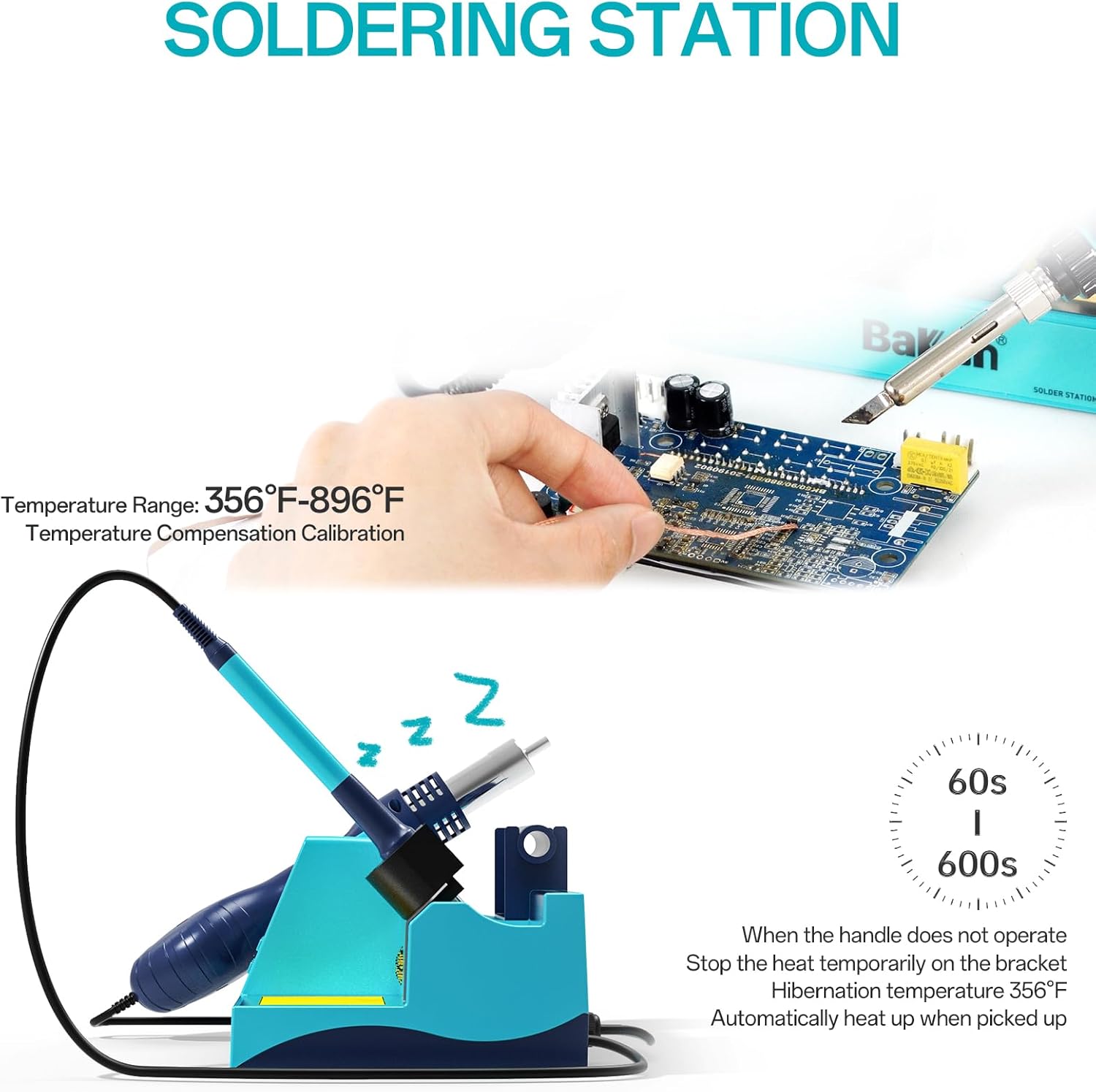
Figure 4: BAKON BK602S Soldering Station illustrating its temperature range of 356°F-896°F and the auto-sleep function, which activates after 60-600 seconds of inactivity to conserve energy and extend tip life.
6.2. Hot Air Gun Operation
- Power On: Flip the 'Hot Air Gun Switch' to the ON position. The LED display will show the current temperature.
- Temperature Adjustment: Use the 'Up' and 'Down' buttons for the hot air gun to set the desired temperature. The hot air gun has a temperature range of 212°F-932°F (100-500 °C).
- Airflow Adjustment: Use the dedicated airflow adjustment knob or buttons to select one of the 17 available air volume levels.
- Sleep Settings: The hot air gun also features sleep settings (1-60 seconds) to extend its service life.

Figure 5: BAKON BK602S Hot Air Station demonstrating its temperature range of 212°F-932°F and sleep settings, which automatically cool the unit to 212°F after 1-60 seconds of inactivity and reheat when picked up.
6.3. General Operation Tips
- °C/°F Conversion: The unit supports conversion between Celsius and Fahrenheit for temperature display. Refer to the manual for specific button combinations.
- Anti-Static Design: The BK602S features an anti-static design to protect sensitive electronic components during rework.
- USB Charging Port: A convenient 5V USB charging port is integrated into the unit.
Video 2: Overview of a BAKON 2-in-1 Rework Soldering Station (BK602Pro), demonstrating the functionality of both the soldering iron and hot air gun for various electronic tasks. This video provides a general understanding of operating similar BAKON 2-in-1 stations.
7. Maintenance
Proper maintenance ensures the longevity and optimal performance of your BK602S station.
- Soldering Tip Cleaning: Regularly clean the soldering iron tip using the brass cleaner or damp sponge provided. This helps maintain tip performance and extends its life.
- Soldering Tip Replacement: Replace soldering tips when they become worn or damaged. Ensure the unit is cool and unplugged before changing tips.
- Hot Air Nozzle Maintenance: Ensure hot air nozzles are free from debris. Clean as needed when the unit is cool.
- General Cleaning: Wipe down the main unit and handles with a soft, dry cloth. Avoid using abrasive cleaners or solvents.
- Auto-Sleep Feature: Utilize the auto-sleep function for both the soldering iron and hot air gun to reduce wear and tear on heating elements and tips.
8. Troubleshooting
If you encounter issues with your BAKON BK602S, try the following troubleshooting steps:
- Unit Not Powering On: Check the power cord connection to both the unit and the electrical outlet. Ensure the main power switch is in the ON position.
- No Heat from Soldering Iron/Hot Air Gun: Verify that the individual power switches for the soldering iron and hot air gun are ON. Check the set temperature and ensure it's within the operating range.
- Inconsistent Temperature: Ensure the soldering tip is clean and properly seated. For the hot air gun, check for any obstructions in the nozzle or air intake.
- Low Airflow: Check the airflow adjustment setting. Ensure the hot air gun's air intake is not blocked.
- Error Codes: If an error code appears on the display, refer to the full product manual for specific interpretations and solutions.
If problems persist after attempting these steps, please contact BAKON customer support or your retailer for assistance.
9. Specifications
| Feature | Specification |
|---|---|
| Model Number | BK602S |
| Manufacturer | BAKON |
| Total Wattage | 640 watts (Max) |
| Input Voltage | AC 110V 50Hz |
| USB Output Voltage | 5V |
| Hot Air Gun Output Power | 550W (Max) |
| Hot Air Gun Temperature Range | 212°F-932°F (100°C-500°C) |
| Hot Air Gun Airflow Volume | 120L/Min |
| Soldering Iron Output Power | 90W (Max) |
| Soldering Iron Temperature Range | 356°F-896°F (180°C-480°C) |
| Display Type | LCD |
| Item Weight | 1.62 kg |
| Parcel Dimensions | 26.9 x 24 x 14.2 cm |
| Country of Origin | China |
10. Warranty and Support
For warranty information, technical support, or service inquiries, please refer to the documentation included with your product or contact the seller directly. Keep your purchase receipt as proof of purchase for warranty claims.


