1. Introduction
The ULANZI SL03 Mini Flash Speedlite is a compact and versatile lighting accessory designed for photographers and videographers. It offers both flash and continuous fill light functions, with adjustable brightness levels and a 90° adjustable head for flexible lighting control. This manual provides essential information for proper setup, operation, and maintenance of your SL03 unit.
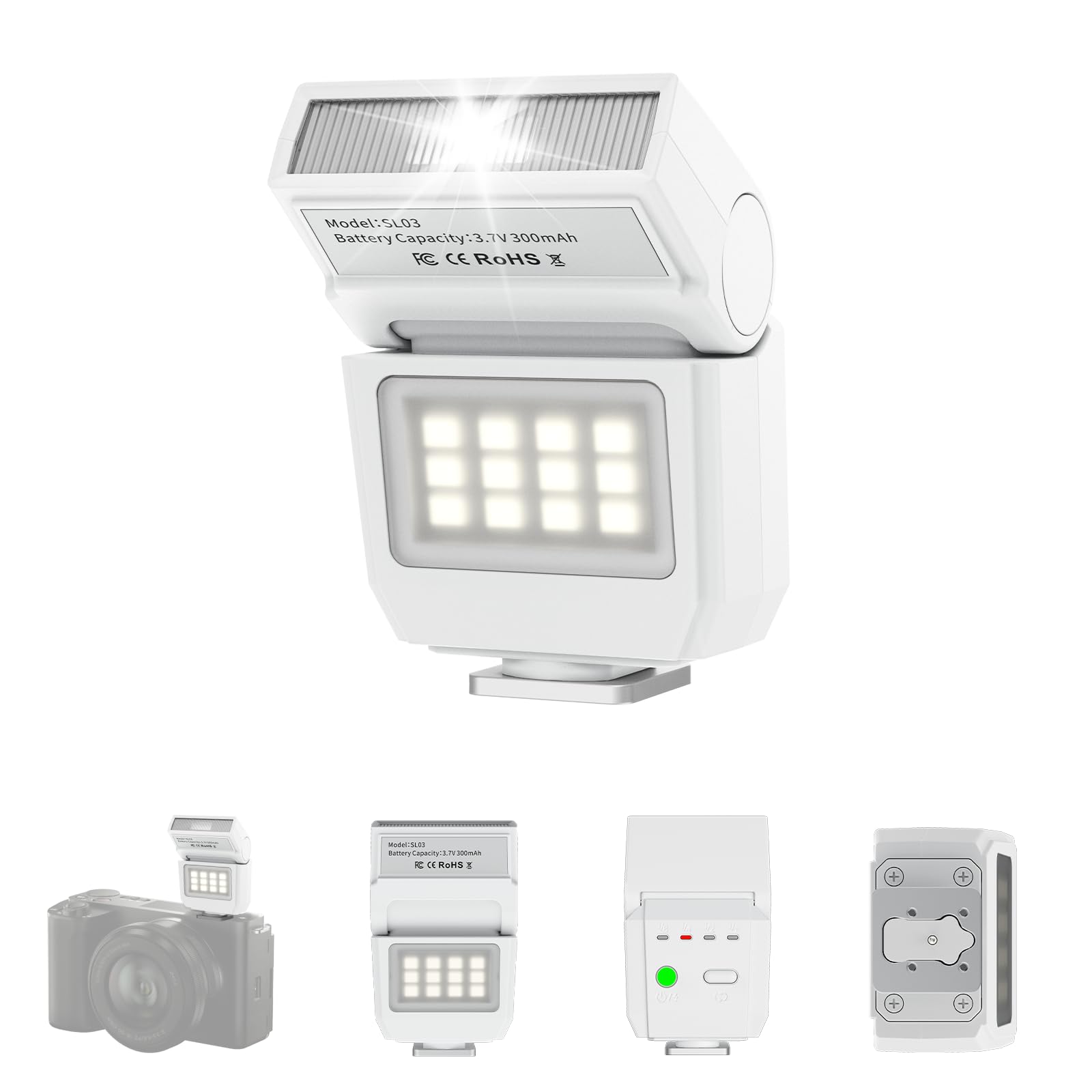
Figure 1: ULANZI SL03 Mini Flash Speedlite, a compact and lightweight camera accessory.
Video 1: An overview of the ULANZI SL03 Flash Speedlite, demonstrating its compact size, adjustable head, and various lighting modes in practical shooting scenarios.
2. Safety Information
- Do not expose the device to water or excessive moisture.
- Avoid direct eye exposure to the flash, as it can cause temporary vision impairment.
- Keep out of reach of children.
- Do not attempt to disassemble or modify the unit.
- Use only the provided charging cable for recharging.
3. Package Contents
- ULANZI SL03 Camera Flash x 1
- User Manual x 1
- A to C Charging Cable x 1
Note: Power adapter is not included.

Figure 2: The ULANZI SL03 package includes the camera flash, a user manual, and a USB-A to USB-C charging cable.
4. Setup
4.1 Charging the Device
The ULANZI SL03 features a built-in 250mAh 3.7V rechargeable battery. Connect the provided A to C charging cable to the Type-C charging port on the flash unit and a 5V 1A power source (adapter not included). A full charge takes approximately 1 hour. The device supports charging while in use.

Figure 3: The internal structure of the ULANZI SL03, highlighting the Type-C charging port and battery, capable of delivering at least 500 full-power flashes on a 1-hour charge.
4.2 Mounting on Camera
The SL03 Mini Flash Speedlite is designed with a universal single-contact hot shoe mount. To attach it to your camera:
- Ensure your camera is powered off.
- Slide the flash unit into your camera's hot shoe until it clicks securely into place.
- Verify that your camera has a single-contact hotshoe for proper functionality.

Figure 4: The ULANZI SL03 features a universal single-contact hot shoe mount, compatible with most major camera brands including Sony, Canon, Nikon, Fuji, Olympus, and Pentax, provided they have electrical contacts.
Video 2: A demonstration of attaching the ULANZI SL03 Camera Flash Speedlite to a hot shoe camera and its basic operation.
5. Operating Instructions
5.1 Powering On/Off and Mode Selection
- To power on/off, press and hold the power button.
- Short press the 'MODE' button to adjust flash power levels (1/1, 1/2, 1/4, 1/8).
- Long press the 'MODE' button to switch between Flash Mode and Fill Light Mode.

Figure 5: The ULANZI SL03 offers both flash and continuous fill light modes. In flash mode, the constant light acts as a focus assist for low-light conditions. Short press to adjust flash power, long press to switch modes.
5.2 Adjustable Angle for Bounce Flash
The SL03 features a 90° adjustable flash head. This allows you to:
- Direct the flash forward for direct lighting.
- Tilt the flash head upwards to bounce light off ceilings or walls, creating softer, more diffused lighting and reducing harsh shadows. This is particularly effective indoors with white surfaces.
Note: Reflection effects are limited outdoors or in large indoor spaces with high ceilings.

Figure 6: The SL03 offers a 90° adjustable angle, allowing users to switch between direct and bounce flash for versatile lighting options.
5.3 Fuji Camera User Note
For Fuji camera users, follow these steps to use the SL03 external flash:
- Open the camera's flash settings.
- Set the flash sync setting to "M" (manual mode) for the flash to fire.
- If the flash still does not work, change the shutter type from electronic to mechanical.
- Adjust flash settings and change the flash setting from OFF to M.
- Focus the camera, then switch the flash back to manual mode.
Video 3: A short demonstration of the ULANZI SL03 flash in use with a camera, highlighting its compact design and ease of integration.
6. Maintenance
- Keep the flash unit clean by wiping it with a soft, dry cloth.
- Avoid using harsh chemicals or abrasive materials.
- Store the unit in a cool, dry place away from direct sunlight and extreme temperatures.
- Ensure the charging port is free from dust and debris.
7. Troubleshooting
- No TTL Function / Not Automatic: The ULANZI SL03 is a manual flash. It does not support TTL (Through-The-Lens) metering or automatic flash modes. All settings must be adjusted manually on the flash unit and your camera.
- Photos are white or overexposed: This indicates too much light. Try lowering the flash brightness (e.g., to 1/8 or 1/4 power), or adjust camera parameters such as lowering ISO, decreasing exposure compensation, or using a smaller aperture (higher f-number).
- Photos are dark from the bottom: This usually means the shutter speed is too fast for the flash to properly illuminate the entire frame. Try slowing down the shutter speed on your camera. Ensure the camera's shutter speed does not exceed 1/250s for optimal results with this single-contact flash.
- Flash not firing or not recognized: Ensure the flash is securely mounted on the camera's single-contact hot shoe. Check camera settings (refer to Fuji Camera User Note if applicable). Verify the flash unit is charged and powered on.
- Compatibility Issues: The SL03 is exclusively compatible with cameras equipped with a single-contact hotshoe. It is NOT compatible with:
- SONY: ZV-1F, ZV1-F, A9III, A99, A77, A350, Zv1 Mark 2
- CANON: 3000D, 1500D, 200DII, R50
- FUJI: X-A3, X100F, X100T
8. Specifications
| Feature | Detail |
|---|---|
| Brand | ULANZI |
| Model | SL03 |
| Product Dimensions | 0.9 x 1.7 x 2.7 inches |
| Item Weight | 1.52 ounces (43g) |
| Battery | 250mAh 3.7V (1 AAA battery included for initial use) |
| Charging Port | Type-C (5V 1A) |
| Charging Time | Approx. 1 hour |
| Flash Index (GN) | GN8 (ISO100) |
| Flash Color Temperature (CCT) | 6500K ± 5% |
| Flash CRI | 97 |
| Flash Power Levels | 1/1, 1/2, 1/4, 1/8 |
| Full Power Flashes | ≥ 500 |
| Recycling Time (1/1 power) | 2.5s |
| Fill Light Beads | 12 pcs |
| Fill Light CCT | 5600K ± 200K |
| Fill Light CRI | 95 |
| Fill Light Illuminance (0.5m) | 90 lumen |
| Flash Sync Speed | Max 1/250s |
| Camera Flash Type | Hotshoe (Single-Contact) |
Manually measured weight and size may not be accurate. Further notice will not be given if the design and specifications change.

Figure 7: Detailed specifications and dimensions of the ULANZI SL03 Mini Flash Speedlite.
9. Compatibility List
The ULANZI SL03 Mini Flash Speedlite is compatible with a wide range of cameras featuring a single-contact hotshoe, including but not limited to:
- SONY: A7III, A7IV, A7R5, A7RIII, A7RIV, A9, A7RII/V4.0, A7R, A6400, RX10, ZV-1, ZV-E10
- CANON: 5DIII, 5DIV, 70D, 80D, 1DX, 850D, 760D, 5DII, 7DII, 6DII, 6D, 800D, 90D, 600D, 7D, M6, M5, M3, EOS RP, EOS R, R5, 60D
- NIKON: D800, D780, D5, D4, D500, D610, D750, D700, D300S, D3300, D3100, D5300, D5200, D5000, 27II, 26, Z8, ZFC, D200, D60, D5100, D7500, D7100
- FUJI: X-Pro2, X-T20, X-T2, X-T1, GFX50s, GFX50R, X-T30, X-T4, X-T3, X-Pro1, X-T10, X-E1, X-T5, X-M5
- PANASONIC: GH4, LX100, GF1, G85, GX85, FZ2500GX, S1R, GH5, G7
- LEICA: SL1, M10, Q2, TYP601, CL, SL2
- PENTAX: K-3I1, 645Z, KP, K-70, K-S2, K-1, K50
- OLYMPUS: E-M1, PRN-F, E-M10II, E-M10III, E-PL8, E-P5, E-M5I
10. Warranty and Support
ULANZI products come with a standard manufacturer's warranty. For specific warranty details, technical support, or any issues encountered during use, please refer to the warranty card included in your package or contact ULANZI customer service directly through their official website or the retailer where the product was purchased.


