
1. Introduction
Thank you for choosing the Micool BT-X EASY Wireless Open-Ear Bluetooth 5.4 Headphones. These headphones are designed to provide a comfortable listening experience with advanced features like Bluetooth 5.4 connectivity, call noise reduction, and long battery life. This manual will guide you through the setup, operation, and maintenance of your new headphones.
2. Product Overview
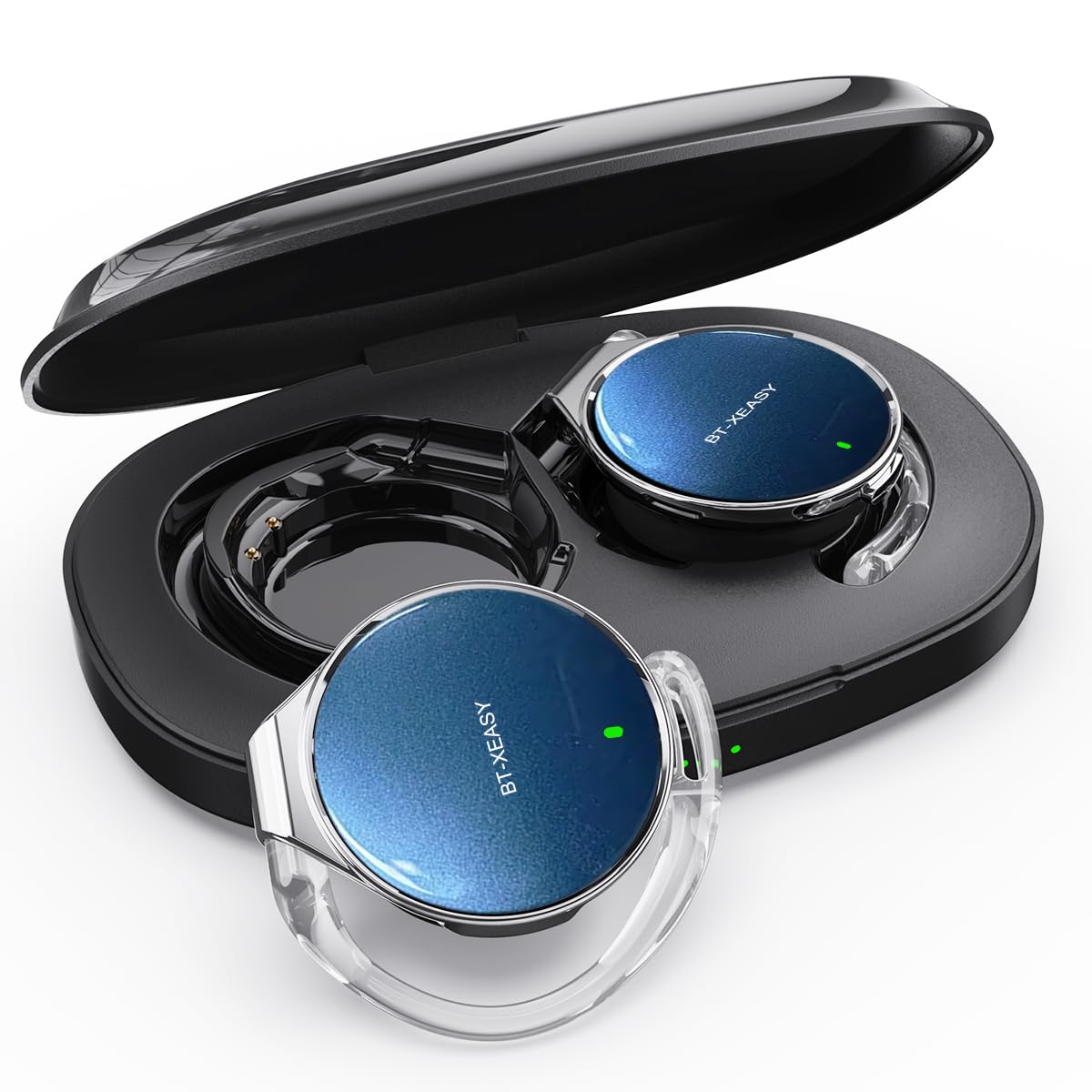
The Micool BT-X EASY headphones feature an open-ear design for comfort and awareness of your surroundings. Key features include:
- HD Stereo Audio & One-Button Control: Equipped with 28mm speakers for rich bass and an ANC+ENC adaptive noise reduction chip for clear calls. Easy control via multi-function buttons on each headset.
- Extended Battery Life: Up to 18 hours of music playback on a single charge. The charging case extends total listening time to up to 52 hours.
- High-Speed Bluetooth 5.4 Connectivity: Ensures fast pairing, stable connection, and reliable performance.
- Portable Charging Case: Includes a large-capacity charging case with a 4-stage power indicator and USB-C charging.
- Comfortable Design: Small, lightweight ear-hook design with sponge ear cups for comfortable wear without pressure. Headphone diameter is 36mm.
- Dual Device Connection: Connects to two devices simultaneously (e.g., smartphone, laptop, tablet) for seamless switching between music and calls.
Package Contents:
- Micool BT-X EASY Wireless Open-Ear Headphones
- Charging Case
- USB-C Charging Cable
- User Manual
Product Overview:
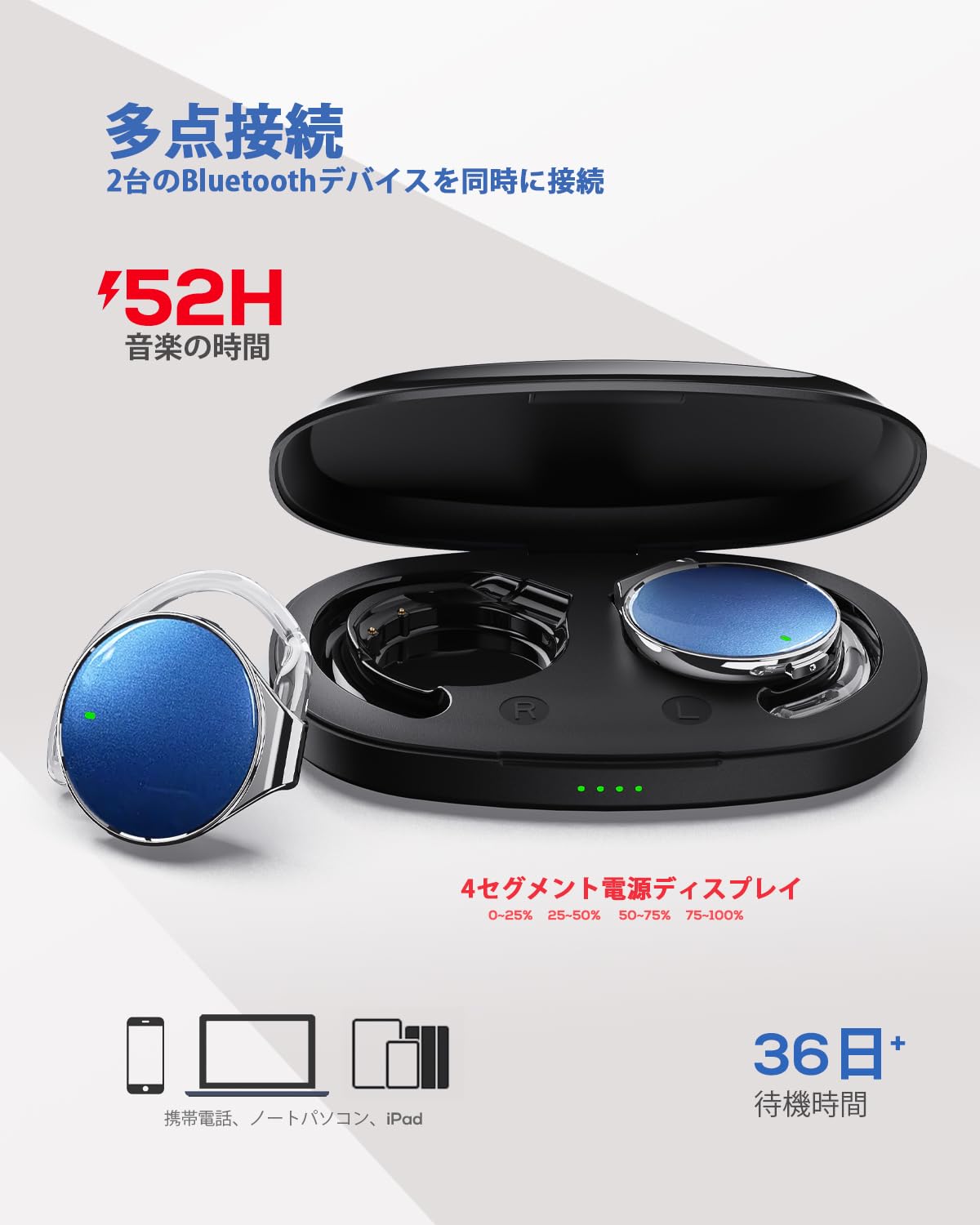
This image displays the Micool BT-X EASY headphones alongside their charging case, illustrating their compact and portable design and the concept of multi-point connection.
3. Setup
3.1 Charging the Headphones and Case
Before first use, fully charge the headphones and the charging case.
- Place the headphones into the charging case.
- Connect the USB-C charging cable to the charging port on the case and to a power source.
- The 4-stage LED indicators on the charging case will show the charging status. Each light represents 25% of the battery capacity.
- Once fully charged, all four indicator lights will be solid.

This image illustrates the charging case with its four-stage battery indicator, providing a visual representation of the remaining charge.
3.2 Wearing the Headphones
Follow these steps for a comfortable and secure fit:
- Step 1: Open the ear hook to approximately a 30-degree angle.
- Step 2: Rotate the ear hook around your ear until it rests comfortably below your earlobe.
- Step 3: Gently press the headphone against your ear to secure it.
- Step 4: Adjust the angle for the most comfortable wearing experience.

This visual guide demonstrates the four steps to correctly and comfortably wear the open-ear headphones.
3.3 Bluetooth Pairing
The headphones will automatically enter pairing mode when removed from the charging case or when the case is opened. For initial pairing:
- Open the charging case. The headphones will automatically enter pairing mode.
- On your device (smartphone, tablet, laptop), enable Bluetooth.
- Search for "BT-X EASY" in the list of available Bluetooth devices.
- Select "BT-X EASY" to connect. A voice prompt will confirm successful pairing.
- For dual device connection, pair the first device, then temporarily disconnect the headphones from the first device's Bluetooth settings. Pair with the second device. Reconnect to the first device from its Bluetooth settings. The headphones will now be connected to both.
4. Operating Instructions
4.1 Touch Controls
The headphones feature intuitive touch controls on each earbud. Refer to the diagram below for specific functions:
This diagram illustrates the various touch controls on the headphones, including single-click, double-click, and long-press actions for managing music playback and phone calls.
- Play/Pause: Click x1
- Next Track: Click x2 (Right earbud)
- Previous Track: Click x2 (Left earbud)
- Volume Up: Long press (Right earbud)
- Volume Down: Long press (Left earbud)
- Answer/End Call: Click x1
- Reject Call: Long press
- Mute (during call): Click x2 (A prompt tone will sound)
4.2 Call Functions
The headphones support hands-free calling with 4 microphones and ENC noise reduction for clear conversations.
- Answering Calls: Press the multi-function button once.
- Ending Calls: Press the multi-function button once during a call.
- Rejecting Calls: Press and hold the multi-function button for 2 seconds.
- Muting Microphone: Double-click the multi-function button during a call.
5. Maintenance
- Cleaning: Regularly wipe the headphones and charging case with a soft, dry cloth. Do not use abrasive cleaners or immerse in water.
- Storage: Store the headphones in their charging case when not in use to protect them from dust and damage. Keep in a cool, dry place away from extreme temperatures.
- Battery Care: To prolong battery life, avoid fully discharging the headphones frequently. Charge them regularly, even if not used for extended periods.
6. Troubleshooting
| Problem | Possible Solution |
|---|---|
| Headphones do not turn on. | Ensure the headphones are charged. Place them in the charging case and connect the case to power. |
| Cannot pair with device. |
|
| No sound or low volume. |
|
| Intermittent connection. |
|
7. Specifications
| Feature | Detail |
|---|---|
| Brand | Micool |
| Model | BT-X EASY |
| Bluetooth Version | 5.4 |
| Headphone Style | Open-Ear (Ear-hook style) |
| Connectivity | Wireless (Bluetooth) |
| Speaker Size | 28mm Dynamic Speaker |
| Noise Reduction | ANC+ENC Adaptive Noise Reduction (for calls) |
| Microphones | 4 microphones (for hands-free calls) |
| Music Playback Time | Up to 18 hours (headphones), up to 52 hours (with charging case) |
| Charging Port | USB-C |
| Headphone Diameter | 36mm |
| Material | Plastic |
| Color | Black Silver Blue |
| UPC | 775494926203 |
8. Warranty and Support
The Micool BT-X EASY headphones come with a 6-month warranty from the date of purchase. This warranty covers manufacturing defects and workmanship. It does not cover damage caused by misuse, accidents, unauthorized modifications, or normal wear and tear.
For technical support, warranty claims, or any questions regarding your product, please contact Micool customer service through the retailer where you purchased the product or visit the official Micool store on Amazon.
Amazon Store Link: Micool Amazon Store
9. Important Safety Information
- Do not use the headphones at high volume for extended periods to prevent hearing damage.
- Do not use the headphones in situations where inability to hear ambient sounds could be dangerous (e.g., driving, cycling, walking in traffic).
- Keep the product away from water and moisture.
- Do not attempt to disassemble or repair the product yourself.
- Keep out of reach of children.