
1. Introduction
This manual provides detailed instructions for the installation, operation, and maintenance of your Noaheye Solar Security Camera Wireless Outdoor. Designed for robust outdoor surveillance, this camera offers 2K HD video, 360° pan/tilt capabilities, AI human detection, and is powered by an integrated solar panel and rechargeable battery, ensuring continuous operation without the need for constant recharging.
2. What's in the Box
- 1 x Wireless WiFi PTZ camera (built-in battery)
- 1 x Solar panel
- 1 x Bolt kit
- 1 x Manual
3. Setup Guide
3.1 Initial Charging and Solar Panel Placement
Although the camera is solar-powered, it is recommended to fully charge the built-in 8000mAh battery via the USB port before the first use to ensure optimal performance. Position the 4.2W solar panel in an area that receives at least 90 minutes of direct sunlight daily for continuous power. The solar panel connects to the camera via a 3m (10ft) cable.

Image: The Noaheye solar camera connected to its solar panel, illustrating the charging process and battery life.
3.2 App Download and Camera Connection
Download the 'Eseecloud' application from your smartphone's app store. Follow the in-app instructions to connect the camera to your home Wi-Fi network. The camera supports both 2.4GHz and 5GHz Wi-Fi bands for flexible connectivity. Initial setup is facilitated via Bluetooth for a quick and easy pairing process.

Image: A smartphone screen showing the Eseecloud app, indicating support for both 2.4GHz and 5GHz Wi-Fi connections.
3.3 Mounting the Camera
Select a suitable outdoor location for mounting, ensuring the camera has a clear view of the desired surveillance area and the solar panel receives adequate sunlight. Use the provided bolt kit to securely mount the camera to a wall or other stable surface. The camera is designed for wall mount installation.

Image: The Noaheye solar camera securely mounted on an exterior wall, demonstrating a typical installation scenario.
4. Operating Instructions
4.1 Video Quality and Night Vision
The camera provides 2K Full HD resolution for clear day and night vision. It features color night vision with an integrated spotlight, allowing for vivid and accurate color images even in low-light conditions. The camera automatically switches between day and night modes.

Image: A demonstration of the camera's 2K HD color night vision, with the spotlight activated for enhanced clarity.
4.2 Pan, Tilt, and Digital Zoom (PTZ)
Control the camera's viewing angle remotely via the Eseecloud app. It offers 270° horizontal pan and 90° vertical tilt, providing a comprehensive 360° view of your property. The camera also supports 4X digital zoom to focus on specific details.

Image: An illustration of the camera's 360-degree pan and tilt capabilities, showing its wide coverage area.
4.3 PIR AI Motion Detection & Alerts
The camera is equipped with a sensitive PIR AI motion sensor for accurate human detection. Upon detecting motion, the camera can trigger an audible siren alarm and activate its spotlight to deter intruders. Simultaneously, you will receive instant push notifications on your smartphone.
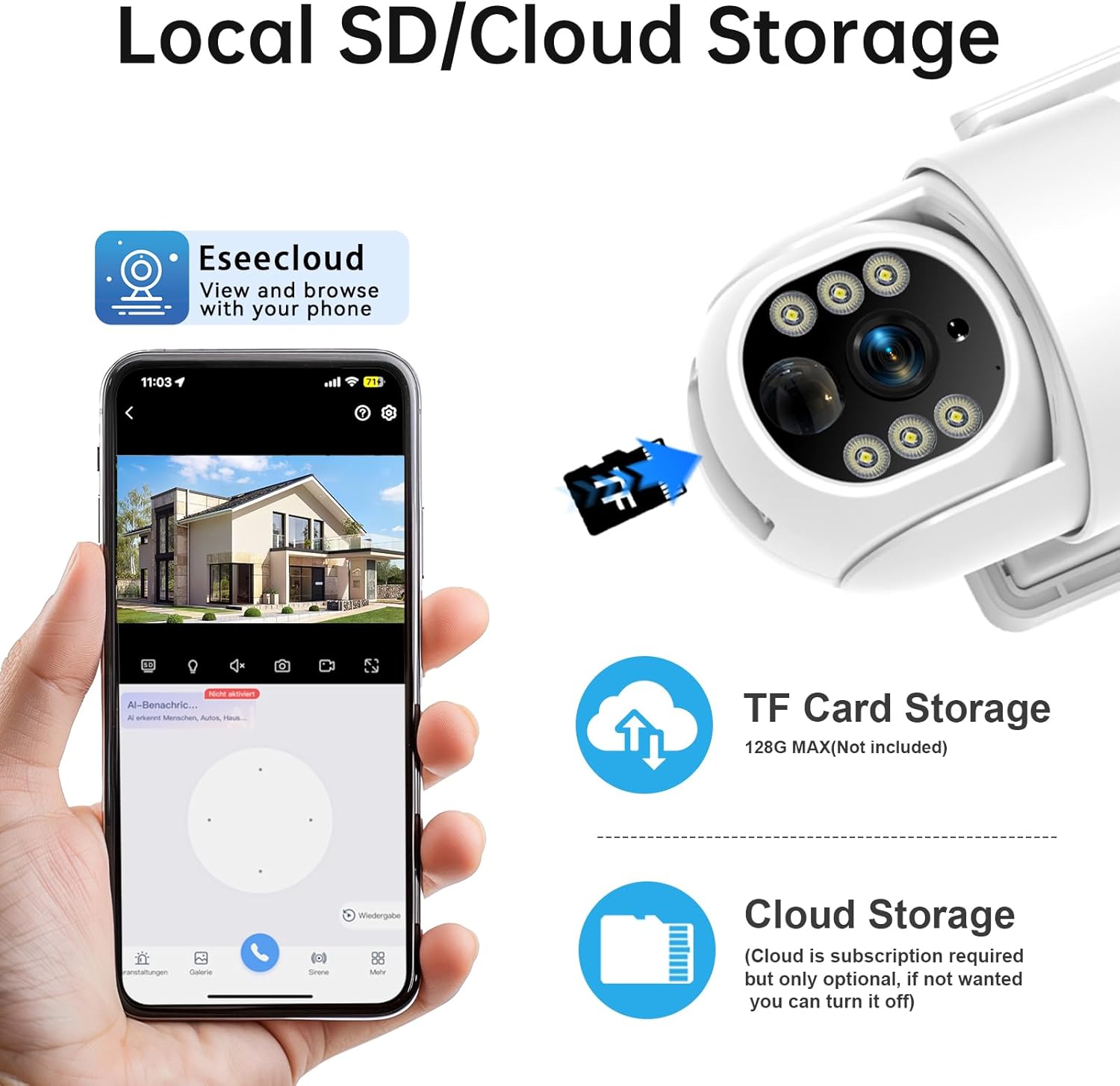
Image: The camera's smart PIR motion detection system, showing how it triggers alarms and sends notifications upon detecting movement.
4.4 Two-Way Talk
Communicate directly through the camera using the built-in microphone and speaker. This feature allows for real-time two-way audio, enabling you to speak with visitors or deter unwanted individuals from your property.

Image: The two-way talk functionality, illustrating a user communicating with a delivery person through the camera.
4.5 Local and Cloud Storage
The camera supports local storage via a Micro SD card (up to 128GB, not included), requiring no subscription. Additionally, cloud storage options are available (subscription required) for convenient remote access and backup of your video recordings. You can view and share videos with family and friends through the Eseecloud APP.

Image: Visual representation of the camera's local SD card storage and optional cloud storage capabilities.
4.6 Alexa Integration
The Noaheye Solar Security Camera is compatible with Amazon Alexa, allowing for convenient voice control and integration into your smart home ecosystem.
5. Maintenance
5.1 Weather Resistance
The camera boasts an IP65 weatherproof rating, ensuring reliable operation in various outdoor conditions, including temperatures ranging from -4°F to 130°F. This robust design protects the camera from dust and water jets.
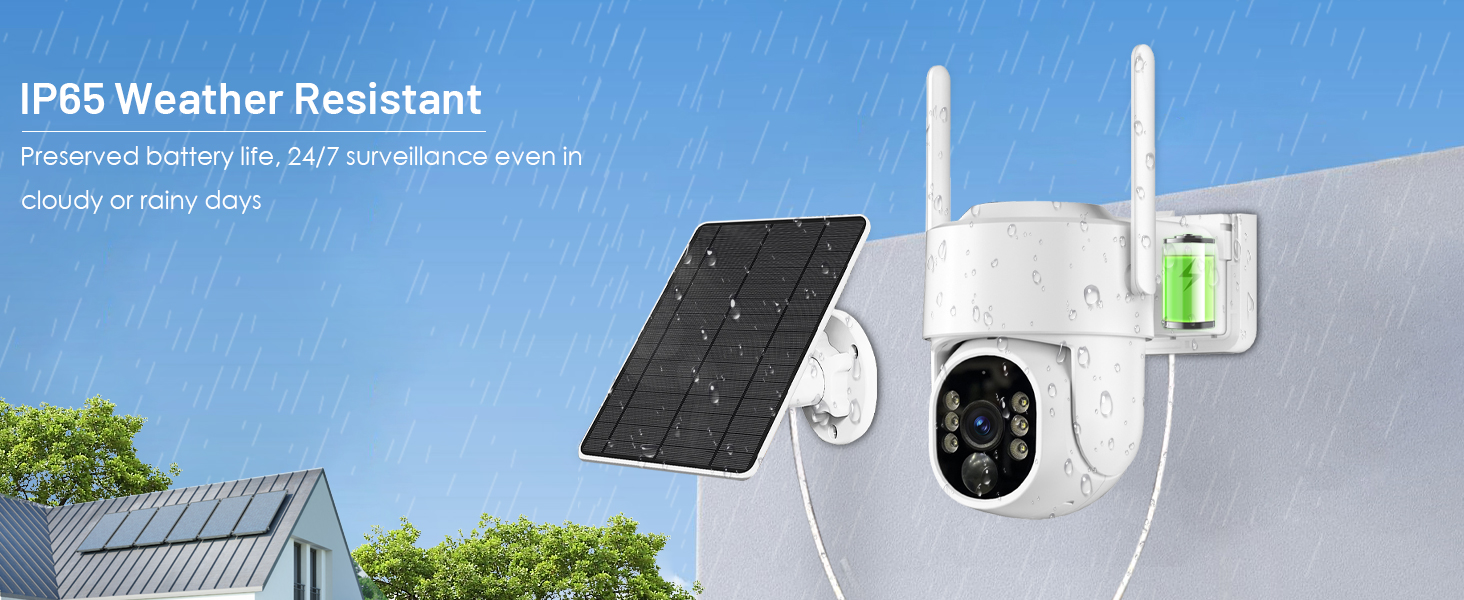
Image: The camera demonstrating its IP65 weather resistance, shown enduring rain while maintaining functionality.
5.2 Solar Panel Care
To maintain optimal charging efficiency, periodically clean the surface of the solar panel to remove any dust, dirt, or debris that may accumulate. Ensure no obstructions block direct sunlight to the panel.
6. Troubleshooting
- Camera Not Connecting to Wi-Fi: Ensure your Wi-Fi signal is strong at the camera's location. The camera supports both 2.4GHz and 5GHz networks. Try moving the camera closer to your router or using a Wi-Fi extender.
- Battery Not Holding Charge: Verify the solar panel is receiving sufficient direct sunlight. Clean the solar panel surface. If the issue persists, ensure the solar panel cable is securely connected to the camera.
- False Motion Alerts: Adjust the PIR AI motion detection sensitivity settings within the Eseecloud app. You can also set up customized detection zones to reduce alerts from irrelevant movements like passing vehicles or swaying branches.
- Poor Video Quality: Check your Wi-Fi connection stability. Ensure the camera lens is clean and free from smudges or obstructions.
7. Specifications
| Feature | Detail |
|---|---|
| Model Name | solar camera outdoor wireless wifi |
| Item Model Number | T-CQ4011S-W43J |
| Brand | Noaheye |
| Indoor/Outdoor Usage | Outdoor |
| Power Source | Solar Powered |
| Connectivity Technology | Wireless (Bluetooth, Wi-Fi) |
| Wi-Fi Frequency | 2.4GHz & 5GHz Dual-band |
| Video Capture Resolution | 2K |
| Effective Still Resolution | 3 MP |
| Pan Angle | 270 Degrees |
| Tilt Angle | 90 Degrees |
| Digital Zoom | 4X |
| Night Vision Type | Color Night Vision (with spotlight) |
| Night Vision Range | 50 Feet |
| Motion Detection | PIR AI Human Detection |
| Audio | Two-Way Talk (Built-in mic and speaker) |
| Local Storage | Micro SD (up to 128GB, not included) |
| Cloud Storage | Supported (Subscription required) |
| Weather Resistance | IP65 |
| Operating Temperature | -4°F to 130°F |
| Compatible Devices | Smartphone, Amazon Alexa |
| Item Dimensions L x W x H | 5.51 x 4.33 x 4.72 inches |
| Item Weight | 1.94 pounds |
| Batteries | 2 AAA batteries required (included for remote, not camera) |
8. Warranty and Customer Support
For any inquiries, technical assistance, or support, please contact Noaheye's professional customer service team. Refer to the product packaging or the Eseecloud app for specific contact details. We are committed to providing quick-response support to ensure your satisfaction.


