
1. Introduction
This manual provides detailed instructions for the safe installation, operation, and maintenance of your Passky 66-inch Bronze Ceiling Fan with Light and Remote Control. Please read this manual thoroughly before installation and use, and retain it for future reference.
2. Safety Information
- Always turn off the power at the circuit breaker before installation or maintenance.
- Ensure all electrical connections comply with local codes and ordinances.
- Consult a qualified electrician if you are unfamiliar with electrical wiring.
- Mount the fan to a ceiling joist or support structure capable of supporting the fan's weight.
- Do not connect the fan to a dimmer switch or fan gear switch, as this may cause abnormal operation.
- Ensure fan blades are at least 7 feet (2.1 meters) from the floor.
- This fan is suitable for indoor and outdoor use, but must not be directly exposed to rain.
3. What's in the Box
Verify that all components are present before beginning installation:
- Ceiling Fan Unit
- Light Kit
- Remote Control
- Mounting Hardware
- Instruction Manual
4. Setup and Installation
The Passky ceiling fan is designed for downrod mount installation. A step-by-step illustrated guide and installation videos are provided to assist with the setup process. Ensure the mounting bracket is securely fastened to a ceiling joist or a suitable support structure.

Figure 4.1: Examples of the Passky ceiling fan installed in different room settings, including a living room, bedroom, and an outdoor terrace, demonstrating its versatility.
5. Operating Instructions
5.1 Remote Control Functions
Your Passky ceiling fan is operated using the included handheld remote control. Ensure batteries are correctly installed in the remote.

Figure 5.1: Remote control layout with functions including ALL OFF, Light ON/OFF, Adjust Brightness, Change Color Temperature, Fan Speed (1-6), Reverse, and 2/4H Timer.
- ALL OFF: Turns off both the fan and the light.
- Light ON/OFF: Toggles the light on or off.
- Adjust Brightness: Dims the light from 10% to 100%.
- Change Color Temperature: Cycles through 3000K (warm light), 4000K (cool white), and 6000K (daylight white).
- Fan Speed (1-6): Adjusts the fan speed from 1 (lowest) to 6 (highest).
- Reverse: Changes the direction of the fan blades for summer or winter mode.
- Natural Wind: Activates a fluctuating fan speed to simulate natural breezes.
- 2H/4H Timer: Sets the fan to turn off automatically after 2 or 4 hours.
5.2 Fan Speed Control
The fan offers 6 adjustable wind speeds to suit your comfort needs:
- Levels 1-2: Low, comfortable wind for gentle air circulation.
- Levels 3-4: Medium, natural wind for moderate cooling.
- Levels 5-6: High, strong cooling wind for maximum airflow.
5.3 Customizable Light Settings
The integrated LED light offers both dimming and color temperature adjustments:
- Brightness: Adjustable from 10% to 100% using the remote control.
- Color Temperature: Select from 3000K (warm light), 4000K (cool white), or 6000K (daylight white) to match your ambiance.
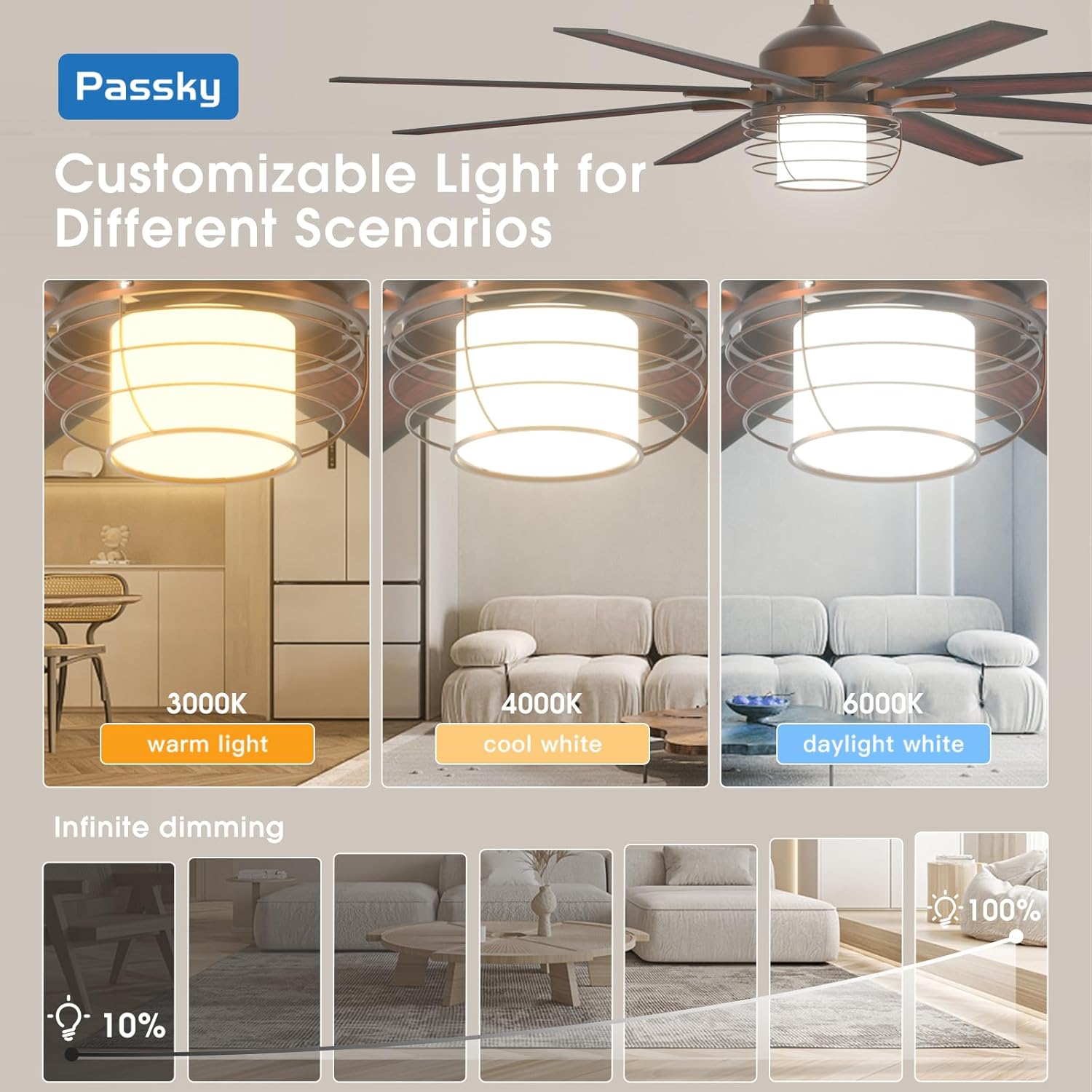
Figure 5.2: Illustration of customizable light settings, demonstrating 3 color temperatures (warm, cool, daylight white) and infinite dimming from 10% to 100% brightness.
5.4 Reversible DC Motor
The reversible DC motor allows you to change the direction of the fan blades for optimal air circulation throughout the year:
- Summer Mode: Downward airflow creates a cooling effect.
- Winter Mode: Upward airflow circulates warm air trapped near the ceiling.
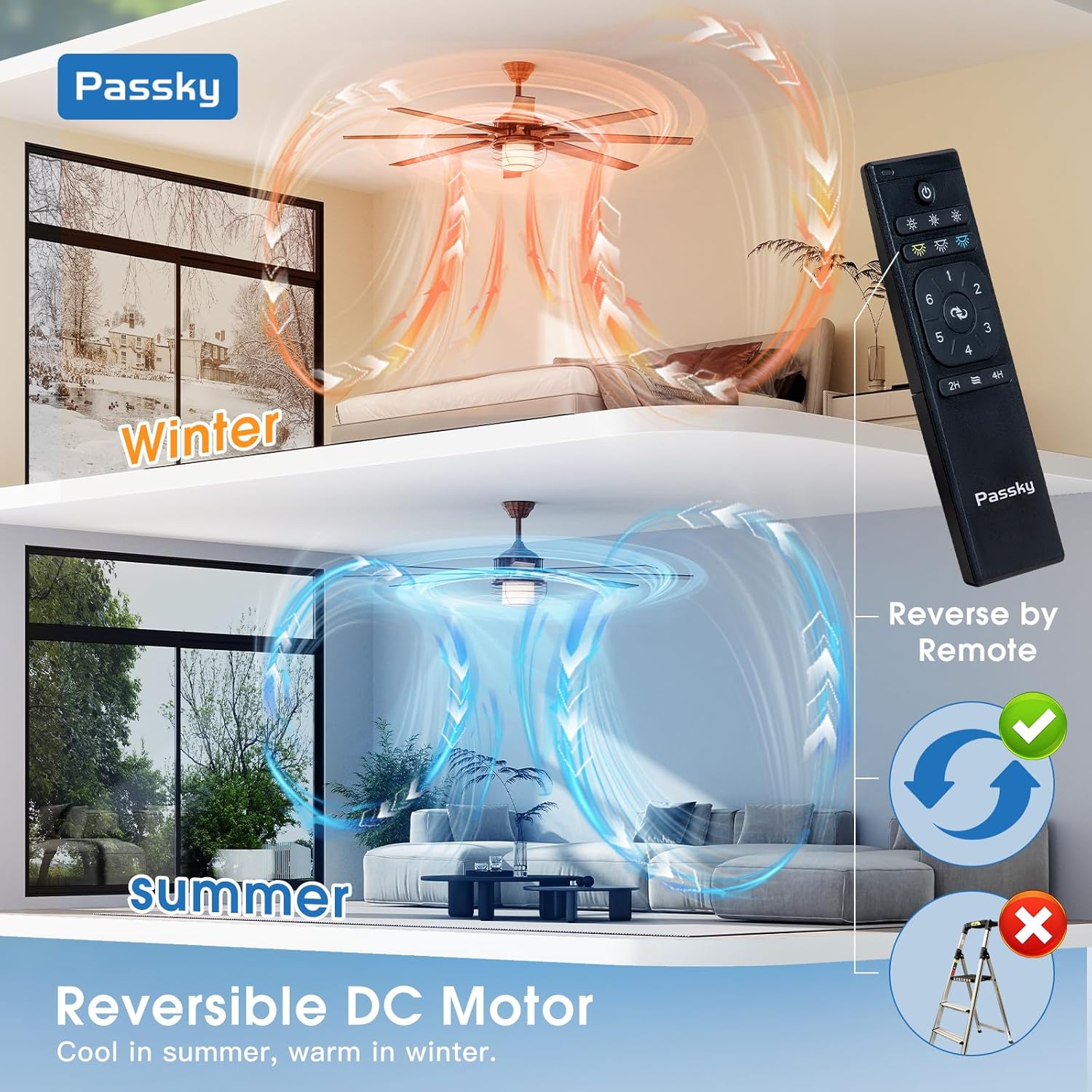
Figure 5.3: Visual representation of the reversible DC motor function, showing how the fan directs air downwards for cooling in summer and upwards to circulate warm air in winter.
5.5 Quiet Operation
The fan operates at a low noise level of 35dB, ensuring a quiet environment suitable for bedrooms and other living spaces.

Figure 5.4: Noise level comparison, highlighting the fan's quiet operation at approximately 30dB, comparable to the sound of falling leaves.
5.6 Memory Function
The fan and light feature a memory function that retains your last selected settings for color temperature, brightness, and fan speed when turned off and on again.
6. Maintenance
Regular maintenance ensures optimal performance and longevity of your ceiling fan.
- Cleaning: Dust the fan blades and motor housing periodically with a soft, damp cloth. Do not use abrasive cleaners or solvents.
- Tighten Fasteners: Check and tighten all screws and fasteners at least twice a year to prevent loosening due to fan vibration.
- Light Kit: Ensure the light kit is clean and free of dust for optimal light output.
7. Troubleshooting
If you encounter issues with your fan, refer to the following common problems and solutions:
| Problem | Possible Cause | Solution |
|---|---|---|
| Fan does not start | No power supply; Loose wiring; Remote control battery low/dead. | Check circuit breaker; Ensure all wires are securely connected; Replace remote control batteries. |
| Light does not work | Loose wiring; LED driver issue; Remote control battery low/dead. | Check light kit wiring; Contact customer support if LED driver is suspected; Replace remote control batteries. |
| Fan wobbles | Loose mounting screws; Unbalanced blades; Improper installation. | Tighten all mounting screws; Ensure blades are securely attached; Verify proper installation according to manual. |
| Remote control not responding | Batteries dead/incorrectly inserted; Remote not paired. | Replace batteries, ensure correct polarity; Refer to remote pairing instructions in the full manual (if applicable). |
| Fan makes unusual noise | Loose screws; Motor issue; Obstruction. | Check and tighten all screws; Ensure no wires or objects are hitting the blades; Contact customer support if motor noise persists. |
If troubleshooting steps do not resolve the issue, please contact customer support.
8. Specifications
Detailed technical specifications for the Passky 66-inch Bronze Ceiling Fan:

Figure 8.1: Product information detailing fan parameters, fan options, and light options, including dimensions and electrical specifications.
| Feature | Specification |
|---|---|
| Brand | Passky |
| Model Name | KDM66PLY05R1 |
| Color | Bronze-Cage |
| Product Dimensions | 29.2"D x 12.6"W x 8.3"H (Fan body, not including blades) |
| Fan Diameter | 66 inches |
| Power Source | AC 120V Power, DC Motor |
| Wattage | 50 watts (Fan), 24 watts (Light) |
| Number of Blades | 8 |
| Blade Material | Engineered Wood (Double-sided: Smoked Woodgrain / Walnut) |
| Number of Speeds | 6 |
| Noise Level | 35 Decibels (approx. 30dB at lowest setting) |
| Air Flow Capacity | 5000 Cubic Feet Per Minute (CFM) |
| Light Type | LED (Dimmable 10%-100%) |
| Color Temperature | 3000K, 4000K, 6000K |
| Control Method | Remote Control |
| Mounting Type | Downrod Mount |
| Indoor/Outdoor Usage | Indoor / Outdoor (Not exposed directly to rain) |
| Special Features | 1/4/8 Hour Timer, Reversible Motor, Customizable LED Light, Quiet DC Motor, Memory Function |
9. Warranty and Support
Passky is committed to customer satisfaction and product quality.
- Warranty: The fan motor is covered by a 10-year warranty, and all other parts are covered by a 2-year warranty.
- Customer Service: We offer 24-hour technical support. For assistance, please refer to the contact details provided in the full manual. Email responses are available 24/7, and phone customer service hours are Monday through Friday.
- Logistics Damage: In case of damage caused by logistics, please contact us for compensation or a satisfactory solution.