
1. Safety Instructions
Please read these instructions carefully before installation and use. Failure to follow these instructions may result in electric shock, fire, or other hazards.
- WARNING: Risk of electric shock. Disconnect power at the fuse or circuit breaker before installation or servicing.
- This product must be installed in accordance with the applicable installation code by a person familiar with the construction and operation of the product and the hazards involved.
- Ensure all electrical connections are secure and comply with local codes and ordinances.
- Do not install near combustible materials or in areas with explosive atmospheres.
- Do not connect to a dimmer switch.
- Wear safety glasses and gloves during installation.
- Keep children away from the work area.
2. Package Contents
Verify that all components are present before beginning installation:
- UME LED Security Light (2 units)
- Mounting Hardware (screws, wire nuts)
- Instruction Manual
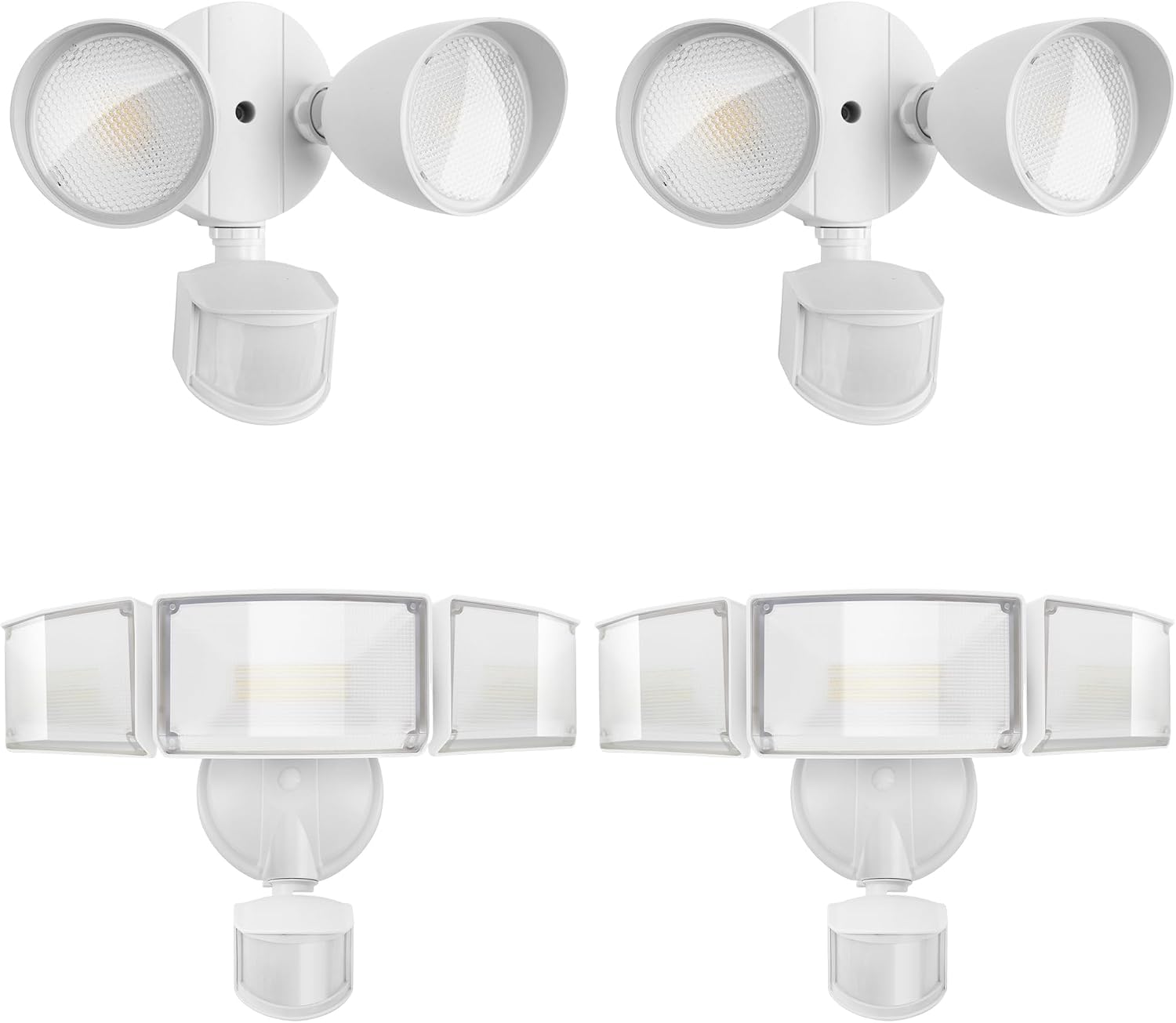
Image: Two UME LED Security Lights, showing the adjustable heads and integrated motion sensors.
3. Product Features
- Energy Efficient: 49W output, 5500 lumens, 5000K daylight white. Designed for hardwired installation.
- Motion Activated: 180-degree sensing angle, detects motion up to 69 ft away. Adjustable timer for 1, 3, or 10 minutes.
- Multiple Lighting Modes: Includes Test Mode, Security Mode, Dusk to Dawn Mode, and Manual Override Mode to suit various needs.
- Durable Design: Constructed from aluminum material, IP65 waterproof rating, and a 50,000-hour lifespan. Features adjustable heads for customizable coverage.
4. Specifications
| Specification | Value |
|---|---|
| Brand | UME |
| Model | B0DWXJNR15 |
| Wattage | 49 Watts |
| Brightness | 5500 Lumens |
| Color Temperature | 5000K (Daylight) |
| Voltage | 120 Volts (AC) |
| Material | Aluminum |
| IP Rating | IP65 Waterproof |
| Motion Sensor Angle | 180 Degrees |
| Motion Sensor Range | Up to 69 ft |
| Lifespan | 50,000 hours |
| Installation Type | Flush Mount, Hardwired |
| Indoor/Outdoor Usage | Outdoor |
5. Installation
Professional installation is recommended. Ensure power is OFF at the circuit breaker before proceeding.
- Prepare Wiring: Turn off power at the main circuit breaker. Ensure the power is completely disconnected before touching any wires.
- Mounting Bracket: Secure the mounting bracket to the wall or junction box using the provided screws. Ensure it is firmly attached.
- Wire Connections: Connect the household wiring to the fixture wiring using the provided wire nuts:
- Connect the black (Live) wire from the fixture to the black (Live) wire from the junction box.
- Connect the white (Neutral) wire from the fixture to the white (Neutral) wire from the junction box.
- Connect the green/bare copper (Ground) wire from the fixture to the green/bare copper (Ground) wire from the junction box.
- Attach Fixture: Carefully push the wired fixture onto the mounting bracket and secure it with the retaining screws.
- Adjust Light Heads: Loosen the screws on the light heads to adjust their direction as desired, then tighten the screws to secure them.
- Restore Power: Turn the power back on at the circuit breaker.

Image: An installed UME LED Security Light illustrating the adjustable light heads and motion sensor for optimal coverage.
6. Operating Modes
The UME LED Security Light offers four distinct operating modes, controlled by the dial on the motion sensor unit. The dial also allows adjustment of sensitivity (DISTANCE) and illumination duration (TIME).

Image: A detailed view of the motion sensor's control dial, showing settings for Sensitivity (L, M, H) and Time (1min, 3min, 10min, Test).
Mode Selection:
- Test Mode: Used for initial setup and testing. The light will turn on for a short period (e.g., 5-10 seconds) when motion is detected, regardless of ambient light. This mode helps verify sensor placement and coverage.
- Security Mode: The light will only activate when motion is detected during nighttime or low-light conditions. It will turn off after the set duration (1, 3, or 10 minutes) if no further motion is detected.
- Dusk to Dawn Mode: The light automatically turns on at a low brightness (e.g., 20%) at dusk and stays on until dawn. If motion is detected during this period, the light will switch to full brightness for the set duration, then return to low brightness.
- Manual Override Mode: Allows the light to stay on at 100% brightness for a selected period (e.g., 6 hours), overriding the motion sensor. To activate, quickly flip the wall switch OFF then ON twice within 2 seconds. The light will remain on for approximately 6 hours or until dawn, then reset to Security Mode. To exit Manual Override Mode, turn the wall switch OFF for 10 seconds, then turn it back ON.

Image: Visual representation of the Dusk to Dawn mode, demonstrating automatic activation at dusk and deactivation at dawn.
Sensitivity (DISTANCE) Adjustment:
Adjust the 'DISTANCE' knob to set the motion sensor's detection range:
- L (Low): Approximately 0-20 ft detection range.
- M (Medium): Approximately 0-39 ft detection range.
- H (High): Approximately 0-69 ft detection range.
Time Adjustment:
Adjust the 'TIME' knob to set how long the light stays on after motion is detected:
- 1 MIN: Light stays on for 1 minute.
- 3 MIN: Light stays on for 3 minutes.
- 10 MIN: Light stays on for 10 minutes.
7. Maintenance
Regular maintenance ensures optimal performance and longevity of your security light.
- Cleaning: Periodically clean the light fixture and motion sensor lens with a soft, damp cloth. Do not use abrasive cleaners or solvents.
- Inspection: Annually inspect the wiring and mounting for any signs of wear, damage, or loosening. Ensure the light heads are securely positioned.
- Sensor Obstruction: Ensure the motion sensor is not obstructed by plants, debris, or other objects that could interfere with its detection capabilities.

Image: The UME LED Security Light shown functioning effectively in rainy conditions, highlighting its IP65 waterproof feature.
8. Troubleshooting
If you encounter issues with your UME LED Security Light, refer to the following common problems and solutions:
| Problem | Possible Cause | Solution |
|---|---|---|
| Light does not turn on. | No power, faulty wiring, sensor blocked, incorrect mode. | Check circuit breaker. Verify wiring connections. Clear sensor path. Ensure correct mode is selected (e.g., not in Test Mode if expecting continuous operation). |
| Light stays on continuously. | Manual Override Mode active, constant motion detected, sensor malfunction. | Exit Manual Override Mode (flip switch OFF for 10s, then ON). Check for constant motion sources. Adjust sensor sensitivity or reposition. |
| Light flashes or flickers. | Loose wiring, power fluctuations, incompatible dimmer. | Check all wire connections. Ensure stable power supply. Do not connect to a dimmer switch. |
| Motion sensor not detecting. | Sensor blocked, sensitivity too low, installed in daylight. | Clear obstructions. Increase sensitivity (DISTANCE knob). Motion sensor deactivates during daylight hours. |
| Light turns on during daylight. | Sensor in Test Mode, faulty photocell. | Ensure sensor is not in Test Mode. If issue persists, contact support. |
9. Warranty and Support
UME provides high-quality after-sales service. We offer 24-hour support and guarantee easy and fast replacement for quality problems.
For technical assistance, troubleshooting beyond this manual, or warranty claims, please contact the seller directly through your purchase platform or refer to the UME brand store for contact information.
Visit the UME Store for more information.