Product Overview
The ABCPOW USB C to 3.5mm Headphone Jack Adapter provides a convenient solution for connecting 3.5mm audio devices to USB-C enabled smartphones, tablets, and other devices that lack a dedicated 3.5mm audio port. This adapter features a 90-degree 'L' design for enhanced comfort during use, a compact form factor for portability, and an integrated Smart DAC chip for high-fidelity audio output.
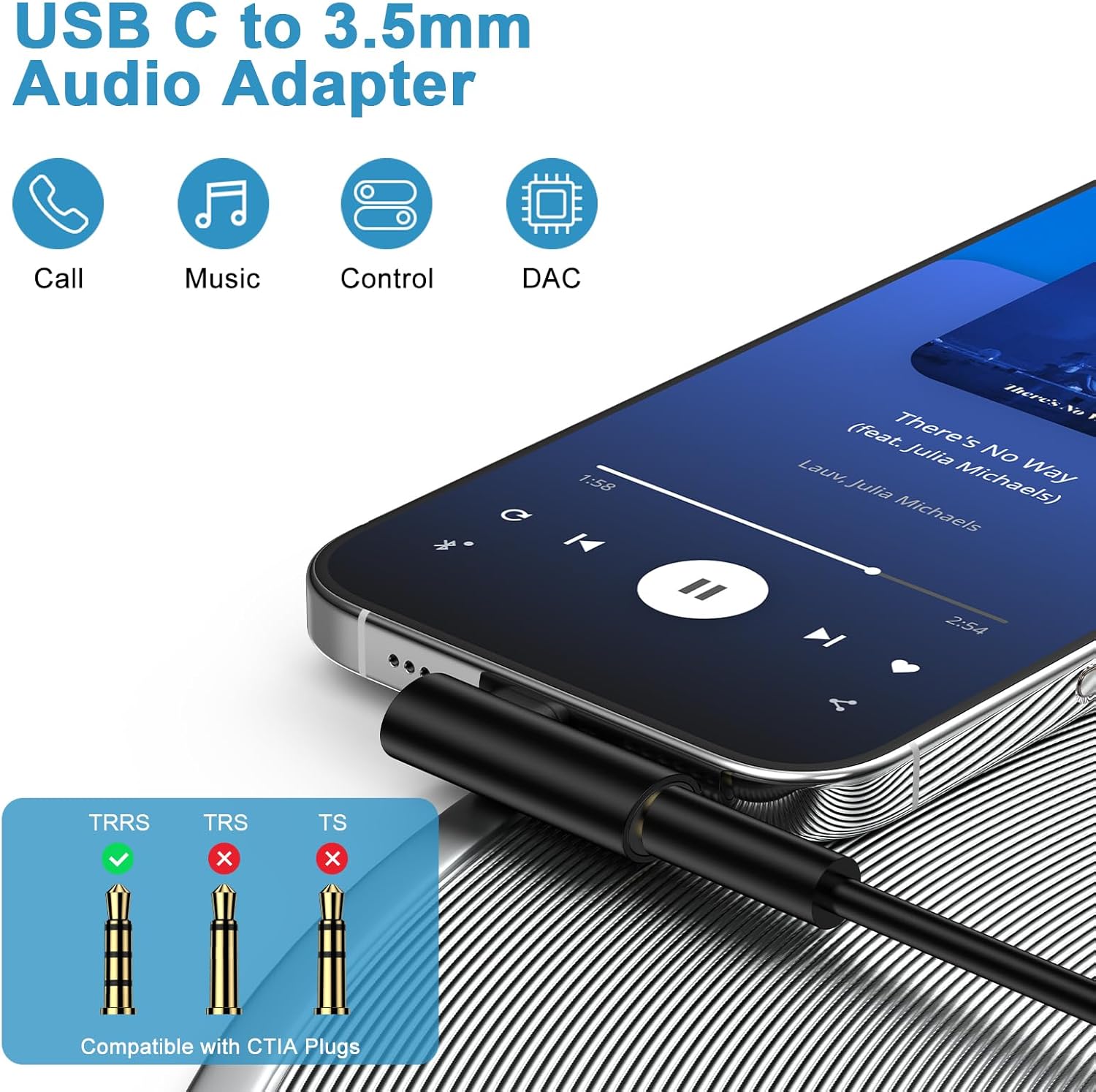
Image: The USB C to 3.5mm Audio Adapter connected to a smartphone, highlighting its capabilities for calls, music playback, audio control, and integrated DAC technology.
Key features include support for music playback, voice calls, volume control, pause/play functions, in-line headphone controls, and automatic headphone recognition. The built-in Smart DAC chip ensures low power consumption, stable decoding performance, and supports audio sampling rates up to 24Bit/96Khz, delivering clear and consistent sound quality.

Image: An illustration detailing the high-performance DAC chip within the adapter, emphasizing its noise reduction and anti-interference capabilities. Also shown are the lightweight and portable dimensions, and the durability indicated by 10,000+ plug-unplug tests.
Setup Instructions
Connecting the Adapter
- Locate the USB-C port on your compatible device (smartphone, tablet, etc.).
- Insert the USB-C connector of the ABCPOW adapter firmly into your device's USB-C port.
- Plug your 3.5mm headphones, earphones, or other audio device into the 3.5mm audio jack on the adapter.
Compatibility
This adapter is designed for wide compatibility with most USB-C devices that do not have a built-in 3.5mm audio jack. Compatible devices include, but are not limited to:
- Samsung Galaxy Series: S25 Ultra, S25+, S25, S24 FE Ultra, S23, S22, S21, S20, Note 20/10 series, A16 5G, A35, A55, A36, A56, A26, Z Fold 7/6/5/4, Z Flip 7/6/5/4.
- iPhone Series: iPhone 16e, 16 Pro Max, 16 Pro, 16 Plus, 16, iPhone 15 Pro Max, 15 Pro, 15 Plus, 15.
- Google Pixel Series: Pixel 9a, 9 Pro XL, 9, 8 Pro, 8, Fold, 7 Pro, 7, 6, 6 Pro, 5a 5G, 5a, 5, 4a 5G, 4a, 4 XL, 4, 3a XL, 3a, 3 XL, 3, 2 XL, XL.
- iPad Series: iPad 10, iPad mini 6, iPad Pro 2022/2021/2020/2018, iPad Pro 13 2024, iPad Pro 11 2024, iPad Air 13 2024, iPad Air 11 2024.
- Other USB-C powered devices.

Image: A visual representation of the adapter's broad compatibility, listing various Type C devices such as Samsung Galaxy, iPhone, Google Pixel, iPad, and MacBook, alongside 3.5mm audio devices like earphones, headphones, speakers, and car stereos.
Operating Instructions
Audio Playback and Calls
Once connected, the adapter allows for seamless audio transmission. You can use your 3.5mm headphones for:
- Listening to music and other audio content.
- Making and receiving voice calls.
- Utilizing in-line controls on your headphones for volume adjustment, track navigation, and call management.
- Recording audio and video, if supported by your headphones and device.

Image: A person using the USB C to 3.5mm adapter with a laptop and headphones, demonstrating its support for clear voice calls and integrated listening and speaking functions.
90-Degree Design Benefits
The innovative 90-degree 'L' design of the adapter provides practical advantages, especially during mobile gaming or video watching. This design prevents the adapter from obstructing your hand or view, allowing you to comfortably hold your device horizontally or vertically without interference from the connected cable.
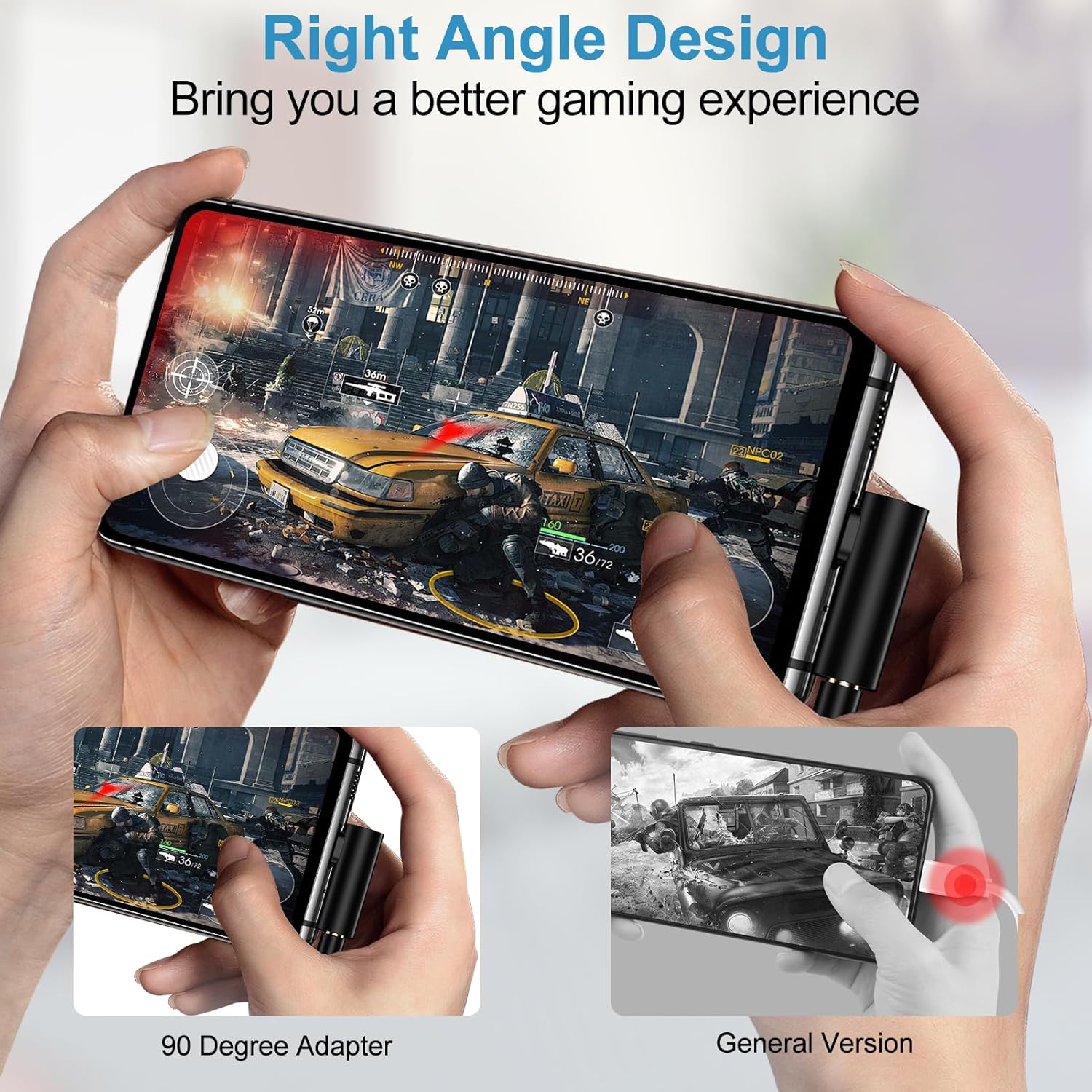
Image: A comparison illustrating the ergonomic benefits of the 90-degree adapter during mobile gaming, showing how it provides a more comfortable grip compared to a standard straight connector.
Maintenance
Cleaning
To maintain optimal performance and longevity of your adapter:
- Gently wipe the exterior of the adapter with a soft, dry, lint-free cloth.
- Avoid using harsh chemicals, solvents, or abrasive cleaners, as these can damage the adapter's finish or internal components.
- Ensure the USB-C connector and 3.5mm jack are free from dust and debris. You may use a small, soft brush or compressed air to carefully clean these ports if necessary.
Storage
When not in use, store the adapter in a cool, dry place away from direct sunlight and extreme temperatures. Avoid bending or twisting the adapter excessively, especially at the connection points, to prevent internal damage.
Troubleshooting
Connectivity Issues with Device Cases
If you experience poor connectivity or the adapter does not function correctly, a thick device case may be interfering with the connection. If your phone case exceeds approximately 3mm in thickness, it might prevent the USB-C connector from fully seating into your device's port.
- Solution: Remove your phone case before using the adapter to ensure a secure and complete connection.

Image: A diagram illustrating the compact dimensions of the adapter and a crucial note regarding device case compatibility, specifically advising that cases thicker than 3mm may require removal for proper function.
Sound Quality or Functionality Problems
- No Audio Output: Ensure both the USB-C connector and the 3.5mm audio jack are fully inserted. Verify that your device's volume is not muted or set too low. Confirm your device is compatible with USB-C audio adapters.
- Distorted Audio: Check if your headphones are fully plugged into the adapter. Test with another pair of headphones to rule out headphone issues. Ensure your device's audio settings are configured correctly.
- In-line Controls Not Working: Verify that your headphones' in-line controls are compatible with your device and the adapter. Some older headphones may have limited functionality.
Product Specifications
| Feature | Specification |
|---|---|
| Brand | ABCPOW |
| Model Number | ABCPOW |
| Connector Type | USB Type C to 3.5mm Audio Adapter |
| Color | Black |
| Number of Ports | 2 (1x USB-C input, 1x 3.5mm output) |
| Compatible Devices | Smartphones, Tablets, Laptops with USB-C port (without 3.5mm jack) |
| Audio Sampling Rate | Max 24Bit/96Khz, 24Bit/48Khz |
| Item Weight | 0.634 ounces |
| Package Dimensions | 3.74 x 2.28 x 0.31 inches |
| Manufacturer | Shenzhen Chuang Wei Da Technology Co., LTD |
| Date First Available | February 12, 2025 |
Warranty Information
The ABCPOW USB C to 3.5mm Headphone Jack Adapter comes with a 12-month hassle-free warranty from the date of purchase. This warranty covers manufacturing defects and ensures reliable product performance. Please retain your proof of purchase for warranty claims.
Customer Support
For any questions, technical assistance, or warranty claims regarding your ABCPOW USB C to 3.5mm Headphone Jack Adapter, please contact our customer service team. We offer 7x24 hours friendly customer service to assist you.
Please refer to the contact information provided with your product packaging or visit the official ABCPOW store on Amazon for support details.