
1. Introduction
This manual provides instructions for the proper use and care of your HAIZHIHUI FITDAYS Digital Food Scale, model KT630-WHITE. This smart kitchen scale is designed for accurate food weighing and nutritional tracking, assisting with dietary management, cooking, and baking.
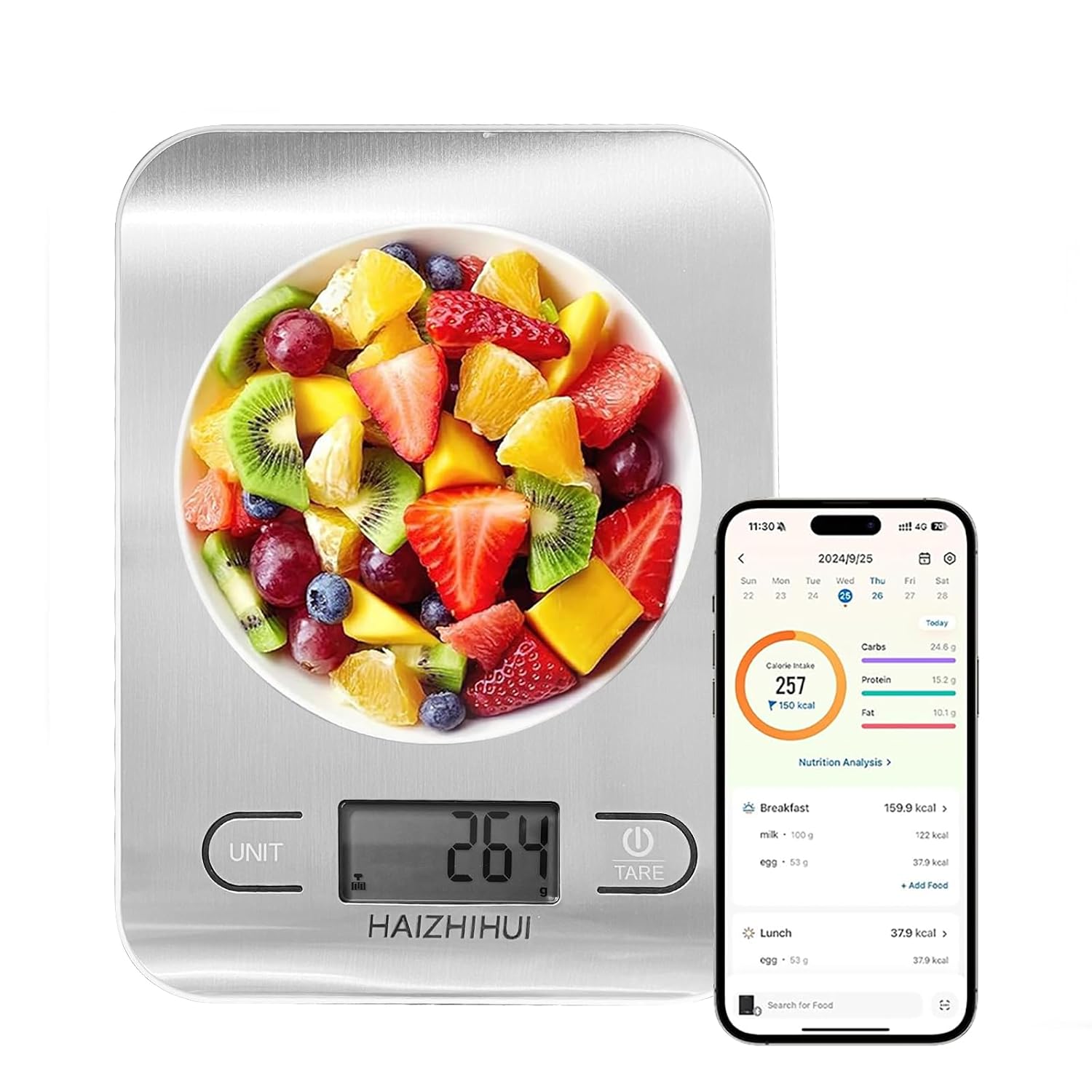
Image 1.1: The HAIZHIHUI FITDAYS Digital Food Scale KT630-WHITE displaying a weight of 264, alongside a smartphone showing the Fitdays app with nutritional data for a fruit salad.
2. Setup
2.1 Unpacking
Carefully remove the scale from its packaging. Ensure all components are present:
- HAIZHIHUI FITDAYS Digital Food Scale (Model KT630-WHITE)
- User Manual (this document)
2.2 Battery Installation
The scale requires 3 AAA batteries (not included). To install:
- Locate the battery compartment on the underside of the scale.
- Open the battery compartment cover.
- Insert 3 AAA batteries, ensuring correct polarity (+/-).
- Close the battery compartment cover securely.
2.3 Initial Placement
Place the scale on a hard, flat, and stable surface to ensure accurate measurements. Avoid soft or uneven surfaces, as this can affect precision.
3. Operating Instructions
3.1 Power On/Off
Press the TARE/POWER button to turn the scale on. The display will show "0g" or "0.0oz" when ready. To turn off, press and hold the TARE/POWER button for a few seconds, or the scale will auto-off after a period of inactivity to save energy.
3.2 Unit Conversion
Press the UNIT button to cycle through available measurement units: grams (g), milliliters (ml), ounces (oz), pounds and ounces (lb:oz), and fluid ounces (fl.oz). The selected unit will be displayed on the LCD screen.

Image 3.1: Visual representation of the five unit conversion options available on the scale: grams, milliliters, ounces, pounds and ounces, and fluid ounces.
3.3 Tare Function
The tare function allows you to subtract the weight of a container, ensuring only the weight of the contents is measured.
- Place an empty container on the scale.
- Press the TARE/POWER button. The display will reset to "0".
- Add ingredients to the container. The display will show the net weight of the ingredients.
- To clear the tare and return to normal weighing, remove all items from the scale and press the TARE/POWER button again.
3.4 Weighing Items
Place the item(s) directly onto the scale's platform or into a tared container. The weight will be displayed on the LCD screen.

Image 3.2: An apple being weighed on the scale, demonstrating how the scale can be used for smart food weighing and nutritional analysis.
4. Fitdays App Integration
The HAIZHIHUI FITDAYS Digital Food Scale connects with the Fitdays app for advanced nutritional tracking and data management.
4.1 Downloading the App
Download the "Fitdays" app from your smartphone's app store (available on iOS and Android).
4.2 Pairing the Scale
- Ensure Bluetooth is enabled on your smartphone.
- Open the Fitdays app and follow the on-screen instructions to add a new device.
- Turn on your HAIZHIHUI FITDAYS Digital Food Scale. The app should detect and pair with the scale automatically.
4.3 Nutritional Analysis
Once paired, the app can track and record food data, calculate calories, and provide detailed nutritional analysis for up to 24 nutrition facts, including calories, fat, protein, carbohydrates, cholesterol, and sugar.

Image 4.1: The scale wirelessly transmitting data to the Fitdays app, which displays a comprehensive nutrient content breakdown and analysis report.
4.4 Coffee Timer Function
The Fitdays app also includes a coffee timer function, which can display the ratio of coffee beans to water and track both the time and weight of the beans for precise coffee brewing.
5. Maintenance
5.1 Cleaning
Wipe the scale with a soft, damp cloth. Do not immerse the scale in water or use abrasive cleaners. The stainless steel platform is easy to clean.
5.2 Storage
Store the scale in a cool, dry place. Its super slim and flat design allows for easy storage in a kitchen drawer or cabinet.

Image 5.1: Key design elements of the scale, including its slim profile, clear LCD, durable stainless steel surface, and compact form factor for convenient storage.
5.3 Battery Replacement
If the display becomes dim or the scale does not turn on, replace the AAA batteries as described in Section 2.2.
6. Troubleshooting
| Problem | Possible Cause | Solution |
|---|---|---|
| Scale does not turn on. | Low or dead batteries; incorrect battery installation. | Replace batteries with new AAA batteries, ensuring correct polarity. |
| Inaccurate readings. | Scale on an uneven surface; overloaded; internal error. | Place scale on a hard, flat surface. Ensure weight does not exceed 5kg (11lb). Turn off and restart the scale. |
| "Lo" or "Err" displayed. | Low battery ("Lo"); overload or internal error ("Err"). | Replace batteries for "Lo". For "Err", remove item, turn off scale, and restart. If error persists, contact support. |
| Cannot connect to Fitdays app. | Bluetooth off; app not installed; scale not in pairing mode. | Ensure Bluetooth is on. Download and install the Fitdays app. Turn scale on and follow app pairing instructions. |
7. Specifications
| Feature | Detail |
|---|---|
| Model Number | KT630-WHITE |
| Brand | HAIZHIHUI |
| Measurement Range | 1g (0.002lb) to 5kg (11lb) |
| Precision Increments | 1g, 1ml, 0.05oz, 0.1fl.oz |
| Units | g, ml, oz, lb:oz, fl.oz |
| Display Type | LCD |
| Power Source | 3 x AAA batteries (not included) |
| Special Features | Auto Shut Off, Tare Function, Bluetooth Connectivity, Nutritional Calculator (via Fitdays App), Coffee Timer Function |
| Product Dimensions | 7.52'' x 6.57'' x 0.82'' (approx. 191mm x 167mm x 21mm) |
| Platform Material | Stainless Steel |

Image 7.1: Technical specifications and dimensions of the HAIZHIHUI FITDAYS Digital Food Scale KT630-WHITE.
8. Warranty & Support
For warranty information or technical support, please refer to the product packaging or contact HAIZHIHUI customer service. Keep your purchase receipt for warranty claims.
For further assistance, please visit the official HAIZHIHUI website or contact their customer support channels.