
Introduction
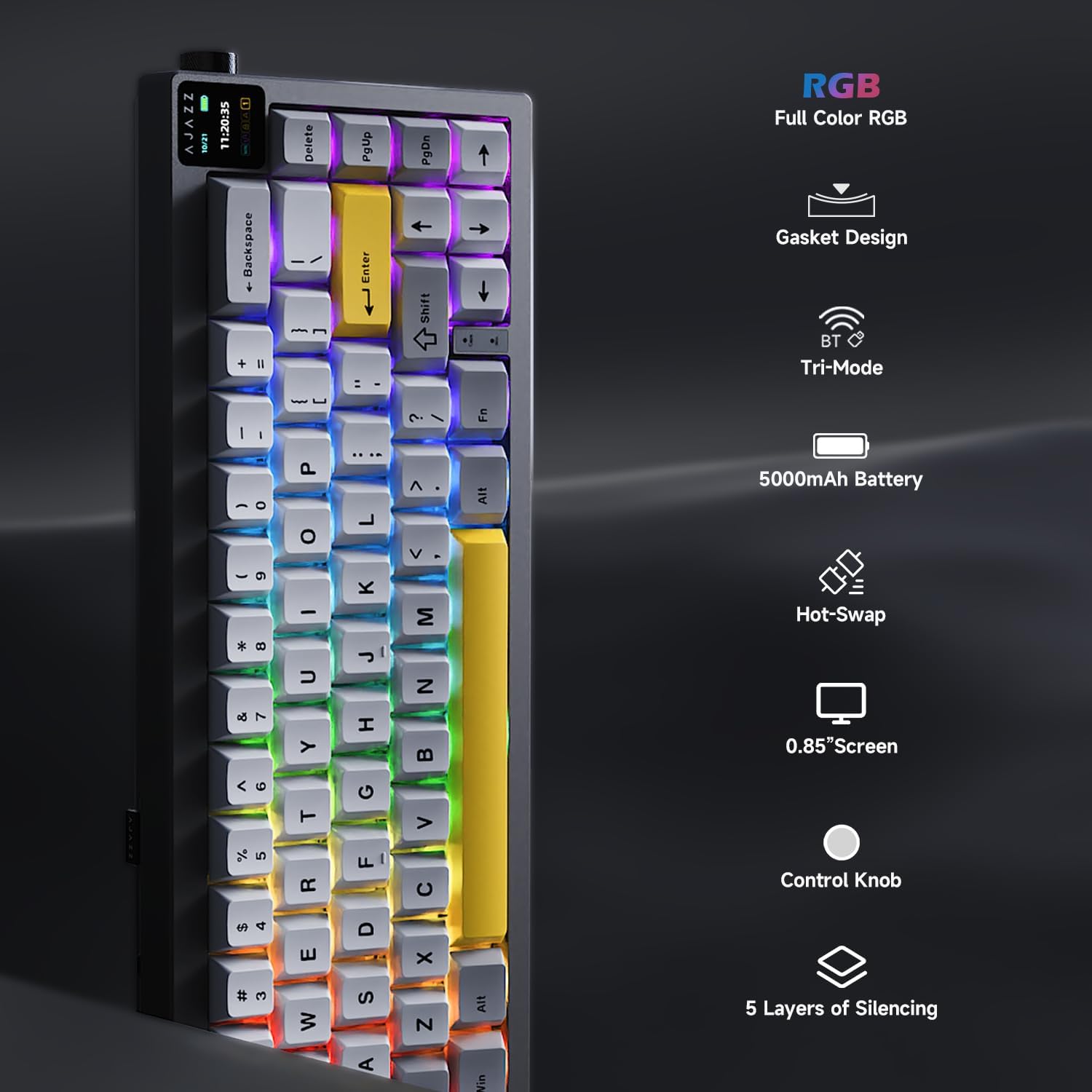
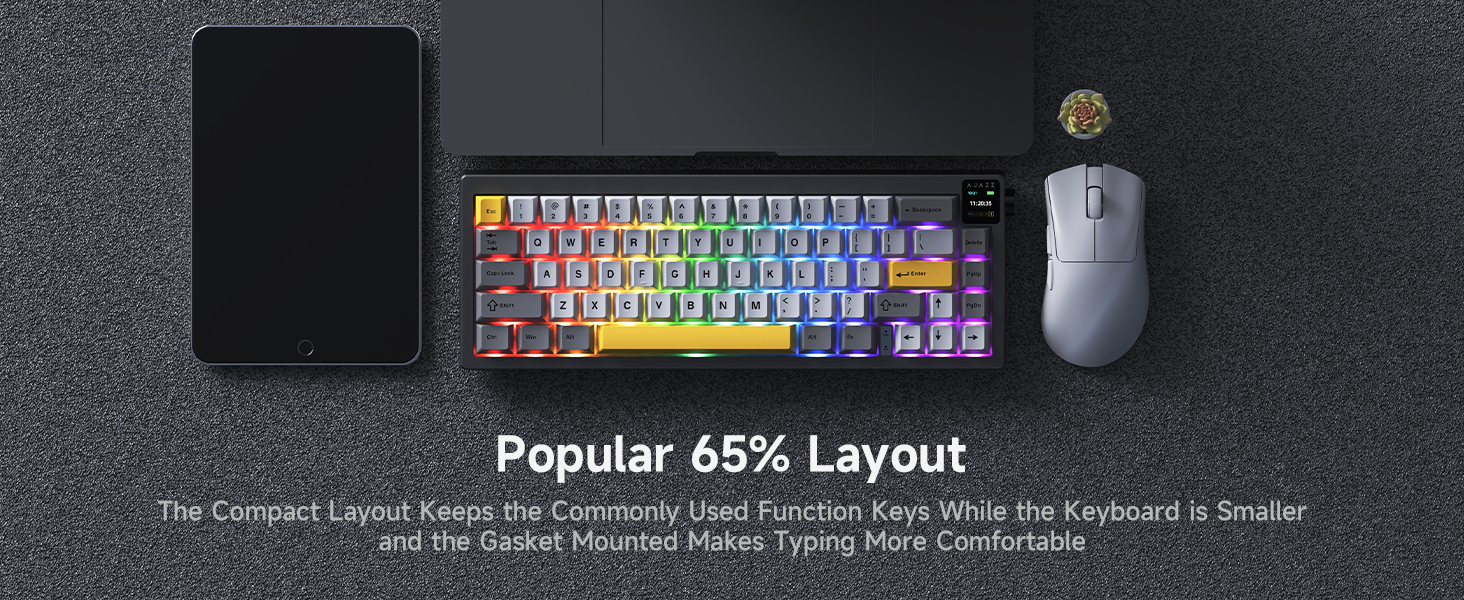
The AJAZZ AK650 is a 65% layout hot-swappable mechanical keyboard designed for gaming and daily use. It features a gasket mount structure with five layers of sound-absorbing material for an optimized typing experience. Equipped with a 0.85-inch TFT color display and a multi-function knob, it offers versatile control and real-time status updates. The keyboard supports tri-mode connectivity, including wired (Type-C), 2.4GHz wireless, and Bluetooth 5.1, ensuring compatibility with various operating systems like Windows and Mac.
Setup
Unboxing and Initial Inspection
Upon unboxing, ensure all components are present:
- AJAZZ AK650 Mechanical Keyboard
- USB-C to USB-A Cable
- 2.4GHz Wireless Dongle (stored in the keyboard)
- Keycap Puller
- Switch Puller
- User Manual
Adjustable Feet
The keyboard features adjustable feet on the underside, allowing you to set the typing angle for optimal comfort. Gently flip out the feet to raise the keyboard to your preferred height.
Connectivity Modes
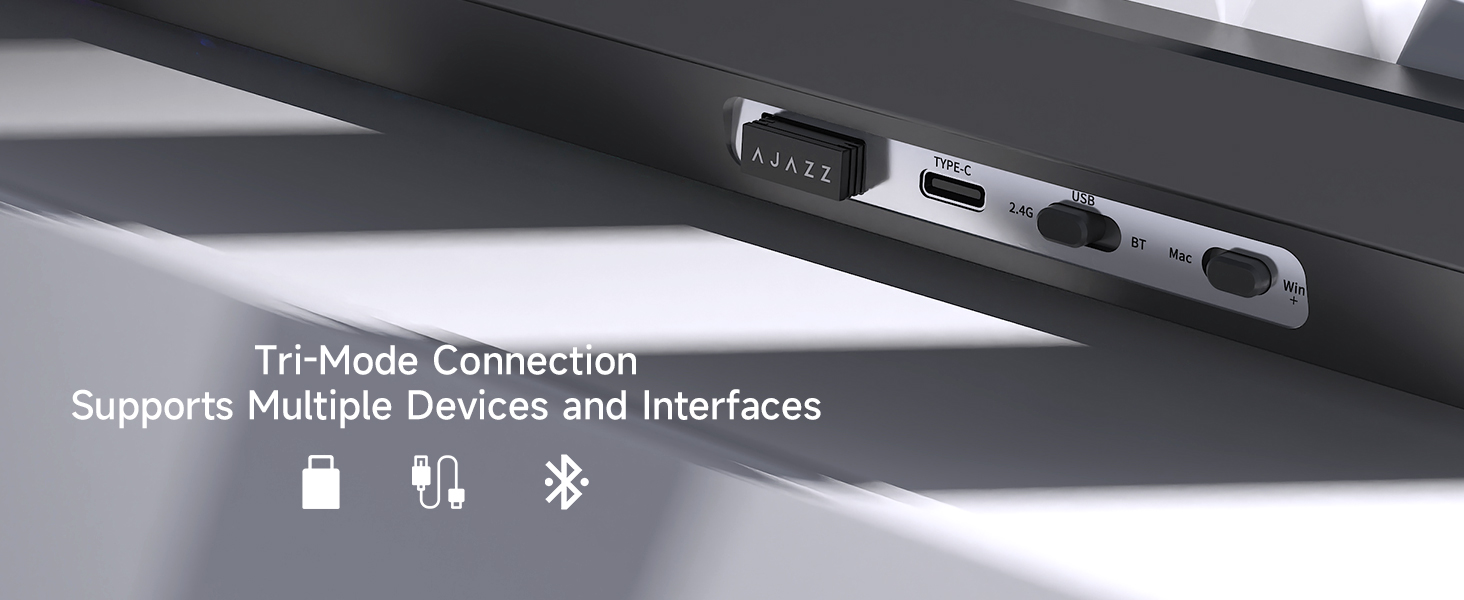
The AJAZZ AK650 supports three connection modes: wired (USB-C), 2.4GHz wireless, and Bluetooth 5.1. A switch on the side of the keyboard allows you to select your desired mode.

Wired Connection
- Connect the provided USB-C cable to the keyboard's USB-C port.
- Connect the other end of the cable to your computer's USB-A port.
- Slide the mode switch on the side of the keyboard to the 'USB' position.
- The keyboard will be recognized automatically by your system.
2.4GHz Wireless Connection
- Locate the 2.4GHz wireless dongle, typically stored in a dedicated slot on the keyboard's side.
- Plug the dongle into an available USB port on your computer.
- Slide the mode switch on the side of the keyboard to the '2.4G' position.
- The keyboard should connect automatically.
Bluetooth 5.1 Connection
- Slide the mode switch on the side of the keyboard to the 'BT' position.
- On your device (computer, tablet, etc.), enable Bluetooth and search for new devices.
- Select 'AJAZZ AK650' from the list of available devices to pair.
- Follow any on-screen prompts to complete the pairing process.
TFT Display and Control Knob
The keyboard features a 0.85-inch TFT color display and a multi-function metal knob for quick adjustments and real-time information.
Display Information
The TFT display provides a quick view of:
- Connection mode (Wired, 2.4G, BT)
- Time and Date
- Battery level
- Lighting effects
- Custom GIF images (via driver software)
- Active special keys (e.g., Caps Lock)
Knob Functions
The knob allows for quick adjustment of various functions:
- Volume control (rotate)
- Mute/Unmute (press)
- Backlight brightness/speed (rotate while holding Fn key)
- RGB mode/color (rotate while holding Fn key)
- Language settings


Hot-Swappable Switches
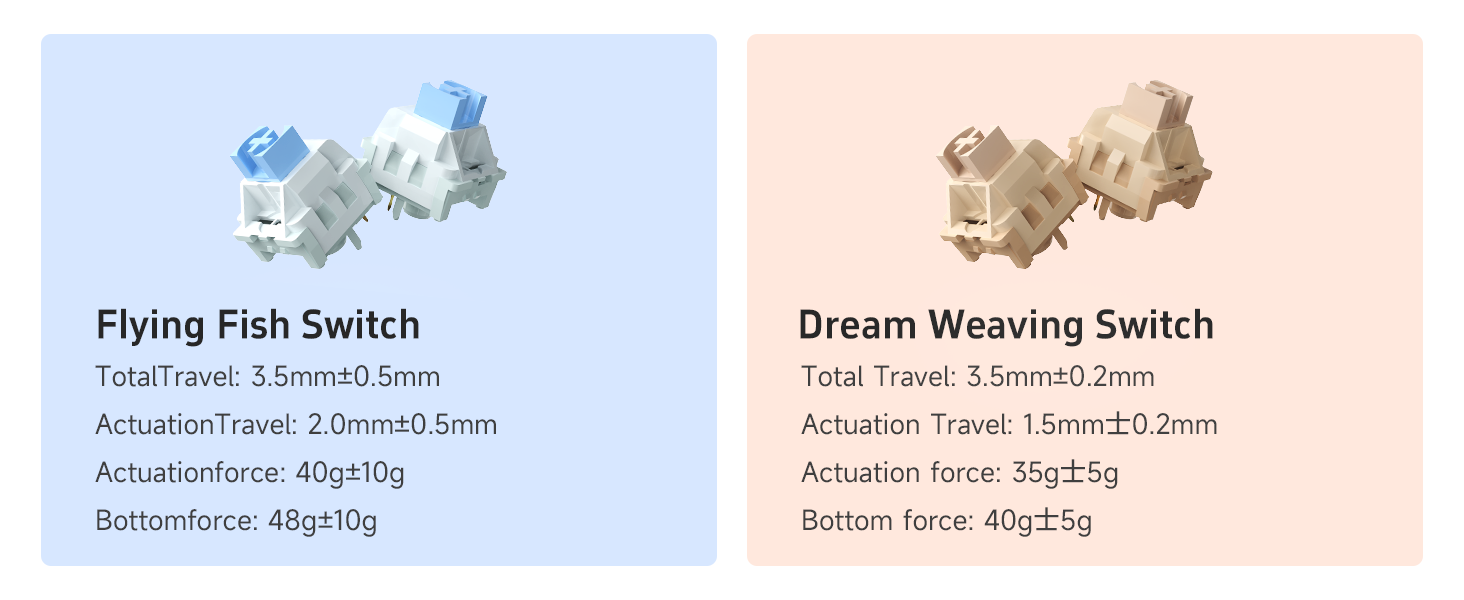
The AJAZZ AK650 features a hot-swappable PCB, allowing users to easily change mechanical switches without soldering. It is compatible with most 3-pin and 5-pin switches on the market, offering a high degree of customization.
Changing Switches
- Using the included keycap puller, gently remove the desired keycap.
- Insert the switch puller around the switch, ensuring it grips both sides.
- Gently pull the switch upwards to remove it from the PCB.
- Align the pins of the new switch with the holes on the PCB.
- Press the new switch firmly until it clicks into place.
- Reattach the keycap.

Gasket Mount Design
The AK650 incorporates a gasket mount design with five layers of sound-absorbing material, including Poron cotton. This construction effectively reduces noise and vibration, optimizing switch sound and providing a more comfortable and satisfying typing experience.

RGB Backlighting
The keyboard features full-color RGB backlighting with various customizable effects. The lighting can be adjusted for brightness, speed, and mode using the control knob in conjunction with the Fn key, or through dedicated software.

Maintenance
Cleaning
To maintain optimal performance and appearance:
- Use a soft brush or compressed air to remove dust and debris from between keycaps.
- For deeper cleaning, remove keycaps using the provided keycap puller and wipe them with a damp cloth. Ensure keycaps are completely dry before reattaching.
- Avoid using harsh chemicals or abrasive materials.
Storage
When not in use, store the keyboard in a dry, dust-free environment. The included clear plastic dust cover can help protect the keyboard from dust accumulation.
Troubleshooting
Connectivity Issues
- No Connection (Wired): Ensure the USB-C cable is securely connected to both the keyboard and the computer, and the mode switch is set to 'USB'.
- No Connection (2.4GHz Wireless): Verify the 2.4GHz dongle is properly inserted into a USB port and the mode switch is set to '2.4G'. Try a different USB port.
- No Connection (Bluetooth): Ensure the keyboard is in 'BT' mode and discoverable. On your device, remove any previous pairings and attempt to re-pair. Check your device's Bluetooth settings.
Key Not Registering
- If a specific key is not registering, carefully remove the keycap and then the switch using the provided tools. Inspect the switch pins for any bends or damage. Straighten bent pins gently or replace the switch if damaged.
Software/Driver Issues
- For full customization of lighting, macros, and TFT display features (like custom GIFs), dedicated driver software may be required. Refer to the manufacturer's official website for the latest software downloads and compatibility information.
Specifications
| Product Dimensions | 13 x 4 x 1.9 inches (13"L x 4"W x 1.9"H) |
| Item Weight | 1.76 pounds |
| Manufacturer | AJAZZ |
| Item Model Number | AK650 |
| Batteries | 1 A batteries required (included) |
| Compatible Devices | Gaming Console, Laptop, PC, Tablet |
| Connectivity Technology | Bluetooth, USB-C, 2.4GHz Wireless |
| Keyboard Description | Mechanical |
| Special Feature | Backlit, Ergonomic, Hot-Swappable, TFT Display, Knob Control |
| Keyboard Backlighting Color Support | RGB |
Warranty and Support
For warranty information, technical support, or to download the latest drivers and software, please visit the official AJAZZ website or contact their customer service. Keep your purchase receipt for warranty claims.


