
ANRAN G1
ANRAN Security Camera Solar Panel User Manual
Model: G1
1. Product Overview
The ANRAN Solar Panel is designed to provide continuous power to compatible ANRAN battery-powered security cameras, ensuring uninterrupted operation without the need for frequent manual recharging. This high-efficiency solar panel utilizes monocrystalline silicon technology for superior sunlight absorption and is built to withstand various outdoor weather conditions.

Image: ANRAN Solar Panel with its integrated USB cable and mounting bracket.
2. Package Contents
Please verify that all items are present and in good condition upon opening the package:
- 1 x 3W ANRAN Solar Panel
- 1 x 360° Adjustable Wall-Mounting Bracket
- 1 x Screw Bag (for mounting)
- 1 x USB Type-C Port (integrated with cable)
- 1 x User Manual (this document)
3. Specifications
| Feature | Detail |
|---|---|
| Model Number | G1 |
| Maximum Power | 3 Watts |
| Material | Monocrystalline Silicon |
| Cable Length | 10ft (3M) USB cable |
| Compatibility | ANRAN battery cameras with Micro USB or USB-C ports (not compatible with plug-in cameras without batteries) |
| Waterproof Rating | IP65 |
| Operating Temperature | -40℉ to +185℉ (-40℃ to +85℃) |
| Dimensions (L x W x H) | 5.16 x 1.69 x 7.52 inches |
| Item Weight | 12 ounces |


Image: Examples of ANRAN cameras compatible with the solar panel.
4. Setup and Installation
Follow these steps to properly install your ANRAN Solar Panel:
-
Choose a Location: Select a location that receives direct sunlight for most of the day. Avoid areas with significant shade from trees, buildings, or other obstructions. The panel's efficiency is directly related to the amount of sunlight it receives.

Image: Illustration of selecting an optimal, sun-exposed location for the solar panel.
-
Mount the Bracket: Use the included screw bag to securely mount the 360° adjustable wall-mounting bracket to your chosen surface. Ensure the bracket is firmly attached to prevent movement.
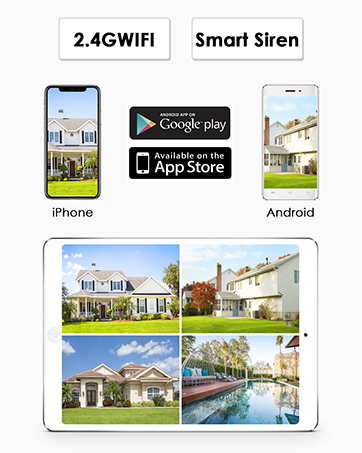
Image: Close-up of the mounting bracket being attached to a wall.
- Attach the Solar Panel: Slide the solar panel onto the mounted bracket. The bracket allows for flexible adjustment to maximize sunlight exposure.
-
Connect to Camera: Connect the 10ft (3M) USB cable from the solar panel to the charging port of your compatible ANRAN battery camera. The cable includes both Micro USB and USB-C connectors for versatility.

Image: The solar panel connected to an ANRAN security camera, illustrating the cable connection.
- Adjust Angle: Adjust the angle of the solar panel to face the sun directly. This will ensure optimal charging performance.
5. Operating Instructions
Once installed, the ANRAN Solar Panel operates automatically. It converts sunlight into electrical energy to continuously charge your connected ANRAN battery camera.
- Automatic Charging: The solar panel will begin charging the camera's battery whenever sufficient sunlight is available.
- Battery Level Monitoring: Monitor your camera's battery level through the ANRAN mobile application. The solar panel helps maintain the battery at an optimal charge, reducing the need for manual intervention.
- Optimal Performance: For best results, ensure the solar panel remains clean and unobstructed from direct sunlight.


Image: Screenshots of the ANRAN mobile application interface for monitoring cameras.
6. Maintenance
Regular maintenance will ensure the longevity and efficiency of your solar panel:
- Cleaning: Periodically wipe the surface of the solar panel with a soft, damp cloth to remove dust, dirt, leaves, or other debris that may accumulate and reduce efficiency. Do not use harsh chemicals or abrasive materials.
- Obstruction Check: Regularly check for any new obstructions (e.g., growing tree branches, new constructions) that might cast shadows on the panel. Trim or relocate as necessary.
- Cable Inspection: Inspect the charging cable and connectors for any signs of wear, damage, or corrosion. Ensure the connection to the camera remains secure.
- Mounting Security: Verify that the mounting bracket and the panel itself are still securely fastened and have not loosened due to wind or other environmental factors.
7. Troubleshooting
If you encounter issues with your ANRAN Solar Panel, refer to the following common problems and solutions:
| Problem | Possible Cause | Solution |
|---|---|---|
| Camera not charging | Insufficient sunlight | Relocate the solar panel to an area with more direct sunlight. Adjust the panel's angle. |
| Camera not charging | Panel surface is dirty or obstructed | Clean the solar panel surface. Remove any debris or obstructions. |
| Camera not charging | Loose or damaged cable connection | Ensure the cable is securely connected to both the panel and the camera. Inspect the cable for damage. |
| Camera not charging | Incompatible camera model | Verify that your camera is an ANRAN battery-powered model compatible with Micro USB or USB-C charging. |
| Panel appears damaged | Physical impact or extreme weather | Contact ANRAN customer support for assistance. Do not attempt to repair damaged components yourself. |
8. Warranty and Support
ANRAN products are designed for reliability and performance. For any questions, technical support, or warranty claims, please contact ANRAN customer service.
- Warranty Information: Refer to the product packaging or the official ANRAN website for detailed warranty terms and conditions.
- Customer Support: ANRAN provides multi-channel service including email, phone, and live chat.
- Online Resources: Visit the official ANRAN website for FAQs, updated manuals, and additional support resources.


Image: Visual representation of ANRAN's customer support channels.
Related documentsG1


Ask a question about this manual
Ask about setup, troubleshooting, compatibility, parts, safety, or missing instructions. Manuals+ will review the question and use this page’s manual context to help answer it.