
1. Introduction and Overview
The eSynic Digital Angle Finder with Laser is a high-precision inclinometer designed for accurate angle measurement in various applications. It features a durable aluminum frame, a large backlit LCD, dual lasers for improved straightness, and a 4-way magnetic base for hands-free operation. This tool is IP54 rated for dust and water resistance, making it suitable for diverse job sites. Its rechargeable battery provides long working hours and convenient Type-C charging.
Key features include:
- ±0.1° Ultra Precision with 0.05° Resolution for micro-slopes.
- Class 2 Dual Lasers for clear horizontal lines.
- Anti-Glare Large Backlit LCD for clear readings in any light.
- Aircraft-Grade Aluminum construction for durability and IP54 rating.
- 4-Way Neodymium Magnets for secure attachment to metal surfaces.
- Type-C Fast Charge with 7-hour runtime and auto-sleep mode.
- Smart Hold Function and Unit Conversion (degrees/percentage).
2. Package Contents
Please check the package for the following items:
- 1 x eSynic Digital Inclinometer
- 1 x Type-C USB Cable
- 1 x Carry Bag
- 1 x User Manual (this document)

Image: The eSynic Digital Angle Finder, Type-C USB cable, and carry bag.
3. Product Features
3.1. High Precision Measurement
The eSynic Digital Angle Finder provides professional-grade accuracy of ±0.1° at 0°/90° and ±0.2° otherwise, with a resolution of 0.05°. This allows for the detection of even micro-slopes, making it significantly more precise than traditional analog levels.
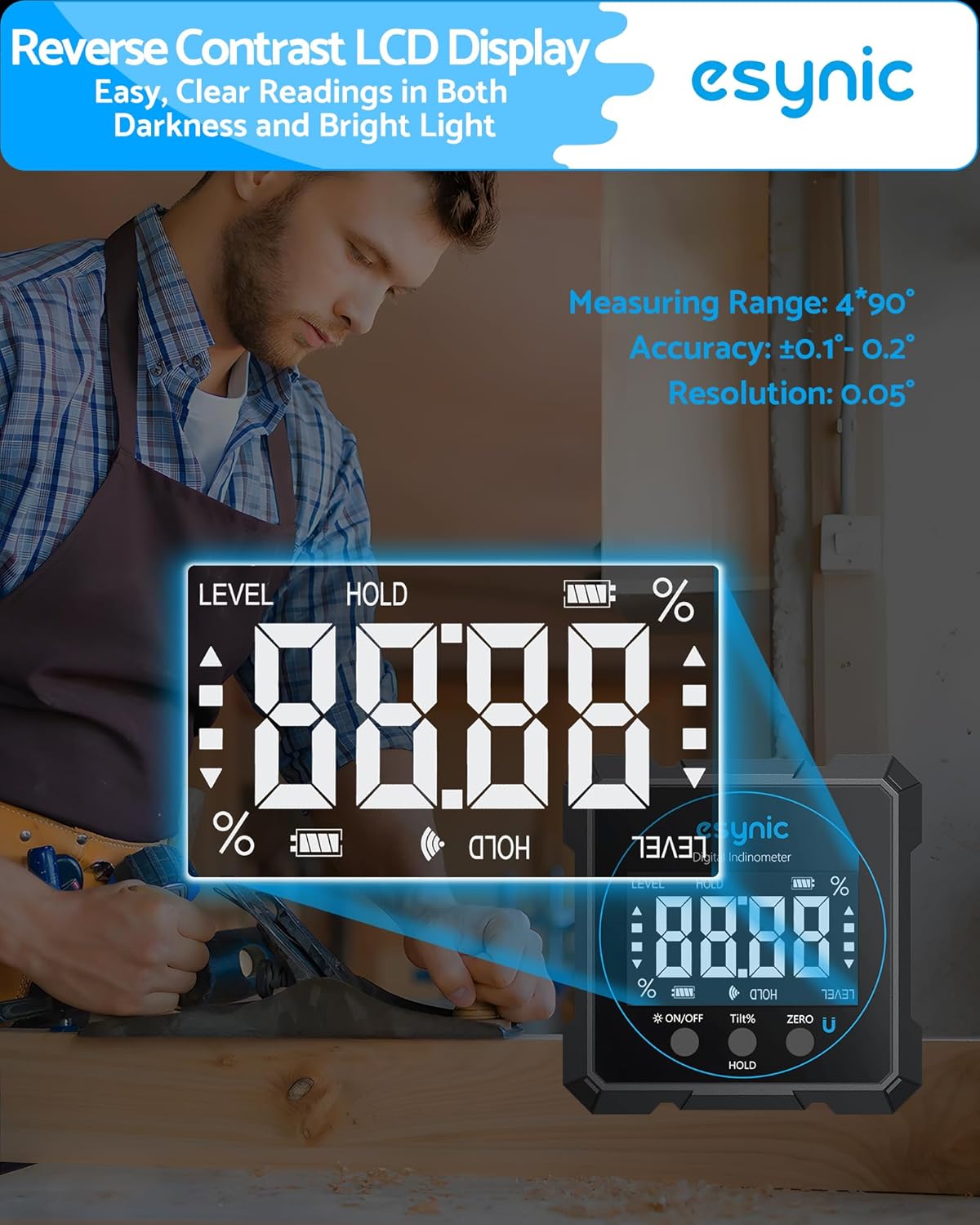
Image: The digital display showing precise angle measurements.
3.2. Dual Lasers and Clear Display
Equipped with Class 2 lasers, this inclinometer projects clear horizontal lines, enhancing straightness accuracy for various tasks. The large, backlit LCD ensures clear readings even in low-light conditions or direct sunlight, eliminating the need to squint at bubble vials.

Image: The device projecting a laser line for alignment.
Video: Demonstration of the eSynic Digital Angle Finder's laser and angle measurement capabilities.
3.3. Durable Construction and Magnetic Base
Constructed from aircraft-grade aluminum, the angle finder is designed to withstand drops and harsh environments. It features four powerful neodymium magnets on all sides, allowing it to securely attach to steel beams, pipes, and other metal surfaces for convenient, hands-free use. The IP54 rating ensures protection against dust and water splashes.
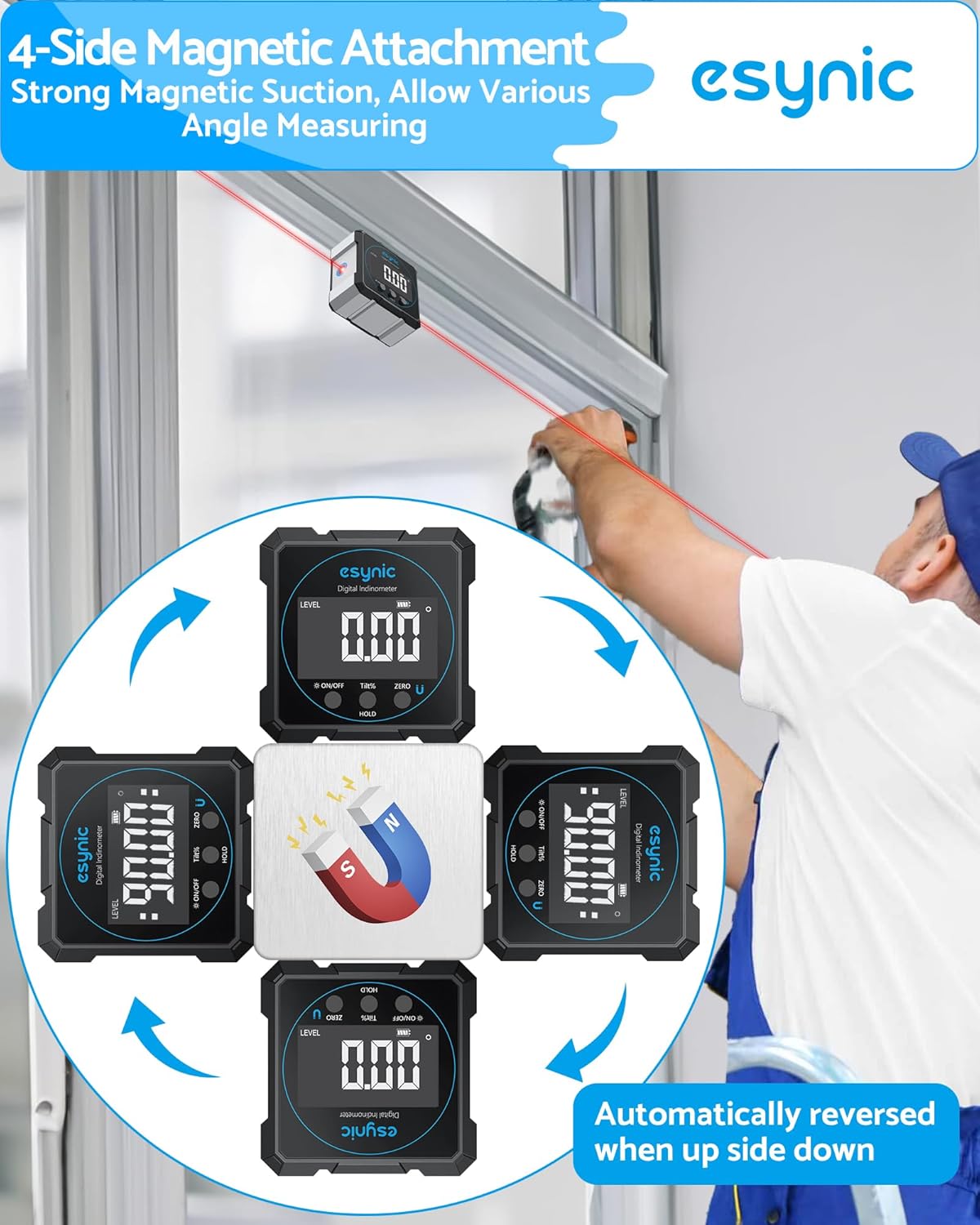
Image: Illustration of the 4-side magnetic attachment and auto-reversing display.
3.4. Rechargeable Battery and Smart Functions
The device is powered by a built-in 340mAh rechargeable battery, offering up to 7 hours of continuous operation. It charges quickly in 2.5 hours via a universal Type-C port, compatible with power banks. An auto-sleep mode conserves battery life, preventing unexpected power loss during tasks. The Smart Hold function allows you to freeze measurements with a single tap, and you can easily switch between degrees (°) and percentage (%) units.
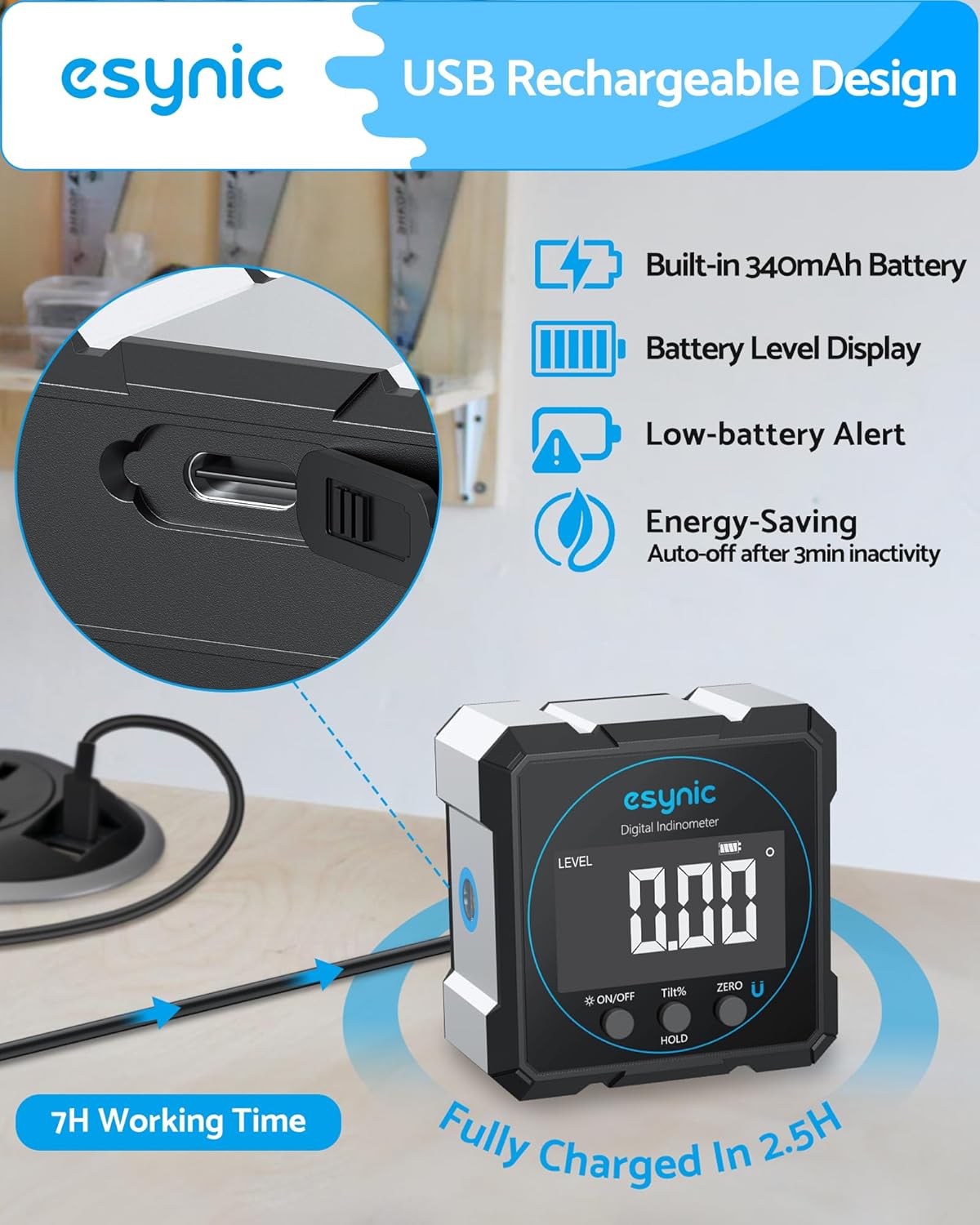
Image: Details on USB-C rechargeable design and working time.
4. Setup
4.1. Initial Charge
Before first use, fully charge the device using the provided Type-C USB cable. Connect the cable to the device's Type-C port and the other end to a standard USB power adapter (not included) or a computer USB port. The battery indicator on the display will show charging status.
4.2. Power On/Off
Press the ON/OFF button to turn the device on or off. The display will light up upon activation.
4.3. Calibration (Zeroing)
The device is factory calibrated. However, if recalibration is needed (e.g., after a drop or for specific applications), place the angle finder on a known absolutely level surface. Press the ZERO button to set the current position as 0.00°. Ensure the surface is truly level for accurate recalibration.
5. Operating Instructions
5.1. Measuring Angles
Place the base of the angle finder firmly against the surface you wish to measure. The digital display will instantly show the angle relative to the horizontal plane (or relative to your set zero point). The display automatically rotates for easy reading when the device is inverted.

Image: Illustration of absolute and relative angle measurement modes.
5.2. Unit Conversion (Degrees/Percentage)
Press the TILT% button to switch between angle measurement in degrees (°) and percentage (%).
5.3. Data Hold Function
Press the HOLD button to freeze the current measurement on the display. Press it again to release the hold and resume live measurement.
5.4. Laser Operation
Press the LASER button (often integrated with ON/OFF or a separate button, refer to device markings) to activate the laser lines. The device can project a laser line from one or both sides to assist in visual alignment. Ensure the laser is used responsibly and not directed at eyes.

Image: Examples of the angle finder's wide application, including laser use for alignment.
6. Maintenance
- Cleaning: Wipe the device with a soft, dry cloth. Do not use abrasive cleaners or solvents.
- Storage: Store the angle finder in its provided carry bag when not in use to protect it from dust and physical damage. Keep it in a cool, dry place.
- Battery Care: Recharge the battery regularly, even if the device is not frequently used, to maintain battery health. Avoid fully discharging the battery for extended periods.
- Avoid Extreme Conditions: While IP54 rated, avoid prolonged exposure to heavy rain or submersion in water. Do not expose to extreme temperatures.
7. Troubleshooting
| Problem | Possible Cause | Solution |
|---|---|---|
| Device does not turn on. | Low battery; device malfunction. | Charge the device fully. If problem persists, contact customer support. |
| Inaccurate readings. | Needs recalibration; unstable surface. | Perform zero calibration on a truly level surface. Ensure the surface being measured is stable. |
| Laser not visible or weak. | Low battery; bright ambient light. | Charge the device. Use in lower light conditions for better visibility. |
| "Err" displayed on screen. | Angle exceeds measurement range (e.g., >30 degrees during calibration). | Ensure the angle gauge tilt angle is placed within 30° during calibration or when measuring. |
8. Specifications
- Model: 5342S
- Brand: eSynic
- Accuracy: ±0.1° (at 0°/90°), ±0.2° (otherwise)
- Resolution: 0.05°
- Measuring Range: 4 x 90°
- Laser Class: Class II, Output <5mW
- Material: Aluminum
- IP Rating: IP54 (Dustproof & Waterproof)
- Power Source: Type-C Rechargeable
- Battery: Built-in 340mAh Lithium Battery
- Working Time: Approx. 7 hours
- Charging Time: Approx. 2.5 hours
- Dimensions: Approx. 2.36 x 2.36 x 1.18 inches (60mm x 60mm x 30mm)
- Weight: 5.6 ounces (160 grams)
9. Warranty and Support
eSynic products typically come with a standard manufacturer's warranty. For specific warranty details, technical support, or service inquiries, please refer to the warranty card included with your product or visit the official eSynic website. You may also contact the seller directly through the platform where you purchased the product.
eSynic Official Store: Visit eSynic Store on Amazon