
Introduction
This manual provides detailed instructions for the safe and effective use of your eSynic Portable Digital Angle Finder with Laser. This precision tool is designed for accurate angle measurement and leveling tasks in various applications, including construction, woodworking, and home decoration. Please read this manual thoroughly before operation and retain it for future reference.
Safety Information
General Safety
- Always operate the device in accordance with the instructions provided.
- Keep the device away from children and unauthorized personnel.
- Do not attempt to disassemble or modify the device. Repairs should only be performed by qualified technicians.
- Ensure the device is stored in a dry, safe place when not in use.
Laser Safety
This device emits a Class II laser. Observe the following precautions:
- Do not stare directly into the laser beam.
- Avoid direct eye exposure to the laser beam.
- Do not point the laser beam at people or animals.
- Use caution when operating the laser in areas with reflective surfaces.
Package Contents
Verify that all items are present in your package:
- 1x Digital Inclinometer with Laser
- 1x Type-C USB Cable
- 1x Storage Bag
- 1x User Manual
- 4x Red Adhesive Protector Pads

Image: The product package showing the digital angle finder, a Type-C USB cable, a black storage bag, and the user manual. Four red adhesive protector pads are also visible.
Setup
Charging the Device
The eSynic Digital Angle Finder is equipped with a built-in 400mAh Lithium battery and a Type-C charging interface.
- Connect the provided Type-C USB cable to the charging port on the device.
- Connect the other end of the USB cable to a compatible USB power source (e.g., computer, wall adapter).
- The battery indicator on the display will show charging status. A full charge typically takes 30 minutes to an hour.

Image: The digital angle finder being charged via its Type-C USB port, with the display showing battery and measurement units.
Power On/Off
Press the power button to turn the device on or off.
Operating Instructions
Dual-Axis Precision Measurement
This device features dual MEMS sensors for X and Y-axis measurements, providing high accuracy and resolution.
- Accuracy: ±0.2°
- Resolution: 0.1°
- X-Axis Measurement Range: 40° to 90°
- Y-Axis Measurement Range: 0° to 40°

Image: A diagram showing the digital angle finder measuring angles along both X and Y axes, with measurement ranges and resolution indicated.
Integrated Class II Laser Alignment
The device includes a Class II red laser for precise alignment and leveling.
- Laser Type: 650nm Red Laser
- Laser Line Precision: 1mm at 10m
- Self-leveling: ±4° auto-correction for minor tilts.
The laser can project a straight line or a cross-line. A threaded port is reserved for attaching to a tripod (tripod not included).

Image: The digital angle finder demonstrating its ability to project both a straight laser line and a cross laser line for various alignment tasks.
Dual LCD Screen Display
The device features two LCD color screens for intuitive display of real-time data, visible from multiple angles and in various lighting conditions.
- Mid Screen: Displays primary measurement data.
- Large Screen: Provides a larger view of measurement data.
- Auto Reversible Display: Numbers automatically flip for easy reading when the device is used upside down.

Image: A close-up view of the digital angle finder's dual LCD screens, showing angle readings and battery status.
Measurement Units and ZERO Function
The device supports three switchable measurement units:
- Degrees (°)
- Percentage (%)
- Millimeters per meter (mm/m)
Use the ZERO function to set a relative zero point for differential measurements.
Magnetic Base
The powerful magnetic base allows the device to be securely attached to metallic surfaces for hands-free operation and various angle measurements.
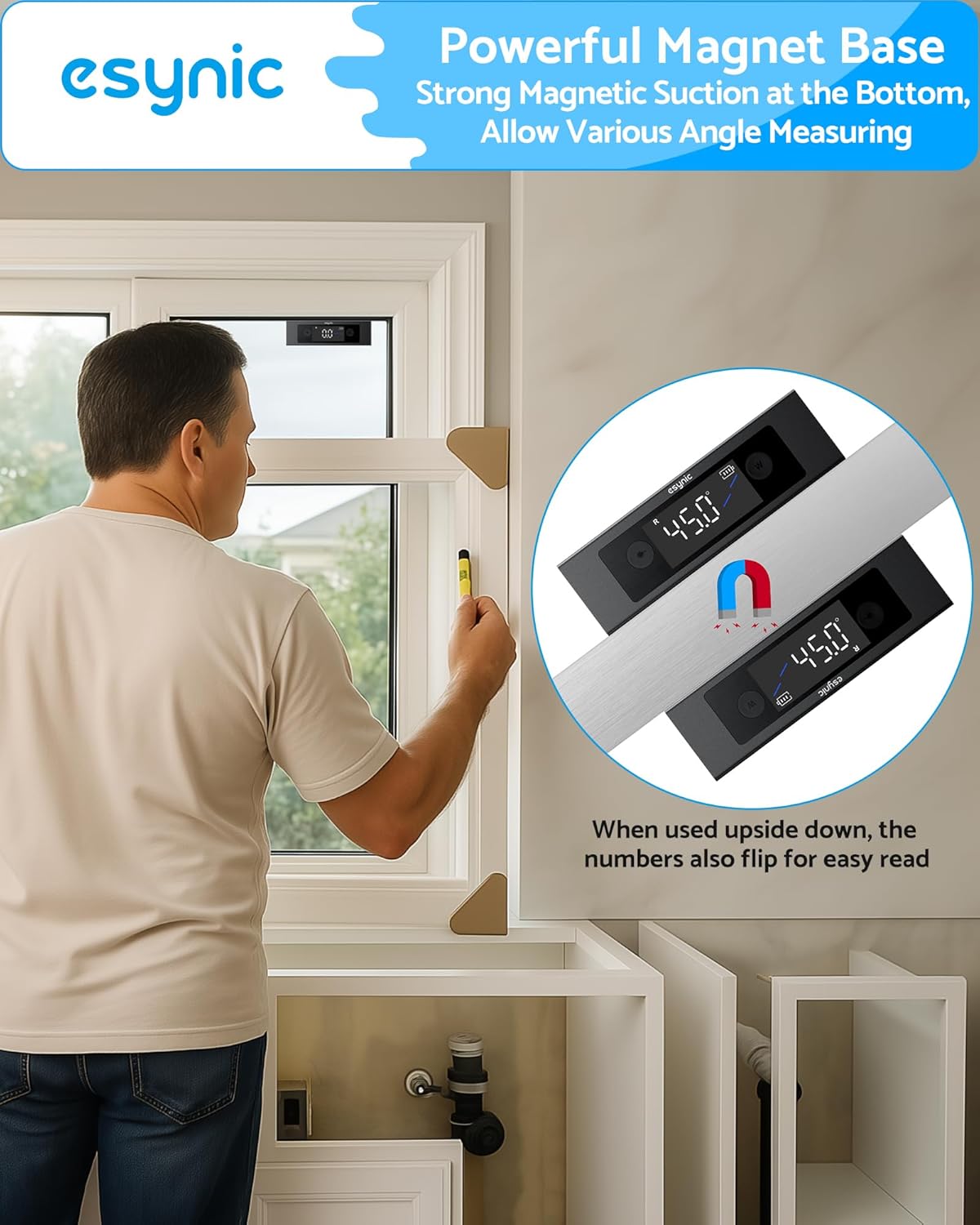
Image: The digital angle finder magnetically attached to a metal window frame, demonstrating its strong magnetic base for hands-free use.
Automatic Shut-off
The device will automatically turn off after 3 minutes of inactivity to conserve battery life.
Maintenance
Cleaning
To clean the device, use a soft, dry cloth. Do not use abrasive cleaners or solvents.
Water and Dust Resistance
The eSynic Digital Angle Finder is IP54 rated, meaning it is protected against dust ingress and splashing water from any direction. While it can withstand splashes, it is not designed for immersion in water. Ensure the Type-C charging port cover is securely closed to maintain water resistance.

Image: The digital angle finder shown with water splashing on it, highlighting its IP54 waterproof feature.
Troubleshooting
Device Does Not Turn On
- Ensure the battery is sufficiently charged. Connect the device to a power source using the Type-C USB cable and allow it to charge.
- Verify that the power button is pressed firmly.
Inaccurate Readings
- Ensure the measurement surface is clean and free of debris.
- Use the ZERO function to calibrate the device on a known level surface if relative measurements are desired.
- Avoid strong magnetic fields that could interfere with the internal sensors.
Laser Beam is Dim or Invisible
- The visibility of the laser beam can be affected by ambient light conditions. In bright environments, the laser may appear dim.
- Ensure the laser emitter is clean and unobstructed.
- Check battery level; low battery can affect laser intensity.
Specifications
| Feature | Specification |
|---|---|
| Model Number | ESYESY297 |
| Dimensions | 11.8 x 2 x 3.5 cm |
| Weight | 160 g |
| Material | Aluminium Alloy |
| Power Source | USB Rechargeable (Type-C) |
| Battery | 400mAh Li-ion (Built-in) |
| X-Axis Range | 40° to 90° |
| Y-Axis Range | 0° to 40° |
| Accuracy | ±0.2° |
| Resolution | 0.1° |
| Laser Type | Class II, 650nm Red Laser |
| Laser Precision | 1mm at 10m |
| IP Rating | IP54 |
Warranty and Support
For warranty information, technical support, or service inquiries, please contact eSynic customer service or refer to the official eSynic website. Keep your purchase receipt as proof of purchase.
Manufacturer: eSynic
Place of Business: 707-713 NATHAN ROAD FLAT/RM A 9/F SIlVERCORP INTERNATIONAL TOWER MONGKOK KL 999077 HK
Date First Available: February 12, 2025
Applications
The eSynic Digital Angle Finder with Laser is suitable for a wide range of tasks, including but not limited to:
- Laying tiles and flooring
- Installing pictures, shelves, doors, and windows
- Furniture carpentry
- Wallpaper hanging
- General construction and machinery alignment
- Checking slopes and levels in various projects

Image: A collage showing the digital angle finder being used in different scenarios such as tiling, wallpaper installation, mounting shelves, and working on ceilings, demonstrating its versatility.