1. Important Safety Information
Before operating this exercise bike, please read and understand all instructions in this manual. Keep this manual for future reference. Failure to follow these instructions may result in injury or damage to the product.
- Consult your physician before starting any exercise program.
- Keep children and pets away from the equipment during use.
- Place the exercise bike on a flat, stable surface. Ensure adequate space around the bike.
- Inspect the bike for loose or worn parts before each use. Do not use if any components are damaged.
- Wear appropriate exercise clothing and footwear. Avoid loose clothing that could get caught in moving parts.
- Do not exceed the maximum user weight limit (not specified, assume standard for exercise bikes, typically 250-300 lbs).
- Adjust the seat and handlebars to a comfortable and safe position before beginning your workout.
- Stop exercising immediately if you feel faint, dizzy, or experience pain.
2. Product Overview
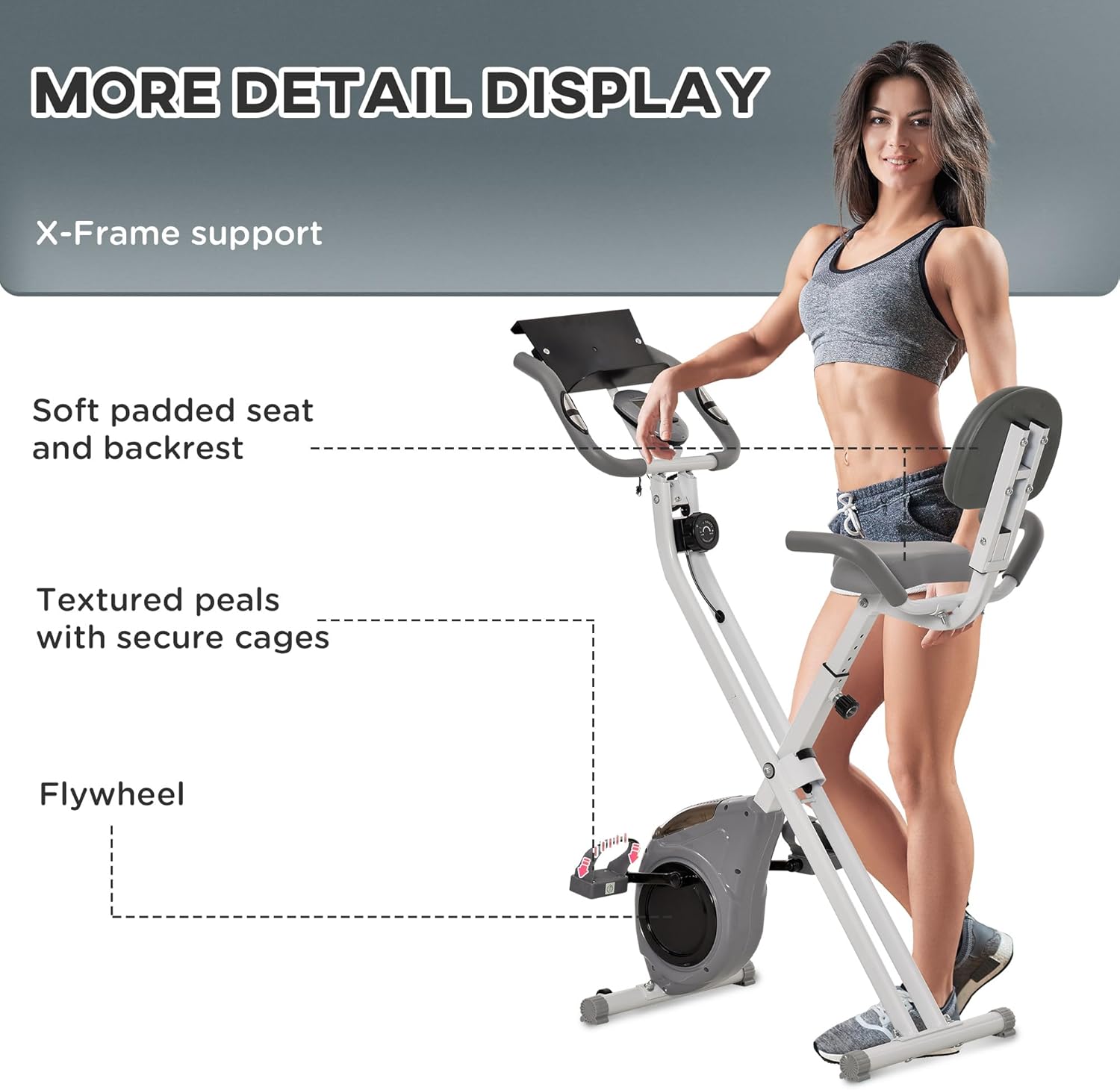
The Soozier Folding Exercise Bike A90-190 is an indoor stationary bike designed for cardio workouts. It features 8 levels of magnetic resistance, an adjustable seat, and an LCD monitor to track your progress.

3. Setup and Assembly
The Soozier Folding Exercise Bike A90-190 requires some assembly. Follow these general steps to set up your bike. Refer to the included assembly diagram for specific part identification and fastening instructions.
3.1 Unpacking
- Carefully remove all components from the packaging.
- Check the contents against the parts list (not provided in this manual, refer to packaging).
- Remove all packing materials and dispose of them responsibly.
3.2 Assembly Steps
While specific assembly steps are not detailed here, general assembly involves:
- Attaching the front and rear stabilizers to the main frame.
- Mounting the pedals to the crank arms. Ensure pedals are tightened securely (left pedal is reverse-threaded).
- Assembling the seat and backrest, then attaching them to the seat post.
- Connecting the handlebars and the LCD monitor to the main upright post.
- Connecting any sensor wires for the LCD monitor.
Note: Ensure all bolts, nuts, and screws are securely tightened before using the bike. Do not overtighten.
4. Operating Instructions
4.1 Adjusting the Seat
The seat height can be adjusted to accommodate different user heights. To adjust:
- Loosen the adjustment knob located on the seat post.
- Slide the seat post up or down to the desired height. Ensure your knees have a slight bend at the bottom of the pedal stroke.
- Tighten the adjustment knob firmly to secure the seat in place.

4.2 Adjusting Resistance
The bike features 8 levels of magnetic resistance. To adjust the resistance:
- Turn the tension control knob, typically located below the handlebars, clockwise to increase resistance (higher numbers for more intensity).
- Turn the knob counter-clockwise to decrease resistance (lower numbers for less intensity).
4.3 Using the LCD Monitor
The digital LCD monitor displays various workout metrics. It typically operates on batteries (not included, usually AA or AAA). To operate:
- The monitor will automatically turn on when you start pedaling or press a button.
- Use the 'MODE' button to cycle through different display functions:
- TIME: Displays the duration of your workout.
- SPEED: Shows your current cycling speed.
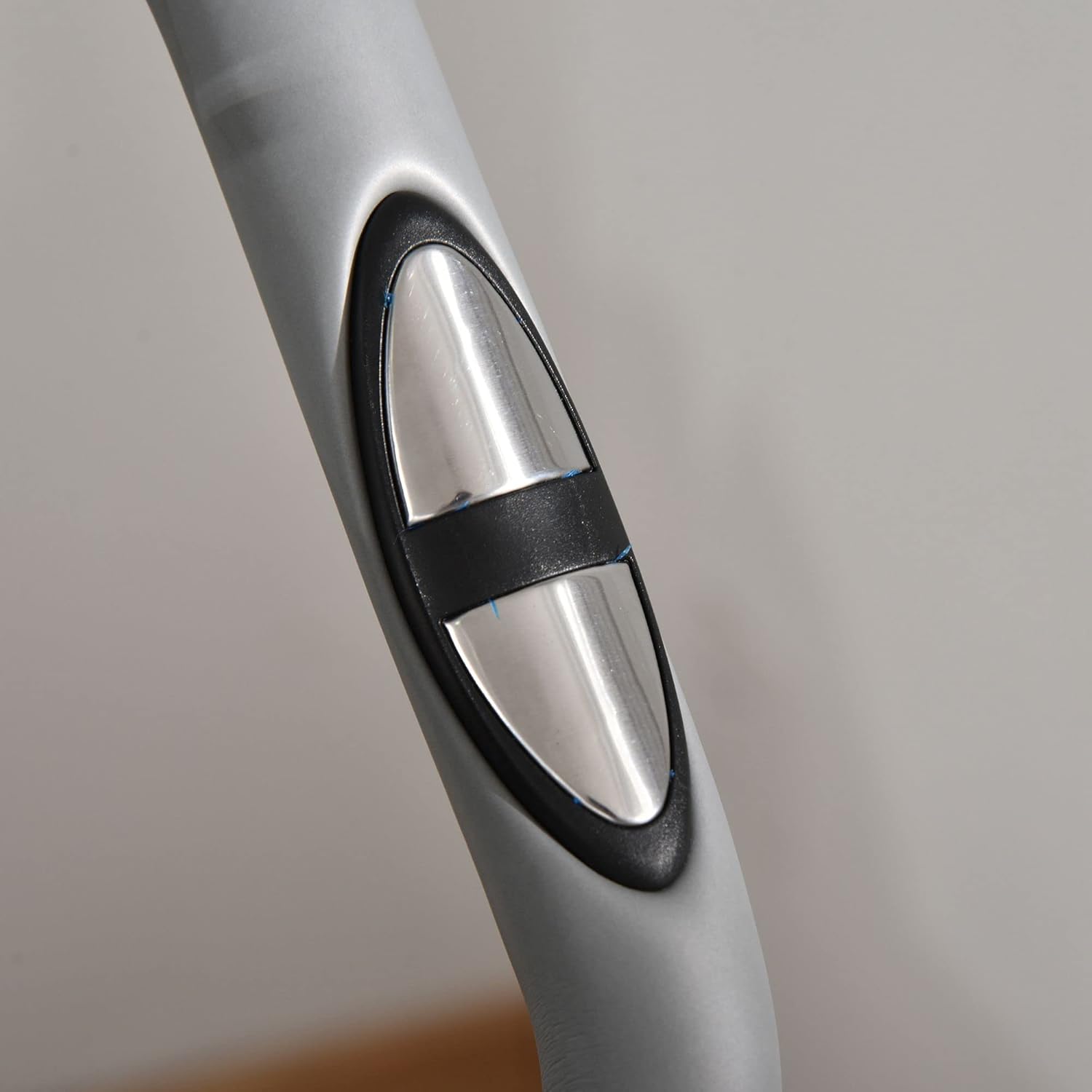
- HEART RATE: Displays your pulse when holding the heart rate sensors on the handlebars.
- CALORIES BURNT: Estimates the calories expended during your workout.
- DISTANCE: Shows the distance covered during your workout.
- The 'RESET' button typically clears all current workout data.
- The monitor will automatically shut off after a period of inactivity to save battery life.

5. Maintenance
Regular maintenance ensures the longevity and safe operation of your exercise bike.
5.1 Cleaning
- Wipe down the bike with a damp cloth after each use to remove sweat and dust.
- Avoid using abrasive cleaners or solvents, as these can damage the finish and electronic components.
5.2 Inspection
- Periodically check all nuts, bolts, and moving parts for tightness. Tighten any loose fasteners.
- Inspect pedals, straps, and seat for signs of wear or damage. Replace worn parts immediately.
- Ensure the magnetic resistance system operates smoothly across all 8 levels.
5.3 Storage
The Soozier Folding Exercise Bike is designed for easy storage.
- To fold, follow the instructions in your assembly guide to release the folding mechanism.
- Once folded, the bike can be easily moved using the integrated transport wheels.
- Store the bike in a dry, cool place away from direct sunlight and moisture.


6. Troubleshooting
This section addresses common issues you might encounter with your exercise bike.
6.1 LCD Monitor Not Displaying
- Check Batteries: Ensure batteries are correctly installed and not depleted. Replace if necessary (Batteries not included).
- Check Connections: Verify that all sensor wires connecting to the monitor are securely plugged in.
6.2 Resistance Not Changing
- Check Cable: Ensure the resistance cable from the tension knob to the flywheel mechanism is properly connected and not kinked.
- Inspect Mechanism: Visually inspect the magnetic resistance mechanism for any obstructions or damage.
6.3 Unusual Noises During Operation
- Tighten Fasteners: Check all bolts and nuts, especially around the pedals, crank arms, and frame joints, and tighten any that are loose.
- Lubrication: If a squeaking sound persists, a small amount of silicone-based lubricant may be applied to pivot points, avoiding the belt or flywheel.
6.4 Pedals Feel Loose
- Retighten Pedals: Ensure pedals are securely tightened to the crank arms. Remember the left pedal is reverse-threaded.
- Inspect Crank Arms: Check the crank arms for any signs of damage or bending.
7. Specifications
Key technical specifications for the Soozier Folding Exercise Bike A90-190:
| Feature | Specification |
|---|---|
| Model Number | A90-190 |
| Product Dimensions (Unfolded) | 106 x 50 x 127 cm (41.7" x 19.7" x 50") |
| Color | Grey |
| Drive System | Belt |
| Resistance Mechanism | Magnetic |
| Number of Resistance Levels | 8 |
| LCD Monitor Functions | Time, Speed, Heart Rate, Calories Burnt, Distance |
| Batteries Included? | No |
| UPC | 673986357439 |

8. Warranty and Support
For warranty information or technical support, please refer to the documentation provided with your purchase or contact Soozier customer service directly. Keep your purchase receipt as proof of purchase.
For further assistance, please visit the official Soozier website or contact their customer support team.