
1. Introduction
This manual provides essential instructions for the safe and efficient operation of your YKPOWER 296Wh Portable Power Station, Model YP-300W. This device is designed to provide reliable power for various electronic devices during outdoor activities, emergencies, or as a home backup solution. Please read this manual thoroughly before use and retain it for future reference.
2. Important Safety Instructions
- Do not disassemble, repair, or modify the unit. Incorrect reassembly may cause fire or injury.
- Do not expose the unit to fire or high temperatures.
- Do not use or store the unit in direct sunlight or in hot environments.
- Do not use or store the unit in a bathroom or in areas exposed to water or moisture.
- Keep the unit away from children and pets.
- Do not drop, hit, or shake the unit.
- If the unit emits an unusual smell, generates heat, or shows any other abnormality, stop using it immediately and contact customer support.
- Ensure proper ventilation when operating the power station. Do not block ventilation openings.
3. Product Overview
The YKPOWER YP-300W Portable Power Station features a 296Wh lithium-ion battery, providing 300W of stable power (600W peak). It includes multiple output ports and an integrated LED light for versatile use.

Figure 3.1: Front view of the YKPOWER Portable Power Station.
3.1. Ports and Controls

Figure 3.2: Detailed diagram of the power station's ports and controls.
- USB-A Output Power ON/OFF Button: Activates/deactivates USB-A ports.
- USB-C Input/Output (PD 60W): For charging devices or recharging the power station.
- LCD Screen Display: Shows battery level, input/output wattage, and operational status.
- USB-A Ports (4x): Two 5V/3A ports and two 5V/2.5A ports for charging various USB devices.
- Car Socket (DC 12V): For devices requiring a 12V car cigarette lighter port.
- DC Output/AC Output Power ON/OFF Button: Activates/deactivates DC and AC outputs.
- DC Input (12-24V/3A): For recharging the power station via AC adapter or solar panel.
- 9. 300W Rated AC Output (2x 110V/300W): Pure Sine Wave AC outlets for standard appliances.
- LED Light Button: Toggles the LED light modes.
- SOS Mode Button: Activates the SOS flashing mode for emergencies.
4. Initial Setup and Charging
Upon receiving your YKPOWER Portable Power Station, follow these important steps to ensure optimal battery performance and longevity:
4.1. Initial Battery Conditioning
- Drain the Battery: Regardless of the initial power level, connect a low-power household appliance (such as a small fan) to an AC port and allow the power station to completely drain until it shuts down.
- Fully Charge: After the battery is exhausted, connect the power station to an AC wall socket using the provided adapter and fully charge it until the display indicates 100%.
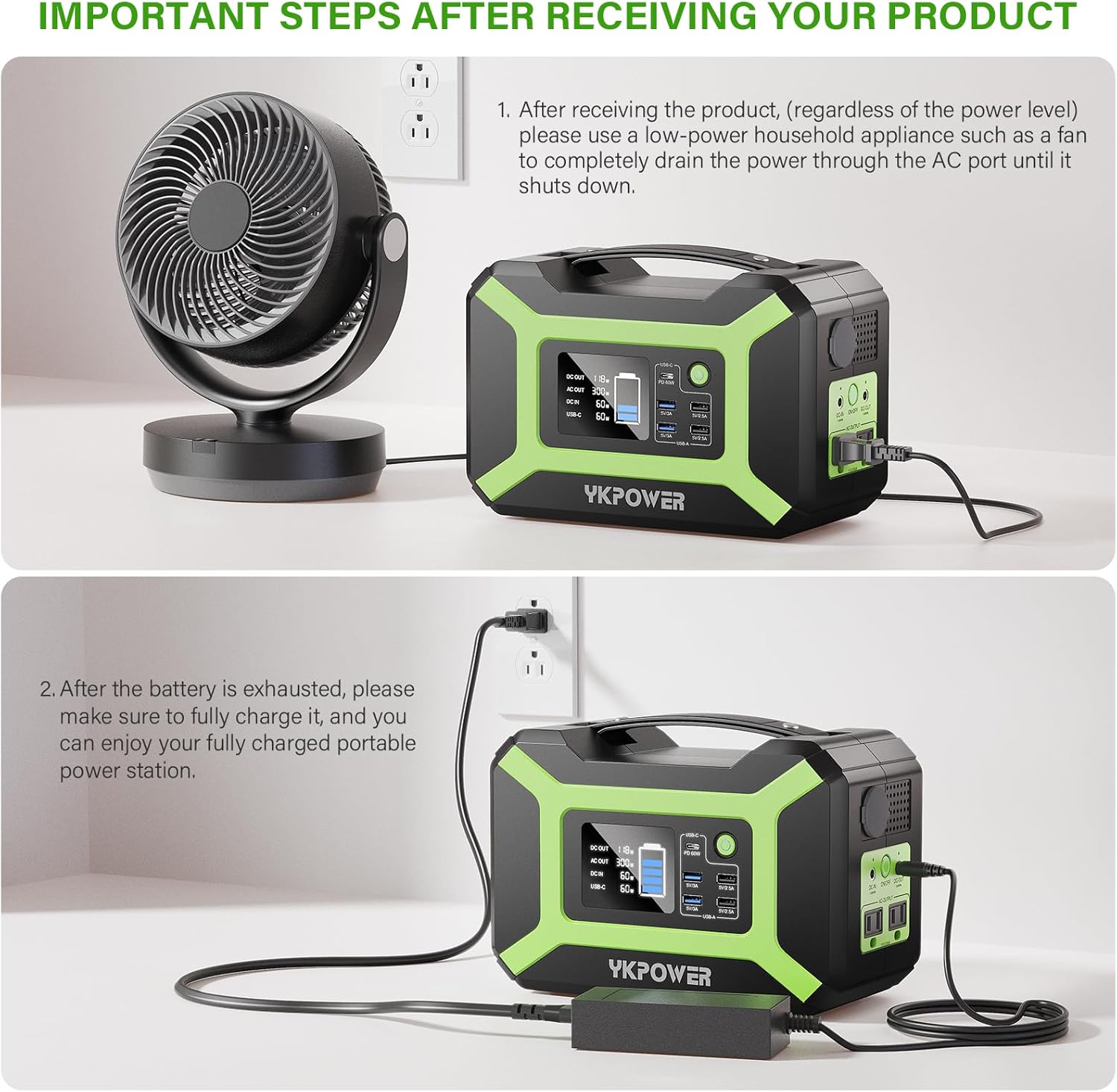
Figure 4.1: Draining the power station's battery using a low-power appliance.

Figure 4.2: Fully charging the power station after initial drain.
4.2. Charging Methods
The YKPOWER Portable Power Station offers four convenient ways to recharge:
- AC Wall Outlet: Connect the included AC adapter to the DC-IN port and a standard wall outlet. Full charge takes approximately 4-6 hours.
- Solar Panel (Not Included): Connect a 12-24V, 100W solar panel to the DC-IN port. Full charge in strong sunlight takes approximately 5-7 hours. The built-in MPPT controller optimizes solar charging efficiency.
- Car Outlet (12.6V): Use a compatible car charger cable (not included) to connect to your vehicle's 12V car socket. Full charge takes approximately 6-8 hours.
- USB-C PD (60W): Connect a USB-C PD charger to the USB-C port. Full charge takes approximately 4-6 hours.

Figure 4.3: Recharging using an AC wall adapter.

Figure 4.4: Recharging using compatible solar panels.

Figure 4.5: Recharging from a vehicle's 12V car outlet.

Figure 4.6: Recharging using a USB Type-C PD charger.
5. Operating the Power Station
5.1. Turning On/Off Outputs
- USB Outputs: Press the USB-A Output Power ON/OFF Button to activate or deactivate the USB-A ports. The USB-C port is always active for charging.
- AC/DC Outputs: Press and hold the DC Output/AC Output Power ON/OFF Button for 3 seconds to activate or deactivate the AC and DC outputs. A blue indicator light will illuminate when active.
5.2. Using the LED Light
The power station includes an integrated LED light with multiple modes:

Figure 5.1: The integrated LED light offers white and orange illumination modes.
- Steady Light: Press the LED Light Button once for a steady white light. Press again to switch to a steady orange light.
- SOS Mode: Press the SOS Mode Button to activate the emergency flashing light.
6. Capacity and Usage Examples
The YKPOWER YP-300W Portable Power Station is capable of powering a wide range of devices. The following are approximate usage times/charges based on typical device wattages:
6.1. Outdoor Power

Figure 6.1: Powering devices during outdoor activities.
- Phone (10W): Approximately 26 charges
- Camera (16W): Approximately 16 charges
- Drone (40W): Approximately 7 charges
- Laptop (42W): Approximately 7 charges
- Mini Fridge (45W): Approximately 6 hours
- Mini Cooler (60W): Approximately 4 hours
6.2. Home Backup Power

Figure 6.2: Providing backup power for essential home devices.
- PSP (8W): Approximately 16 charges
- Light (20W): Approximately 13 hours
- Laptop (42W): Approximately 7 charges
- TV (70W): Approximately 4 hours
- CPAP (30W): Approximately 9 hours
- Wi-Fi Router (10W): Approximately 16 hours
6.3. RV Power

Figure 6.3: Powering devices in an RV.
- iPad (30W): Approximately 8 charges
- Water Pump (50W): Approximately 5 hours
- Fan (50W): Approximately 5 hours
- Lamp (8W): Approximately 15 hours
- Car Audio System (30W): Approximately 8.5 hours
- Monitor (5W): Approximately 51 hours
6.4. Backyard Power

Figure 6.4: Powering tools and entertainment in your backyard.
- LED Strip: Approximately 46 hours
- Speaker: Approximately 6 hours
- Electric Guitar: Approximately 5 hours
- Electric Screwdriver: Approximately 2.5 hours
- Electric Drill: Approximately 0.6 hours
- Circular Saw: Approximately 0.5 hours
7. Maintenance
To ensure optimal battery health and extend the lifespan of your power station, fully charge the unit every 2-3 months when not in use.
8. Troubleshooting
If you encounter any issues with your YKPOWER Portable Power Station, please refer to the following general troubleshooting tips:
- Unit Not Turning On: Ensure the battery is charged. If not, connect to a power source and charge.
- Outputs Not Working: Confirm that the specific output (USB, AC, DC) has been activated using its respective ON/OFF button.
- Device Not Charging: Check if the device is compatible with the power station's output specifications (voltage, wattage). Ensure cables are securely connected.
- Overload Protection: If the unit shuts down unexpectedly, it may be due to an overload. Disconnect the device causing the overload and restart the power station.
- Overheating: Ensure the ventilation ports are clear and the unit is not in direct sunlight or a confined space. Allow it to cool down before resuming use.
For persistent issues, please contact YKPOWER customer support.
9. Specifications

Figure 9.1: The power station features pure sine wave AC outlets for stable power.

Figure 9.2: Advanced Battery Management System (BMS) provides multiple protections.
| Feature | Specification |
|---|---|
| Brand | YKPOWER |
| Model Name | YP-300W |
| Battery Capacity | 296Wh / 80000mAh |
| Wattage | 300 Watts (Running) / 600 Watts (Peak) |
| AC Output | 2 x 110V/300W Pure Sine Wave |
| USB-C Output | PD 60W (5V/9V/12V/15V/20V Max 3A) |
| USB-A Output | 2 x 5V/3A, 2 x 5V/2.5A |
| DC Output | 12.6V/9A |
| DC Input | 12-24V/3A |
| Car Socket Output | 12.6V/Max 9A |
| LED Light Modes | Steady (White/Orange), SOS |
| Dimensions | 9.84"L x 4.84"W x 6.49"H |
| Item Weight | 8.27 lbs (3.75 kg) |
| Battery Cell Type | Lithium Ion |
| Safety Features | BMS, Temperature Control, Overvoltage Protection, Overcurrent Protection, Short-circuit Protection, Overload Protection |
10. Warranty and Support
The YKPOWER Portable Power Station comes with a 1-year warranty from the date of purchase. This warranty covers manufacturing defects and ensures reliable performance under normal use conditions.
For technical support, warranty claims, or any questions regarding your product, please contact YKPOWER customer service through the retailer's platform or the official YKPOWER website. Please have your purchase receipt and product model number (YP-300W) ready when contacting support.