
1. Introduction
Welcome to the Motorola Moto G Stylus (2025) user manual. This guide will help you understand and utilize all the features of your new smartphone. The Moto G Stylus (2025) is designed to express every inspiration, allowing you to capture your thoughts, navigate your day, and turn ideas into reality with its built-in stylus. It features a striking design with advanced water and drop protection, a 6.7-inch Super HD (1220p) display for cinema-quality entertainment, a Sony - LYTIA camera, ultrafast 68W TurboPower charging, and ample storage for your creations.
2. Setup
2.1 What's in the Box
Your Motorola Moto G Stylus (2025) package includes the following items:
- moto g stylus 2025 Device
- Stylus
- USB Type-C Cable
- User Guide (this document)
- SIM Tray Ejector

Figure 2.1: Motorola Moto G Stylus (2025) device and included stylus.

Figure 2.2: Included accessories: SIM Tray Ejector, USB Type-C Cable, and Stylus.
2.2 Initial Device Overview
Familiarize yourself with the physical aspects of your new phone.

Figure 2.3: Front view of the device, showing the display and front camera.

Figure 2.4: Back view of the device, highlighting the camera module and Motorola logo.

Figure 2.5: Side view of the device, illustrating the power and volume buttons.

Figure 2.6: Bottom view of the device, showing the USB-C port, speaker, and stylus slot.
2.3 Initial Power On and Setup
To power on your device, press and hold the power button located on the right side. Follow the on-screen prompts to complete the initial setup, including connecting to Wi-Fi, setting up your Google account, and configuring security features like the in-display fingerprint scanner.
Video 2.1: An overview of the Motorola Moto G Stylus (2025) features and design.
3. Operating Instructions
3.1 Navigation and User Interface
The Moto G Stylus (2025) runs on Android 15, offering a clean and intuitive user experience. You can choose between traditional three-button navigation or gesture-based navigation in the settings. Swipe down from the top to access notifications and quick settings toggles for Wi-Fi, Bluetooth, flashlight, and more. Swipe up from the home screen to view all pre-installed applications.
3.2 Stylus Functionality
The integrated stylus is a key feature of your device. When removed from its slot, a pop-up menu appears, offering quick access to functions such as:
- Write a note
- Moto Note
- Screenshot
- Free-form crop
- Sketch to image
- Handwriting Calculator
You can customize these shortcuts to include almost any app installed on your phone. The stylus is designed for smooth and precise input, making it ideal for note-taking, drawing, and detailed photo editing.

Figure 3.1: The built-in stylus allows for effortless note-taking and creative expression.
3.3 Display and Audio
Experience vibrant visuals on the 6.7-inch pOLED Super HD display with a 120Hz refresh rate for smooth scrolling and fluid animations. The device also supports Dolby Atmos, providing rich, multidimensional sound for an immersive entertainment experience.
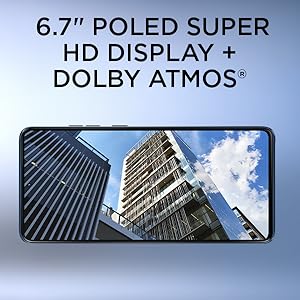
Figure 3.2: The 6.7-inch pOLED Super HD display offers stunning visuals.
4. Performance
Powered by a Snapdragon 6 Gen 3 processor, the Moto G Stylus (2025) delivers reliable performance for everyday tasks, multitasking, and light gaming. It comes with 8GB of RAM (expandable up to 16GB with RAM Boost) and 256GB of internal storage (128GB for carrier-locked versions), which can be further expanded up to 1TB via a microSD card.
5. Camera Features
Capture stunning photos and videos with the versatile camera system:
- Rear Camera: 50MP Wide Angle Lens + 13MP Ultrawide
- Front Camera: 32MP
The camera supports up to 4K video recording at 30 frames per second. Additional camera modes include Night Vision, Panorama, Ultra-Res, Photo Booth, and Time-lapse.
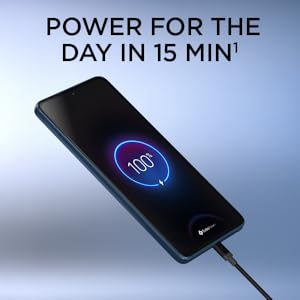
Figure 5.1: The Sony - LYTIA camera with OIS captures high-quality images.
6. Maintenance
6.1 Battery and Charging
The device is equipped with a 5000mAh battery, providing extended usage. It supports ultrafast 68W TurboPower charging (charger sold separately) and 15W wireless charging. A 15-minute charge can provide power for the day.

Figure 6.1: Fast charging capabilities ensure your device is ready when you are.
6.2 Water and Drop Protection
The Moto G Stylus (2025) features IP68 water and dust resistance, meaning it can withstand immersion in up to 1.5m of fresh water for up to 30 minutes. It also meets US Dept of Defense MIL-SPEC standards (MIL-STD-810H) for advanced drop protection. While durable, avoid exposing the device to liquids other than fresh water and do not charge a wet phone.

Figure 6.2: Advanced protection against water and drops.
7. Troubleshooting
If you encounter any issues with your device, consider the following general troubleshooting steps:
- Restart the device: A simple restart can often resolve minor software glitches.
- Check for software updates: Ensure your device is running the latest software version by checking in Settings > System updates.
- Clear app cache/data: If a specific app is causing issues, try clearing its cache or data in Settings > Apps.
- Factory Reset: As a last resort, a factory reset can resolve persistent software problems. Back up your data before performing a factory reset.
For more detailed troubleshooting or specific error messages, refer to the Motorola support website or contact customer service.
8. Specifications
| Feature | Specification |
|---|---|
| Model Name | Moto G Stylus - 2025 |
| Item Model Number | PB6V0015US |
| Brand | Motorola |
| Operating System | Android 15 |
| Screen Size | 6.7 Inches |
| Resolution | 2712x1220 |
| Refresh Rate | 120 Hz |
| RAM Memory Installed Size | 8 GB |
| Memory Storage Capacity | 256 GB (Unlocked) / 128 GB (Carrier) |
| Expandable Memory | Up to 1 TB (microSD) |
| Battery Capacity | 5000 mAh |
| Charging | 68W TurboPower (wired), 15W (wireless) |
| Rear Camera | 50MP + 13MP (Ultrawide) |
| Front Camera | 32MP |
| Water/Dust Resistance | IP68 |
| Dimensions | 0.33 x 2.94 x 6.38 inches |
| Item Weight | 11.1 ounces |
| Connectivity | 5G, Bluetooth, Wi-Fi, USB, NFC |
9. Warranty and Support
Your Motorola Moto G Stylus (2025) comes with a standard manufacturer's warranty. For specific warranty details, please refer to the documentation included with your device or visit the official Motorola support website. You may also be able to purchase extended warranty coverage through the 'Device Help' app on your phone.
For technical assistance, troubleshooting, or further inquiries, please visit the Motorola support page or contact their customer service. Regular software updates will be provided to enhance device performance and security.


