Introduction
The cartrend battery charger is designed for comprehensive and gentle maintenance of your vehicle's battery. Featuring advanced microprocessor technology, this charger provides fully automated diagnostic, rescue, charging, and maintenance functions to optimize battery performance and significantly extend its lifespan. It is suitable for a wide range of vehicles including cars, RVs, motorcycles, boats, and tractors.
Key features include:
- Optimized Charging: Efficient and fully automatic charging with diagnostic, rescue, and maintenance functions for extended battery life.
- Autonomous Operation: The automatic restart function allows the charging process to resume independently after a power outage.
- Gentle Charging: Soft-charge function protects the battery (effective charging current: 4 A) and prevents damage to sensitive on-board electronics.
- Versatile Compatibility: Suitable for lead-acid, maintenance-free, low-maintenance, GEL, EFB, and AGM batteries – no disassembly required.
Safety Instructions
Please read all safety instructions carefully before using the charger. Failure to follow these instructions may result in electric shock, fire, or serious injury.
- Always connect the charger to the battery terminals in the correct polarity (positive to positive, negative to negative).
- Ensure the charger is disconnected from the power outlet before making or breaking connections to the battery.
- Use the charger in a well-ventilated area. Do not operate in explosive atmospheres, such as in the presence of flammable liquids, gases, or dust.
- Avoid contact with battery acid. If contact occurs, rinse immediately with water.
- Do not expose the charger to rain or wet conditions.
- Keep out of reach of children.
- Do not use the charger if it has been damaged in any way.
- The clamps are designed with protective insulation. Always handle them by the insulated parts.

Image: The charger's clamps feature protective insulation for safe handling.
Package Contents
Please check the package for the following items:
- cartrend Car Charger DP 4.1 Unit
- User Manual

Image: The cartrend car charger unit, including its power plug and battery clamps.
Product Overview
The cartrend DP 4.1 charger features a compact design with an integrated LCD display for easy monitoring of charging status and modes. It includes a power cord for connection to a wall outlet and two insulated battery clamps (red for positive, black for negative) for secure connection to the vehicle battery.

Image: The charger connected to a car battery, displaying the current voltage on its screen.
Setup
Follow these steps to set up your cartrend battery charger:
- Ensure your vehicle is turned off and the ignition is in the 'off' position.
- Locate your vehicle's battery.
- Connect the red positive (+) clamp to the positive (+) terminal of the battery.
- Connect the black negative (-) clamp to the negative (-) terminal of the battery. If connecting to a vehicle, connect the negative clamp to a metal part of the vehicle chassis away from the battery and fuel line.
- Plug the charger's power cord into a standard electrical outlet. The charger will power on and begin its diagnostic process.

Image: Connecting the red positive clamp to the battery terminal.
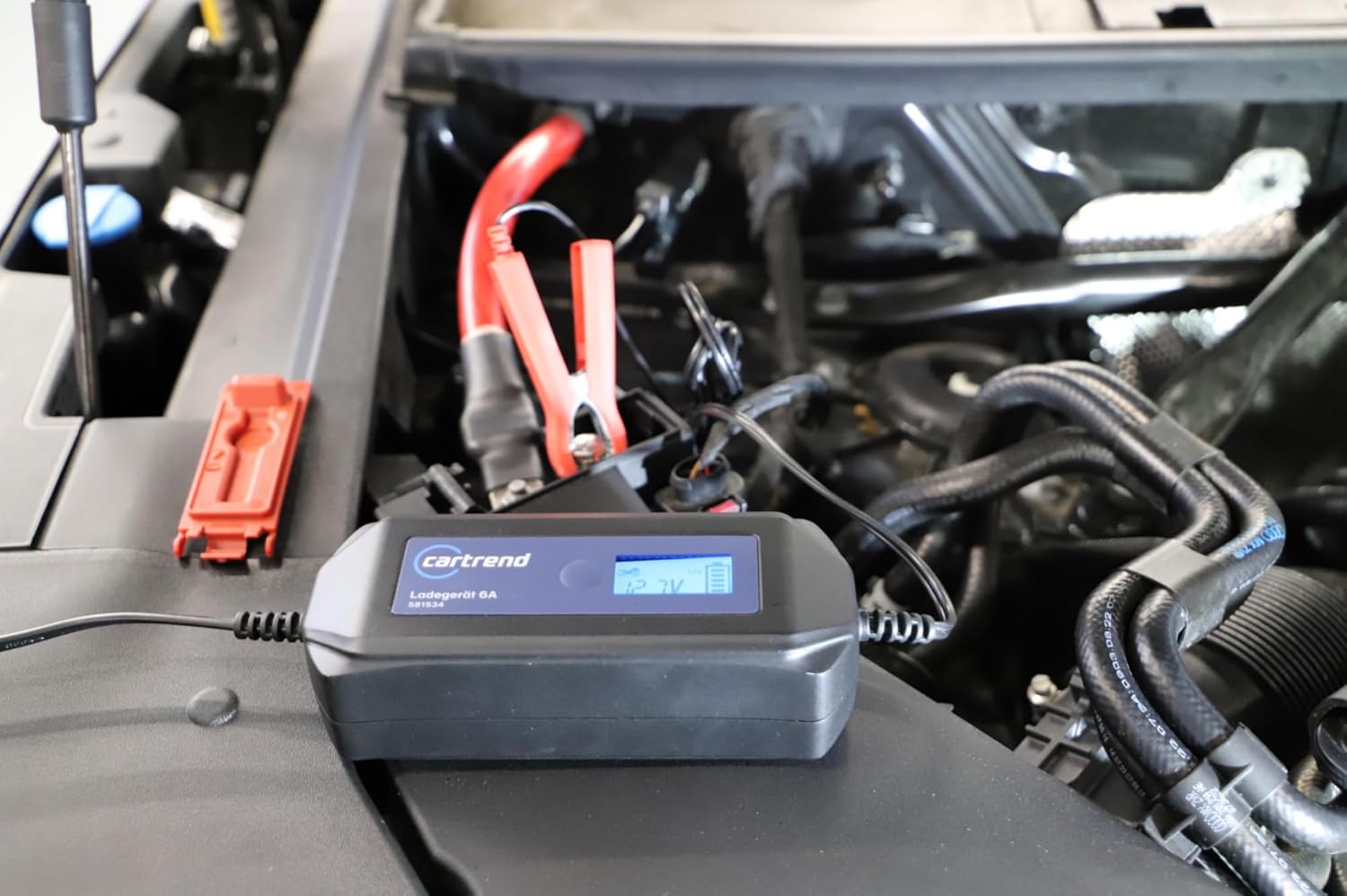
Image: The charger properly connected to the vehicle's battery in the engine bay.
Operating Instructions
Once connected and powered on, the cartrend charger will automatically detect the battery type and condition, initiating the appropriate charging mode. The LCD display will show the current status.
Charging Process
- The charger performs a diagnostic check upon connection.
- It then proceeds through rescue (if needed), charging, and maintenance phases automatically.
- The LCD display will indicate the current voltage, charging progress, and any potential errors.
- The soft-charge function ensures gentle charging, protecting the battery and sensitive vehicle electronics.
- In case of a power outage, the automatic restart function will resume charging once power is restored.

Image: The LCD display provides real-time information on the charging process.

Image: The charger actively charging, showing the battery voltage.
Maintenance
Proper maintenance ensures the longevity and optimal performance of your cartrend charger:
- Cleaning: Disconnect the charger from power and battery before cleaning. Wipe the exterior with a soft, dry cloth. Do not use harsh chemicals or abrasives.
- Storage: Store the charger in a cool, dry place when not in use. Keep cables neatly coiled to prevent damage.
- Inspection: Periodically inspect the power cord, clamps, and charger casing for any signs of damage or wear. Do not use if damaged.

Image: The charger is designed to be suitable for use in various weather conditions.
Troubleshooting
If you encounter issues with your cartrend charger, refer to the table below:
| Problem | Possible Cause | Solution |
|---|---|---|
| Charger does not turn on | No power from outlet; loose connection; damaged charger. | Check power outlet with another device. Ensure power cord is securely plugged in. Inspect charger for damage. |
| Charger not charging battery | Incorrect battery connection; battery too deeply discharged; battery faulty. | Verify correct polarity of clamps (+ to +, - to -). Allow charger to attempt rescue mode. If battery is severely damaged, it may not accept a charge. |
| LCD display shows error code | Battery fault; connection issue; internal charger fault. | Refer to the charger's display for specific error indicators. Recheck connections. If error persists, contact customer support. |
| Charger gets warm during operation | Normal operation; poor ventilation. | Some warmth is normal during charging. Ensure adequate ventilation around the charger. |
Specifications
| Feature | Specification |
|---|---|
| Brand | Cartrend |
| Model Number | 581459 |
| Color | Black |
| Output Voltage | 12 Volts |
| Current Rating | 4 A |
| Manufacturer | cartrend |
| Country of Origin | China |
| Date First Available on Amazon.com.be | February 11, 2025 |
| Spare Parts Availability | Information unavailable on spare parts |
| Software Updates Guaranteed Until | Information not available |
Warranty and Support
For information regarding warranty coverage and customer support, please refer to the documentation included with your purchase or visit the official Cartrend website. Keep your proof of purchase for warranty claims.


