
Introduction
Thank you for purchasing the Intex Thunder 950-S Multimedia Tower Speaker. This speaker system is designed to provide powerful audio with versatile connectivity options, including Bluetooth v5.1, USB/TF, AUX, and FM radio. It also features a wireless karaoke microphone and dynamic RGB lights for an enhanced entertainment experience. Please read this manual carefully before operating the device to ensure proper use and to maximize its performance.
What's in the Box
Upon unpacking, please ensure all the following items are present:
- Intex Thunder 950-S Tower Speaker
- Wireless Karaoke Microphone
- Remote Control
- Audio Cable (RCA to RCA)
- Power Cord
- User Manual (this document)

Image: The Intex Thunder 950-S Tower Speaker with its included wireless microphone and remote control.
Key Features
- 95W High Power Output: Delivers powerful sound with rich bass and clear treble.
- Wireless Karaoke Mic: For interactive singing and hosting events.
- RGB Lights: Dynamic lighting that syncs with music.
- Wooden Cabinet: Enhances acoustics by reducing vibrations for improved audio clarity.
- Multiple Connectivity: Bluetooth v5.1 (10m range), USB/TF (up to 32GB), AUX, and FM radio.
- LED Display: Provides clear information on current mode and settings.
- Full Remote Control: Convenient operation from a distance.

Image: The Intex Thunder 950-S Tower Speaker highlighting its 95W power output.
Setup Guide
- Placement: Place the tower speaker on a flat, stable surface. Ensure there is adequate space around the speaker for optimal sound dispersion and ventilation.
- Power Connection: Connect the power cord to the speaker's power input and then plug it into a standard electrical outlet.
- Initial Power On: Press the power button on the speaker or remote control to turn on the device. The LED display will illuminate.
- Connecting Audio Sources:
- Bluetooth: The speaker will automatically enter Bluetooth pairing mode. Search for "Intex 950-S" on your device's Bluetooth settings and connect.
- AUX: Connect your audio device (e.g., smartphone, MP3 player) to the AUX input port using the provided audio cable. Select AUX mode on the speaker.
- USB/TF Card: Insert a USB drive or TF card into the respective slot. The speaker will automatically switch to USB/TF mode and begin playback.
- FM Radio: Switch to FM mode. The speaker will automatically scan and save available radio stations.

Image: The Intex Thunder 950-S Tower Speaker displaying its various connectivity ports and LED screen.
Operating Instructions
Remote Control Functions
The included remote control allows for convenient operation of all speaker functions. Familiarize yourself with the buttons:
- Power: Turn the speaker On/Off.
- Mode: Switch between Bluetooth, AUX, USB/TF, and FM modes.
- Volume +/-: Adjust the master volume.
- Play/Pause: Play or pause audio playback.
- Previous/Next: Skip to the previous or next track/station.
- EQ: Cycle through equalizer presets.
- Mute: Mute or unmute the audio.
- Light: Control RGB lighting effects.
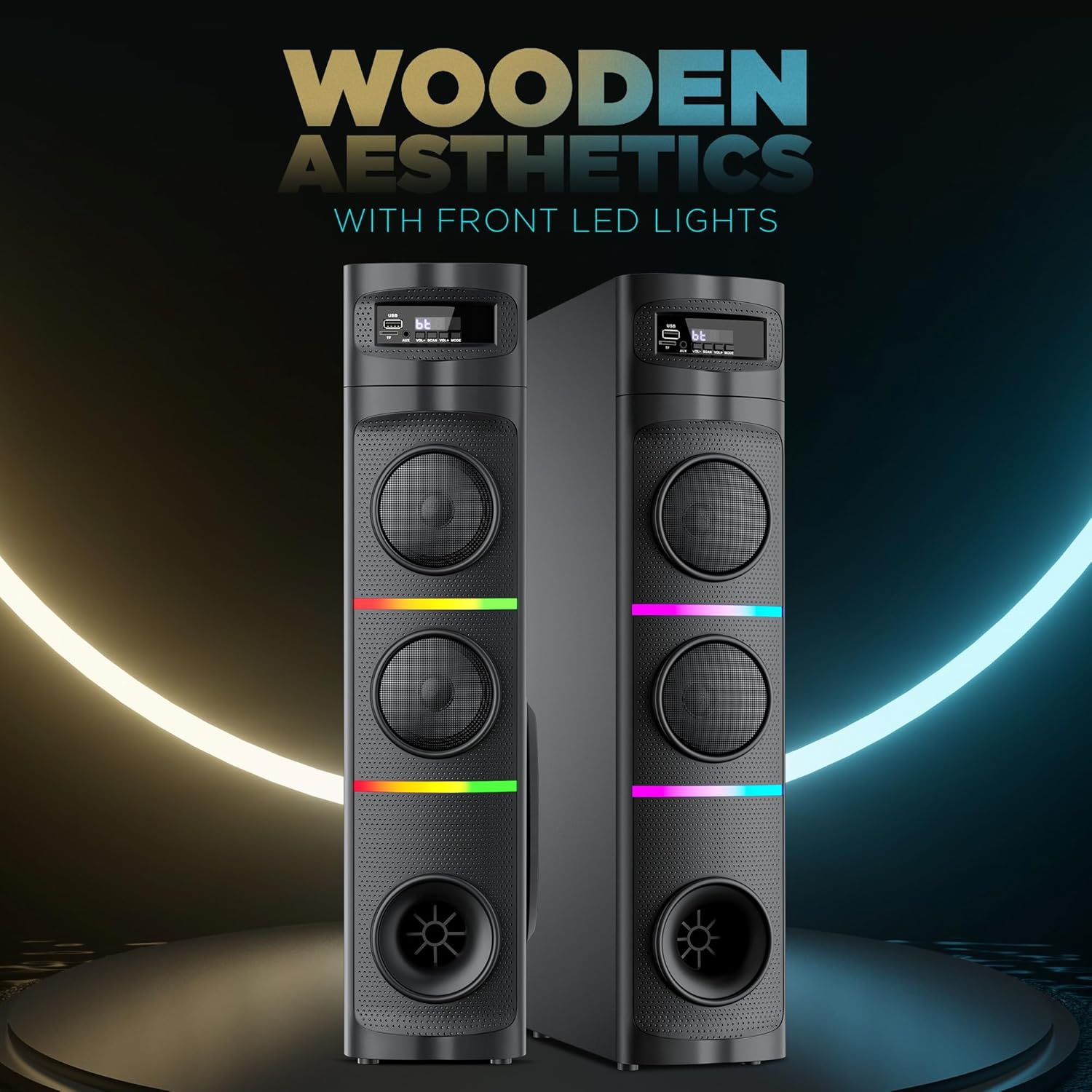
Image: Close-up of the remote control for the Intex Thunder 950-S Tower Speaker.
Using the Wireless Karaoke Mic
- Ensure the microphone has fresh batteries.
- Turn on the microphone. It will automatically pair with the speaker.
- Adjust the microphone volume using the dedicated controls on the speaker or remote, if available.
- Begin singing along to your music.

Image: The Intex Thunder 950-S Tower Speaker shown with its wireless karaoke microphone.
RGB Lighting
The speaker features dynamic RGB lights. Use the "Light" button on the remote control to cycle through different lighting modes or turn them off.
Maintenance
- Cleaning: Wipe the speaker's exterior with a soft, dry cloth. Do not use liquid cleaners or abrasive materials.
- Ventilation: Ensure the speaker's vents are not blocked to prevent overheating.
- Storage: When not in use for extended periods, store the speaker in a cool, dry place away from direct sunlight and extreme temperatures.
- Water Resistance: The product is listed as "Water Resistant" but should not be submerged or exposed to heavy splashing. Avoid direct contact with water.
Troubleshooting
| Problem | Possible Cause | Solution |
|---|---|---|
| No power | Power cord not connected; Power outlet faulty | Ensure power cord is securely plugged in; Try a different power outlet. |
| No sound | Volume too low; Incorrect input mode; Audio cable not connected properly | Increase volume; Select correct input mode (Bluetooth, AUX, USB/TF, FM); Check audio cable connections. |
| Bluetooth not connecting | Speaker not in pairing mode; Device too far; Interference | Ensure speaker is in Bluetooth mode; Move device closer (within 10m); Turn off other Bluetooth devices. |
| Microphone not working | Microphone off; Low batteries; Not paired | Turn on microphone; Replace batteries; Ensure microphone is paired with the speaker. |
Specifications
| Feature | Detail |
|---|---|
| Brand | Intex |
| Model Name | Thunder 950 - 95W |
| Model Number | 1113-0000-038 |
| Speaker Maximum Output Power | 95 Watts |
| Frequency Response | 20000 KHz |
| Connectivity Technology | Bluetooth v5.1, AUX, USB, TF Card, FM Radio |
| Audio Output Mode | Surround |
| Mounting Type | Floor Standing |
| Speaker Type | Tower |
| Product Features | Wireless karaoke mic, RGB Lights |
| Control Method | Remote |
| Water Resistance Level | Water Resistant |
| Bluetooth Range | 10 Metres |
| Number of Audio Channels | 2.1 |
| Item Dimensions (D x W x H) | 39D x 21.5W x 77H Centimeters |
| Item Weight | 8 Kilograms |
| Power Source | Corded Electric |
| Country of Origin | India |
Warranty and Support
Warranty Description: 1 Year Warranty on Manufacturing Defect.
For support or warranty claims, please contact Intex Technologies (India) Ltd. customer service.


