
Introduction
The SOVMIKU DB3 2K Smart Video Doorbell with Chime is designed to enhance your home security by providing clear video monitoring, two-way audio communication, and intelligent motion detection. This manual provides comprehensive instructions for setting up, operating, and maintaining your new video doorbell system.
Package Contents
Please verify that all items are present in your package:
- Smart Doorbell x 1
- Doorbell bracket x 2
- Micro USB Cable x 1
- Chime x 1
- User manual x 1
- Screw bag x 1

Figure 1: Contents of the Vicohome DB3 package, including the doorbell, chime, and installation accessories.
Product Overview
The Vicohome DB3 features a sleek design with essential components for effective monitoring.
Figure 2: The Vicohome DB3 doorbell and chime. The doorbell features a camera lens, speaker, microphone, and call button.
Doorbell Components:
- Camera Lens: Captures 2K resolution video.
- PIR Motion Sensor: Detects human movement.
- Microphone: For two-way audio communication.
- Speaker: For two-way audio communication and audible alerts.
- Call Button: Activates the doorbell and sends notifications.
- USB-C Port: For charging the doorbell.
- Reset Button: For device reset.

Figure 3: Detail of the USB-C charging port and reset button on the side of the doorbell, protected by a silicone plug.
Setup Guide
1. Charging the Doorbell
Before initial use, fully charge the doorbell using the provided Micro USB cable. The doorbell contains a built-in 4800mAh battery. A full charge can last for approximately 4 months with 20 activations per day, and the battery is designed for over 8 years of use with 3 charges per year.
2. App Installation
Download the "Vicohome" app from the Google Play Store (for Android devices) or the Apple App Store (for iOS devices). Create an account or log in if you already have one.
3. Connecting to Wi-Fi
The Vicohome DB3 connects to 2.4GHz Wi-Fi networks only. Ensure your smartphone is connected to a 2.4GHz Wi-Fi network during the setup process. The 2.4GHz band offers a larger coverage area, which is beneficial for outdoor security devices.
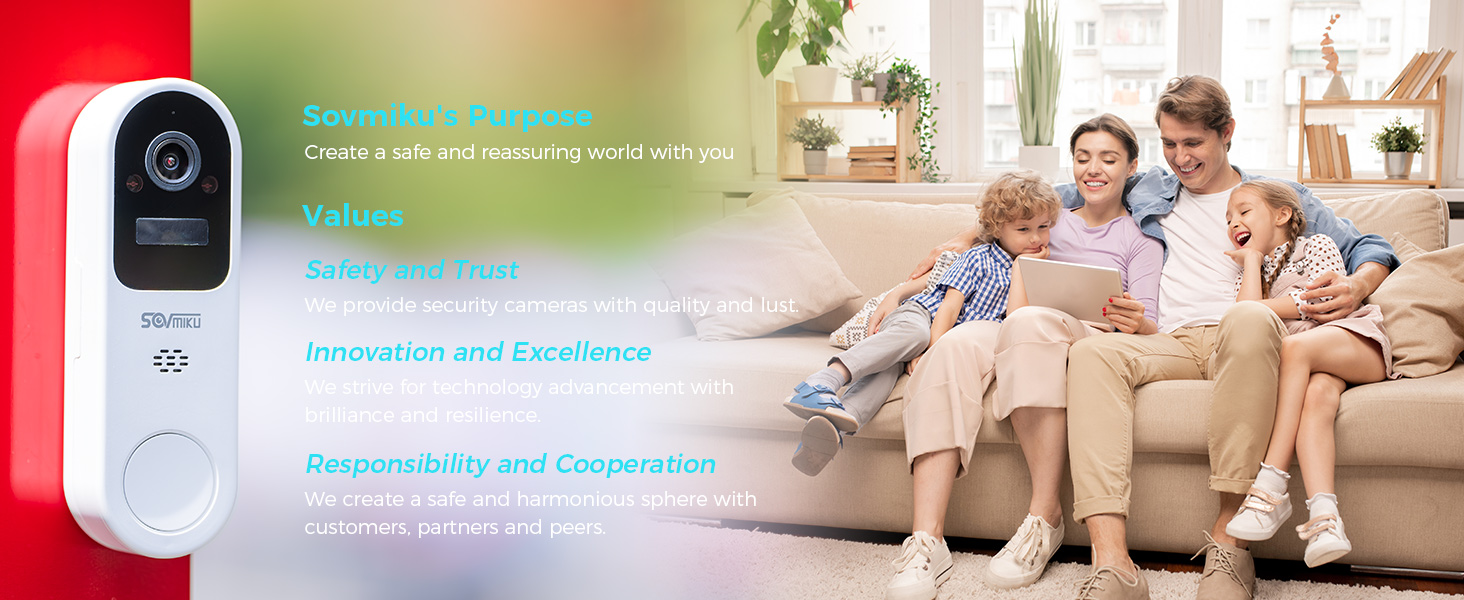
Figure 4: Comparison of 2.4GHz and 5GHz Wi-Fi coverage. 2.4GHz provides wider coverage, suitable for devices installed further from the router.
- Open the Vicohome app and follow the on-screen instructions to add a new device.
- Select the DB3 doorbell model.
- Enter your 2.4GHz Wi-Fi network name (SSID) and password.
- The app will generate a QR code. Present this QR code to the doorbell's camera lens at a distance of 15-30 cm (6-12 inches) until you hear a confirmation sound.
- Once connected, the doorbell will appear in your app.
4. Physical Installation
The doorbell is designed for easy wall mounting.

Figure 5: The doorbell easily slides onto its mounting bracket, simplifying installation.
- Choose a suitable location near your door, ensuring a clear view and good Wi-Fi signal.
- Use the provided screws and anchors to secure the doorbell bracket to the wall.
- Slide the doorbell onto the mounted bracket until it clicks into place.
- For added security, the doorbell features an anti-removal design. A special tool (included in the screw bag) is required to detach the doorbell from its bracket, preventing unauthorized removal.
5. Chime Setup
Plug the chime into a standard USB power adapter (not included) or a USB port. The chime will automatically pair with your doorbell once both are powered on and connected to the same Vicohome account.
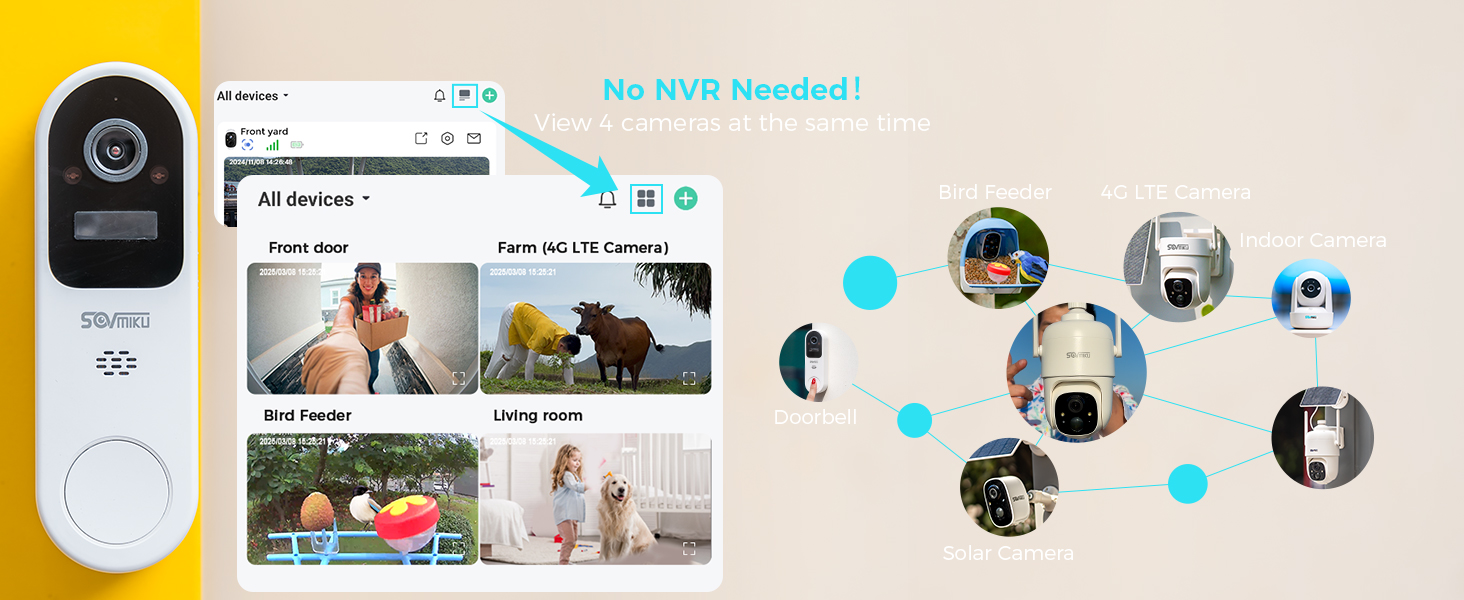
Figure 6: The chime plugged into a power outlet, ready to provide notifications.
Operating Instructions
1. Live View and Multi-Camera Monitoring
Access the live feed from your doorbell anytime through the Vicohome app. The app also allows simultaneous viewing of up to four Vicohome cameras without the need for a separate NVR (Network Video Recorder).

Figure 7: The Vicohome app interface showing live feeds from multiple connected cameras, including the doorbell.
2. Two-Way Audio
The doorbell supports two-way audio, allowing you to speak with visitors at your door directly from your smartphone, regardless of your location.

Figure 8: Two-way audio enables real-time conversation between the doorbell user and visitors.
3. Motion Detection and Alerts
The DB3 doorbell features advanced human detection. When motion is detected, you will receive instant push notifications on your smartphone and connected devices like an Apple Watch.

Figure 9: Example of a motion detection alert on a smartphone, identifying a person and a vehicle.

Figure 10: Motion detection alerts can also be received on compatible smartwatches for quick access.
You can customize motion detection sensitivity and activity zones within the Vicohome app to minimize false alerts.
4. Night Vision
The doorbell is equipped with infrared night vision, providing clear video footage up to 32 feet (10 meters) in low-light or no-light conditions.
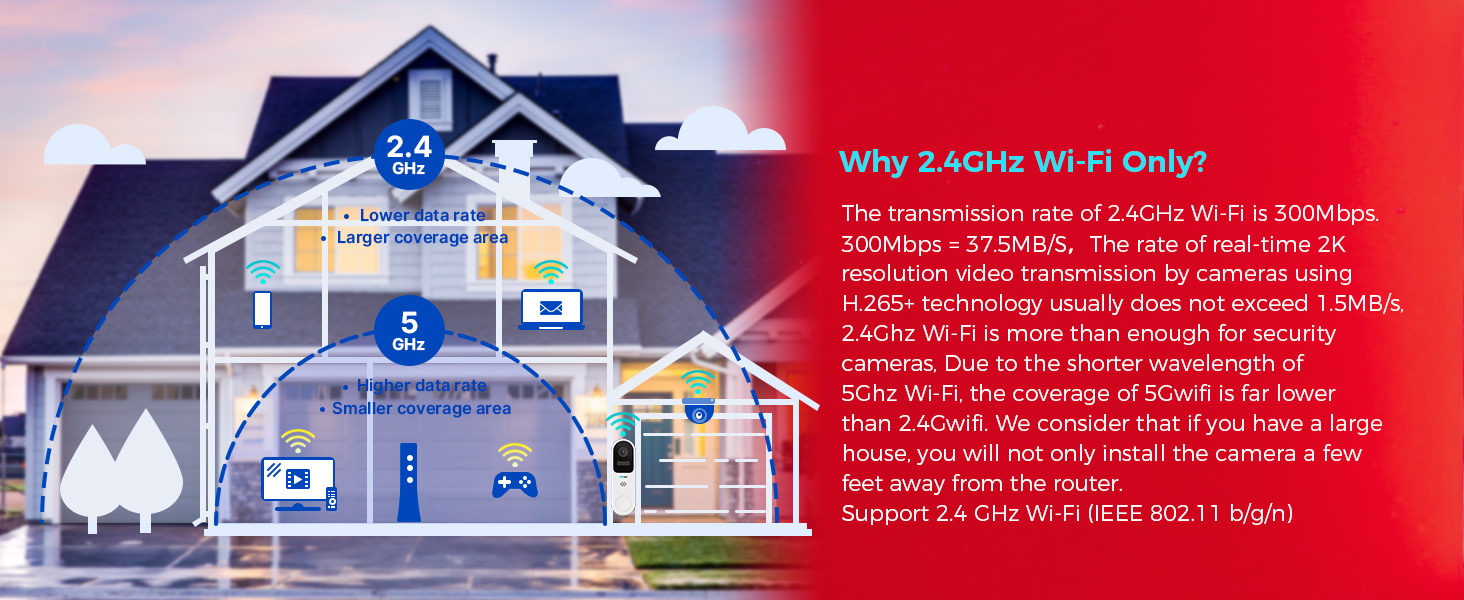
Figure 11: The doorbell's infrared night vision provides clear visibility in dark environments.
5. Cloud Storage
The Vicohome DB3 does not have an SD card slot. All recordings are stored securely in the cloud via the Vicohome service. A 7-day free trial is typically offered, after which a subscription is required for cloud analytics and storage (e.g., $4.49/month per camera or $9.99/month for all cameras for 60 days cycle recording).
Figure 12: The doorbell relies on cloud storage, eliminating the need for a physical SD card.
Maintenance
1. Battery Management
The doorbell's battery life is optimized for long-term use. Recharge the doorbell when the battery level is low, as indicated by the Vicohome app. The charging interface is protected by a silicone waterproof plug, allowing safe outdoor installation.

Figure 13: Battery performance details, highlighting extended usage between charges.
2. Weather Resistance
The DB3 doorbell is IP65 rated, meaning it is splash, water, and dust resistant. This allows for safe outdoor installation. However, resistance may decrease over time due to normal wear. Avoid submerging the device in water.

Figure 14: The doorbell's IP65 rating ensures durability against outdoor elements.
3. Cleaning
To clean the doorbell, gently wipe the surface with a soft, damp cloth. Do not use harsh chemicals or abrasive cleaners. Ensure the charging port's silicone plug is securely in place before cleaning.
Troubleshooting
| Problem | Possible Cause | Solution |
|---|---|---|
| Doorbell not connecting to Wi-Fi | Incorrect Wi-Fi password; connected to 5GHz network; weak Wi-Fi signal. | Ensure correct 2.4GHz Wi-Fi password. Connect phone to 2.4GHz during setup. Move doorbell closer to router or use a Wi-Fi extender. |
| No motion detection alerts | Motion detection disabled; sensitivity too low; app notifications blocked. | Enable motion detection in Vicohome app. Adjust sensitivity settings. Check phone's notification settings for the Vicohome app. |
| Poor video quality | Weak Wi-Fi signal; dirty camera lens. | Improve Wi-Fi signal strength. Clean the camera lens with a soft cloth. |
| Chime not ringing | Chime not powered; not paired with doorbell. | Ensure chime is plugged into a working USB power source. Re-pair the chime through the Vicohome app if necessary. |
| Doorbell battery drains quickly | Frequent motion detections; very cold temperatures; constant live view. | Adjust motion detection sensitivity. Limit live view sessions. Battery performance can be affected by extreme temperatures. |
Specifications
| Feature | Detail |
|---|---|
| Model | DB3 |
| Video Capture Resolution | 1296p (2K) |
| Connectivity | 2.4GHz Wi-Fi (IEEE 802.11 b/g/n) |
| Power Source | Battery Powered (1 Nonstandard Battery included) |
| Battery Capacity | Up to 4800mAh (Built-in two high-capacity batteries) |
| Weather Resistance | IP65 (Splash, water, and dust resistant) |
| Night Vision Range | 32 Feet (approx. 10 meters) |
| Audio | Two-Way Audio |
| Storage | Cloud Storage (No SD Slot) |
| Operating Temperature | -10°C to 45°C (14°F - 113°F) |
| Dimensions (L x W x H) | 1.17 x 1.9 x 4.7 inches |
| Item Weight | 10.5 ounces |
| Material | Plastic |
| Mounting Type | Wall Mount |
Video Resources
No official product videos from the seller were available in the provided data to embed directly into this manual. Please refer to the Vicohome app or the official SOVMIKU website for any available video guides or demonstrations.
Warranty and Support
SOVMIKU offers a 180 Days Exchange Policy for the DB3 Smart Video Doorbell. If you are not satisfied with the product, you can submit a request, and a solution will be provided within 24 hours.
For technical support, inquiries, or to submit a request, please contact SOVMIKU customer service via telephone or email. The manufacturer aims to reply within 12 hours. Customer feedback is highly valued and contributes to product improvement.
For additional resources and guide videos, please refer to the Vicohome app or the official SOVMIKU website.

Figure 15: Overview of the 180-day exchange policy process.

Figure 16: SOVMIKU provides customer support and guide videos to assist users.