
1. Introduction
Thank you for choosing the NOBIS 20000mAh 45W Portable Charger. This high-capacity power bank is designed to provide reliable and fast charging for a wide range of electronic devices, ensuring you stay powered on the go. Please read this manual carefully to understand the product's features, setup, operation, and maintenance for optimal performance and longevity.
What's in the Box:
- 20000mAh/45W Power Bank x 1
- 3A Type-C to Type-C charging cable (30cm) x 1
- Instruction Manual x 1
2. Product Overview
The NOBIS 20000mAh 45W Portable Charger features advanced charging technology and a robust design to meet your power needs. It includes multiple ports for versatile compatibility and a digital display for convenient battery monitoring.
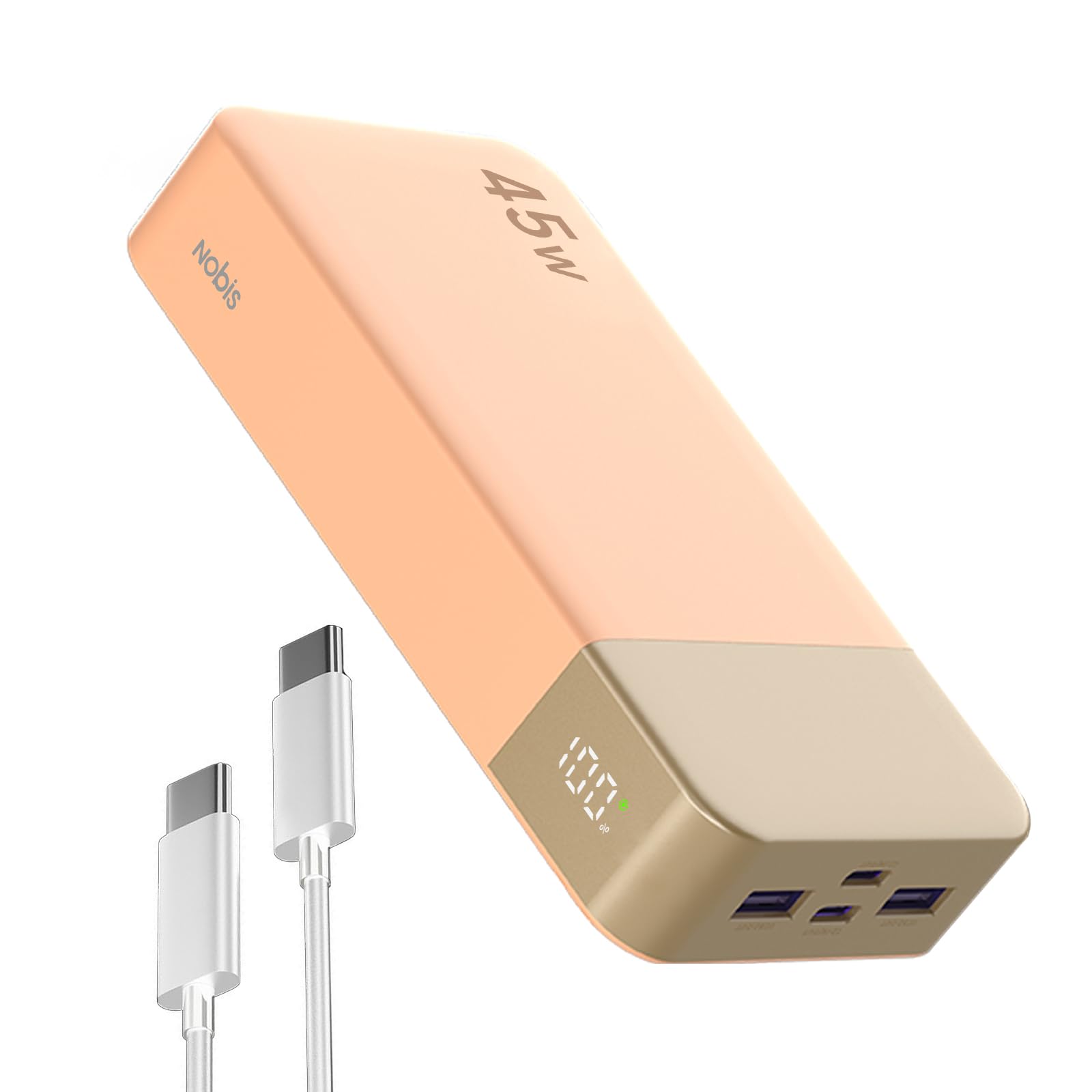
A front view of the NOBIS 20000mAh 45W Portable Charger in orange, showcasing its compact design and digital display.
Key Features:
- Super Fast Charging: Equipped with advanced PD 3.0 and QC 4.0 protocols, offering up to 45W output for rapid charging of compatible devices.
- High Capacity: A massive 20000mAh battery capacity, providing multiple charges for most smartphones and tablets.
- Multi-Device Charging: Features two USB-A output ports and two Type-C ports (supporting both input and output) to charge up to four devices simultaneously.
- Two-way Fast Charge: Supports 45W maximum input power, allowing the power bank to be fully recharged in approximately 2 hours.
- Smart Digital Display: An integrated LED digital display shows the precise battery percentage (0-100%), keeping you informed of the remaining power.
- Universal Compatibility: Compatible with smartphones, tablets, laptops, SteamDeck, wireless earbuds, smartwatches, drones, and other USB-powered devices.
3. Setup
Initial Charging of the Power Bank:
- Before first use, fully charge your NOBIS Portable Charger.
- Connect the provided Type-C to Type-C cable to one of the power bank's Type-C ports (C1 IN/OUT or C2 IN/OUT).
- Connect the other end of the cable to a compatible 45W (or higher) USB-C wall adapter (not included).
- The digital display will show the charging progress. A full charge from 0% typically takes about 2 hours with a 45W adapter.

A visual explanation of the power bank's 45W two-way fast charging, demonstrating its rapid charging for connected devices and quick self-recharge time.
Checking Battery Level:
Press the power button located on the side of the power bank. The digital display will illuminate, showing the current battery percentage.

The smart digital display on the power bank clearly indicates the remaining battery percentage from 0% to 100%, allowing for easy monitoring.
4. Operating Instructions
Charging Your Devices:
- Connect your device's charging cable to the appropriate output port on the power bank (USB1:OUT, USB2:OUT, C1:IN/OUT, or C2:IN/OUT).
- Connect the other end of the cable to your device.
- The power bank will automatically begin charging your device. The digital display will show the remaining battery percentage.
- To stop charging, simply disconnect your device from the power bank.

This image displays the input and output ports of the power bank, including two USB-A output ports and two USB-C ports that support both input and output.
Simultaneous Charging:
The power bank can charge up to four devices concurrently using its two USB-A and two USB-C ports. The intelligent power distribution ensures efficient charging for all connected devices.

This image illustrates the power bank's ability to charge multiple devices, such as a laptop, smartphone, and earbuds, at the same time.
Trickle Charging Mode:
For low-current devices such as wireless earbuds or smartwatches, double-click the power button to activate trickle charging mode. This mode provides optimized charging to protect smaller devices. The indicator will start cycling to confirm activation.
5. Maintenance
- Keep the power bank dry and away from moisture.
- Avoid exposing the device to extreme temperatures (hot or cold).
- Clean the power bank with a soft, dry cloth. Do not use harsh chemicals or abrasive materials.
- Store the power bank in a cool, dry place when not in use.
- Charge the power bank at least once every three months to maintain battery health if stored for extended periods.
6. Troubleshooting
Power Bank Not Charging:
- Ensure the charging cable is securely connected to both the power bank and the wall adapter.
- Verify that the wall adapter is functioning correctly and is rated for at least 45W for optimal charging speed.
- Try using a different charging cable or wall adapter.
Device Not Charging from Power Bank:
- Check if the power bank has sufficient charge (refer to the digital display).
- Ensure your device's charging cable is properly connected to both the power bank and your device.
- Try a different port on the power bank or a different charging cable.
- If charging a low-current device, ensure trickle charging mode is activated.
Digital Display Not Working:
- Press the power button firmly.
- If the issue persists, the power bank may require a full recharge.
7. Specifications
| Feature | Detail |
|---|---|
| Model Number | ZWPBWWA-202C2A45W |
| Battery Capacity | 20000 Milliamp Hours (mAh) |
| Product Dimensions | 5.39 x 2.76 x 1.04 inches |
| Item Weight | 13.8 ounces |
| Battery Type | Lithium Polymer (included) |
| Connector Type | USB Type A x 2, USB Type C x 2 |
| Max Output Power | 45W |
| Max Input Power | 45W |
| Special Features | Auto Shut-Off, Digital Display, Fast Charging, Over Charging Protection, Short Circuit Protection |
8. Safety Information
Please adhere to the following safety guidelines to prevent damage to the power bank or injury to yourself:
- Do not disassemble, open, or shred the battery pack.
- Do not expose the power bank to heat or fire. Avoid storage in direct sunlight.
- Do not short-circuit the battery pack.
- Do not expose the power bank to mechanical shock.
- In case of battery leakage, do not allow the liquid to come into contact with skin or eyes. If contact has been made, wash the affected area with copious amounts of water and seek medical advice.
- Keep the power bank out of reach of children.
- This power bank is airline approved for carry-on luggage. Always check with your airline for specific regulations before traveling.

Icons depicting the comprehensive safety features integrated into the power bank, including protection against various electrical hazards.
9. Warranty and Support
For warranty information or technical support, please refer to the contact details provided on the product packaging or visit the official NOBIS website. Keep your purchase receipt as proof of purchase for any warranty claims.
