
BAOFENG UV-K61
BAOFENG UV-K61 Two-Way Radio User Manual
Model: UV-K61
Introduction
Thank you for choosing the BAOFENG UV-K61 Two-Way Radio. This manual provides essential information for the safe and efficient operation of your device. The UV-K61 is a versatile communication tool designed for various applications, offering extensive channel capacity, multiple charging options, and advanced features like wireless frequency copying and NOAA weather alerts.
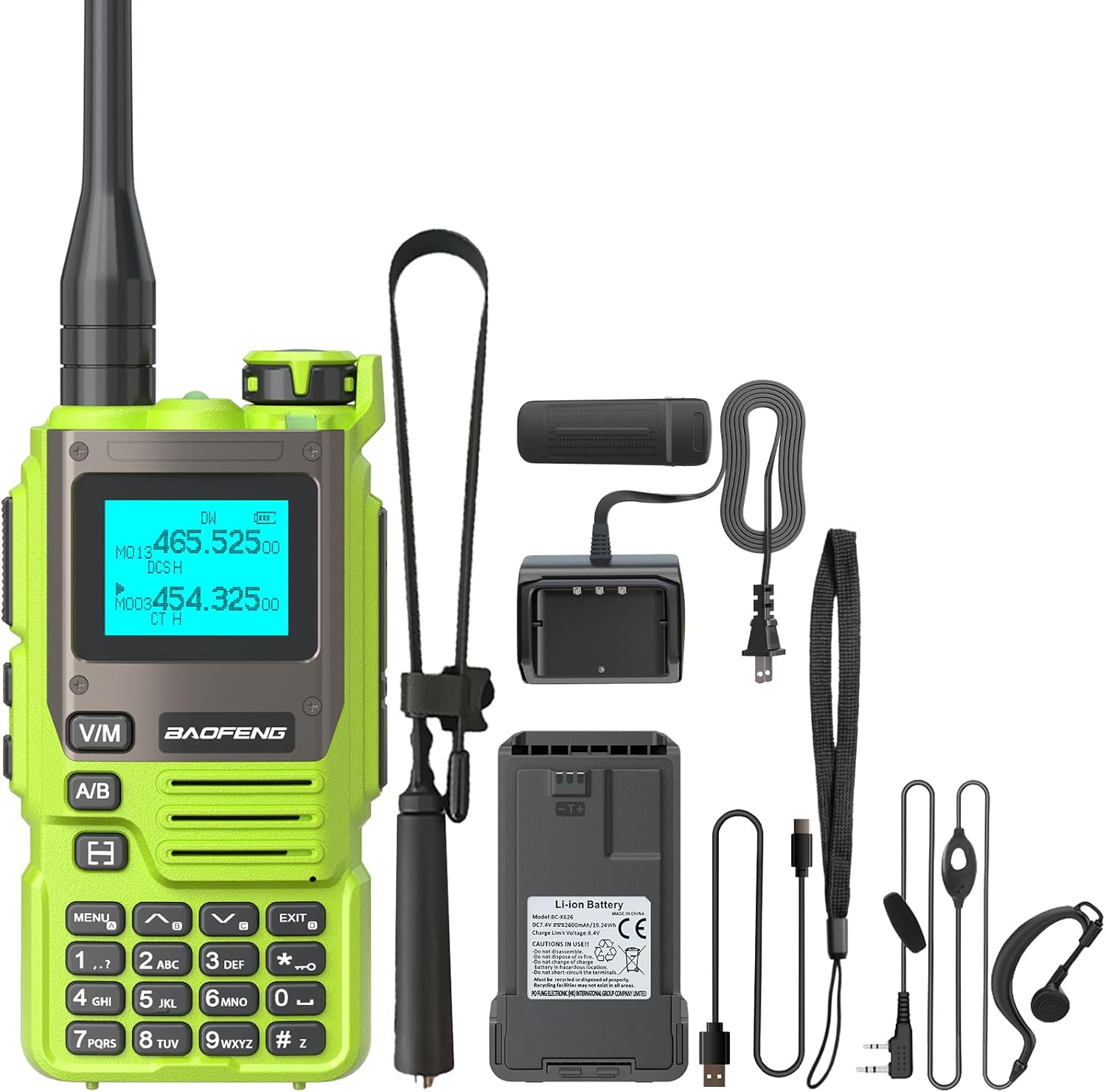
Image: The BAOFENG UV-K61 radio displayed with all its components, including the radio unit, battery, antennas, USB-C charging cable, charger dock, belt clip, hand strap, and earpiece.
What's in the Box
- 1x BAOFENG UV-K61 Radio Unit
- 1x 2600mAh High Capacity Battery
- 1x High Gain Antenna
- 1x USB-C Charger Cable
- 1x Charger Dock
- 1x Belt Clip
- 1x Hand Strap
- 1x User Manual
- 1x 48cm/18.89in Foldable Tactical Antenna
- 1x Headset
Setup
1. Battery Installation and Charging
The UV-K61 comes with a 2600mAh Lithium Ion battery. Ensure the battery is fully charged before first use.
- Align the battery with the grooves on the back of the radio.
- Slide the battery upwards until it clicks into place.
- To charge, connect the USB-C cable directly to the radio or place the radio in the charger dock.
- The LED indicator on the battery or charger dock will show red during charging and turn green when fully charged.
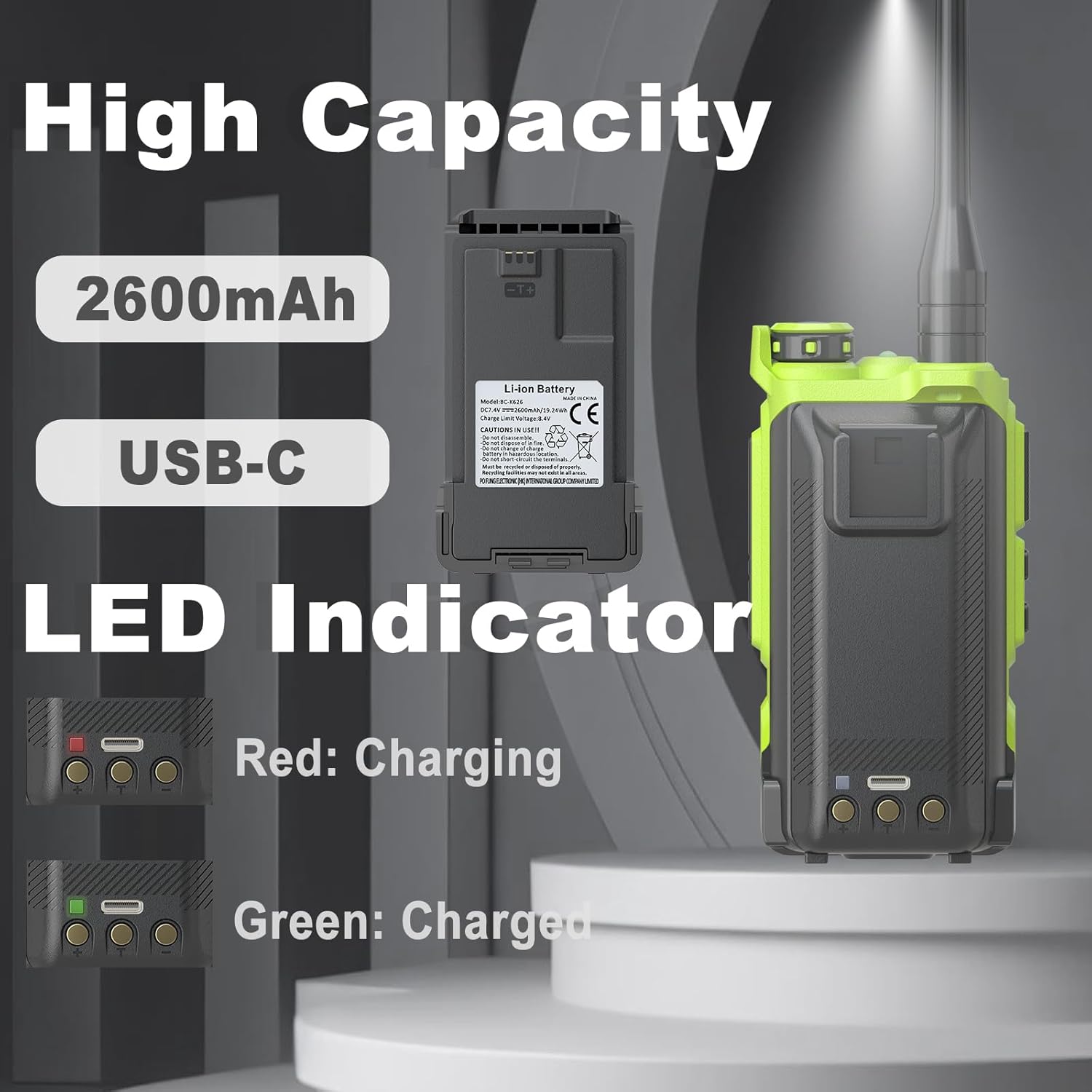
Image: Close-up of the 2600mAh battery for the BAOFENG UV-K61, highlighting its USB-C port and LED charging indicators (red for charging, green for charged).

Image: The BAOFENG UV-K61 being charged via USB-C, illustrating various charging methods including laptop, USB wall adapter, car charger, and power bank, alongside the charging dock.
2. Antenna Attachment
Screw the high gain antenna onto the connector at the top of the radio until it is finger-tight. Do not overtighten.
3. Earpiece Connection
Connect the earpiece to the 2-pin K Port on the side of the radio for private listening and hands-free operation.
Operating Instructions
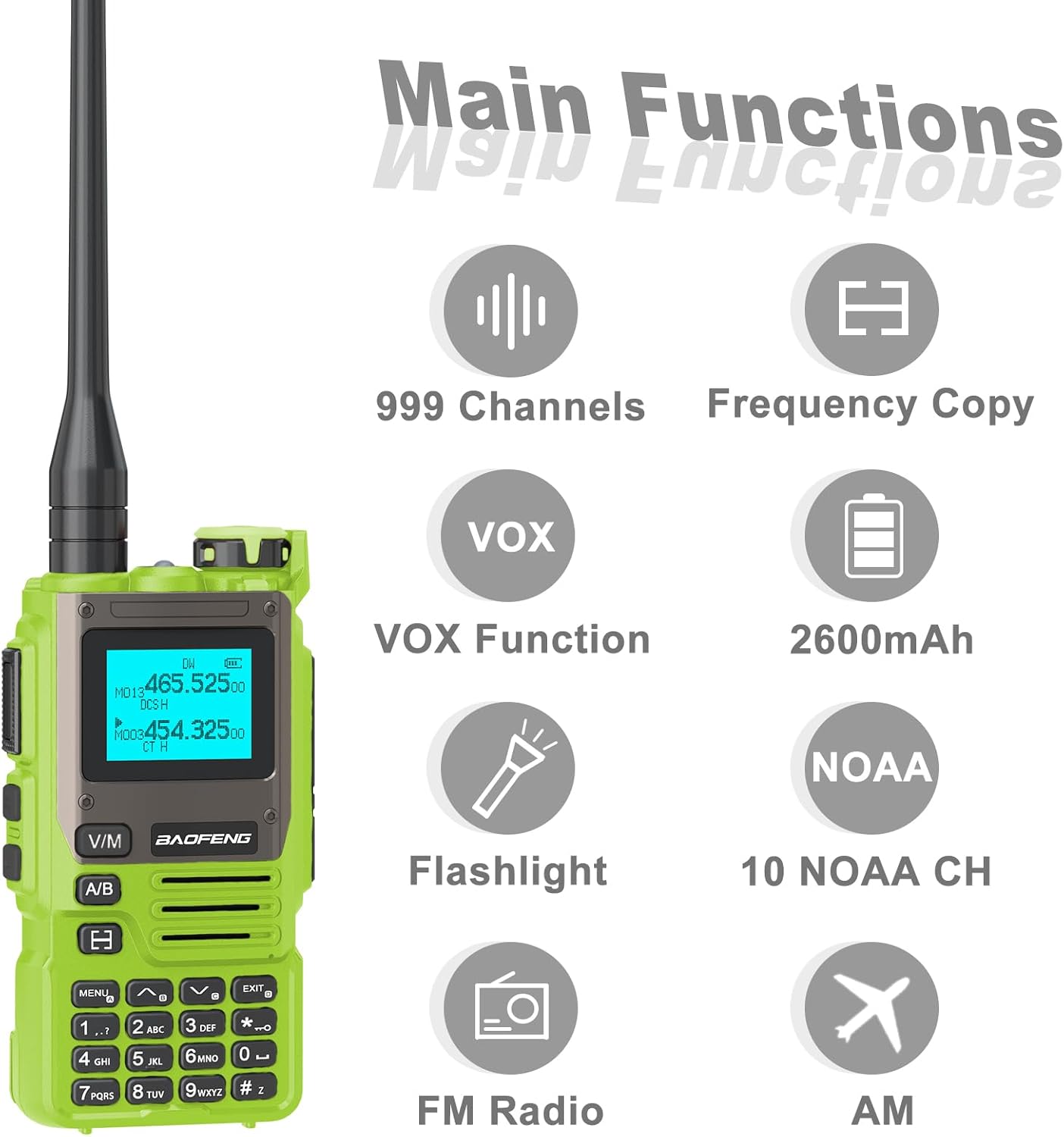
Image: An infographic showing the main functions of the BAOFENG UV-K61, including 999 Channels, Frequency Copy, VOX Function, 2600mAh battery, Flashlight, 10 NOAA Channels, FM Radio, and AM reception.
1. Power On/Off and Volume Control
Rotate the Volume & Power knob clockwise to turn on the radio. Continue rotating to adjust the volume. Rotate counter-clockwise until it clicks to turn off the radio.
2. Channel Selection (999 Channels)
The UV-K61 supports up to 999 channels. Use the keypad to directly input channel numbers or the up/down arrow keys to navigate through channels. The 1.44" LCD screen provides a clear display of the current channel and frequency.
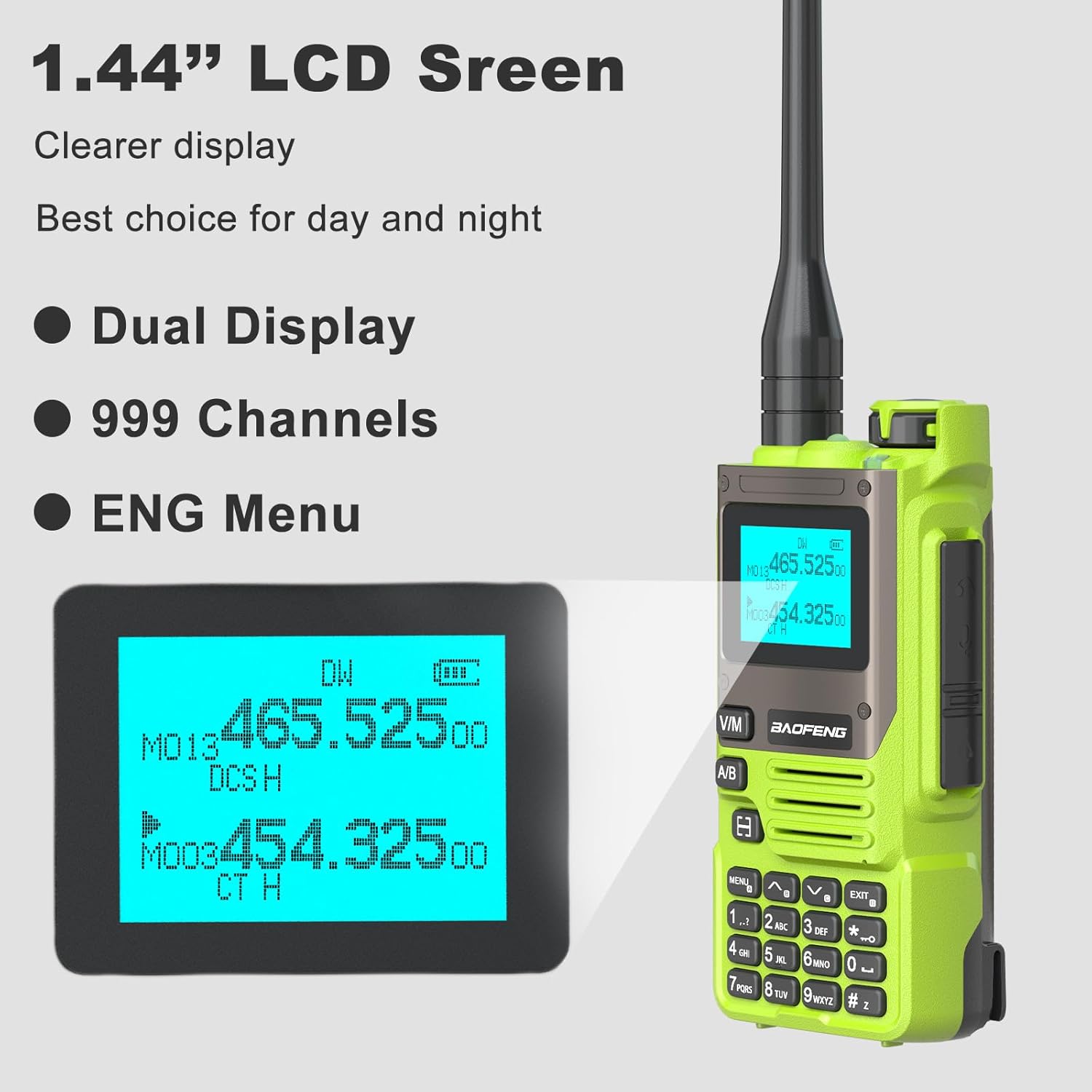
Image: A close-up view of the BAOFENG UV-K61's 1.44-inch LCD screen, demonstrating its dual display capability for frequencies and channel numbers, along with battery and signal indicators.
3. Push-to-Talk (PTT) Key
Press and hold the PTT key on the side of the radio to transmit. Release the PTT key to receive.
4. VOX Function (Voice Operated Exchange)
The VOX function allows for hands-free transmission. When enabled, the radio will automatically transmit when it detects your voice. Refer to the menu settings for VOX activation and sensitivity adjustment.
5. Wireless Frequency Copying
This feature allows you to quickly copy frequencies from another radio.
- Turn on the radio and press and hold the 'V/M' button until the screen shows 'SEARCH'.
- Press and hold the transmit button on the other radio. When the UV-K61 finishes searching, it will display the frequency and decode.
- Press the 'MENU' button for confirmation.
- Switch to channel mode to select the channel, and the screen will show the frequency of the counterpart, allowing communication.

Image: A step-by-step visual guide demonstrating the 'One Key Match Frequency' feature on the BAOFENG UV-K61, showing the display during search, decode, and channel selection.
6. NOAA Weather Channels
The UV-K61 includes a built-in NOAA receiver with 10 channels for real-time weather alerts. Access these channels through the menu to stay informed about severe weather conditions.

Image: The BAOFENG UV-K61 radio with an overlay indicating '10 NOAA Weather Alert', set against a background of a stormy sky over water, symbolizing its weather alert capability.
7. Flashlight Function
The radio is equipped with a built-in flashlight. Refer to the manual or device interface for activation (often a dedicated button or a long press of a function key).
8. AM/FM Radio
The UV-K61 can receive AM and FM radio broadcasts. Use the menu or dedicated keys to switch to radio mode and tune to desired stations.
Maintenance
1. Cleaning
Wipe the radio with a soft, damp cloth. Do not use harsh chemicals or abrasive cleaners. Ensure the radio is dry before use or charging.
2. Battery Care
To prolong battery life, avoid fully discharging the battery frequently. Charge the battery in a cool, dry place. If storing the radio for an extended period, charge the battery to about 50% and remove it from the radio.
3. Storage
Store the radio in a dry, dust-free environment away from direct sunlight and extreme temperatures. Remove the battery if storing for long periods.
Troubleshooting
| Problem | Possible Cause | Solution |
|---|---|---|
| Radio does not power on | Battery is low or not installed correctly | Charge the battery; ensure it is securely installed. |
| Cannot transmit or receive | Incorrect frequency/channel; antenna loose; out of range | Verify frequency/channel settings; check antenna connection; move closer to other radios. |
| Poor audio quality | Volume too low/high; interference; earpiece issue | Adjust volume; move away from sources of interference; check earpiece connection. |
| Battery not charging | Charger/cable faulty; poor connection | Check charger and cable; ensure proper connection to radio/dock and power source. |
Specifications

Image: A detailed diagram of the BAOFENG UV-K61 radio, highlighting its key components such as the antenna, flashlight, PTT key, LCD screen, keypad, and dimensions (4.72 inches height, 2.16 inches width, 1.37 inches depth).
- Model: UV-K61
- Dimensions: 1.37 x 2.16 x 4.72 inches (D x W x H)
- Weight: 1.43 pounds
- Battery: 2600mAh Lithium Ion (included)
- Number of Channels: 999
- Talking Range Maximum: 5 Kilometers
- Tuner Technology: AM/FM
- Voltage: 7.4 Volts (DC)
- Special Features: 10 NOAA Weather Alarm, Multi-Band (AM/FM), One Key Match Frequency, USB-C Charging, VOX, Flashlight
- Water Resistance Level: Not Water Resistant
Warranty and Support
This product comes with a 1-year warranty provided exclusively through "Shiqun Electronics Co., Ltd". For warranty claims or technical support, please contact the seller directly or refer to the contact information provided with your purchase documentation.
For additional support and resources, you may visit the official BAOFENG store on Amazon: BAOFENG Store
Ask a question about this manual
Ask about setup, troubleshooting, compatibility, parts, safety, or missing instructions. Manuals+ will review the question and use this page’s manual context to help answer it.