
1. Introduction
The OnRetul V100 OBD2 Diagnostic Tool is designed to assist vehicle owners and technicians in quickly identifying and resolving issues related to their vehicle's On-Board Diagnostics (OBD-II) system. This tool provides essential diagnostic information, including reading and clearing Diagnostic Trouble Codes (DTCs), viewing live sensor data, performing I/M readiness tests, and monitoring battery voltage. It is compatible with most OBD2 compliant vehicles manufactured since 1996.
This manual provides detailed instructions for the proper use and maintenance of your V100 diagnostic tool. Please read it thoroughly before operation.
2. Safety Information
- Always perform automotive repairs in a well-ventilated area.
- Wear appropriate personal protective equipment, such as safety glasses and gloves.
- Do not wear loose clothing or jewelry when working near moving engine parts.
- Keep a fire extinguisher suitable for electrical and fuel fires nearby.
- Ensure the vehicle is in Park (P) or Neutral (N) with the parking brake engaged before connecting or operating the tool.
- Avoid touching hot engine components or exhaust system parts.
- Do not attempt to disassemble or modify the diagnostic tool. This will void the warranty and may cause damage.
- Keep the tool away from water, oil, and extreme temperatures.
3. Product Overview
The OnRetul V100 diagnostic tool features a clear LCD display and intuitive button layout for easy navigation and operation.

Figure 3.1: Front view of the OnRetul V100 OBD2 Diagnostic Tool, showing the LCD screen and control buttons.
3.1 Components
- LCD Display: Shows diagnostic information, menus, and results.
- OBD2 Connector Cable: Connects the tool to the vehicle's OBD2 port.
- EXIT Button: Returns to the previous menu or cancels an operation.
- DTC Button: Provides quick access to Diagnostic Trouble Code lookup.
- OK Button: Confirms selections or enters a menu.
- Up/Down Arrow Buttons: Navigates through menu options.

Figure 3.2: The OnRetul V100 displaying its main menu and a graphic illustrating its multiple functions, including Read Codes, Erase Codes, Live Data, and I/M Readiness.
4. Setup
The OnRetul V100 is a plug-and-play device that draws power directly from your vehicle's OBD2 port.
4.1 Connecting the Tool
- Locate the vehicle's 16-pin Data Link Connector (DLC), typically found under the dashboard on the driver's side. Refer to your vehicle's service manual if you cannot locate it.
- Ensure the vehicle's ignition is in the OFF position.
- Firmly plug the V100's OBD2 connector into the vehicle's DLC.
- Turn the vehicle's ignition to the ON position (engine off or running, depending on the desired diagnostic function). The tool will power on automatically.
5. Operating Instructions
Once connected and powered on, the V100 will display the main menu. Use the Up/Down arrow buttons to navigate and the OK button to select an option.
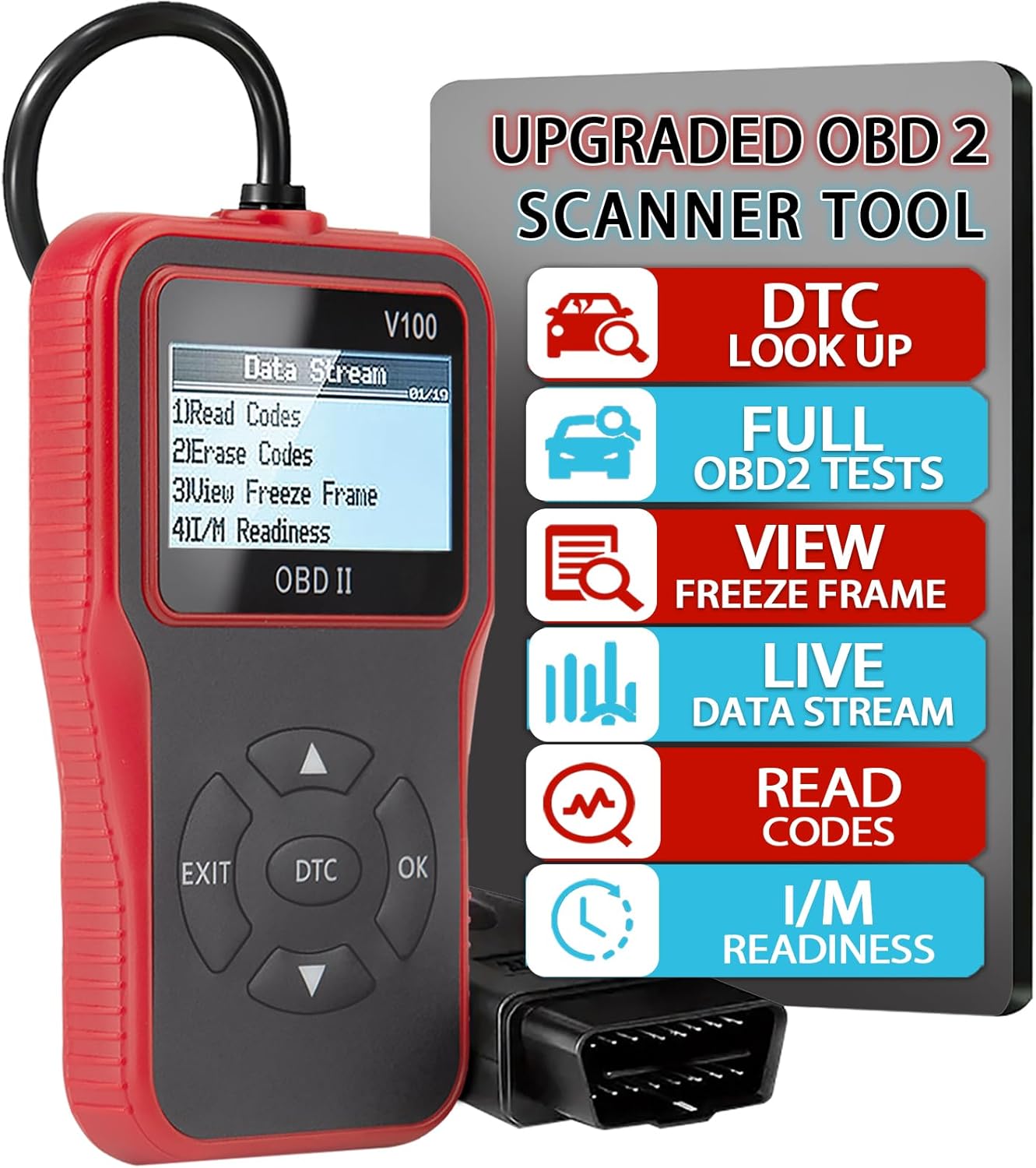
Figure 5.1: The V100's main menu, showing options like Read Codes, Erase Codes, View Freeze Frame, and I/M Readiness.
5.1 Read Codes
This function retrieves Diagnostic Trouble Codes (DTCs) from the vehicle's computer. These codes indicate specific issues detected by the vehicle's self-diagnostic system.
- From the main menu, select "Read Codes" and press OK.
- The tool will scan the vehicle's systems and display any stored DTCs.
- Use the Up/Down arrows to scroll through multiple codes if present.
- Press EXIT to return to the main menu.
5.2 Erase Codes
This function clears all stored DTCs from the vehicle's computer and turns off the Check Engine Light (MIL). Note: Clearing codes does not fix the underlying problem. The codes may reappear if the issue is not resolved.
- From the main menu, select "Erase Codes" and press OK.
- Confirm the action when prompted.
- The tool will clear the codes and indicate success.
- Press EXIT to return to the main menu.
5.3 View Freeze Frame
Freeze Frame Data records a snapshot of the vehicle's operating conditions at the moment a DTC was set. This data can help in diagnosing intermittent problems.
- From the main menu, select "View Freeze Frame" and press OK.
- The tool will display various engine parameters (e.g., engine RPM, vehicle speed, coolant temperature) recorded when the fault occurred.
- Use the Up/Down arrows to scroll through the data.
- Press EXIT to return to the main menu.

Figure 5.2: The V100 showing screens for "View Freeze Frame" data and "I/M Readiness" status.
5.4 Live Data Stream
This function displays real-time operating parameters of the vehicle's engine and sensors. It is useful for monitoring system performance and identifying potential issues as they occur.
- From the main menu, select "Data Stream" (or similar) and press OK.
- The tool will display a list of available live data parameters.
- Select the desired parameters to view their real-time values.
- Use the Up/Down arrows to scroll through the data.
- Press EXIT to stop viewing live data.
5.5 I/M Readiness
I/M (Inspection/Maintenance) Readiness indicates whether the various emissions-related systems on the vehicle are operating correctly and have completed their self-tests. This is crucial for emissions testing.
- From the main menu, select "I/M Readiness" and press OK.
- The tool will display the status of various monitors (e.g., O2 Sensor Monitor, EVAP System Monitor) as either "OK" (complete) or "INC" (incomplete).
- Press EXIT to return to the main menu.
5.6 DTC Lookup
The built-in DTC lookup feature allows you to quickly find definitions for generic and manufacturer-specific diagnostic trouble codes.
- Press the dedicated DTC button on the tool.
- Enter the 5-character DTC using the Up/Down arrows to select characters and OK to confirm each character.
- Press OK after entering the full code to view its definition.
- Press EXIT to return to the previous screen.
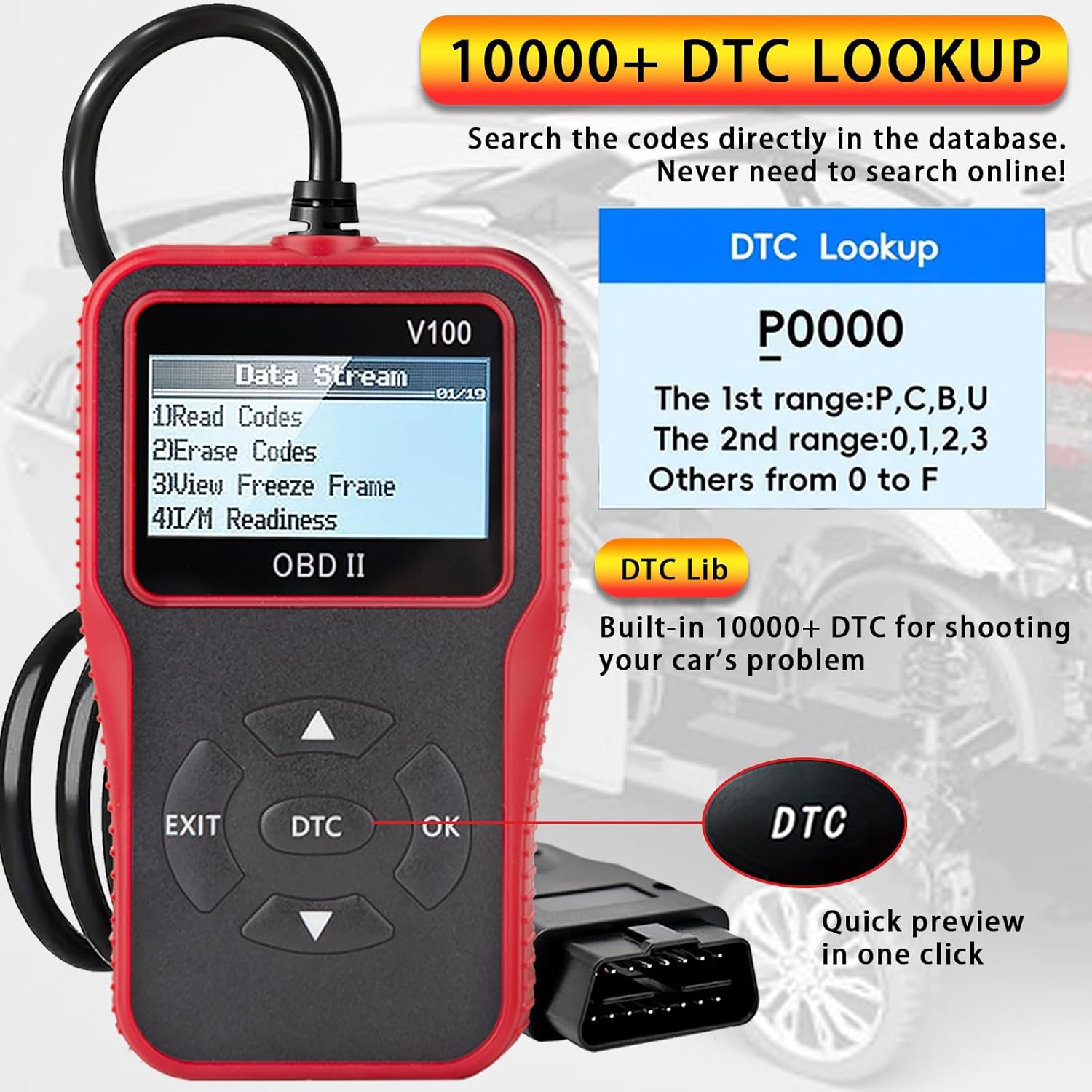
Figure 5.3: The V100 showing the "DTC Lookup" screen, illustrating how to search for code definitions.
5.7 Battery Voltage Test
The V100 can also monitor your vehicle's battery voltage, providing an indication of its health and the charging system's status.
- From the main menu, look for an option related to "Battery Test" or "Voltage" (if available, otherwise this function might be integrated into live data).
- Select the option and press OK.
- The tool will display the current battery voltage. Compare this reading to your vehicle's specifications (typically around 12.6V for a healthy battery when the engine is off, and 13.5-14.5V when the engine is running).
- Press EXIT to return to the main menu.
6. Maintenance
6.1 Cleaning
- Use a soft, damp cloth to clean the exterior of the tool.
- Do not use abrasive cleaners or solvents.
- Ensure the tool is completely dry before storage or next use.
6.2 Storage
- Store the tool in a clean, dry environment, away from direct sunlight and extreme temperatures.
- Keep the OBD2 connector free from dust and debris.
7. Troubleshooting
If you encounter issues while using your OnRetul V100, refer to the following common problems and solutions:
| Problem | Possible Cause | Solution |
|---|---|---|
| Tool does not power on / Screen is blank | Loose connection to DLC; Vehicle ignition not ON; Blown fuse in vehicle's OBD2 circuit. | Ensure the OBD2 connector is firmly seated. Turn vehicle ignition to ON. Check vehicle's fuse box for a blown fuse related to the OBD2 port. |
| "LINK ERROR" or "COMMUNICATION ERROR" message | Vehicle not OBD2 compliant; Faulty connection; Vehicle's ECU not responding. | Verify vehicle is OBD2 compliant (1996 or newer for most regions). Re-connect the tool. Try on another OBD2 compliant vehicle to rule out tool fault. Consult vehicle's service manual. |
| Codes cannot be cleared | Underlying fault still present; Vehicle ignition not ON. | Ensure the vehicle's ignition is ON (engine off). Address the underlying issue causing the DTCs before attempting to clear them. |
| Inaccurate or no live data | Poor connection; Sensor malfunction. | Check connection. Ensure vehicle is running if monitoring engine parameters. If problem persists, consult a professional technician. |
8. Specifications
| Feature | Detail |
|---|---|
| Brand | OnRetul |
| Model Name | V100 |
| Item Model Number | V310 |
| Product Dimensions | 3"L x 0.8"W x 5.1"H |
| Item Weight | 6.4 ounces |
| Automotive Fit Type | Universal Fit (OBD2 compliant vehicles since 1996) |
| Operating System (for internal software) | Windows 10 (likely refers to compatibility for updates, not the device OS) |
| UPC | 768383869125 |
9. Customer Support
For technical assistance, warranty information, or any questions regarding your OnRetul V100 OBD2 Diagnostic Tool, please contact OnRetul customer support through the retailer's platform or the official brand website.