
1. Introduction
This manual provides comprehensive instructions for the operation, maintenance, and troubleshooting of your TIMU Military Smart Watch. Please read this manual thoroughly before using the device to ensure proper functionality and to maximize your user experience.
Package Contents
Upon opening the package, please verify that all items listed below are present and in good condition:
- 1 x TIMU Military Smart Watch
- 1 x Charging Cable
- 1 x User Manual
If any items are missing or damaged, please contact customer support immediately.

Figure 1.1: The TIMU Military Smart Watch, showcasing its robust design and digital display.
2. Setup
2.1 Initial Charging
Before first use, fully charge your smart watch. Connect the provided charging cable to the charging port on the back of the watch and plug the USB end into a standard USB power adapter (not included) or a computer's USB port. The watch display will indicate charging status. A full charge typically takes approximately 1.5 hours.
2.2 App Installation and Pairing
To unlock the full functionality of your TIMU Smart Watch, you need to install the "FitCloudPro" application on your smartphone.
- Download the App: Search for "FitCloudPro" in the Apple App Store (for iOS devices) or Google Play Store (for Android devices), or scan the QR code provided in the watch's quick start guide.
- Create an Account: Open the FitCloudPro app and follow the on-screen instructions to register a new account or log in if you already have one.
- Pair the Watch:
- Ensure Bluetooth is enabled on your smartphone.
- Open the FitCloudPro app and navigate to the "Device" or "My Device" section.
- Tap "Add Device" or a similar option to search for your watch.
- Select "TIMU Smart Watch" from the list of discovered devices.
- Confirm the pairing request on both your watch and smartphone.
- Grant Permissions: Allow the app necessary permissions (e.g., notifications, location, health data) for optimal performance.
Once paired, the watch will synchronize time and data with your phone.
3. Operating Instructions
3.1 Basic Navigation
- Touchscreen: Swipe left/right, up/down to navigate through menus and screens. Tap to select.
- Side Buttons: The watch features multiple physical buttons. Refer to the watch's on-screen prompts or quick start guide for specific button functions (e.g., power on/off, back, quick access to sports modes).
3.2 Call Functionality
The TIMU Smart Watch supports Bluetooth calls, allowing you to answer and make calls directly from your wrist.

Figure 3.1: The watch's interface showing options for contacts, dial pad, and call management, alongside social media notifications.
- Answering Calls: When a call comes in, the watch will vibrate and display the caller ID. Tap the green icon to answer.
- Making Calls: Access the dial pad or contacts list on the watch to initiate a call. Ensure your watch is connected to your phone via Bluetooth.
- Notifications: Receive real-time message notifications from various social software applications directly on your watch.
3.3 Health Monitoring
The watch is equipped with advanced sensors for 24/7 health monitoring.

Figure 3.2: Underside view of the smartwatch showing the optical sensors for heart rate, blood pressure, and blood oxygen monitoring, along with sleep tracking data.
- Heart Rate Monitoring: Continuously tracks your heart rate. View real-time data on the watch or detailed graphs in the FitCloudPro app.
- SpO2 (Blood Oxygen) Monitoring: Measures your blood oxygen saturation levels.
- Sleep Monitoring: Automatically tracks your sleep patterns, including deep sleep, light sleep, and wake-up times.
- Pedometer: Counts your daily steps, distance, and calories burned.
For accurate readings, ensure the watch is worn snugly on your wrist, about one finger's width from your wrist bone.
3.4 Sports Modes
The watch supports over 114 sports modes to track your physical activities.

Figure 3.3: The watch interface showing tracked data such as calories, distance, and steps, with icons representing various sports like running, climbing, cycling, skiing, and surfing.
- Selecting a Mode: Navigate to the sports mode menu on your watch and select the desired activity (e.g., running, cycling, yoga).
- Tracking: The watch will begin tracking relevant metrics for your chosen activity, such as duration, distance, calories burned, and heart rate.
- Data Sync: All activity data will sync to the FitCloudPro app for detailed analysis and historical tracking.
3.5 Other Functions
The TIMU Smart Watch offers a variety of practical features:

Figure 3.4: Visual representation of additional smartwatch functions including music control, weather display, and an outdoor flashlight, along with icons for camera control, sedentary reminder, and more.
- Music Control: Control music playback on your smartphone (play, pause, skip tracks).
- Camera Control: Use your watch as a remote shutter for your phone's camera.
- Weather: View real-time weather forecasts synced from your phone.
- Alarm Clock: Set alarms directly from the watch or app.
- Sedentary Reminder: Get alerts to move if you've been inactive for too long.
- Find Phone/Watch: Locate your paired device.
- Flashlight: Activate a bright screen for use as a temporary flashlight.
4. Maintenance
Proper care and maintenance will extend the lifespan of your TIMU Smart Watch.
- Cleaning: Regularly clean the watch and strap with a soft, dry cloth. For stubborn dirt, a slightly damp cloth can be used, followed by drying. Avoid harsh chemicals or abrasive materials.
- Water Resistance: The watch is IP68 waterproof, meaning it can withstand dust, dirt, and sand, and is resistant to submersion up to a maximum depth of 1.5m for up to 30 minutes. It is suitable for daily use and light water activities, but not for hot showers, saunas, or deep diving.
- Battery Care: Avoid fully discharging the battery frequently. Charge the watch when the battery level is low. Store the watch in a cool, dry place if not used for extended periods.
- Temperature: Avoid exposing the watch to extreme temperatures (below -40°C or above 70°C) as this can affect battery life and component integrity.
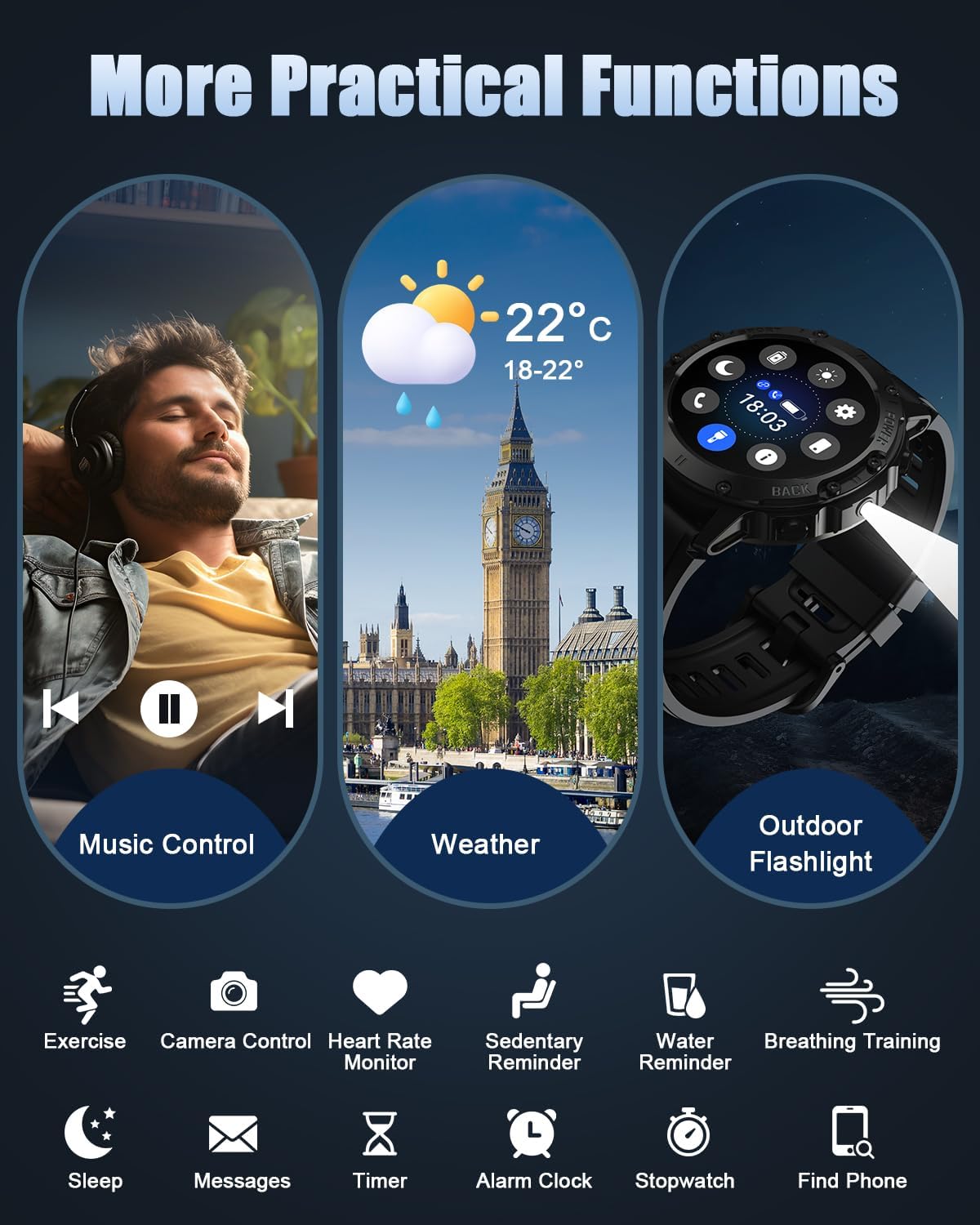
Figure 4.1: Images illustrating the smartwatch's anti-impact, dust-proof, temperature resistance, anti-fluid corrosion, and IP68 waterproof capabilities.
5. Troubleshooting
If you encounter issues with your TIMU Smart Watch, refer to the following common problems and solutions:
| Problem | Possible Cause / Solution |
|---|---|
| Watch does not turn on. | Battery is depleted. Charge the watch for at least 30 minutes. |
| Cannot pair with phone. | Ensure Bluetooth is on, watch is charged, and within range. Restart both watch and phone. Clear Bluetooth cache on phone. |
| Notifications not received. | Check app permissions for notifications. Ensure app is running in the background. Verify notification settings in the FitCloudPro app. |
| Inaccurate health data. | Ensure the watch is worn snugly on the wrist. Clean the sensors on the back of the watch. Avoid excessive movement during measurements. |
| Short battery life. | Frequent use of features like calls, continuous heart rate monitoring, or bright screen can drain battery. Reduce screen brightness, disable unnecessary features. |
If the problem persists, please contact customer support for further assistance.
6. Specifications
| Feature | Detail |
|---|---|
| Model Number | a4950582-5634-4406-a31b-26f31ab816e6 |
| Display | 1.45" TFT HD, 360*360 pixels, 60Hz refresh rate |
| Connectivity | Bluetooth 5.3 |
| Operating System | Wear OS (as per product data, though often custom OS for smartwatches) |
| Memory Storage Capacity | 1 GB |
| Water Resistance | IP68 |
| Battery Life (Operating) | Up to 10 days (typical usage) |
| Battery Life (Standby) | Up to 30 days |
| Charging Time | Approx. 1.5 hours |
| Compatibility | Android 6.0 and iOS 9.0 or higher |
| Material | Zinc alloy case, TP toughened glass, skin-friendly silicone strap |
| Dimensions (Package) | 16.7 x 9.7 x 2.9 cm |
| Weight (Package) | 180 g |
7. Warranty and Support
For warranty information and customer support, please refer to the documentation provided with your purchase or contact the retailer. Keep your proof of purchase for any warranty claims.
For technical assistance or further inquiries, please visit the official TIMU website or contact their customer service department.