
1. Product Overview
The Armitron Men's Multi Function Dial Bracelet Watch (Model 20/5625BKGP) is a sophisticated timepiece designed for daily wear. It features a durable mineral crystal lens and a black sunray dial complemented by gold-tone luminous hands and markers. The watch includes three functional subdials for day, date, and 24-hour tracking, along with a printed outer minute tracker for precise timekeeping. Its gold-tone adjustable link bracelet ensures a comfortable fit, secured by a fold-over clasp with a double push-button safety. This watch is water resistant to 165 feet (50 meters), making it suitable for short periods of recreational swimming but not for diving or snorkeling.

Image 1.1: Front view of the Armitron Men's Multi Function Dial Bracelet Watch. This image displays the black sunray dial with gold-tone hands and markers, and the three subdials for day, date, and 24-hour time. The gold-tone bracelet is also visible.
2. Setup and Initial Use
2.1. Setting the Time
- Pull the crown (the small knob on the side of the watch case) out to the second click position.
- Turn the crown clockwise or counter-clockwise to move the hour and minute hands to the desired time.
- Once the time is set, push the crown back into its original position to start the watch.
2.2. Setting the Date and Day
- Pull the crown out to the first click position.
- Turn the crown in one direction (usually clockwise) to adjust the date.
- Turn the crown in the opposite direction (usually counter-clockwise) to adjust the day.
- Avoid setting the date or day between 9:00 PM and 3:00 AM, as this may interfere with the automatic date change mechanism.
- Once the date and day are set, push the crown back into its original position.
2.3. Adjusting the Bracelet
The watch features an adjustable link bracelet. For proper fit, links may need to be added or removed. It is recommended to have this adjustment performed by a professional jeweler or watch repair service to prevent damage to the bracelet or watch.

Image 2.1: Side view of the Armitron watch. This image highlights the crown and the two push-buttons on the side of the watch case, used for setting time and adjusting subdials.
3. Operating Instructions
3.1. Multi-Function Dial Operation
Your Armitron watch is equipped with a multi-function movement that displays the day of the week, the date, and a 24-hour indicator via three distinct subdials on the main watch face.
- Day Subdial: Indicates the current day of the week (e.g., MON, TUE). This subdial automatically advances with the main time.
- Date Subdial: Displays the current numerical date. This subdial also advances automatically.
- 24-Hour Subdial: Shows the current time in a 24-hour format, synchronizing with the main hour hand. This helps distinguish between AM and PM hours.
Adjustments for the day and date subdials are typically made using the crown in its first click position, as described in the "Setting the Date and Day" section. The 24-hour subdial is synchronized with the main time setting and does not require separate adjustment.
4. Maintenance and Care
4.1. Cleaning Your Watch
To maintain the appearance of your Armitron watch, regularly wipe the case and bracelet with a soft, dry cloth. For more thorough cleaning of the metal bracelet, a slightly damp cloth can be used, followed by immediate drying. Avoid using harsh chemicals, solvents, or abrasive cleaners, as these can damage the watch's finish or internal components.
4.2. Water Resistance
This watch is water resistant to 165 feet (50 meters). This rating means the watch is suitable for short periods of recreational swimming. It is not suitable for diving, snorkeling, or prolonged water activities. Always ensure the crown is fully pushed in before any contact with water. Do not operate the crown or push-buttons when the watch is wet or submerged, as this can compromise the water resistance.
4.3. Battery Replacement
Your Armitron watch is powered by a quartz movement and requires a battery. The battery life typically ranges from 2 to 3 years, depending on usage. When the watch stops or the hands begin to move erratically, it is likely time for a battery replacement. It is highly recommended to have the battery replaced by a qualified watch technician to ensure proper sealing and maintain water resistance.
5. Troubleshooting
5.1. Watch Not Running
- Check the Crown: Ensure the crown is fully pushed in. If it's pulled out, the watch will not run.
- Battery: The battery may be depleted. Refer to the "Battery Replacement" section for guidance.
5.2. Incorrect Time/Date/Day
- Resetting: Follow the instructions in the "Setting the Time" and "Setting the Date and Day" sections to correctly set the watch.
- Automatic Advance: Ensure the watch has been running continuously for at least 24 hours for the day/date to advance correctly.
5.3. Condensation Inside the Crystal
If you notice condensation inside the watch crystal, it indicates that moisture has entered the watch. This can be due to extreme temperature changes, a compromised seal, or operating the crown/pushers underwater. Immediately take the watch to a professional watch repair service to prevent further damage to the movement.
6. Specifications
| Feature | Detail |
|---|---|
| Model Number | 20/5625BKGP |
| Lens Material | Mineral Crystal |
| Dial Type | Multi-Function Sunray Dial |
| Subdials | Day, Date, 24-Hour |
| Hands & Markers | Gold-tone Luminous |
| Bracelet Type | Adjustable Link Bracelet |
| Clasp Type | Fold-over Clasp with Double Push-button Safety |
| Water Resistance | 165 feet (50M) |
| Manufacturer | Armitron |
| Item Weight | 1.03 Pounds |
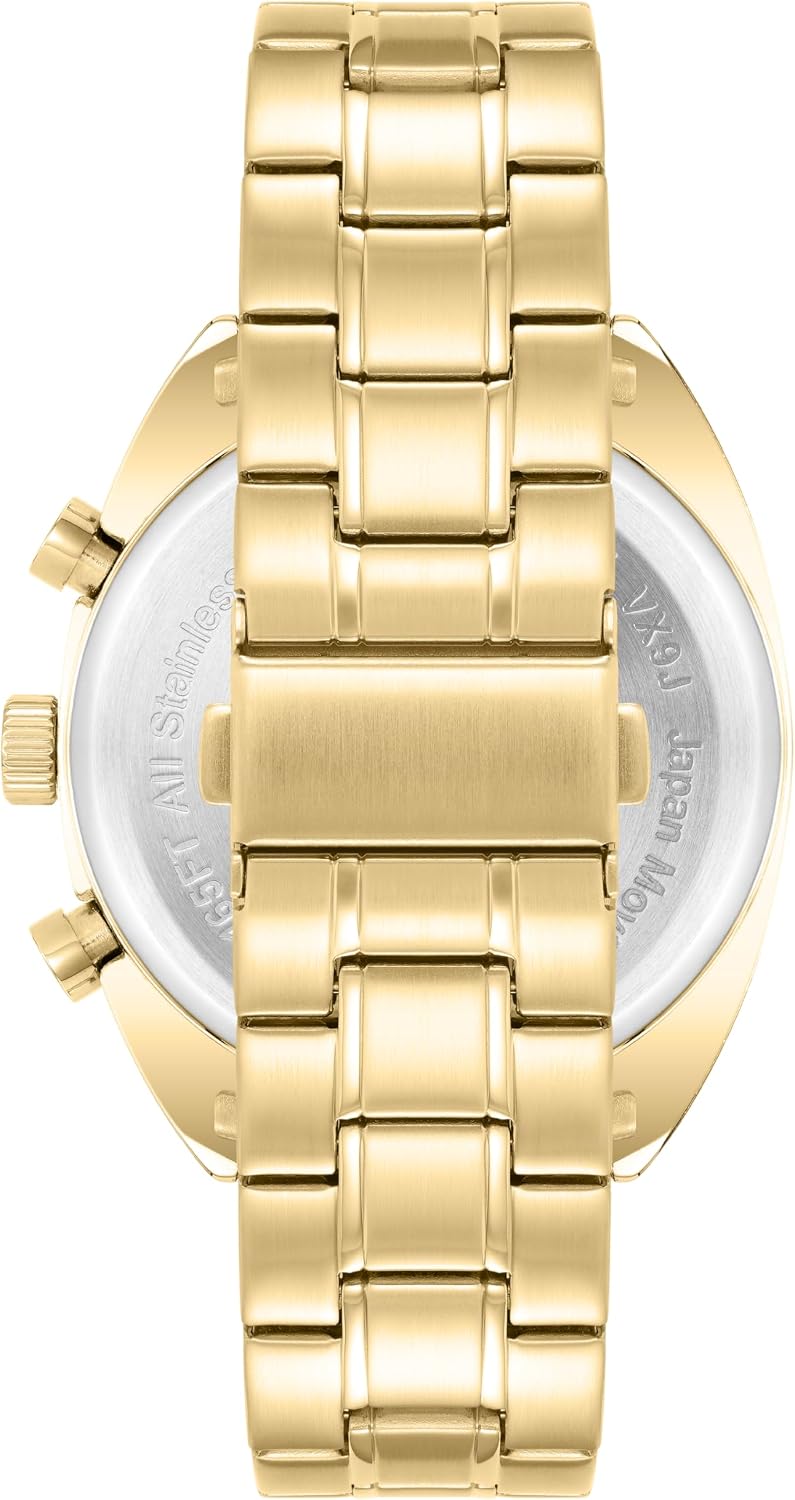
Image 6.1: Back view of the Armitron watch. This image shows the gold-tone bracelet and the fold-over clasp with double push-button safety, along with the stainless steel case back.
7. Warranty and Support
Armitron stands by the quality of its timepieces. For specific warranty details, including coverage period and terms, please refer to the warranty card included with your purchase or visit the official Armitron website. For product support, service, or inquiries regarding repairs, it is recommended to contact Armitron's customer service directly or visit their official brand store online.
You can find more information and contact details by visiting the Armitron Store on Amazon.

Image 7.1: The Armitron watch presented in its original product box. The box is designed to protect the watch during transit and storage, and often contains warranty information and user manuals.


