
1. Introduction
Thank you for purchasing the Raymate R5 Portable Bluetooth Speaker. This manual provides essential information for the safe and optimal use of your device. Please read it thoroughly before operation and retain it for future reference.
The Raymate R5 is a versatile and durable portable Bluetooth speaker designed for both indoor and outdoor use. It features IPX7 waterproofing, Bluetooth 5.0 connectivity, 20W stereo sound, TWS pairing capability, and a long-lasting battery.
2. Package Contents
Please check the package for the following items:
- Raymate R5 Portable Bluetooth Speaker
- Type-C Charging Cable
- AUX Audio Cable
- User Manual
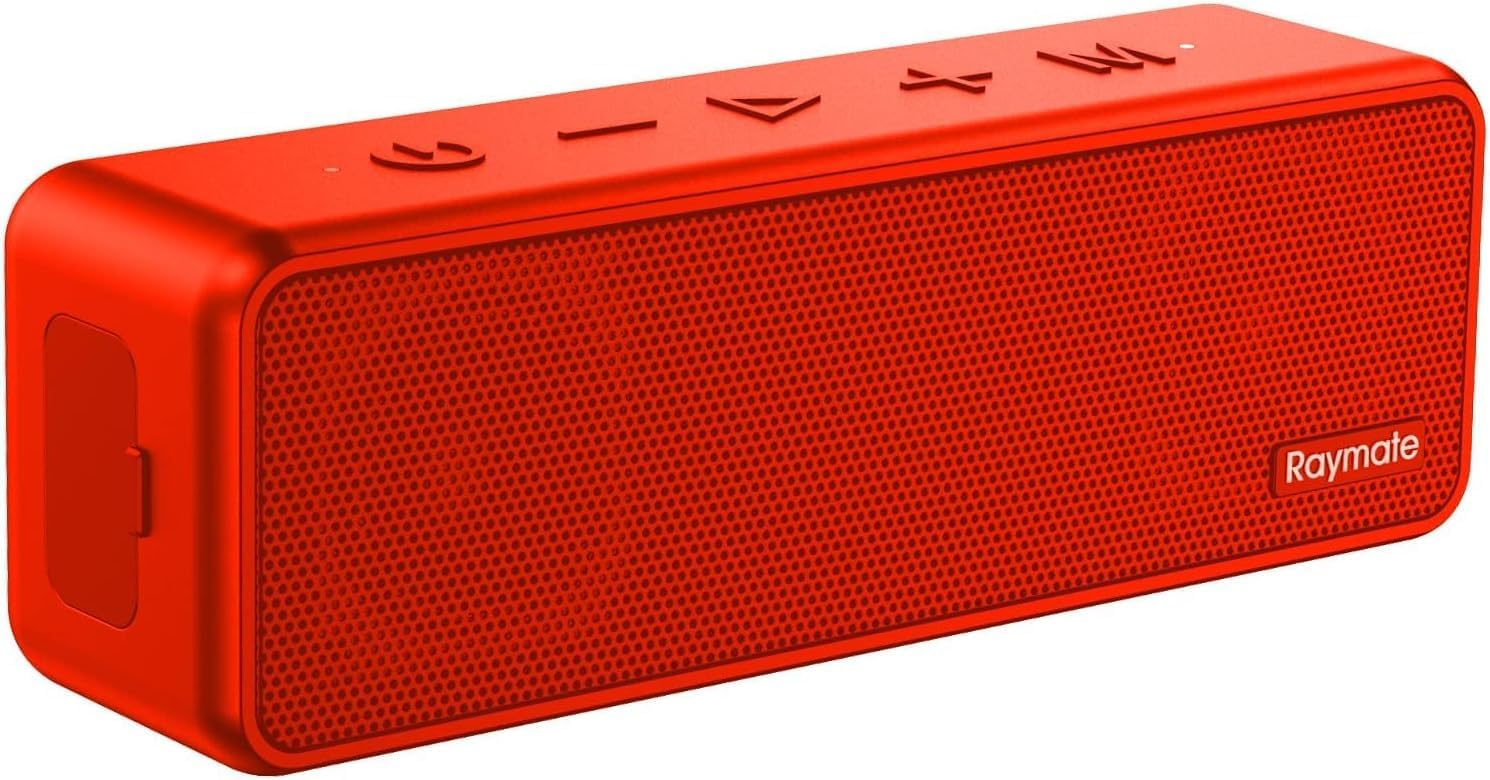
Image: The Raymate R5 speaker in red, along with its charging cable and AUX cable.
3. Product Overview
3.1 Speaker Components

Image: An internal view of the Raymate R5 speaker, highlighting its dual full-frequency speaker drivers, which contribute to its 20W stereo sound output.
The Raymate R5 speaker is equipped with dual full-frequency drivers, delivering a total output of 20W for rich, clear audio.
3.2 Control Buttons and Ports

Image: A close-up of the side panel of the Raymate R5 speaker, indicating the TF (MicroSD) card slot, AUX-IN port, and Bluetooth 5.0 connectivity.
- Power Button: Press and hold to power on/off.
- Volume Down (-): Short press to decrease volume.
- Previous Track (<): Long press to go to the previous track.
- Play/Pause Button (►||): Short press to play/pause music, answer/end calls. Long press to reject calls.
- Next Track (>): Long press to go to the next track.
- Volume Up (+): Short press to increase volume.
- Mode Button (M): Short press to switch between Bluetooth, AUX, and TF card modes.
- Type-C Charging Port: For charging the speaker.
- AUX-IN Port: For wired audio connection.
- TF Card Slot: For playing music directly from a MicroSD card.
4. Setup and Operation
4.1 Charging the Speaker
Before first use, fully charge the speaker. Connect the provided Type-C charging cable to the speaker's charging port and the other end to a USB power adapter (not included) or a computer's USB port. The charging indicator light will show charging status and turn off when fully charged.
- Charging Time: Approximately 3-4 hours.
- Battery Life: Up to 15 hours of playback depending on volume and content.
4.2 Power On/Off
- Power On: Press and hold the Power button for 2-3 seconds until you hear an audible prompt.
- Power Off: Press and hold the Power button for 2-3 seconds until you hear an audible prompt.
4.3 Bluetooth Pairing
The speaker will automatically enter Bluetooth pairing mode when powered on for the first time or if no device is connected.
- Ensure the speaker is powered on and in Bluetooth mode (indicated by a flashing blue LED).
- Enable Bluetooth on your device (smartphone, tablet, computer).
- Search for "Raymate R5" in your device's Bluetooth settings and select it to connect.
- Once connected, the blue LED will stop flashing and remain solid, and you will hear a confirmation sound.

Image: The Raymate R5 speaker positioned next to a smartphone, illustrating the process of connecting via Bluetooth 5.0 for stable and fast wireless control.

Image: A person holding a smartphone, demonstrating the pairing process with the Raymate R5 speaker, which is visible on a nearby table.
4.4 TWS (True Wireless Stereo) Pairing
You can pair two Raymate R5 speakers together for an immersive stereo sound experience.
- Ensure both R5 speakers are powered on and not connected to any Bluetooth device.
- On one speaker (this will be the primary speaker), double-press the Power button. You will hear a prompt indicating TWS pairing mode.
- The two speakers will automatically connect to each other. Once connected, you will hear a confirmation sound, and the LED indicators on both speakers will change.
- Now, connect your device to the primary speaker via Bluetooth as described in section 4.3. The sound will play through both speakers in stereo.

Image: Two Raymate R5 speakers shown side-by-side, emphasizing their True Wireless Stereo (TWS) capability for 360-degree surround sound.

Image: Two Raymate R5 speakers set up outdoors on a rock with people enjoying music, demonstrating the TWS feature in an outdoor setting.
4.5 AUX-IN Mode
To use the speaker with a wired connection:
- Connect one end of the provided AUX audio cable to the speaker's AUX-IN port.
- Connect the other end to the audio output jack of your device (e.g., MP3 player, computer).
- The speaker will automatically switch to AUX mode, or you can press the 'M' (Mode) button to select AUX mode.
4.6 TF Card Mode
To play music directly from a MicroSD (TF) card:
- Insert a MicroSD (TF) card with MP3 audio files into the TF card slot.
- The speaker will automatically switch to TF card mode, or you can press the 'M' (Mode) button to select TF card mode.
5. Maintenance and Care
- Cleaning: Wipe the speaker with a soft, damp cloth. Do not use harsh chemicals or abrasive cleaners.
- Storage: Store the speaker in a cool, dry place away from direct sunlight and extreme temperatures.
- Water Resistance: The speaker is IPX7 waterproof, meaning it can be submerged in up to 1 meter of water for 30 minutes. Ensure the charging port cover is securely closed before exposure to water. Do not intentionally submerge for extended periods or in depths greater than specified.
- Battery Care: To prolong battery life, charge the speaker regularly, even if not in use for extended periods. Avoid fully discharging the battery frequently.

Image: The Raymate R5 speaker shown partially submerged in water, illustrating its IPX7 waterproof capability, designed to withstand splashes and temporary submersion.

Image: Water splashing onto the Raymate R5 speaker, visually confirming its robust waterproof design suitable for various environments.
6. Troubleshooting
| Problem | Possible Cause | Solution |
|---|---|---|
| Speaker does not power on. | Low battery. | Charge the speaker fully. |
| Cannot pair with Bluetooth device. | Speaker is not in pairing mode; Bluetooth is off on device; Device is too far. | Ensure speaker is in pairing mode (flashing blue LED). Turn Bluetooth on your device. Move device closer to speaker (within 66 feet). |
| No sound. | Volume too low; Incorrect mode selected; Device not playing audio. | Increase volume on speaker and device. Press 'M' button to select correct mode (Bluetooth, AUX, TF). Ensure audio is playing on your connected device. |
| TWS pairing failed. | Speakers are too far apart; One speaker already connected to a device. | Ensure both speakers are within close proximity and not connected to any other Bluetooth device before initiating TWS pairing. |
| Poor sound quality. | Low battery; Obstructions between speaker and device; Source audio quality. | Charge the speaker. Reduce obstructions. Try a different audio source. |
7. Specifications
- Model Name: R5
- Connectivity Technology: Bluetooth 5.0
- Wireless Range: Up to 66 feet (20 meters)
- Speaker Output Power: 20W
- Audio Output Mode: Stereo
- Battery Capacity: 3600mAh
- Playtime: Up to 15 hours
- Charging Time: Approximately 3-4 hours
- Waterproof Rating: IPX7
- Dimensions: 3"D x 7"W x 3"H (approx.)
- Weight: 1.1 pounds (0.5 kg)
- Material: Plastic or Rubber
- Included Components: Speaker, Type-C Charging Cable, AUX Audio Cable, User Manual
8. Warranty and Support
Raymate products come with a Lifetime Warranty. For any product-related inquiries, technical support, or warranty claims, please contact Raymate customer service through the following channels:
- Email: Refer to your product packaging or the official Raymate website for contact details.
- Online Support: Visit the official Raymate store on Amazon: Raymate Store
Please have your model number (R5) and purchase information ready when contacting support.
