
1. Introduction
Thank you for choosing the LGIB Sim Racing Wheel Stand. This stand is designed to enhance your sim racing experience by providing a stable, adjustable, and foldable platform for your steering wheel, pedals, and gear shifter. It is compatible with a wide range of popular racing peripherals, including Logitech G25, G27, G29, G920, G923, and Thrustmaster T300RS, TX F458, T500RS, T150, T3PA-PRO (F1/GT), as well as Fanatec Clubsport and CSR pedals.
This manual provides detailed instructions for assembly, operation, maintenance, and troubleshooting to ensure optimal performance and longevity of your racing wheel stand.
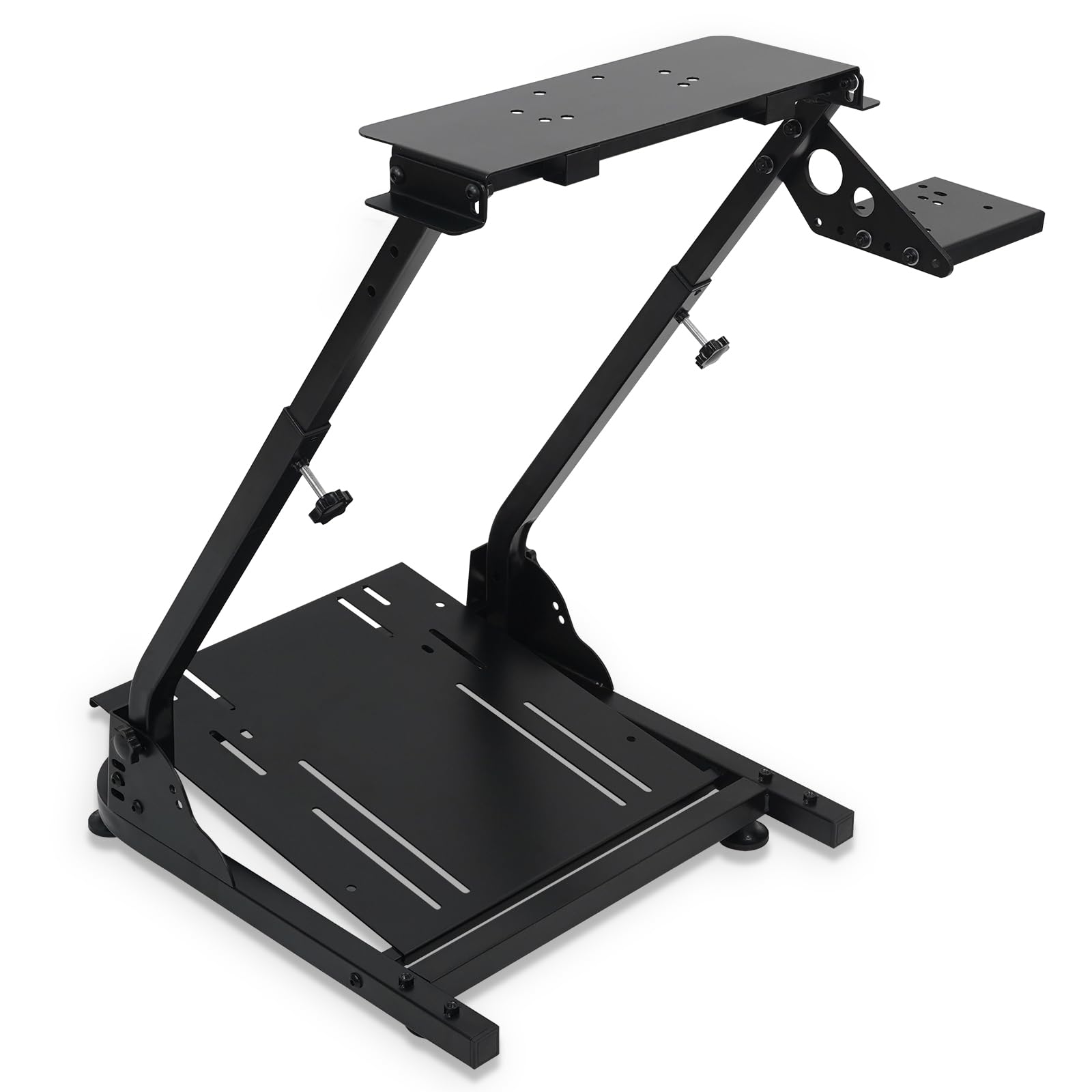
Image: The LGIB Sim Racing Wheel Stand, showcasing its robust design and compatibility with racing peripherals (peripherals not included).
2. Safety Information
- Ensure all bolts and fasteners are securely tightened before use to prevent instability.
- Do not exceed the maximum weight capacity of 485 lbs (220 kg).
- Keep hands and fingers clear of moving parts during adjustment to avoid pinching.
- Place the stand on a flat, stable surface. The anti-slip feet are designed to protect floors and provide stability.
- This product is intended for adult use. Keep small parts away from children.
- Regularly inspect the stand for any signs of wear, damage, or loose connections.
3. Package Contents
Please verify that all components are present before beginning assembly:
- Main Frame Components
- Pedal Plate
- Steering Wheel Plate
- Shifter Plate
- Adjustable Feet (pre-installed or separate)
- Assembly Hardware (bolts, nuts, washers)
- Assembly Tools (wrenches, hex keys)

Image: A diagram illustrating the product dimensions and the various assembly hardware and tools included in the package.
4. Setup and Assembly
Follow these steps to assemble your LGIB Sim Racing Wheel Stand. Refer to the included video for a visual guide.
4.1 Assembly Video Guide
Video: An official installation guide demonstrating the assembly process of the LGIB Sim Racing Wheel Stand.
4.2 Step-by-Step Assembly
- Unpack Components: Carefully remove all parts from the packaging and lay them out on a clean, flat surface. Verify all parts are present against the package contents list.
- Attach Main Support Arms: Connect the main vertical support arms to the base frame using the provided bolts and tools. Ensure they are securely fastened.
- Install Pedal Plate: Secure the pedal plate to the base frame. This plate offers adjustable angles (6°, 9°, 11.5°). Choose your desired angle and tighten the fasteners.
- Mount Steering Wheel Plate: Attach the steering wheel plate to the top of the main support arms. This plate allows for height and angle adjustments.
- Install Shifter Plate: Mount the shifter plate to either the left or right side of the main frame, according to your preference. This plate is also height adjustable.
- Adjust Feet: Ensure the adjustable anti-slip feet are properly positioned and adjusted to level the stand on uneven floors and protect your surface.
- Final Check: Double-check all bolts and connections to ensure they are tight and secure before mounting your racing peripherals.

Image: Detail of the carbon steel structure and adjustable feet, highlighting stability features.

Image: The stand featuring anti-slip rubber feet, providing secure placement and floor protection.
5. Operating Instructions and Adjustments
The LGIB Sim Racing Wheel Stand offers multiple adjustment points to customize your racing setup for optimal comfort and performance.
5.1 Height Adjustment
The main bracket height can be adjusted from 620mm to 780mm (24.4 to 30.7 inches). Loosen the adjustment knobs on the vertical support arms, slide the steering wheel plate to your desired height, and then securely tighten the knobs.

Image: Visual representation of the stand's height adjustment mechanism and pedal angle options.
5.2 Pedal Angle Adjustment
The pedal plate offers three adjustable angles: 6°, 9°, and 11.5°. Adjust the bolts on the pedal plate to select your preferred angle for comfortable pedal operation.
5.3 Shifter Plate Position
The shifter plate can be installed on either the left or right side of the stand, depending on your driving preference. It also allows for height adjustment. Secure the shifter plate firmly once positioned.

Image: Illustration of how the shifter plate can be mounted on either the left or right side of the stand.
5.4 Folding for Storage
The stand features a compact and foldable design for easy storage. Loosen the necessary adjustment points (refer to the assembly video for specific folding mechanisms) and fold the stand. It can be stored under a sofa, bed, or in a corner when not in use.

Image: Examples of the racing wheel stand in its folded state, demonstrating its space-saving storage capabilities.
6. Maintenance
- Cleaning: Wipe the stand with a soft, damp cloth to remove dust and dirt. Avoid abrasive cleaners or solvents that could damage the finish.
- Inspection: Periodically check all bolts, nuts, and connections to ensure they remain tight. Re-tighten any loose fasteners.
- Storage: When not in use, store the stand in a dry environment to prevent rust or damage.
7. Troubleshooting
7.1 Stand Feels Unstable
- Check Fasteners: Ensure all assembly bolts are fully tightened. Loose connections can cause wobbling.
- Level Surface: Verify the stand is placed on a flat and level surface. Adjust the individual feet if necessary to compensate for uneven floors.
- Weight Distribution: Ensure your racing peripherals are mounted centrally and securely.
7.2 Difficulty with Assembly
- Review Instructions: Re-read the step-by-step assembly instructions and watch the provided video guide carefully.
- Identify Parts: Ensure you are using the correct parts for each step. Refer to the package contents diagram.
- Do Not Force: If parts do not fit easily, do not force them. Recheck alignment and ensure no components are installed backward.
7.3 Peripherals Not Fitting
- Check Compatibility: Confirm your steering wheel, pedals, and shifter are listed as compatible models.
- Mounting Holes: The stand features pre-drilled holes for common peripherals. Align your equipment carefully. Some peripherals may require their own clamping mechanisms in addition to or instead of bolt-on mounting.
8. Specifications
| Item Model Number | 6920 (as per A+ content) |
| Main Material | Q235A steel (Carbon Steel) |
| Net Weight | 10.4 kg / 23 lbs |
| Product Dimensions (D x W x H) | 655 x 650 x 645 mm / 25.8"D x 25.6"W x 25.4"H (assembled) |
| Bracket Height Adjustment | 620 - 780 mm / 24.4 - 30.7 inches |
| Pedal Angle Adjustment | 6°, 9°, 11.5° |
| Steering Wheel Panel Angle Adjustment | 12° - 18° |
| Maximum Load Capacity | 485 lbs (220 kg) |
| Compatible Devices | PC, Playstation 5, Xbox One, Xbox Series X |
| Compatible Racing Peripherals | Logitech G25, G27, G29, G920, G923; Thrustmaster T300RS, TX F458, T500RS, T150, T3PA-PRO (F1/GT); Fanatec Clubsport, CSR pedals |
9. Warranty and Support
For any inquiries or assistance with your LGIB Sim Racing Wheel Stand, please contact our customer service team. We are committed to providing prompt solutions to ensure your satisfaction.
Please refer to your purchase documentation for specific warranty details and contact information.