
Introduction
Thank you for choosing the LOKITHOR J2250 PRO LiFePO4 Jump Starter. This device is designed to provide reliable and safe jump-starting for vehicles with 8.0L gasoline and 6.0L diesel engines. It also functions as a portable power bank and features an integrated LED flashlight. This manual provides essential information for the safe and effective use, maintenance, and troubleshooting of your jump starter.
Please read this manual thoroughly before operating the device and retain it for future reference.
Safety Information
WARNING: Read all safety warnings and instructions. Failure to follow the warnings and instructions may result in electric shock, fire, and/or serious injury.
- Do not expose the jump starter to rain or wet conditions.
- Do not operate the jump starter if it has been dropped or damaged.
- Do not attempt to jump-start a frozen battery.
- Ensure proper polarity connection to avoid sparks and damage to the vehicle's electrical system.
- Keep out of reach of children.
- Use the jump starter in a well-ventilated area.
- Do not short-circuit the clamps.
- Disconnect the jump starter from the vehicle battery immediately after jump-starting.
Package Contents
Verify that all items are present in your package:
- LOKITHOR J2250 PRO LiFePO4 Jump Starter
- Heavy-duty Jumper Cables (Smart Clamps)
- USB-C Charging Cable
- J-Series Storage Bag EVA Protection Case
- User Manual
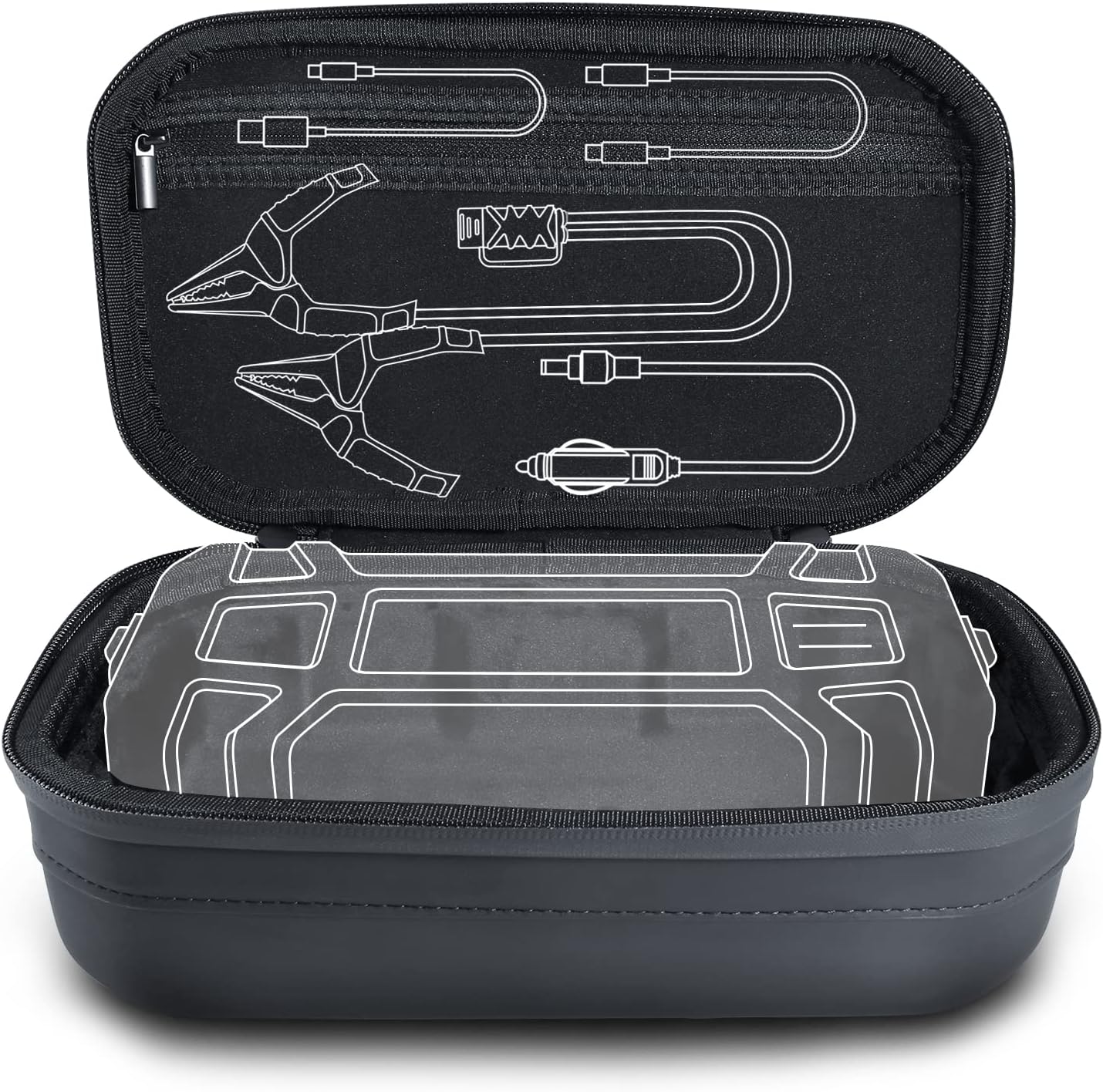
Image: The LOKITHOR J2250 PRO jump starter and its included accessories, such as jumper cables and charging cables, neatly stored within the EVA protection case.
Product Features
- LiFePO4 Battery Technology: Offers over 2000 cycles at 100% depth of discharge, enhanced safety, and chemical stability.
- Powerful Jump Starting: Up to 2250 Amps peak current, suitable for 8.0L gasoline and 6.0L diesel engines.
- Wide Operating Temperature: Functions effectively in temperatures from -4°F to 140°F (-20°C to 60°C).
- 60W Two-Way Fast Charging: Rapid charging for the unit and fast charging for external devices.
- Portable Power Bank: 51.2Wh capacity with USB-C (60W input/output), DC (Max 60W input), and USB-A (18W output) ports.
- 300 Lumen LED Flashlight: Features multiple modes including constant, SOS, blink, and strobe.
- All-round Protection Case: Durable EVA material provides waterproof, shockproof, and dustproof protection.
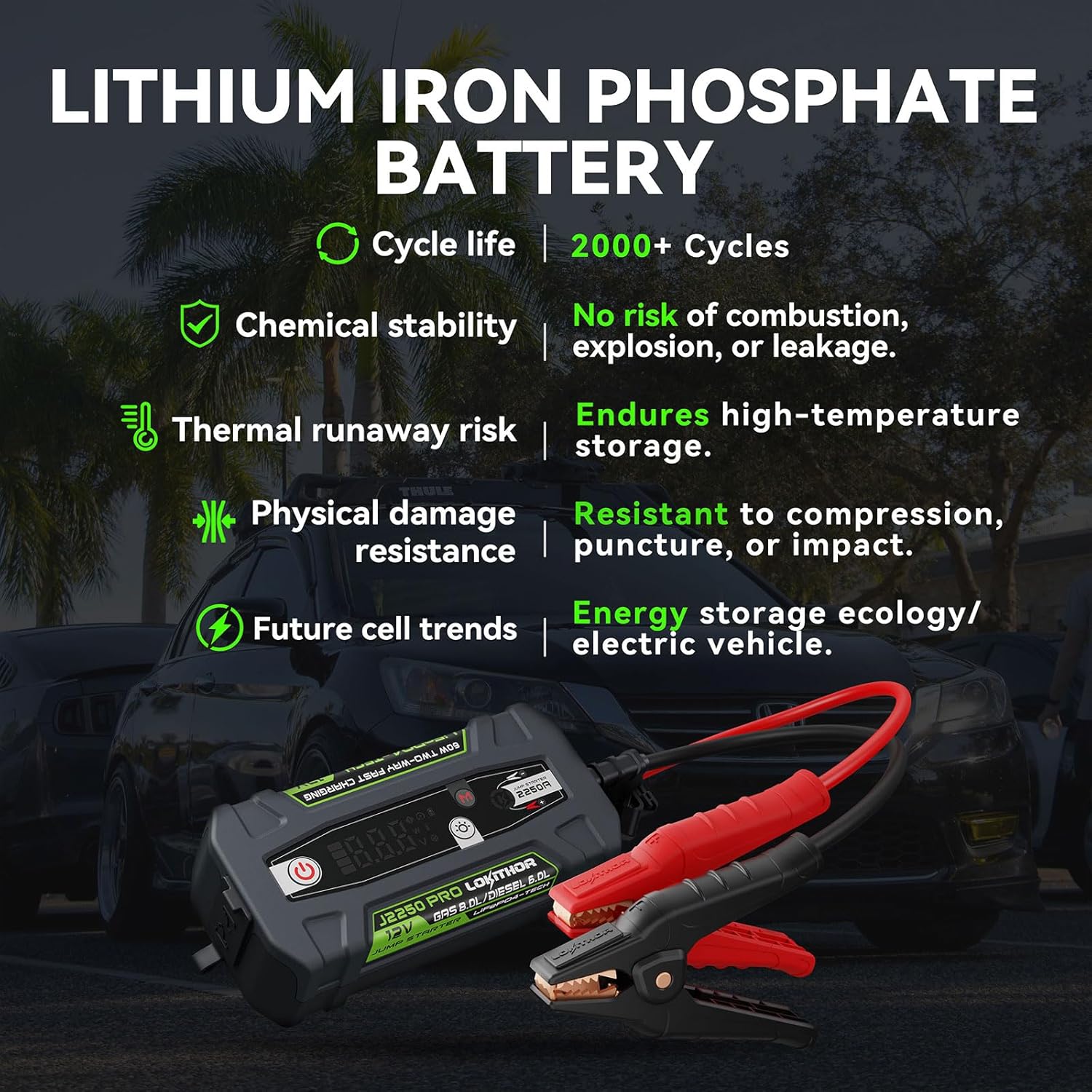
Image: An infographic highlighting the advantages of LiFePO4 battery technology, including long cycle life, chemical stability, low thermal runaway risk, physical damage resistance, and environmental benefits.

Image: A visual comparison showing that LiFePO4 technology offers significantly more charge cycles (2000+ times) compared to other battery types (500+ times), indicating superior durability.
Setup
Initial Charge
Before first use, fully charge your LOKITHOR J2250 PRO. Connect the included USB-C charging cable to the jump starter's USB-C port and to a compatible USB wall adapter (not included). The display will indicate charging status. A full charge typically takes several hours.
Checking Battery Level
Press the power button once to check the current battery level on the display. Ensure the jump starter has at least 50% charge before attempting to jump-start a vehicle.
Operating Instructions
Jump Starting a Vehicle
- Prepare the Vehicle: Turn off the vehicle's ignition and all accessories (headlights, radio, air conditioning). Engage the parking brake.
- Connect Clamps to Jump Starter: Insert the smart clamp connector firmly into the jump starter's 12V output port. Ensure a secure connection.
- Connect Clamps to Battery:
- Connect the RED (+) positive clamp to the vehicle battery's positive (+) terminal.
- Connect the BLACK (-) negative clamp to the vehicle battery's negative (-) terminal or a solid, unpainted metal part of the vehicle chassis away from the battery.
The smart clamp indicator light will show the connection status. A solid green light indicates a correct connection and readiness to jump-start.
- Start the Vehicle: Once the smart clamp indicator is green, start the vehicle's ignition. If the vehicle does not start immediately, wait 30 seconds before trying again. Do not crank for more than 3 seconds per attempt.
- Disconnect Clamps: Once the vehicle starts, immediately disconnect the BLACK (-) negative clamp first, then the RED (+) positive clamp from the vehicle battery. Finally, disconnect the smart clamp connector from the jump starter.
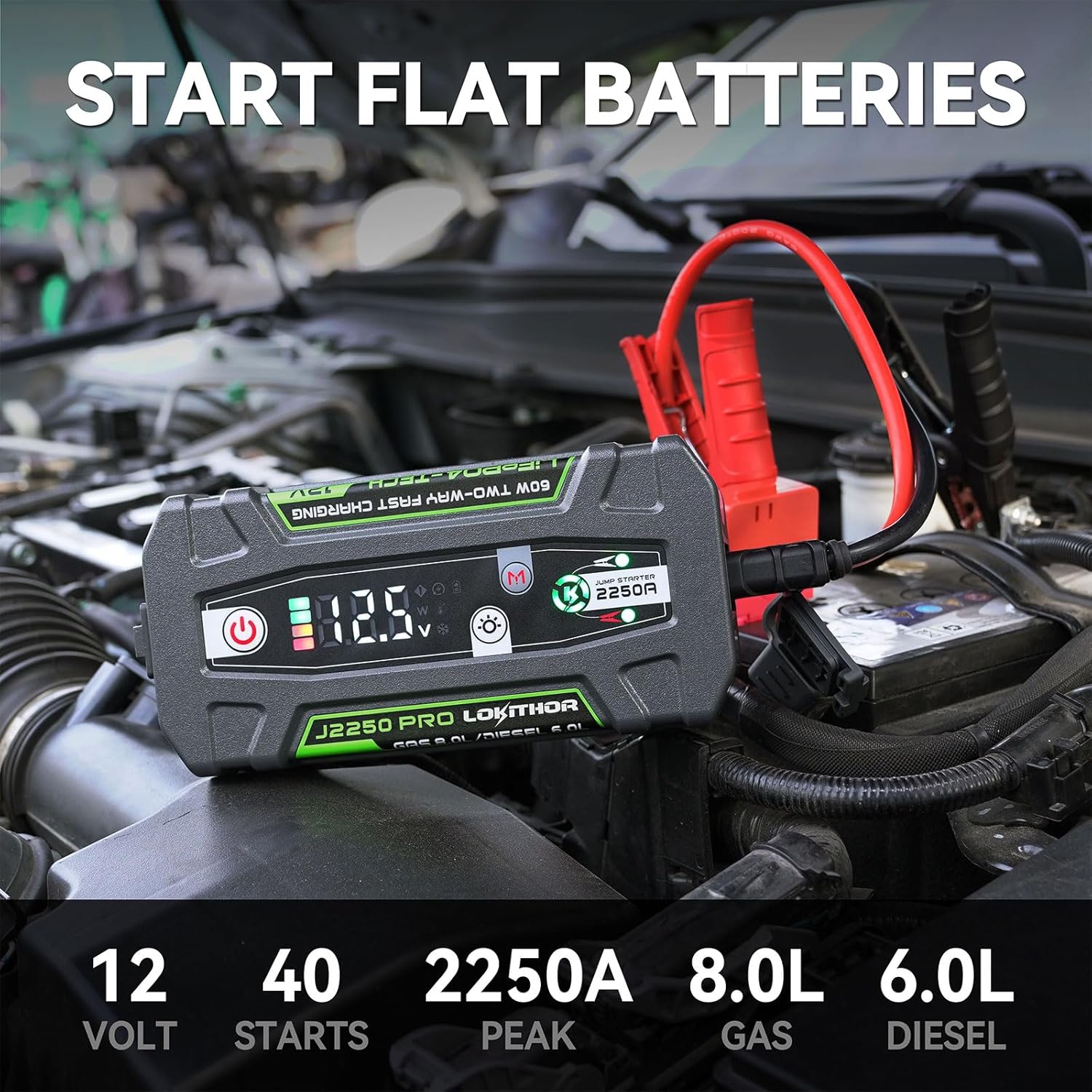
Image: The LOKITHOR J2250 PRO jump starter actively connected to a vehicle's battery terminals with its smart clamps, ready to provide a boost. The display shows operational information.
Using as a Power Bank
The LOKITHOR J2250 PRO can charge various electronic devices:
- USB-C Output: Connect your device to the USB-C port using a compatible cable for up to 60W fast charging.
- USB-A Output: Connect your device to the USB-A port for up to 18W charging.
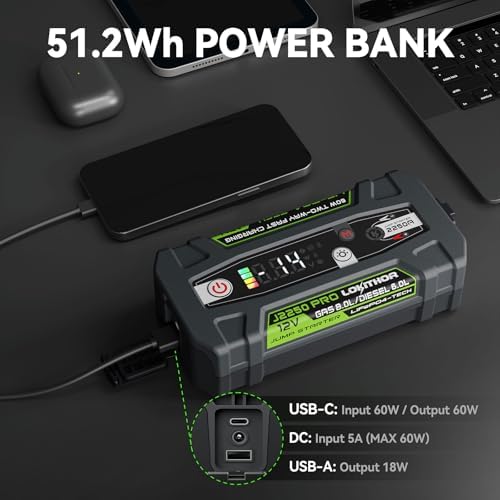
Image: The LOKITHOR J2250 PRO jump starter functioning as a power bank, charging a smartphone and other small electronics via its USB-C port.
Using the LED Flashlight
Press and hold the flashlight button to turn on the LED light. Press again to cycle through modes: Constant, SOS, Blink, Strobe. Press and hold to turn off.

Image: The LOKITHOR J2250 PRO jump starter's integrated 300 lumen LED flashlight is active, illuminating text on a dark surface, demonstrating its utility in low-light conditions.
Charging the Device
To charge the LOKITHOR J2250 PRO, use the provided USB-C cable. Connect it to a USB-C power adapter (not included) or a compatible DC power source. The device supports 60W two-way fast charging, allowing for quick replenishment of its internal battery.
It is recommended to fully charge the device every 3-6 months, even when not in use, to maintain battery health.
Maintenance
- Cleaning: Wipe the unit with a dry, soft cloth. Do not use harsh chemicals or abrasive materials.
- Storage: Store the jump starter in its protective EVA case in a cool, dry place away from direct sunlight and extreme temperatures. Ensure it is charged to at least 50% before long-term storage.
- Battery Health: Recharge the unit every 3-6 months to prevent deep discharge and prolong battery life.
- Case Protection: The included EVA case is designed to protect the unit from impacts, water splashes, and dust. Always store the jump starter in this case when not in use.

Image: The LOKITHOR J-Series EVA protection case being splashed with water, demonstrating its waterproof capabilities and rugged design.

Image: The LOKITHOR J-Series EVA protection case resting securely on a car engine, illustrating its compact size and portability for automotive use.
Troubleshooting
| Problem | Possible Cause | Solution |
|---|---|---|
| Jump starter does not turn on. | Battery is completely discharged. | Charge the jump starter fully before use. |
| Vehicle does not start after connecting. | Incorrect clamp connection; Vehicle battery too deeply discharged; Jump starter battery too low. | Check clamp polarity and connection. Ensure jump starter has sufficient charge. Wait 30 seconds between attempts. |
| Smart clamp indicator shows red/error. | Reverse polarity; Short circuit; Over-temperature. | Disconnect clamps and re-connect with correct polarity. Allow unit to cool down if overheated. |
| Device not charging. | Faulty cable or adapter; Charging port issue. | Try a different USB-C cable and power adapter. Contact support if issue persists. |
Specifications
| Feature | Detail |
|---|---|
| Model | J2250 PRO |
| Battery Type | LiFePO4 (Lithium Iron Phosphate) |
| Peak Current | 2250 Amps |
| Engine Compatibility | Up to 8.0L Gasoline, 6.0L Diesel |
| Operating Temperature | -4°F to 140°F (-20°C to 60°C) |
| USB-C Input/Output | 60W Two-Way Fast Charging |
| USB-A Output | 18W |
| DC Input | Max 60W |
| LED Flashlight | 300 Lumens (Constant, SOS, Blink, Strobe) |
| Battery Capacity | 51.2Wh (Internal Power Bank) |
Warranty and Support
LOKITHOR products are designed for reliability and performance. For warranty information and customer support, please refer to the official LOKITHOR website or contact their dedicated after-sales service. Keep your purchase receipt as proof of purchase for warranty claims.
For further assistance, visit the LOKITHOR Store on Amazon or contact their customer service directly.


