
1. Introduction
The ASMAX S1 Motorcycle Bluetooth Headset is an advanced communication system designed for riders. It features mesh technology for group communication, smart voice control, noise cancellation, and a waterproof design, ensuring a connected and enjoyable riding experience. This manual provides detailed instructions for setup, operation, and maintenance.

Image: A motorcyclist on the road, emphasizing the "Stay Connected No Matter the Speed" feature of the ASMAX S1.
2. Package Contents
Ensure all the following items are present in your ASMAX S1 package:
- S1 Motorcycle Bluetooth Headset (Main Unit)
- Clamp Mount
- Speaker Unit & Hybrid & Wired Microphone
- Assembly Accessories
- User Manual

Image: An illustration detailing all items included in the ASMAX S1 package, such as the main unit, microphones, speakers, and mounting accessories.
3. Setup and Installation
3.1 Mounting the Headset
- Push the clamp mount into place on your helmet.
- According to the depth of the ear groove, choose either Velcro or pads for speaker installation.
- Install the short speaker line on the left side of the helmet and the long line on the right side.
- For open-face helmets, use the boom microphone. For full-face helmets, use the wired microphone.

Image: A visual guide showing the first four steps of installing the ASMAX S1 headset onto a motorcycle helmet, including attaching the clamp and positioning speakers.

Image: A visual guide showing the final steps of installing the ASMAX S1 headset onto a motorcycle helmet, including microphone placement for different helmet types.
3.2 Attaching the Main Unit
Once the clamp is installed, slide the main ASMAX S1 unit onto the clamp until it clicks securely into place.

Image: An illustration demonstrating how to attach the main ASMAX S1 unit to the helmet clamp using a push and slide mechanism.
3.3 Charging
The ASMAX S1 supports fast charging via a Type-C cable. A 60-minute charge provides up to 13 hours of intercom use, 16 hours of music playback, or 96 hours of standby time.

Image: An illustration highlighting the fast charging capability of the ASMAX S1, showing a Type-C cable connected to the unit and battery life indicators.
3.4 Video: ASMAX S1 Helmet Intercom Installation
Video: An official video demonstrating the installation process and key features of the ASMAX S1 Helmet Intercom system.
4. Operating Instructions
4.1 Power On/Off
Refer to the user manual for specific button presses to power the device on or off.
4.2 Mesh Intercom
The ASMAX S1 features advanced mesh technology, linking up to 8 riders within a 5-mile range for ultra-stable performance. It supports two modes:
- Free Mode: For open intercom within Bluetooth range.
- Group Mode: For private team communication.

Image: A graphic illustrating the mesh intercom network connecting up to 8 riders, highlighting seamless communication.
4.3 Cross-Brand & CloudTalk Intercom
The S1 can pair with headsets from other brands. Activate CloudTalk Mode in the ASMAX WORLD App to connect up to 50 riders via a stable, wide-range network, ideal for large group rides.
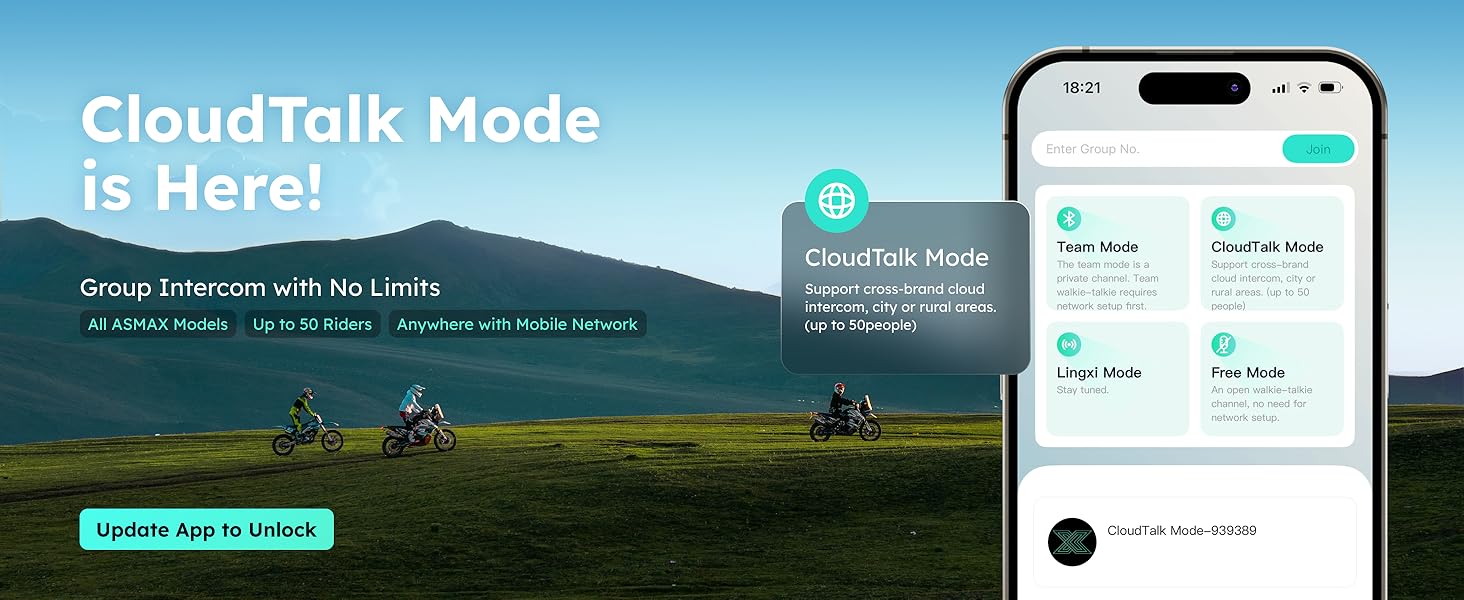
Image: A visual explaining CloudTalk Mode, showing how the ASMAX S1 can connect up to 50 riders via a stable, wide-range network using the ASMAX WORLD App.
4.4 Smart Voice Control
Control your headset with ASMAX's offline AI voice commands without taking your hands off the handlebars. The system also supports online commands via Siri or Google Assistant when connected to your phone.

Image: An image depicting a rider using smart voice control with the ASMAX S1, showing various voice commands for music, radio, and intercom.
Video: ASMAX S1 - Meet the Easiest Voice Control Ever
Video: A video showcasing the ease of use of the ASMAX S1's smart voice control features for various functions.

Image: A table listing various offline and online voice commands supported by the ASMAX S1 headset for hands-free operation.
4.5 Audio Multitasking
The S1's dual-chip Bluetooth 5.4 and octa-core processor allow simultaneous handling of music, GPS, and intercom, ensuring a smooth and uninterrupted ride.

Image: An illustration of the ASMAX S1's dual-chip architecture enabling simultaneous music, intercom, GPS, and FM radio functions.
4.6 Music Sharing
Share your music with a passenger by double-clicking the Function Key. End sharing with a single click on the Intercom Key. Note: Sharing may be affected by distance or obstacles.
4.7 FM Radio
Enjoy FM radio on the go. The built-in FM radio reduces phone distractions, keeping your ride safer and smoother.

Image: A graphic showing a motorcycle rider with the ASMAX S1, indicating FM radio integration for live music and news.
4.8 Phone Calls
Answer or make calls using voice commands or the headset buttons. The ENC/DSP noise reduction ensures crystal-clear voice even at high speeds.
4.9 Noise Cancellation
The S1 features ENC/DSP noise reduction to cancel wind and engine noise, delivering clear voice communication up to 120 km/h.

Image: An illustration demonstrating the ASMAX S1's chip-driven noise cancellation technology (ENC/DSP) for clear communication.
4.10 Immersive Audio & Clear Calls
Equipped with high-fidelity 40mm speakers and advanced EQ, the S1 provides immersive audio. It includes both a wired button mic for full-face and a boom mic for open-face helmets.

Image: An image showing the two types of microphones included with the ASMAX S1: a boom microphone for open-face helmets and a wired microphone for full-face helmets.
4.11 ASMAX WORLD App & FOTA Updates
Personalize settings and receive Firmware Over-The-Air (FOTA) updates via the ASMAX WORLD App for a continuously optimized riding experience.

Image: Screenshots of the ASMAX WORLD App interface, showing options for personalized LED, FM radio, group chat, and FOTA updates.

Image: A graphic indicating that the ASMAX S1 supports Firmware Over-The-Air (FOTA) updates for continuous optimization via the ASMAX WORLD App.
4.12 Video: ASMAX S1 - The Easiest Pairing You’ll Ever Try
Video: A short video highlighting the simple and quick pairing process of the ASMAX S1 headset.
4.13 Video: How to Connect ASMAX Helmet Comms with Insta360
Video: A tutorial video demonstrating how to connect ASMAX helmet communication systems with Insta360 cameras for integrated audio recording.
5. Maintenance
The ASMAX S1 is IPX7 waterproof, protecting it from rain and splashes. For cleaning, use a soft, damp cloth. Avoid harsh chemicals or abrasive materials. Ensure the charging port cover is securely closed when not charging to maintain water resistance.
6. Troubleshooting
If you encounter any issues with your ASMAX S1 headset, please refer to the following general troubleshooting tips:
- No Power: Ensure the device is fully charged. Check the charging cable and adapter.
- Pairing Issues: Make sure the headset is in pairing mode. Restart both the headset and the device you are trying to pair.
- Poor Audio Quality: Check microphone and speaker placement. Ensure no obstructions are blocking the sound. Verify noise cancellation settings in the app.
- Intercom Disconnection: Ensure all devices are within range and fully charged.
For more detailed troubleshooting or persistent issues, please contact ASMAX customer support.
7. Specifications
| Feature | Detail |
|---|---|
| Brand | ASMAX |
| Model Number | ASMAXS1-BLUE-SP |
| Connectivity Technology | Wireless (Bluetooth 5.4, Mesh) |
| Bluetooth Version | 5.4 |
| Bluetooth Range | Up to 3 Kilometers (Mesh) |
| Noise Control | Active Noise Cancellation, Environmental Noise Cancellation (ENC/DSP) |
| Audio Driver Size | 40 Millimeters |
| Control Type | Voice & App & Button Control |
| Battery Charge Time | 60 minutes |
| Battery Average Life | 13 Hours (Intercom), 16 Hours (Music), 96 Hours (Standby) |
| Water Resistance Level | IPX7 Waterproof |
| Item Weight | 41 Grams |

Image: A technical specification chart for the ASMAX S1, detailing various features and settings.
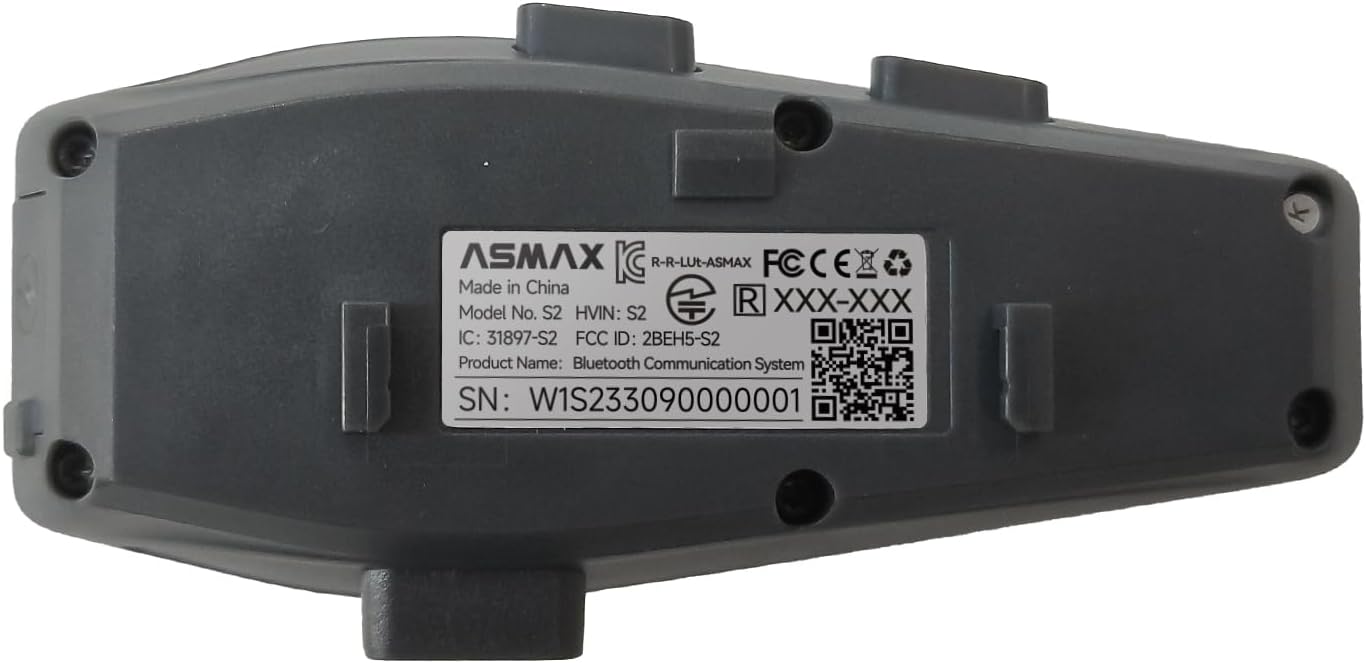
Image: A close-up of the product label on the back of the ASMAX S1 unit, showing model number, FCC ID, and serial number.
8. Warranty and Support
ASMAX guarantees a 2-year warranty from the date of purchase. For product support, additional information, or to explore other ASMAX products, please visit the ASMAX Store.


