
1. Product Overview
The Firestone Airide 9964 Air Command Service Pack is an advanced diagnostic and control tool designed for air suspension systems. This device offers live feedback, diagnostic capabilities, and precise control over your air helper springs, ensuring optimal performance and maintenance of your vehicle's suspension.
Key features include:
- Rechargeable Battery: For portable and convenient use.
- Live Feedback and Diagnostics: Monitor system performance in real-time.
- Wireless Connectivity: Utilizes Bluetooth and Wi-Fi for seamless integration.
- Compatibility: Designed for use with various air suspension components.
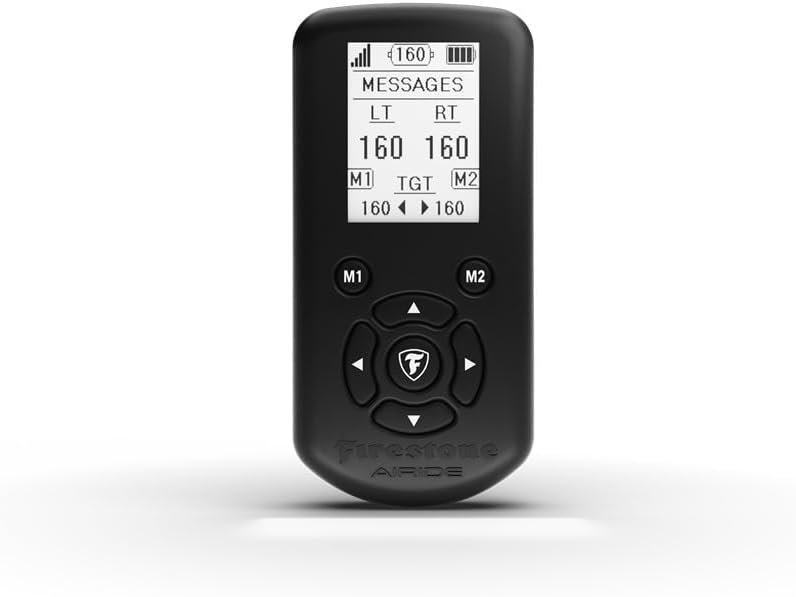
Figure 1.1: Front view of the Firestone Airide 9964 Air Command Service Pack, showing the display and control buttons.
2. Setup
2.1 Initial Charging
Before first use, fully charge the Air Command Service Pack. Connect the provided charging cable to the device and a compatible USB power source. The charging indicator light will illuminate during charging and turn off when fully charged.
2.2 Device Pairing (Bluetooth/Wi-Fi)
- Power On: Press and hold the power button until the display activates.
- Enter Pairing Mode: Navigate to the "Settings" menu on the device display and select "Pairing Mode."
- Connect: On your compatible air suspension system or mobile device, search for available Bluetooth or Wi-Fi networks. Select "Firestone Airide 9964" from the list.
- Confirm Connection: Follow any on-screen prompts to confirm the connection. A successful connection will be indicated on the Air Command Service Pack's display.

Figure 2.1: Side view of the Air Command Service Pack, showing the charging port (not explicitly visible but implied for charging).
3. Operating Instructions
3.1 Understanding the Display
The device display provides critical information regarding your air suspension system. It typically shows:
- Signal Strength: Indicates wireless connection quality.
- Battery Level: Shows remaining battery charge.
- Messages/Alerts: Displays system notifications or error codes.
- Pressure Readings (LT/RT): Shows current air pressure for Left and Right air springs.
- Target Pressure (TGT): Indicates the desired air pressure setting.
- Memory Presets (M1/M2): Allows quick selection of pre-programmed pressure settings.
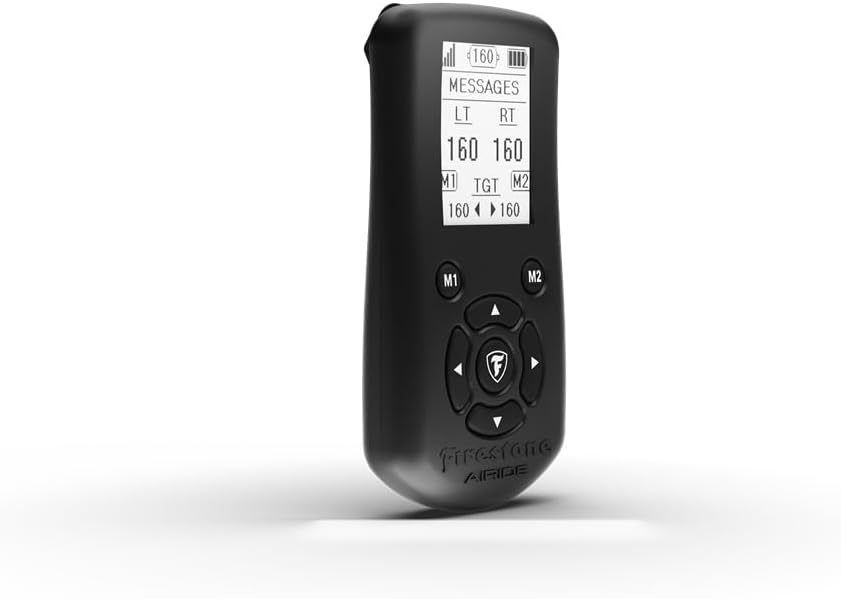
Figure 3.1: Angled view of the Air Command Service Pack, highlighting the display with various indicators.
3.2 Control Button Functions
The device features several buttons for navigation and control:
- Directional Arrows (Up/Down/Left/Right): Used for navigating menus and adjusting pressure settings.
- Center Button (Firestone Logo): Typically acts as a selection or confirmation button.
- M1 Button: Recalls or saves Memory Preset 1.
- M2 Button: Recalls or saves Memory Preset 2.
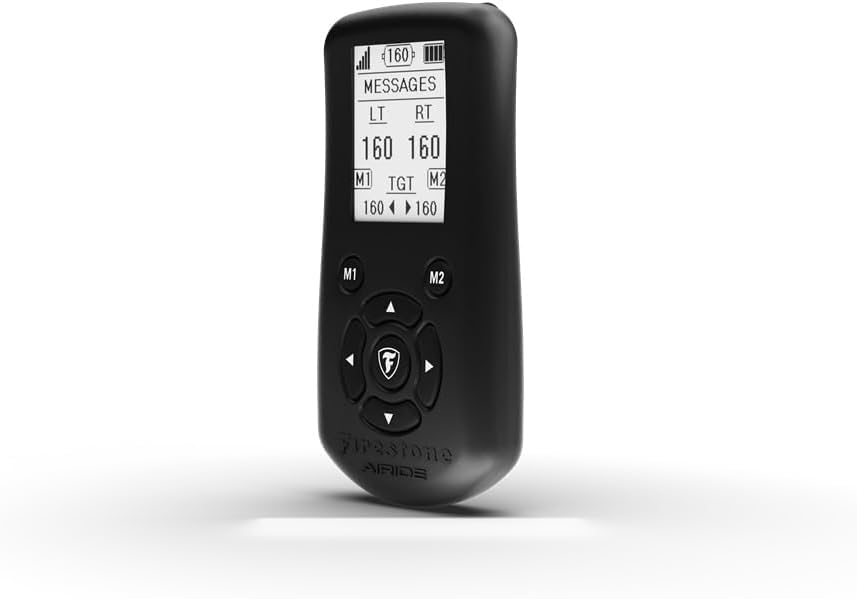
Figure 3.2: Front view of the Air Command Service Pack, detailing the layout of the control buttons.
3.3 Adjusting Air Pressure
- Ensure the device is connected to your air suspension system.
- Use the directional arrows to select the Left (LT) or Right (RT) air spring pressure display.
- Press the Up or Down arrow to increase or decrease the target pressure. The system will automatically adjust the air springs to the new target.
- To save a setting, adjust to the desired pressure, then press and hold either the M1 or M2 button until a confirmation message appears.
4. Maintenance
4.1 Cleaning
Wipe the device with a soft, dry cloth. Do not use abrasive cleaners, solvents, or immerse the device in water. Ensure all ports are free from dust and debris.
4.2 Battery Care
- Recharge the device regularly, even if not in frequent use, to maintain battery health.
- Avoid fully discharging the battery frequently.
- Do not expose the device to extreme temperatures, as this can degrade battery performance.
4.3 Storage
Store the Air Command Service Pack in a cool, dry place away from direct sunlight and extreme temperatures. If storing for an extended period, ensure the battery is charged to approximately 50% to prevent deep discharge.
5. Troubleshooting
| Problem | Possible Cause | Solution |
|---|---|---|
| Device does not power on. | Low or depleted battery. | Charge the device using the provided cable. |
| Cannot connect via Bluetooth/Wi-Fi. | Device out of range, pairing mode not active, or interference. | Ensure device is in pairing mode and within range. Restart both the Service Pack and the connected system. Check for other wireless interference. |
| Air pressure not adjusting. | Connection issue with air suspension system, or system fault. | Verify connection. Check for error messages on the display. Consult your vehicle's air suspension system manual. |
| Display is blank or frozen. | Software glitch or low battery. | Perform a soft reset by holding the power button for 10 seconds. Ensure the device is charged. |
If troubleshooting steps do not resolve the issue, please contact Firestone Airide customer support for further assistance.
6. Specifications
| Feature | Detail |
|---|---|
| Model Number | 9964 |
| Brand | Airide |
| Manufacturer | Firestone |
| Product Dimensions | 5 x 2 x 3 inches |
| Item Weight | 6.4 ounces |
| Color | Black |
| Special Features | Rechargeable, Live feedback and diagnostics |
| Compatible Devices | Air Suspension Components |
| Connectivity Technology | Bluetooth, Wi-Fi |
| Date First Available | February 18, 2025 |
7. Warranty and Support
For warranty information and customer support, please refer to the documentation included with your purchase or visit the official Firestone Airide website. You can also visit the Airide Store on Amazon for more product details and support resources.
Manufacturer: Firestone
Brand: Airide