
MiLESEEY PF260
Contents
MILESEEY PF260 Golf Range Finder User Manual
Model: PF260 Tour
1. Introduction
The MILESEEY PF260 Golf Range Finder is a high-precision laser rangefinder designed to enhance your golf game by providing accurate distance measurements. It features advanced pin-seeking technology, slope compensation, and a durable, ergonomic design. This manual provides detailed instructions for setup, operation, maintenance, and troubleshooting to ensure you get the most out of your device.
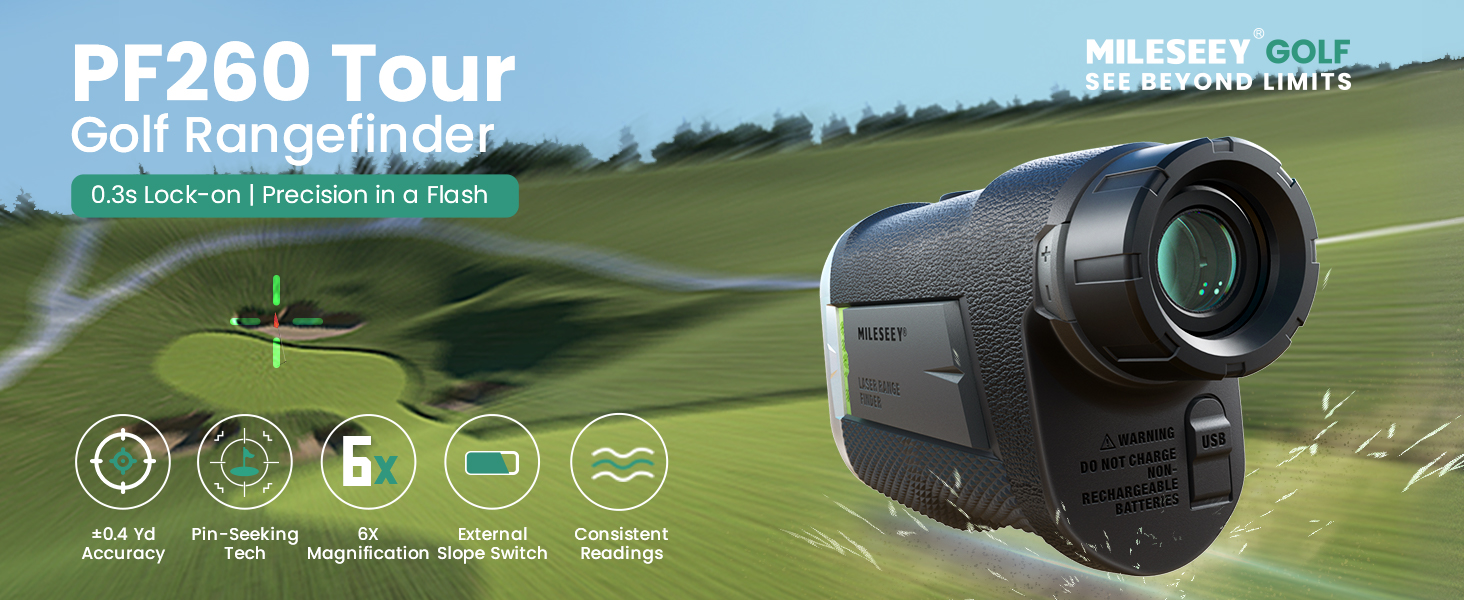
Image: MILESEEY PF260 Tour Golf Rangefinder with key features highlighted.
2. What's in the Box
Please check the package contents to ensure all items are present:
- MILESEEY PF260 Tour Golf Rangefinder with Magnetic
- 2 × Rechargeable CR2 Batteries
- User Manual & Type-C Cable
- Microfiber Cleaning Cloth
- Storage Case with Hook

Image: All components included in the MILESEEY PF260 package.

Image: A visual representation of the MILESEEY PF260 rangefinder and its accessories.
3. Product Overview
The PF260 is designed for ease of use and durability, featuring a robust construction and intuitive controls.
3.1 Components and Design

Image: Front view of the MILESEEY PF260 Golf Range Finder.
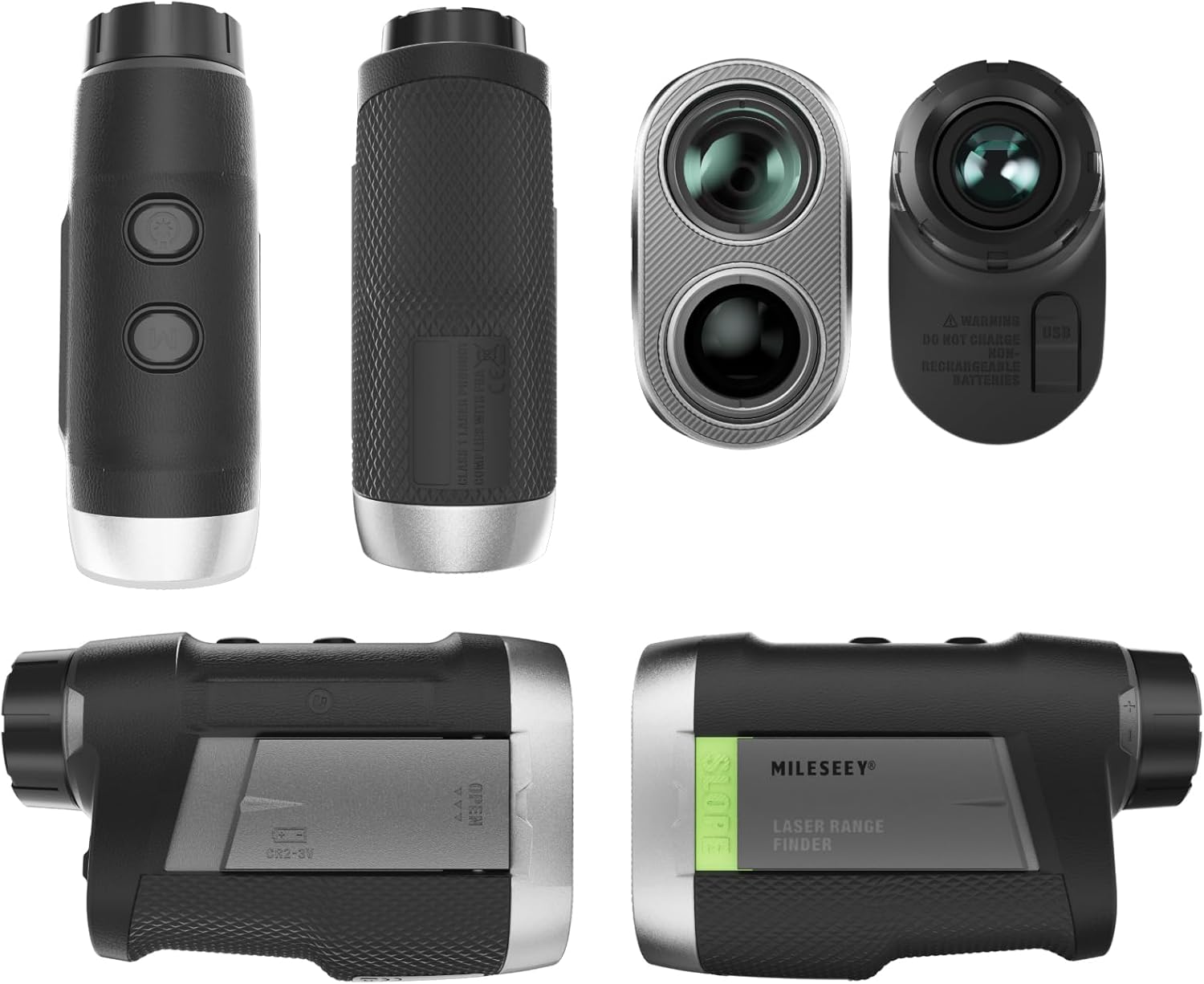
Image: Various angles of the MILESEEY PF260 rangefinder, showing its ergonomic design and textured grip.
- Objective Lens: 23mm objective lens for superior visual clarity.
- Eyepiece: Adjustable for focus.
- Power/Measurement Button: Initiates measurement and powers on the device.
- Mode Button: Switches between different measurement modes.
- Slope Switch: External slide switch to enable/disable slope compensation.
- Battery Compartment: Houses the rechargeable CR2 battery.
- USB-C Port: For charging the battery.
- Magnetic Strip: Built-in 5500GS magnetic strip for easy attachment to golf carts.
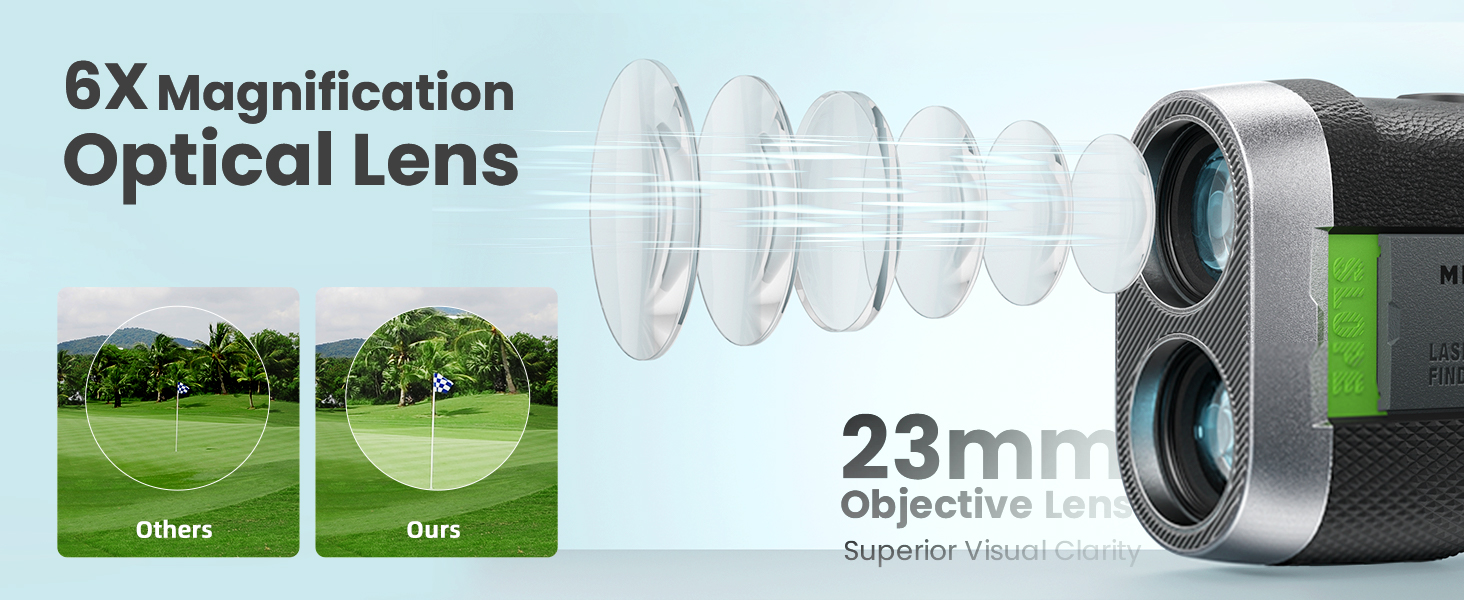
Image: Diagram illustrating the 6X magnification optical lens for clear viewing.

Image: Close-up of the powerful magnetic strip for secure attachment.
Image: Illustration of the integrated sensor for accurate slope calculations.
4. Setup
4.1 Battery Installation
- Locate the battery compartment on the side of the rangefinder.
- Slide the battery cover open.
- Insert one of the provided rechargeable CR2 batteries, ensuring correct polarity (+/-).
- Close the battery cover securely.

Image: Visual guide for installing the rechargeable CR2 battery.
4.2 Charging the Battery
The PF260 comes with two rechargeable CR2 batteries and a USB-C cable. It is recommended to fully charge the battery before first use.
- Connect the USB-C cable to the charging port on the rangefinder.
- Connect the other end of the USB-C cable to a compatible USB power source (e.g., computer, wall adapter).
- The charging indicator light will show the charging status.
- Once fully charged, disconnect the cable.
WARNING: DO NOT CHARGE NON-RECHARGEABLE BATTERIES.

Image: Illustration of the dual power supply feature, showing the rechargeable battery and USB-C charging.
5. Operating Modes
The MILESEEY PF260 offers several modes to suit various golfing and outdoor needs.
5.1 Standard Measurement
- Press the Power/Measurement button to power on the device.
- Aim the crosshairs at your target.
- Press the Power/Measurement button again to get the distance reading.
5.2 Flag Lock & Vibration Alert
This mode helps you lock onto the flagstick quickly and accurately, even with background objects.
- In standard measurement mode, slowly scan across the flagstick.
- The device will automatically lock onto the flag in 0.3 seconds.
- A vibration alert will confirm the flag lock, providing instant feedback.

Image: User demonstrating how to easily lock onto a target with vibration feedback.

Image: Visual explanation of the Flag & Pole Auto Locking feature, filtering out background interference.
5.3 Slope Compensation
The slope compensation feature calculates the adjusted distance based on elevation changes, providing a more accurate 'play as' distance.
- Use the external slide switch on the side of the device to enable or disable slope mode. A bold green indicator will be visible when slope is ON.
- In slope mode, the device will display both the actual distance and the slope-adjusted distance.

Image: A golfer using the rangefinder with a visual representation of slope compensation.

Image: Diagram explaining how slope compensation automatically calculates the actual hitting distance based on elevation changes.
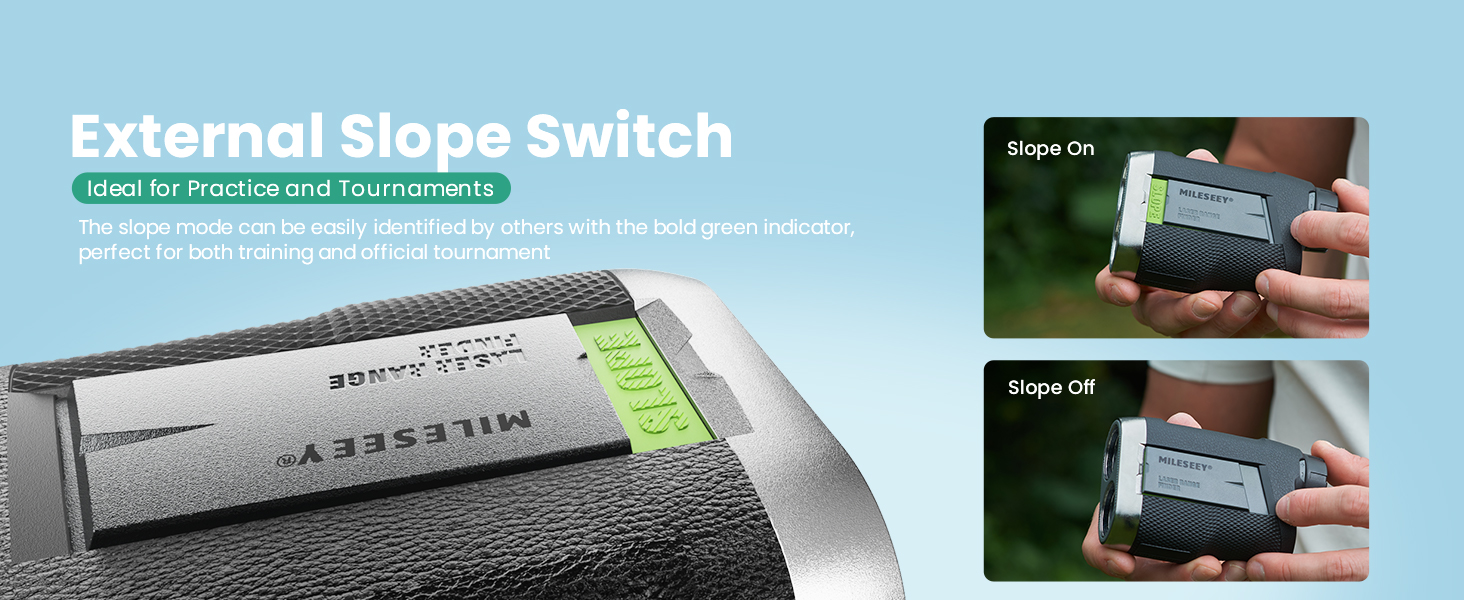
Image: Close-up of the external slope switch, showing its ON/OFF positions.
5.4 Continuous Scan Mode
Hold down the Power/Measurement button to activate continuous scan mode, allowing you to scan multiple targets and get real-time distance updates.
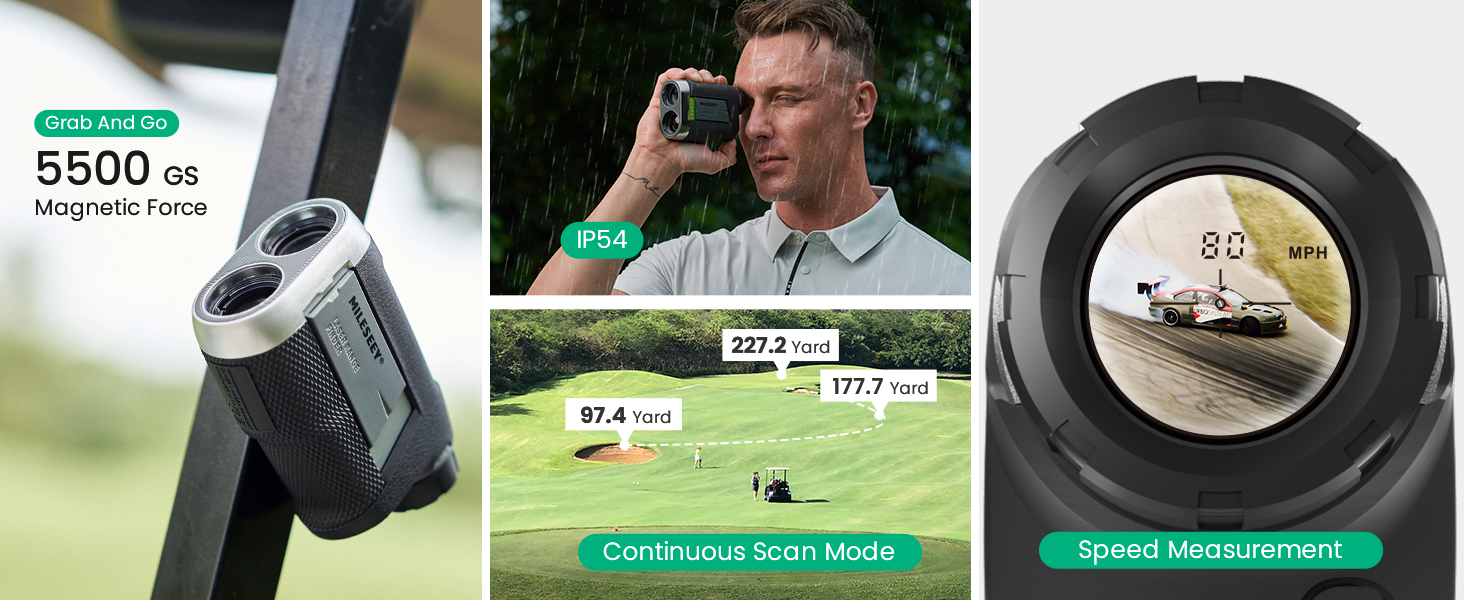
Image: Demonstrates Continuous Scan Mode and Speed Measurement features.
5.5 VD Mode (Disc Golf)
The VD mode is specifically designed for disc golf, measuring distance and vertical height in feet.

Image: Illustration of the VD Mode for disc golf, showing distance, height, and slope measurements in feet.
5.6 Unit Switching
Press and hold the Mode button to cycle through measurement units: Yards (Y), Meters (M), or Feet (FT).
Official Product Videos
Video: "PF260-Tour Golf Range Finder - Best Choice for Golfer" by MiLESEEY Innovation. This video provides an overview of the rangefinder's features and benefits for golfers.
Video: "THE BEST GOLF GIFTS FOR HIM - MILESEEY PF260 Rangefinder" by MiLESEEY Innovation. This video highlights the PF260 as an ideal gift and showcases its various functionalities.
6. Maintenance
6.1 Cleaning
- Use the provided microfiber lens cloth to gently clean the lenses.
- For the body, wipe with a soft, damp cloth. Avoid abrasive cleaners.
6.2 Battery Care
- Always use the provided rechargeable CR2 batteries.
- Do not attempt to charge non-rechargeable batteries.
- Store the device in its case when not in use to protect it from dust and impact.
7. Troubleshooting
| Problem | Possible Cause | Solution |
|---|---|---|
| Device does not power on | Low battery or incorrect battery installation. | Ensure battery is correctly inserted and fully charged. |
| Inaccurate readings | Lens is dirty or unstable aiming. | Clean lenses with microfiber cloth. Ensure stable aiming. |
| Vibration alert not working | Possible software glitch or specific target conditions. | Ensure flag lock is properly engaged. If issue persists, contact customer support. |
| Device powers off too quickly | Auto-power off feature. | The device is designed to auto-power off after 16 seconds of inactivity to save battery. This is normal operation. |
8. Specifications
| Feature | Detail |
|---|---|
| Model Name | PF260 Tour |
| Measuring Range | 1100 yards (max) |
| Flag Lock Range | 350 yards |
| Accuracy | ±0.4 yards |
| Magnification | 6X |
| Objective Lens | 23mm |
| Battery Type | Rechargeable & Removable CR2 |
| Product Dimensions | 4.45"L x 2.91"W x 1.69"H |
| Item Weight | 6.7 Ounces |
| Material | Anti-skidding Rubber, Plastic, Anti-wear Rubber |
| International Protection Rating | IP54 |
9. Warranty and Support
The MILESEEY PF260 Golf Range Finder comes with a 2-year warranty. For any product inquiries, technical assistance, or warranty claims, please contact MILESEEY customer support. We offer lifetime customer support to ensure your satisfaction.
Please refer to the contact information provided in your product packaging or visit the official MiLESEEY website for support details.
Ask a question about this manual
Ask about setup, troubleshooting, compatibility, parts, safety, or missing instructions. Manuals+ will review the question and use this page’s manual context to help answer it.