1. Introduction
The ULTIMEA Aura A40 U2601 is a 7.1ch virtual surround sound system designed to enhance your television audio experience. It features a sound bar, a wired subwoofer, and four surround speakers, delivering a peak power of 330W. This system incorporates SurroundX technology for precise audio and offers control via a dedicated mobile application, alongside various connectivity options.

Figure 1: Overview of the ULTIMEA Aura A40 U2601 system components.
2. What's in the Box
- 1 x Soundbar
- 1 x Subwoofer
- 4 x Surround Speakers
- 1 x Remote Control (Battery not Included)
- 1 x User Manual
- 1 x Rear Surround Cable (6m)
- 1 x Digital Optical Cable
- 1 x Front Left Surround Cable (2m)
- 1 x Front Right Surround Cable (2m)
- 1 x Power Adaptor for Soundbar
- 1 x Power Adaptor for Surround Speaker
- 12 x Wall Mount Kit
- 6 x Wall Bracket
- 6 x Mounting Screw on Speakers
3. Product Overview
The Aura A40 system comprises a central soundbar, a dedicated subwoofer, and four compact surround speakers. These components work together to create a virtual 7.1 channel audio environment.
3.1 Soundbar
The soundbar features three main channels for clear dialogue and front audio projection. It houses three 2-inch full-range drivers.

Figure 2: Internal view of the soundbar showing its three main channels.
3.2 Subwoofer
A 4-inch wired subwoofer provides deep bass frequencies, enhancing the overall audio impact. It connects directly to the soundbar via a wired connection.

Figure 3: The wired subwoofer with BassMX technology.
3.3 Surround Speakers
The system includes four surround speakers, each with a 2-inch full-range driver. Two front surround speakers connect to the soundbar via cables, while two rear surround speakers connect wirelessly to the soundbar after being powered.

Figure 4: A typical living room setup demonstrating speaker placement for virtual surround sound.

Figure 5: Diagram of the 8 high-performance drivers in the system.
4. Setup
This section details the steps for connecting your ULTIMEA Aura A40 U2601 sound system.
4.1 Soundbar Connections
The soundbar features multiple input ports for various audio sources. Note that HDMI is not supported.

Figure 6: Rear panel connections of the soundbar.
4.2 Surround Speaker Connections
The system includes two wired front surround speakers and two wired rear surround speakers. The rear speakers pair wirelessly with the soundbar after initial wired connection for power.

Figure 7: Connection diagram for the entire 7.1ch system.
To connect the surround speakers:
- Connect the soundbar and the two front surround speakers using the provided front surround cables (FR & FL).
- Connect the two rear surround speakers using the rear surround cable.
- Power the rear right surround speaker to initiate wireless pairing with the soundbar.
- If pairing fails, hold the SURROUND button on the remote for 5 seconds until "SUR" flashes on the soundbar display. Then, hold the PAIR button on the rear right speaker for 5 seconds until its light flashes. Once paired, the light will remain steady.
4.3 Optical Connection
For high-quality digital audio, use the optical connection.

Figure 8: Steps for connecting via Optical cable.
4.4 AUX Connection
Use the AUX connection for analog audio sources.

Figure 9: Steps for connecting via AUX cable.
4.5 Bluetooth Connection
Connect your devices wirelessly using Bluetooth 5.3 for stable audio streaming.

Figure 10: Bluetooth 5.3 connectivity for the soundbar.
5. Operating Instructions
Learn how to operate your ULTIMEA Aura A40 U2601 sound system using the remote control or the dedicated mobile application.
5.1 Remote Control Functions
The included remote control allows for basic functions such as power, input selection, volume adjustment, and direct access to EQ modes.
5.2 Ultimea Smart App Control
The Ultimea Home mobile application provides advanced control over your sound system, including detailed equalizer settings and firmware updates.
Video 1: Demonstration of the Ultimea Home App control for the Aura A40 sound system, showcasing EQ adjustments and mode selection.

Figure 11: Ultimea Home App interface for sound control.
5.2.1 10-Band Equalizer Settings
The app allows for precise adjustment of a 10-band equalizer to fine-tune audio frequencies. Additionally, six tailored EQ modes are available: Movie, Music, Voice, Sport, Game, and Night.

Figure 12: 10-Band Equalizer settings within the Ultimea Home App.
5.2.2 121 Preset EQ Matrices
Explore 121 preset equalizer matrices within the app, tailored for distinct sonic preferences such as Bass, Pop, Classical, and Rock.
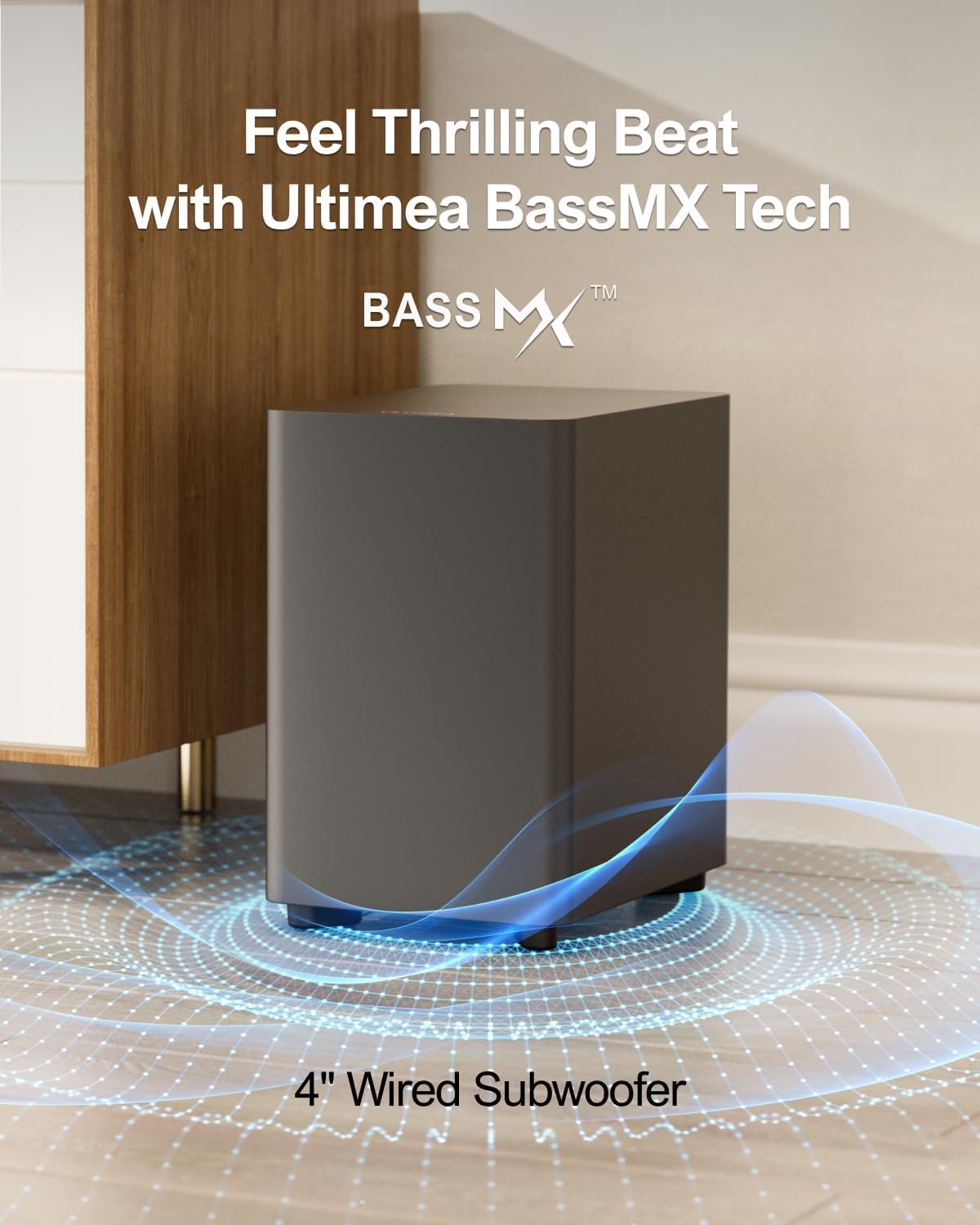
Figure 13: 121 Preset EQ Matrices for customized sound styles.
5.2.3 Adjustable Surround Levels
The app allows for 13 adjustable surround levels for the rear speakers, enhancing audio spatiality and immersion.
5.2.4 OTA Updates
The Ultimea Home App supports Over-The-Air (OTA) updates to ensure your system always has the latest features and performance enhancements.
Figure 14: OTA Update feature in the Ultimea Home App.
6. Specifications
| Feature | Detail |
|---|---|
| Model Name | Aura A40 |
| Speaker Type | Surround Sound |
| Surround Sound Channel Configuration | 7.1 |
| Speaker Maximum Output Power | 330 Watts |
| Connectivity Technology | Bluetooth 5.3, Optical, AUX, USB (not support HDMI) |
| Wireless Communication Technology | Bluetooth 5.3, App Control |
| Subwoofer Connectivity Technology | Wired |
| Control Method | App, Remote |
| Product Dimensions | 16"D x 41"W x 3"H |
| Item Weight | 4.6 Kilograms (10.12 pounds) |
| Frequency Response | 18 Hz |
| Bluetooth Range | 15 Meters |
| Material | Metal |
| Color | Black |
7. Troubleshooting
This section provides solutions to common issues you might encounter with your sound system.
7.1 No Sound
- Check Power: Ensure all components (soundbar, subwoofer, rear speakers) are properly connected to power and turned on.
- Input Source: Verify that the correct input source is selected on the soundbar (e.g., OPT, AUX, BT).
- Volume Levels: Confirm that the volume on both the soundbar and your connected device (TV, phone) is not muted or set too low.
- Cable Connections: Inspect all audio cables (Optical, AUX, speaker cables) for secure connections.
7.2 Surround Speakers Not Pairing
- Power: Ensure the rear right surround speaker is powered on.
- Manual Pairing: If automatic pairing fails, initiate manual pairing: hold the SURROUND button on the remote for 5 seconds until "SUR" flashes on the soundbar display. Then, hold the PAIR button on the rear right speaker for 5 seconds until its light flashes. The light will stay on once paired.
- Distance: Ensure the rear speakers are within the recommended wireless range of the soundbar.
7.3 Bluetooth Connection Issues
- Pairing Mode: Ensure the soundbar is in Bluetooth pairing mode (BT indicator flashing).
- Device Visibility: Make sure Bluetooth is enabled on your source device and it is discoverable.
- Forget Device: On your source device, forget the soundbar from your Bluetooth device list and attempt to pair again.
- Interference: Move the soundbar and source device away from other wireless devices that might cause interference.
8. Maintenance
To ensure the longevity and optimal performance of your ULTIMEA Aura A40 U2601 sound system, follow these maintenance guidelines:
- Cleaning: Use a soft, dry cloth to clean the surfaces of the soundbar, subwoofer, and speakers. Avoid using liquid cleaners or abrasive materials.
- Placement: Place the components on stable, flat surfaces. Ensure adequate ventilation around the subwoofer and soundbar to prevent overheating.
- Cable Management: Keep cables organized and free from kinks or excessive tension to prevent damage.
- Environmental Conditions: Avoid exposing the system to extreme temperatures, high humidity, or direct sunlight.
9. Warranty and Support
The ULTIMEA Aura A40 U2601 comes with a limited warranty. For detailed warranty information, please refer to the warranty card included in your product packaging or visit the official ULTIMEA website. For technical support, troubleshooting assistance, or service inquiries, please contact ULTIMEA customer support through their official channels.
Video 2: An overview of the ULTIMEA Aura A40 7.1 Surround Sound System, highlighting its features and benefits for home entertainment.
Video 3: A demonstration focusing on the four surround speakers and how they contribute to an immersive audio experience.
Video 4: Showcasing the ULTIMEA Aura A40 as a perfect solution for a home theater setup.


