
1. Introduction
This manual provides essential instructions for the safe and effective use of your NGTeco FB1 Biometric Gun Safe. Please read this manual thoroughly before installation and operation to ensure proper functionality and security. This safe is designed to provide secure storage for handguns, offering multiple access methods for quick retrieval when needed.
2. Safety Information
Responsible firearm storage is paramount. Always ensure firearms are stored securely and out of reach of unauthorized individuals, especially children. This safe is designed to aid in preventing accidental access.
- Never store loaded firearms in the safe unless specifically trained and authorized to do so, and always follow local laws and regulations.
- Keep backup keys in a secure location away from the safe and out of reach of children.
- Do not share your passcode or allow unauthorized individuals to register their fingerprints.
- Ensure the safe is securely mounted to prevent removal by unauthorized persons.
- The safe features an alarm that activates after 5 or more incorrect fingerprint or passcode attempts, sounding for 60 seconds as a warning.

This image illustrates the importance of keeping firearms securely stored away from children. The NGTeco FB1 safe helps prevent unauthorized access.

This image highlights the alarm alert feature, which activates if incorrect access attempts are made, providing an additional layer of security.
3. Package Contents
Verify that all items are present in the package before proceeding with installation.
- Gun Safe Box (FB1)
- Mounting Bracket
- 4 x Mounting Screws
- 1 x Anti-tamper Screw
- 2 x Mechanical Keys
- User Manual (this document)

This image displays the complete contents of the NGTeco FB1 package, including the safe, mounting hardware, keys, and user manual.
4. Product Overview
4.1 Key Features
- Multiple Access Methods: Fingerprint, 6-digit passcode, and mechanical key for versatile and quick access.
- Biometric Security: Stores up to 50 fingerprints for rapid, secure entry in under 0.1 seconds.
- Durable Construction: Made from 1.5mm SPCC alloy steel for enhanced strength and resistance against prying and drilling.
- User-Friendly Design: Features an interior light for visibility in low-light conditions and a silent mode for discreet operation.
- Emergency Power: Equipped with a USB-C port for external power supply in case of battery depletion.
- Flexible Mounting: Designed for drop-down installation with options for left, right, or top mounting.
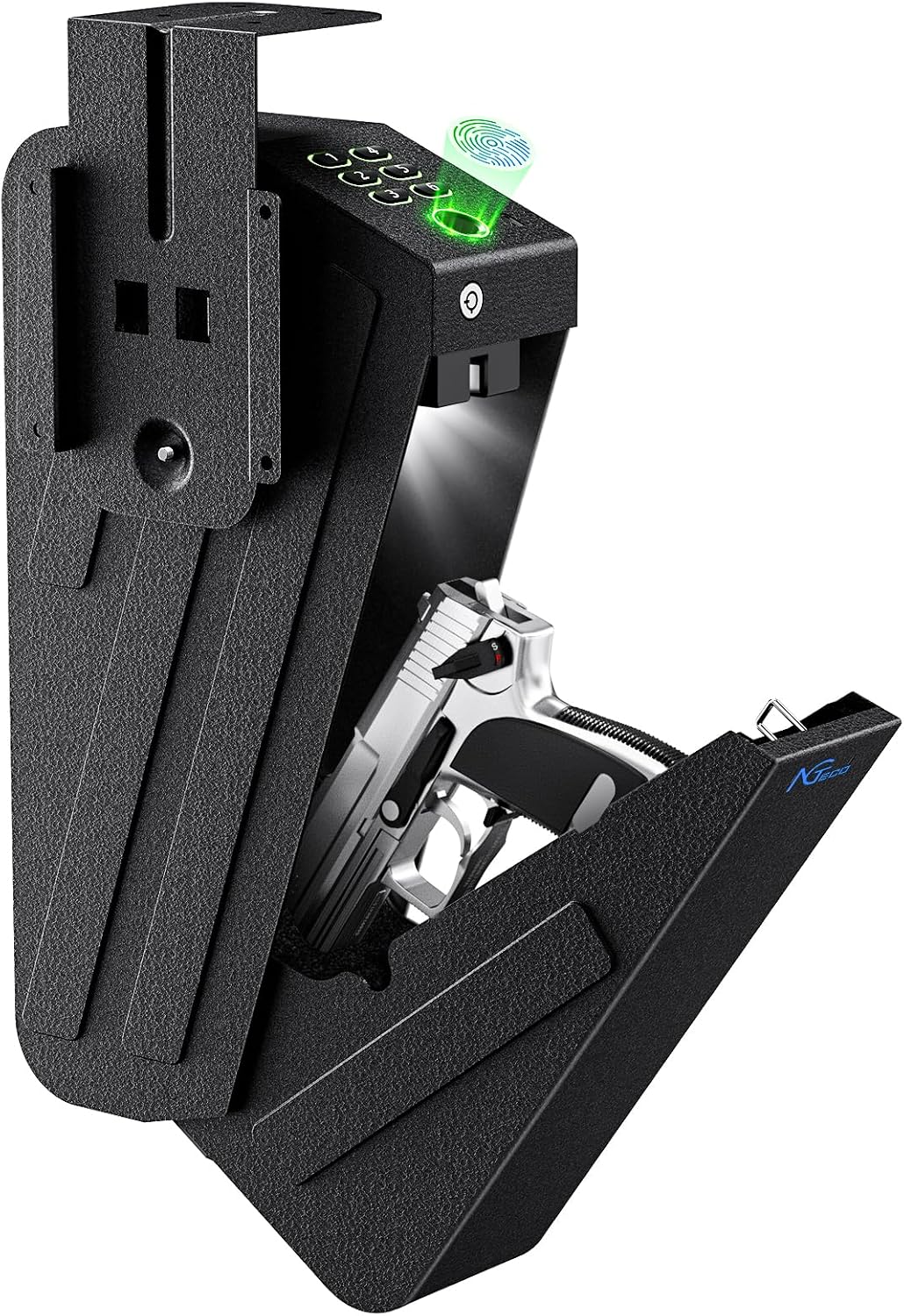
This image shows the NGTeco FB1 safe in an open position, revealing the interior and a handgun, demonstrating its primary function.

This image highlights the robust 1.5mm SPCC alloy steel construction, designed to resist tampering and provide long-lasting security.
4.2 Components
- Fingerprint Sensor: Located on the top panel for biometric access.
- Keypad: Numeric buttons for passcode entry.
- Keyhole: For emergency mechanical key access.
- USB-C Port: For external emergency power supply.
- Interior Light: Illuminates the safe's contents upon opening.
- Mounting Points: Integrated into the design for secure installation.

This image provides an overview of the safe's features, including its identification methods, alarm, low battery indicator, and mute mode.
5. Setup and Installation
5.1 Battery Installation
The NGTeco FB1 safe requires batteries for operation (not included). Open the safe using the mechanical key. Locate the battery compartment inside and insert the required batteries, ensuring correct polarity. Close the compartment securely.
5.2 Mounting Options
The safe offers three fixed installation methods to suit various locations such as under a desk, on a shelf, or in a vehicle.
- Left Side Mounting: Attach the mounting bracket to the left side of the desired surface.
- Top Mounting: Attach the mounting bracket to the top surface, allowing the safe to hang below.
- Right Side Mounting: Attach the mounting bracket to the right side of the desired surface.
Use the provided mounting screws to secure the bracket firmly. Ensure the mounting surface is strong enough to support the weight of the safe and its contents.

This diagram illustrates the three available mounting configurations for the NGTeco FB1 safe, providing flexibility for installation.

This image demonstrates a typical installation of the safe mounted discreetly under a desk, showcasing its concealed design.
6. Operating Instructions
6.1 Access Methods
The NGTeco FB1 safe offers three ways to access its contents:
- Fingerprint: Program up to 50 unique fingerprints for quick access in less than 0.1 seconds. Refer to the programming section for detailed instructions on registering fingerprints.
- Passcode: Utilize a 6-digit passcode for secure entry. Instructions for setting and changing the passcode are provided in the programming section.
- Backup Key: Two mechanical keys are provided for emergency access. Use these if batteries are depleted or if electronic access methods fail.
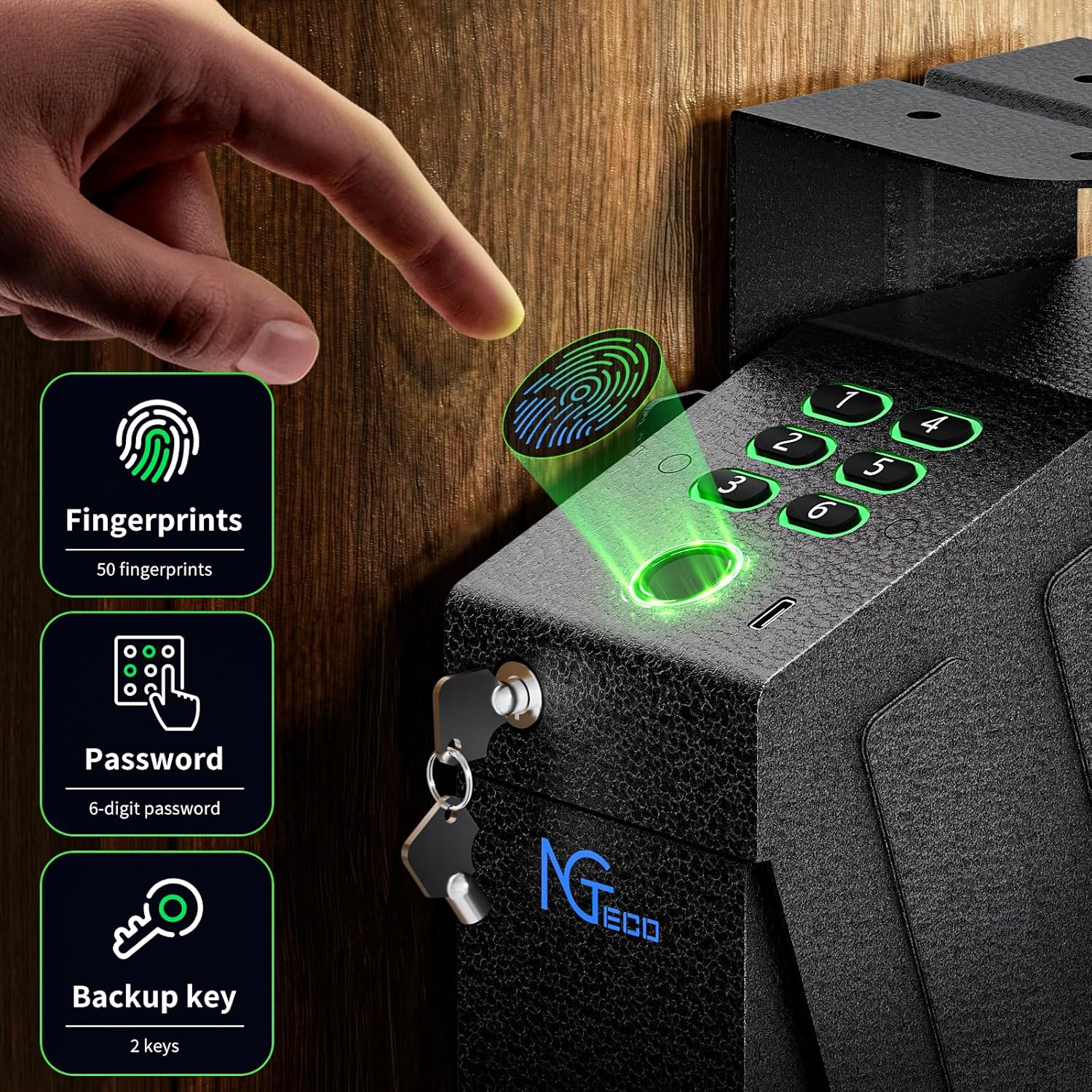
This image visually explains the three primary access methods: fingerprint, passcode, and mechanical key, ensuring multiple ways to open the safe.
6.2 Silent Mode
To enable silent operation, short press the setup button. When the panel blue light is on, press the number '5'. A long-lasting green light on the fingerprint sensor indicates that silent mode is successfully activated. This feature is useful for discreet access without audible alerts.

This image demonstrates the silent mode feature, allowing for quiet access to the safe's contents, which is beneficial in sensitive situations.
6.3 Emergency Power Supply
In the event of battery depletion, the safe can be powered externally using a USB-C cable. Connect a USB-C power source to the port on the safe to temporarily power the electronic locking mechanism and regain access.
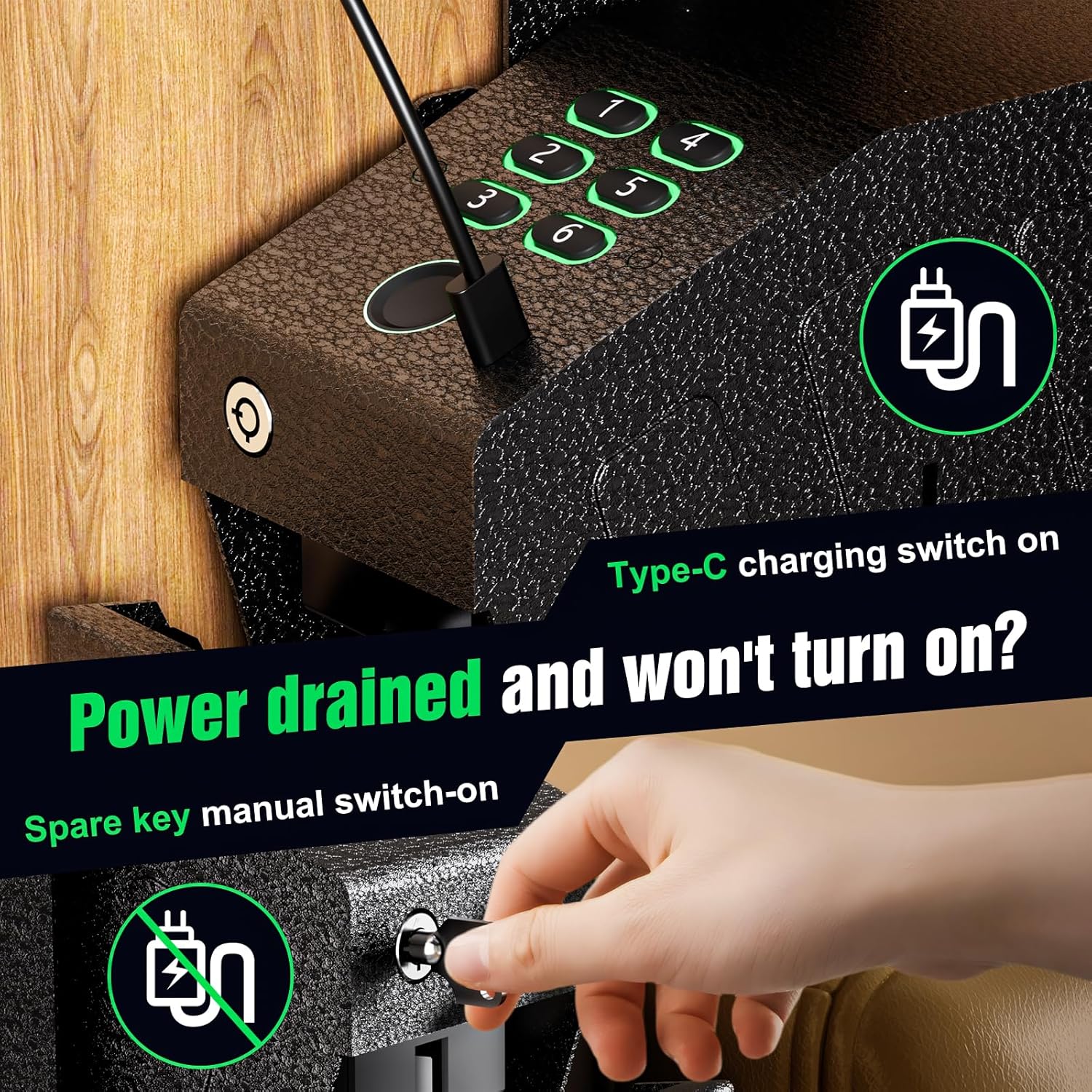
This image illustrates the USB-C emergency power option, allowing the safe to be powered externally if the internal batteries are drained.
7. Maintenance
- Cleaning: Wipe the exterior of the safe with a soft, dry cloth. Avoid abrasive cleaners or solvents.
- Battery Replacement: Replace batteries promptly when the low battery indicator appears to ensure continuous operation.
- Key Storage: Store mechanical keys in a secure, separate location from the safe.
- Interior Foam: The polyurethane foam inside can be customized by cutting to fit your specific firearm and spare magazine.
8. Troubleshooting
- Safe not opening with fingerprint/passcode:
- Ensure batteries are not depleted. Use the USB-C emergency power or mechanical key.
- Re-register fingerprints if recognition issues persist.
- Verify the passcode is entered correctly. - Alarm sounds repeatedly:
- This indicates multiple incorrect access attempts. Enter the correct fingerprint or passcode to disarm. - Safe door not closing properly:
- Check for any obstructions preventing the door from fully latching. - No power:
- Replace batteries. If still no power, use the USB-C emergency power supply.
9. Specifications
| Feature | Specification |
|---|---|
| Brand | NGTeco |
| Model Number | FB1 (NG-FB1) |
| Product Dimensions | 11.4"D x 2.2"W x 9.3"H (Exterior Size: 13.72in*3.66in*7.52in) |
| Item Weight | 8 Pounds |
| Lock Type | Biometric, Electronic Combination Lock, Key |
| Material | Alloy Steel (1.5mm SPCC) |
| Color | Black |
| Fingerprint Capacity | Up to 50 fingerprints |
| Passcode Length | 6 digits |
| Mounting Type | Drop Down Installation (Left, Right, Top) |
| Special Features | Interior Light, Silent Mode, USB-C Emergency Power |
| Batteries Required | Yes (Not Included) |

This image provides detailed dimensions of the NGTeco FB1 safe, assisting with installation planning.
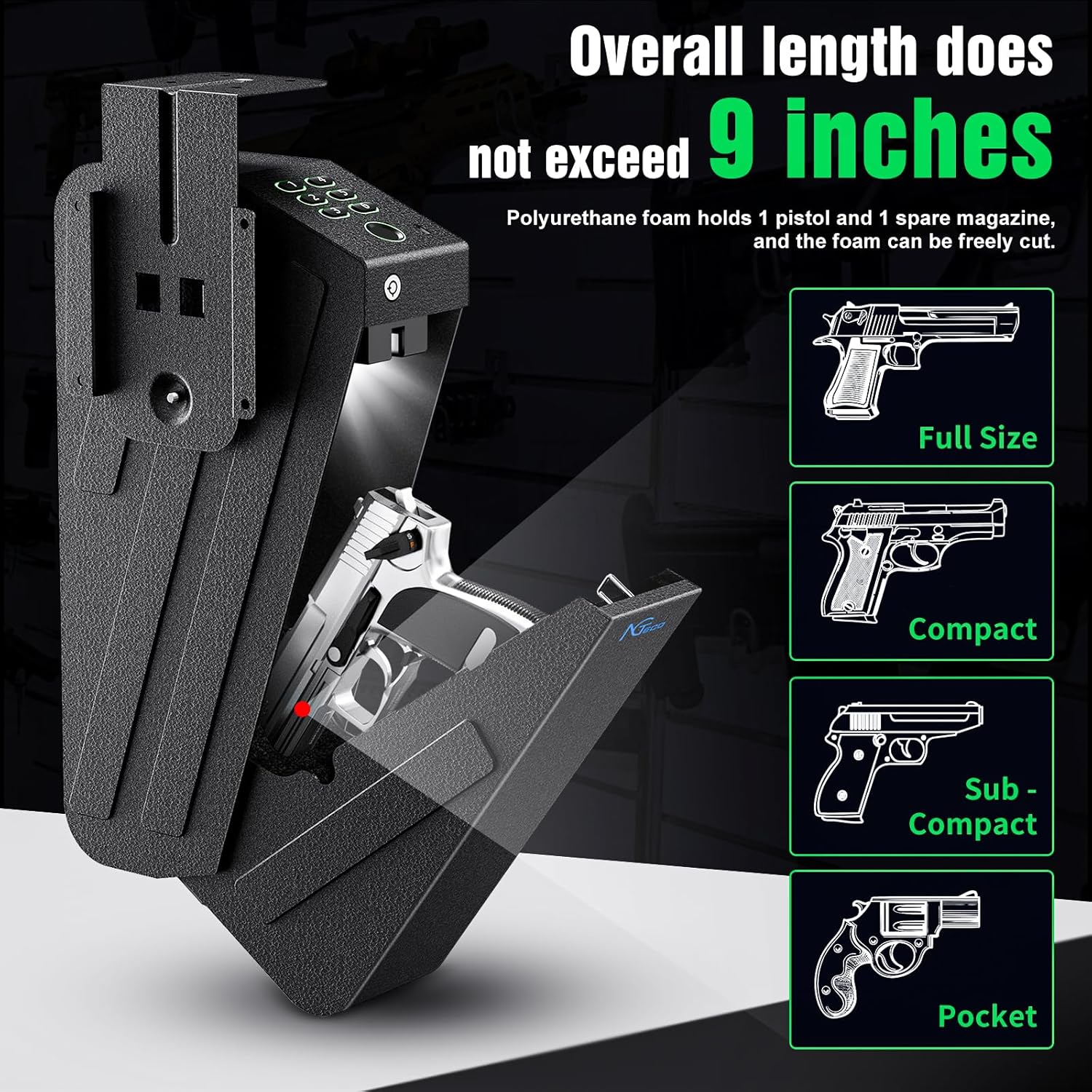
This image demonstrates the safe's internal capacity, indicating it can hold various handgun sizes up to 9 inches in overall length, along with a spare magazine.
10. Warranty and Support
For warranty information, technical support, or any inquiries regarding your NGTeco FB1 Biometric Gun Safe, please contact NGTeco customer service through their official website or the retailer where the product was purchased.
The safe has undergone security testing and is FCC compliant, ensuring it meets established standards for operation and unauthorized access prevention.

This image confirms the FCC Compliance Certification, indicating the product meets regulatory standards for security and operation.